Configure Call Panel Type
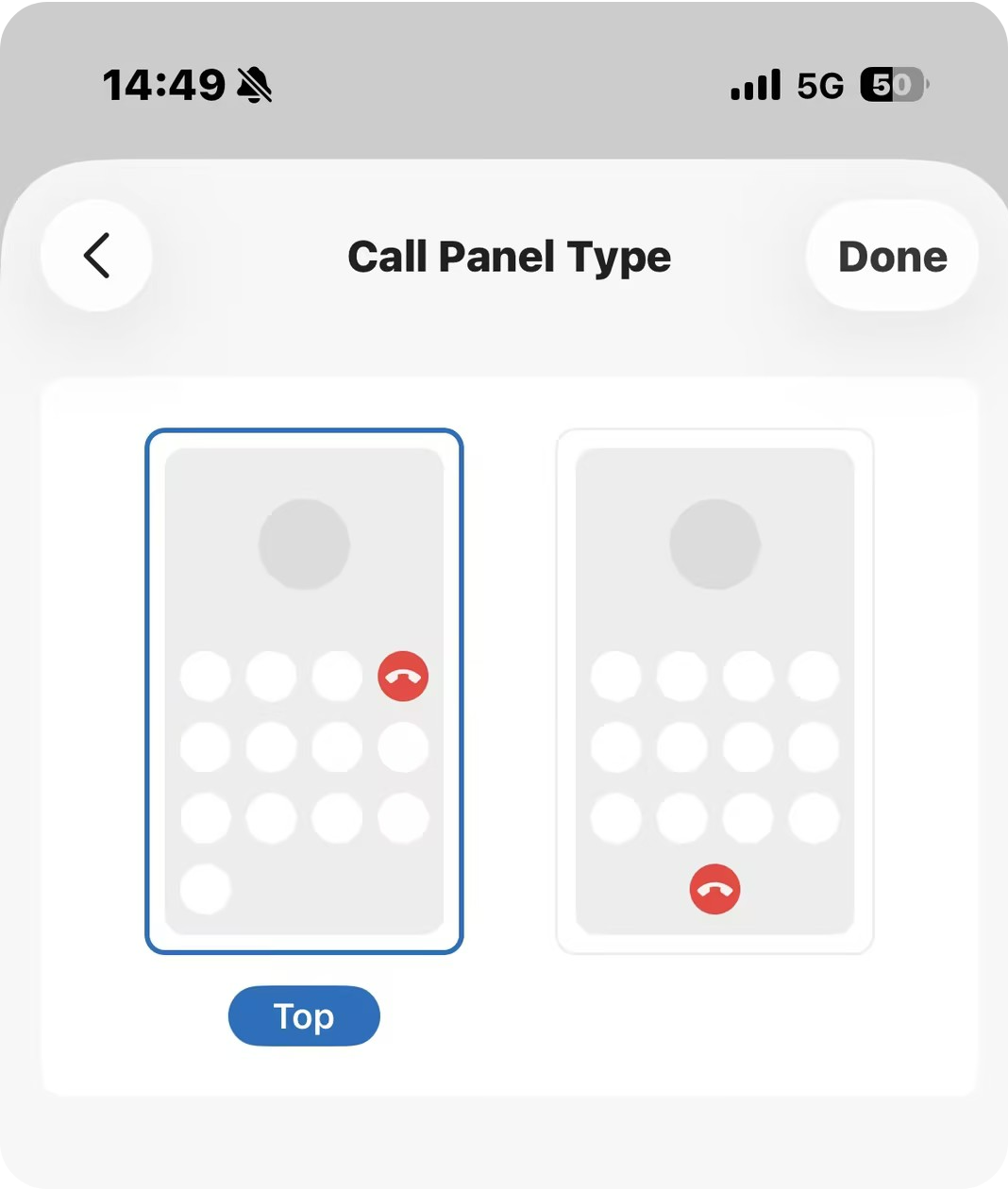
You can choose between different button layouts for the call panel based on your preference.
Requirements
The version of your Linkus Mobile Client meets the following requirements:- Linkus iOS Client: 5.27.18 or later
- Linkus Android Client: 5.27.12 or later
Procedure
- Log in to Linkus Mobile Client.
- At the top-left corner of the Calls page, tap your account.
- Go to .
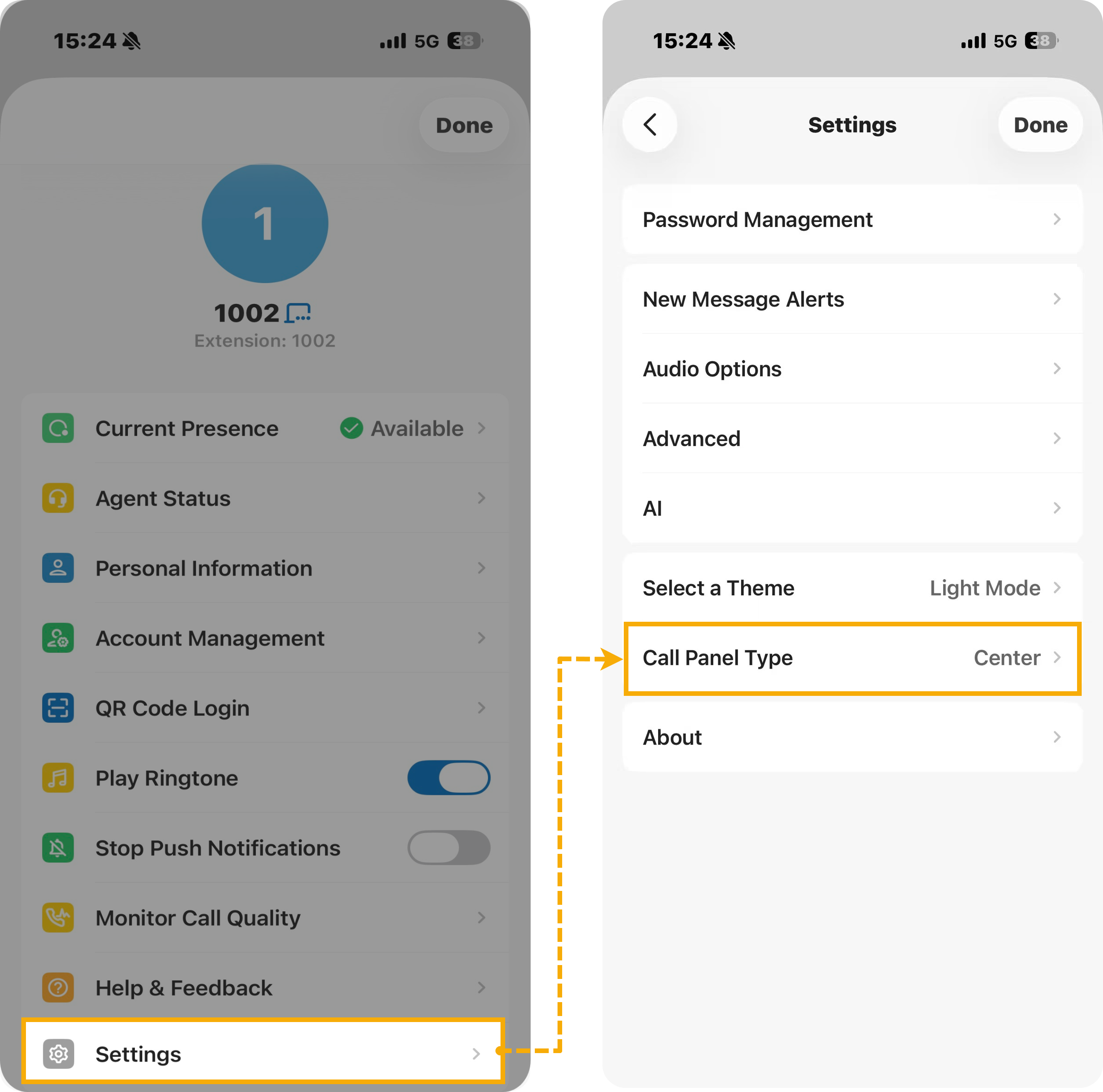
- Select a desired layout, then tap Done.
Result
The selected call panel layout is applied to Linkus and will take effect during future calls.