Manage Dashboards
You can edit or delete dashboards as needed. This topic describes how to manage dashboards in Linkus Desktop Client.
Edit a dashboard
- Log in to Linkus Desktop Client, go to Call Analytics.
- At the top of the list, select the desired dashboard, then click
 .
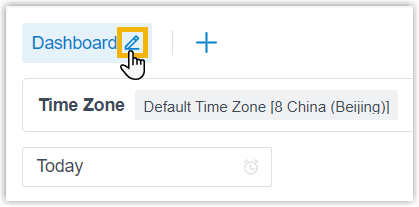
- In the pop-up window, modify the dashboard settings, then click Confirm.
Delete a dashboard
- Log in to Linkus Desktop Client, go to Call Analytics.
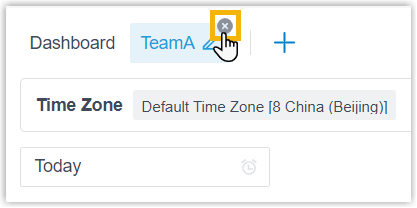
- Hover over the desired dashboard.
- At the top-right corner, click
 and confirm the operation.