Add Business Hours
Business Hours are the time periods during which your company is open for business. You can add business hours based on your work schedule.
Procedure
- Log in to NovoOne Tenant portal, go to .
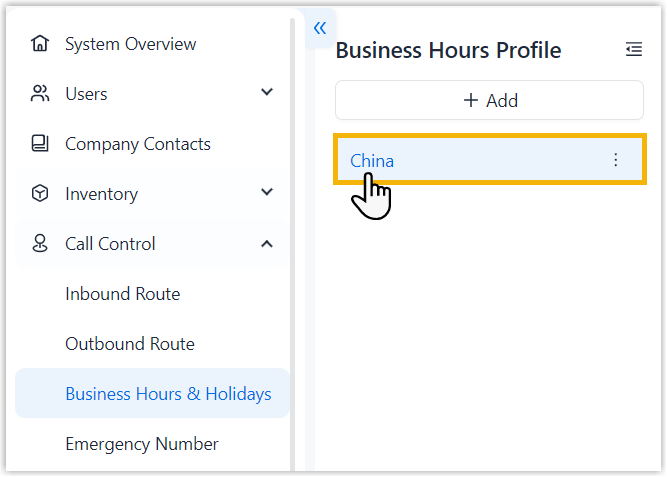
- In the left navigation pane, click the desired business hours
profile.
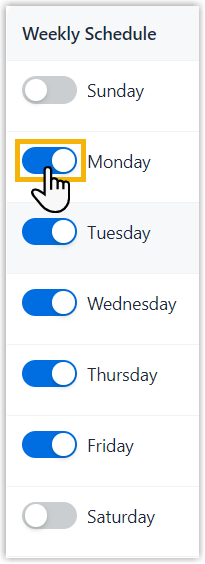
- In the Weekly Schedule column, turn on the switch for
the day when your company is open for business.
- Set business hours, then click Save.
Scenario Instruction Split shifts 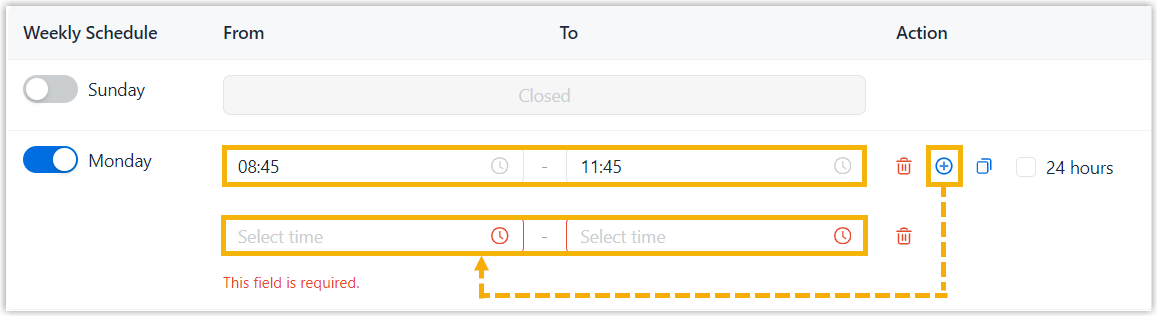
- In the From and To fields, specify the start and end time of a time period.
- Click
 to add more
time periods.Note: Up to 25 time periods are supported.
to add more
time periods.Note: Up to 25 time periods are supported.
Open 24 hours 
Select the checkbox of 24 hours.
Note: If multiple days have the same business hours, you can quickly copy the schedule and apply it to the desired days, as shown below.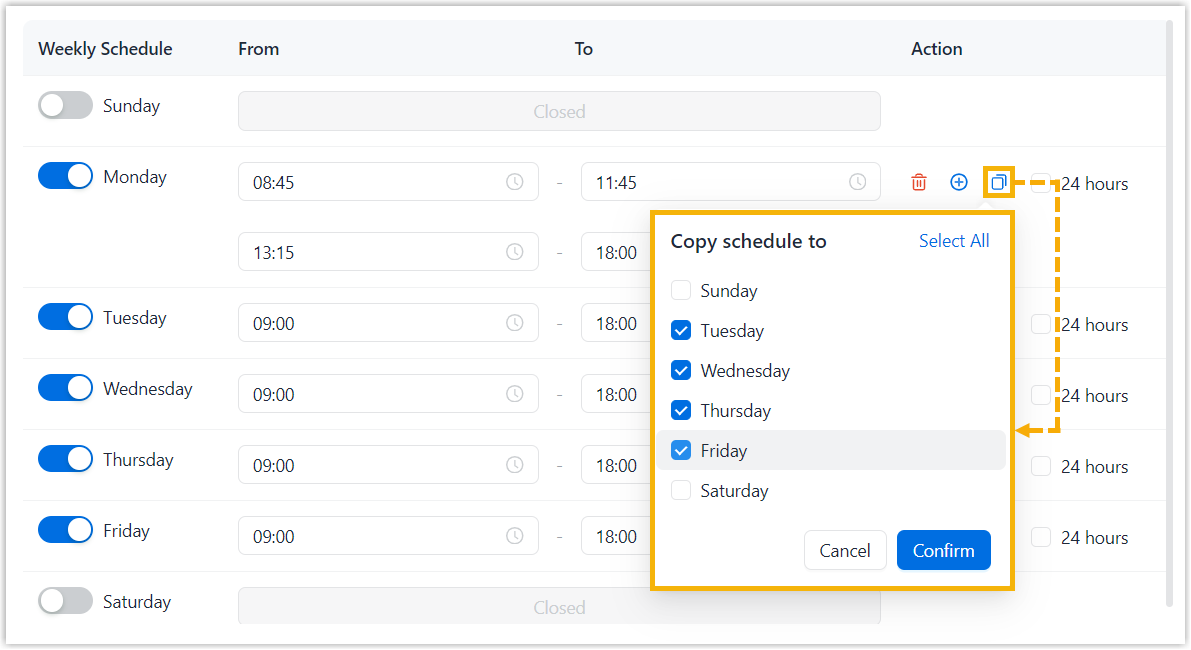
Result
The business hours are added to the selected business hours profile.