Park a Call
During an active call, you can park the call on a system-assigned or manually selected parking number and retrieve it from another phone in the system, so you can move the call to a colleague or continue it on a different device.
Introduction
There are two types of call parking supported:
- System Park: The system automatically assigns a
parking number for the call. This is useful when you need to switch devices
or hand off the call to any available colleague. You can dial the number
from another device or share it with a colleague for quick retrieval.
For more information, see park the call on a system-assigned parking number.
- Selected Park Number: You manually select a specific
parking number for the call. This is useful when departments or individuals
have dedicated parking numbers, for example, when handing off a call to a
designated department using their shared parking number. Other members in
that department can then retrieve the call from their devices.
For more information, see park the call on a specified parking number.
Park a call on a system-assigned parking number
- Requirements
- System administrator has enabled the System Park feature code.
- Scenario
-
During a call, if you need to go from the public area to a conference room, you can park the call. On the IP phone in the conference room, simply dial the parking number to continue the call.
- Procedure
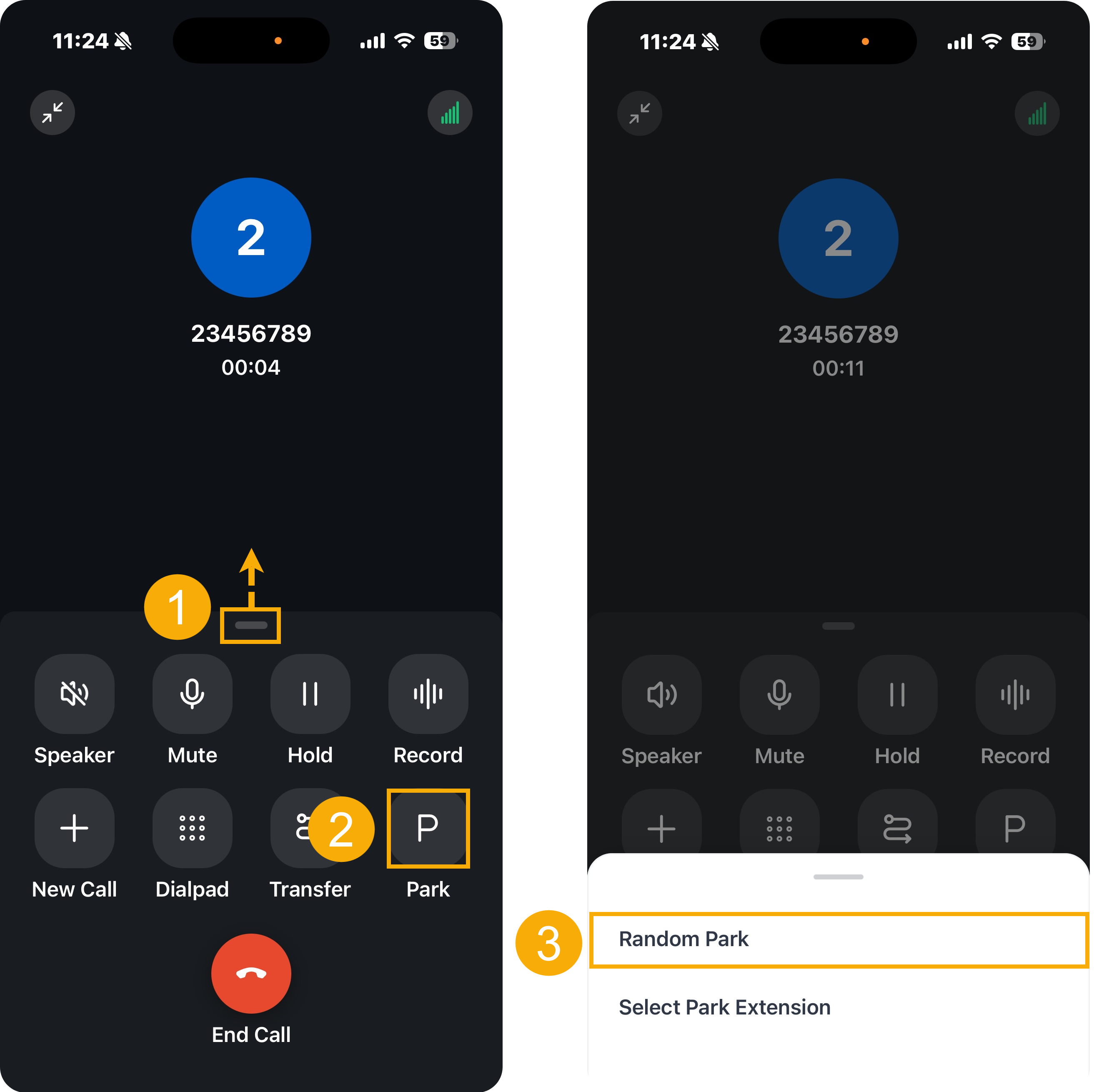
- During an active call, swipe up on the grabber to expand the call control panel.
- Tap Park on the call control panel.
- In the bottom panel, tap Random Park.
- Result
-
-
The call is parked on a system-assigned parking number, and a toast notification appears on the screen showing the parking number, for example, "<Number> has been parked on 6000.".
- You can dial the parking number to retrieve the call.
-
Park a call on a specified parking number
- Requirements
- System administrator has enabled the Select Park Extension feature code.
- Scenario
-
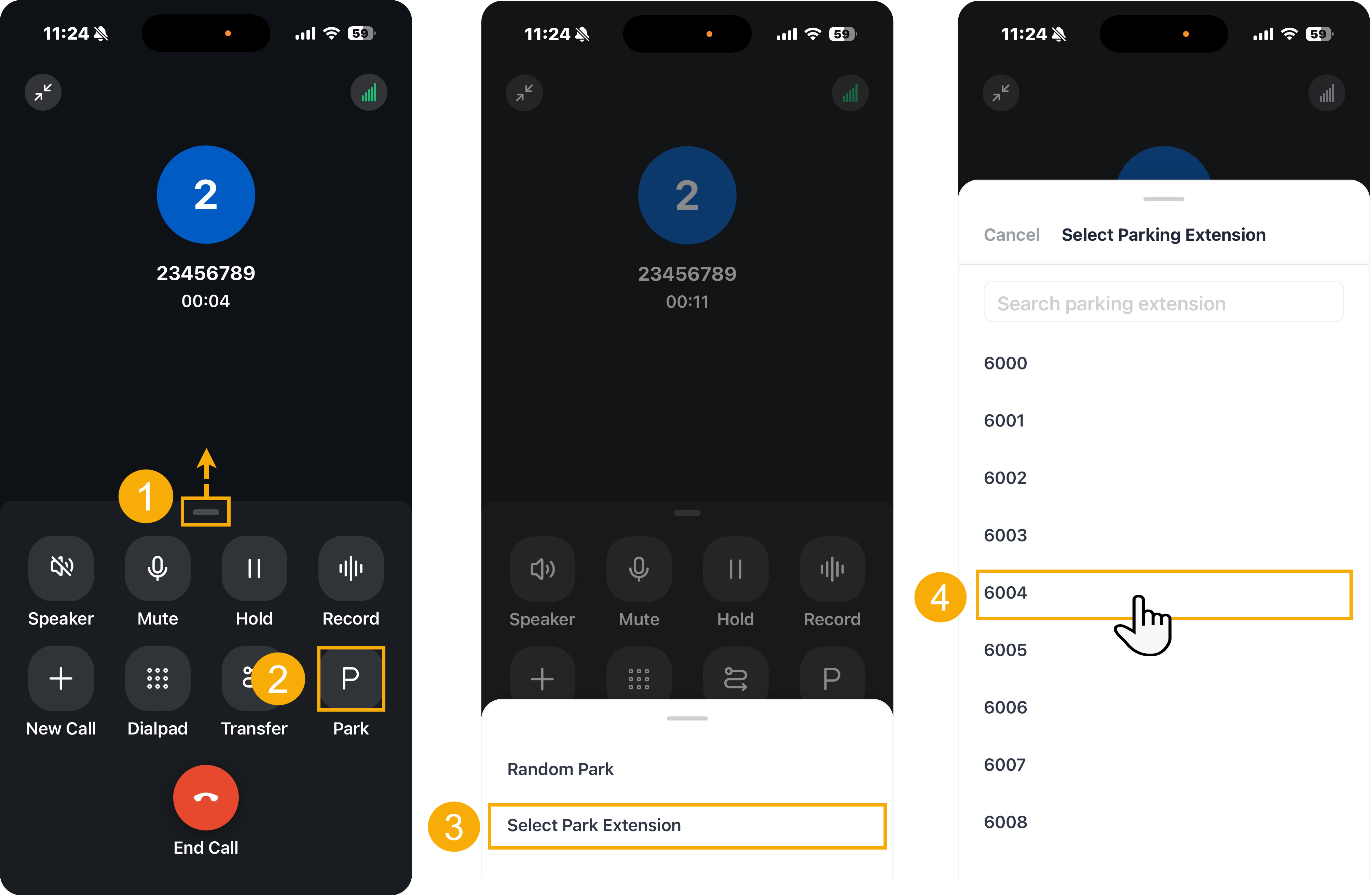
To facilitate internal collaboration, each department has its dedicated parking number (e.g.,
6004for Sales department).During an active call, if your customer requires another department's (e.g., Sales) service, you can park the call on the department's parking number. Anyone in the designated department can retrieve the call using the number to quickly assist the customer.
- Procedure
- Result
-
- The call is parked on the specified parking number, and a toast notification appears on the screen with the massage "<Number> has been parked on 6004.".
- The salespersons can dial the parking number on their devices to quickly retrieve the parked call.