View and Manage Call Logs
This topic describes how to view and manage your call logs (incoming, outgoing, and missed) as needed on NovoOne Mobile Client.
Procedure
- At the bottom of NovoOne Mobile Client, tap the Calls tab.
- Optional: At the top of the page, filter the desired call
logs.
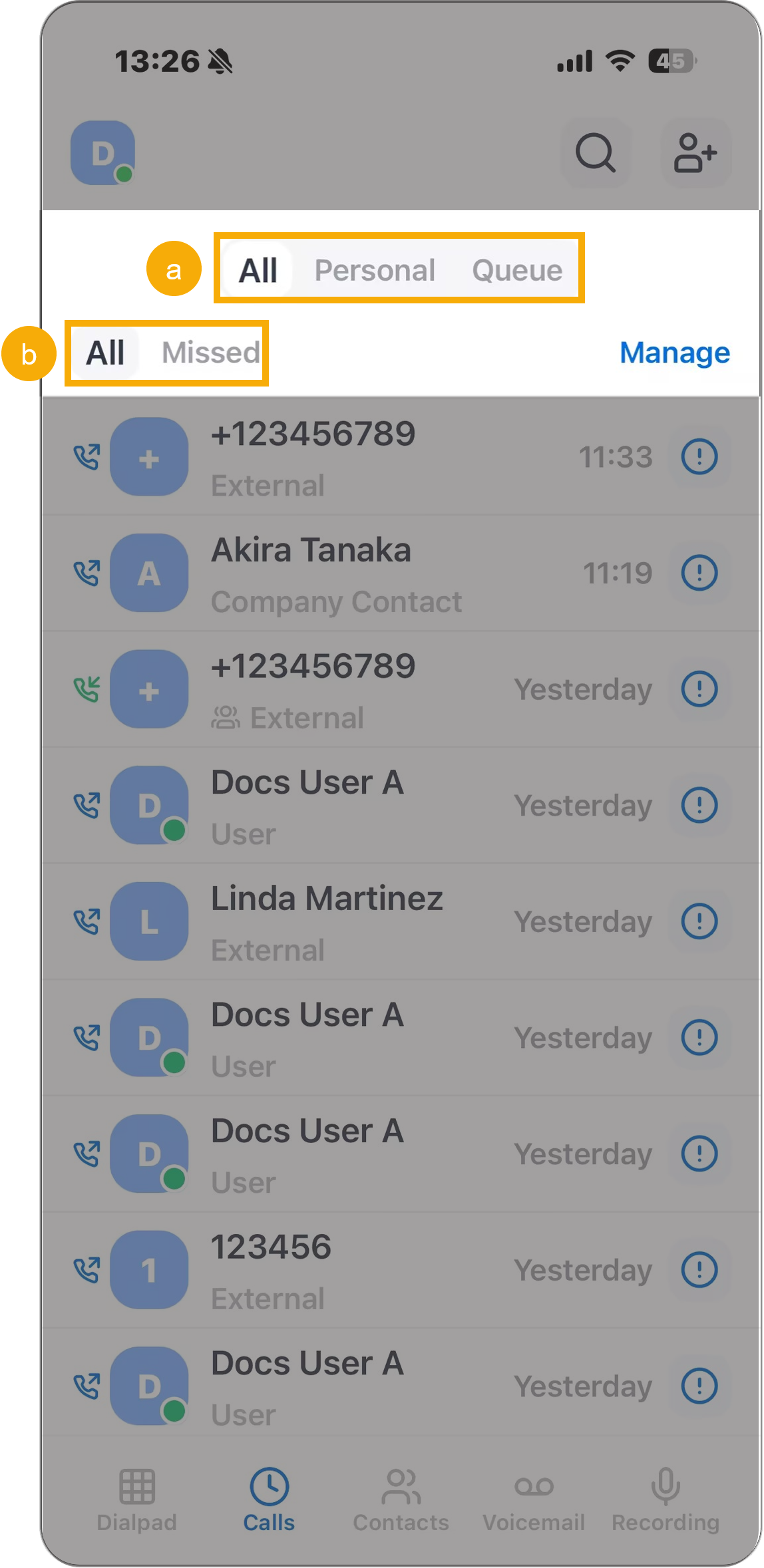
- Select the call log type you want to view.
Tab Description All Combined view of personal and queue call logs. Personal Your personal call logs. Queue Call logs from queues you belong to. - Select the call status.
Type Description All Display all call logs, regardless of call status. Missed Display incoming calls that you did not answer, as well as queue calls that were not picked up by any agent.
- Select the call log type you want to view.
- In the call log list, view and manage the call logs as needed.Tip: You can directly place a call to the number by tapping the specific call log.
Operation Instruction View details of a call log Tap  beside the
desired call log to view the details.
beside the
desired call log to view the details.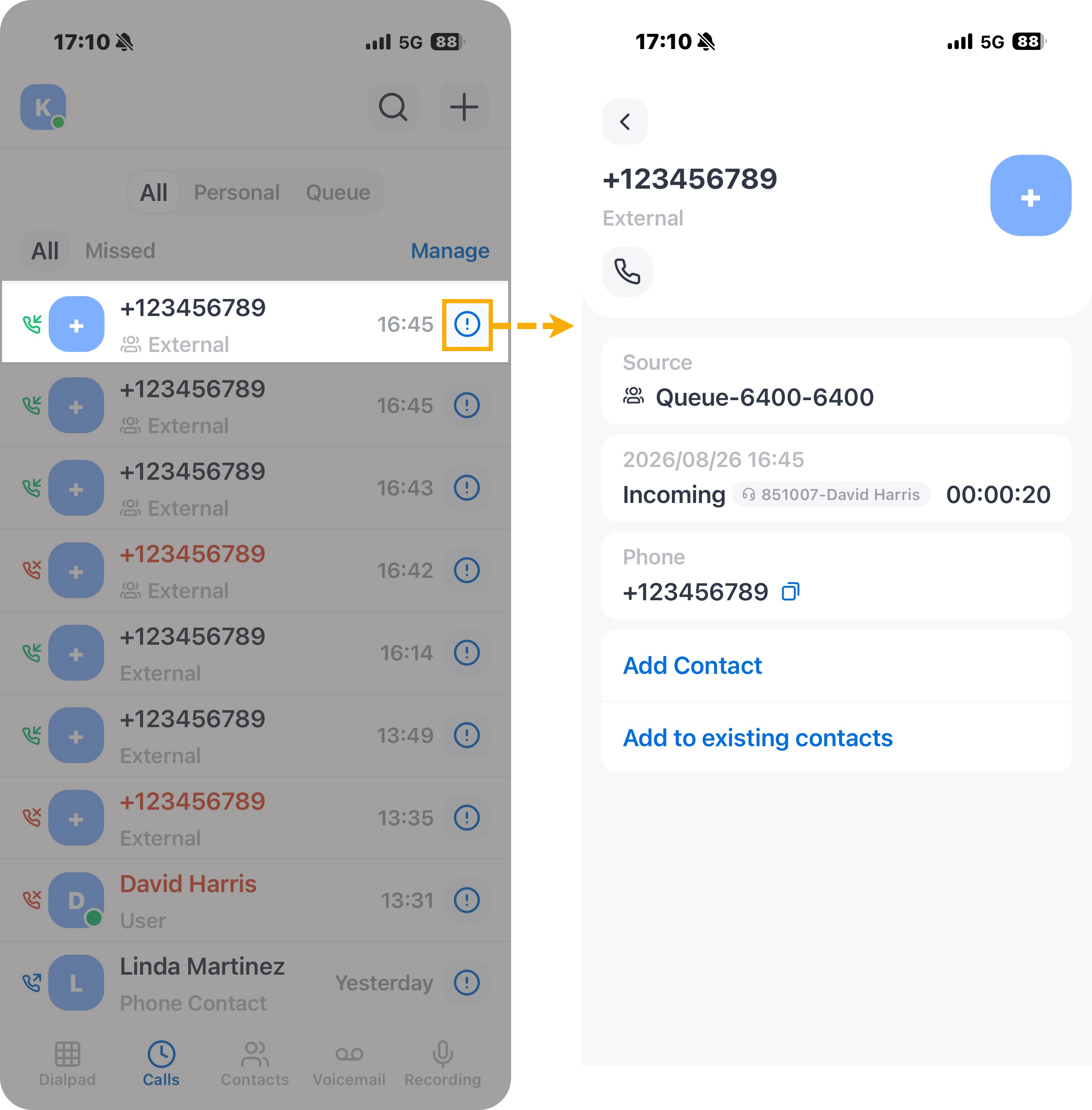
View the transcript of a call If a call has been transcribed, the corresponding call log is marked with  . You can view the call
transcript and summary in the call log for a quick
review of the conversation.Note: This operation is available only if the system administrator has enabled the Call Transcription feature and granted you permission to use it.
. You can view the call
transcript and summary in the call log for a quick
review of the conversation.Note: This operation is available only if the system administrator has enabled the Call Transcription feature and granted you permission to use it.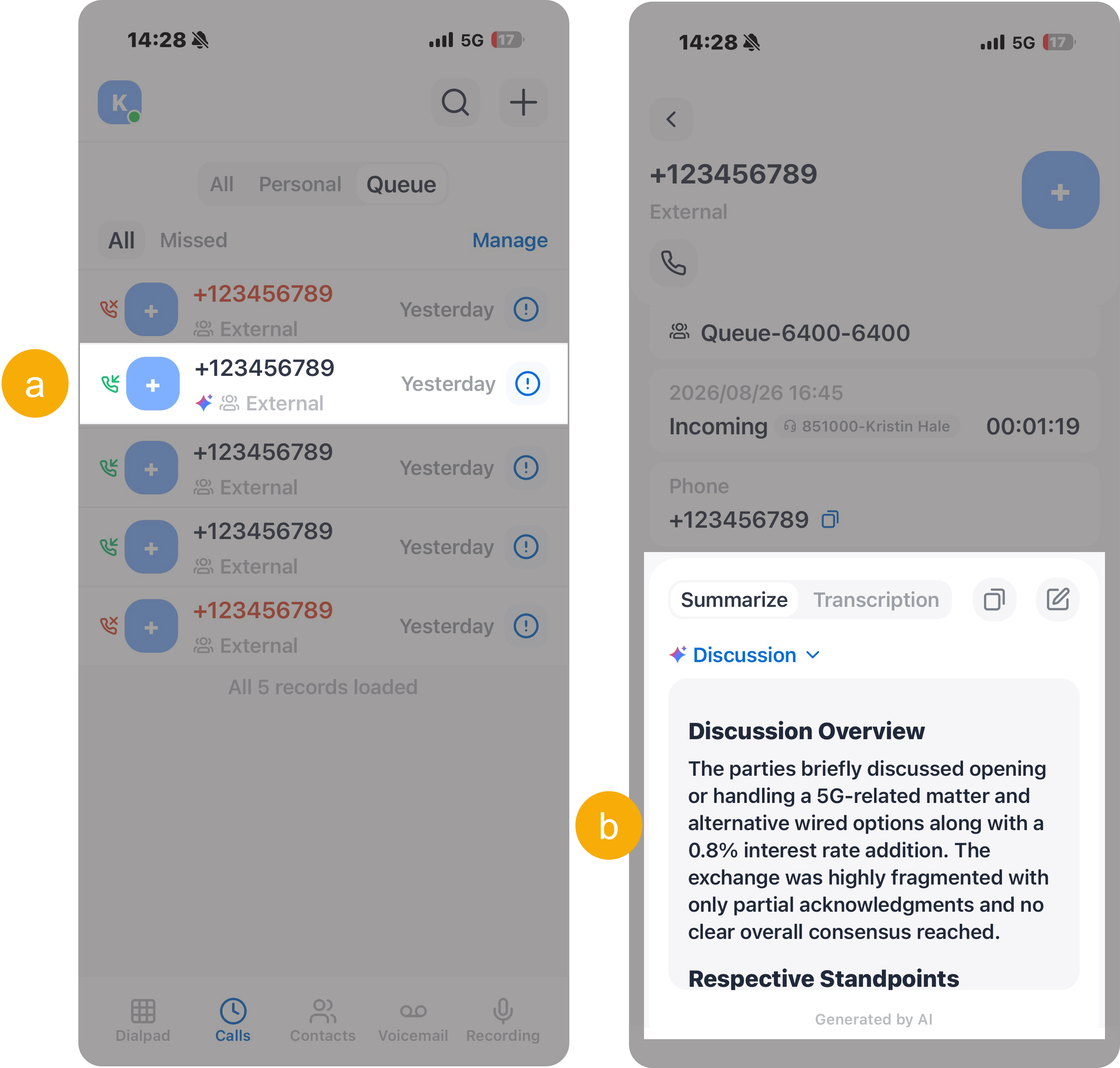
- Tap beside the
desired call log.
- View the transcript in the Transcription tab and the summary in the Summarize tab.
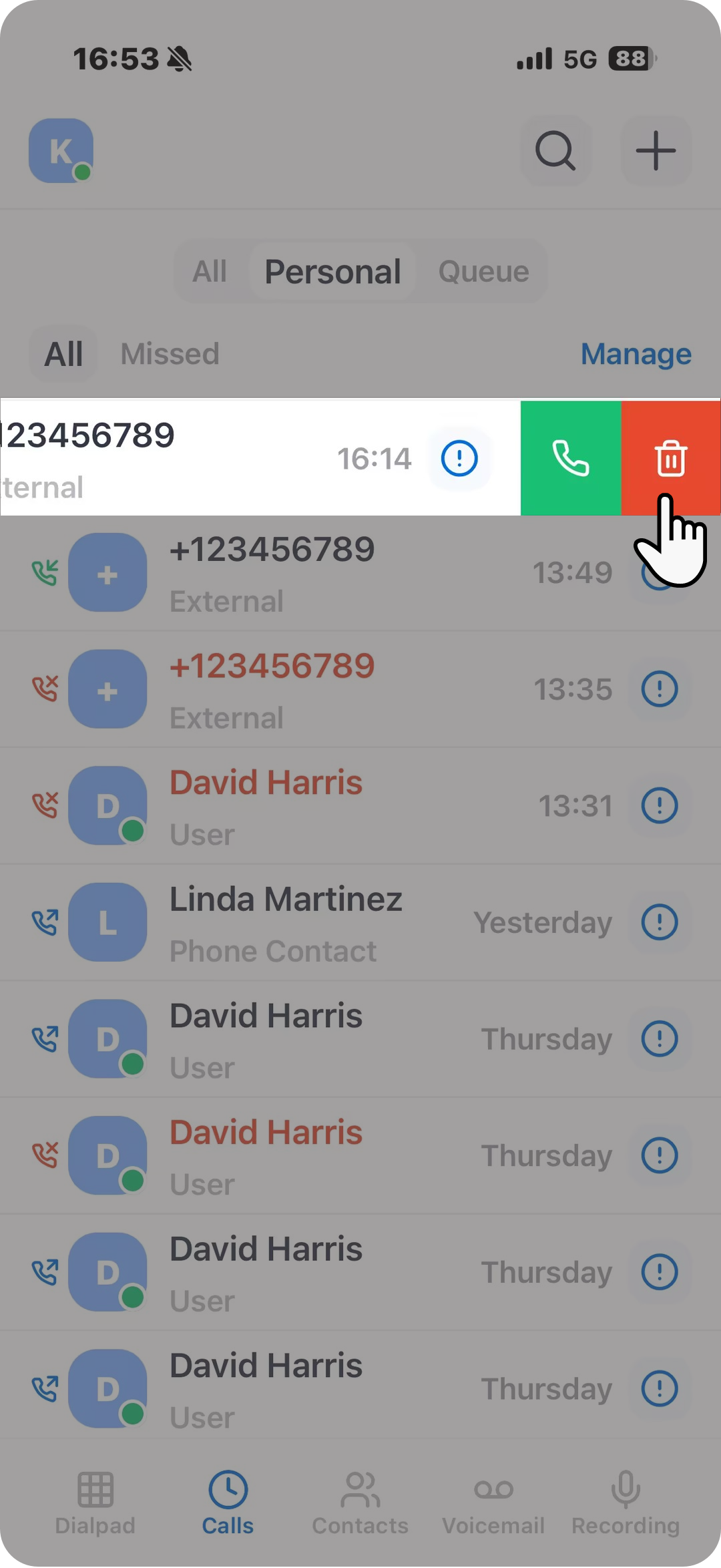
Delete call logs - To delete a specific call log, swipe left on
the desired call log, then tap
 .
.
- To delete multiple call logs, do as
follows:
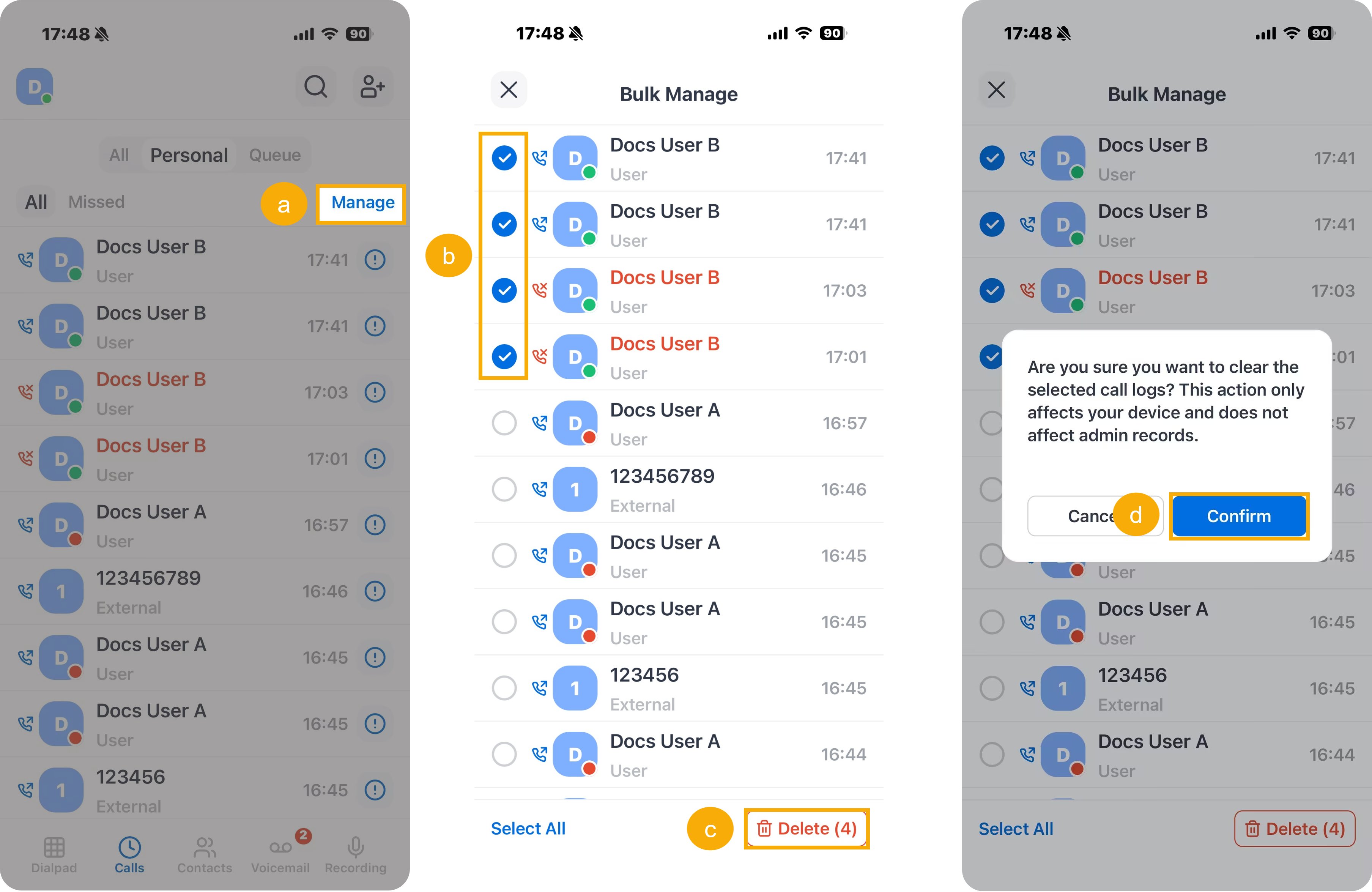
- At the top-right corner, tap Manage.
- Select the checkboxes of the desired call logs.
- At the bottom-right corner, tap Delete.
- In the pop-up window, tap Confirm.
Operations for queue call logs only Change the processing status of a missed queue call If you decide to handle a missed queue call, or you have handled it, you can change the processing status of the missed queue call. 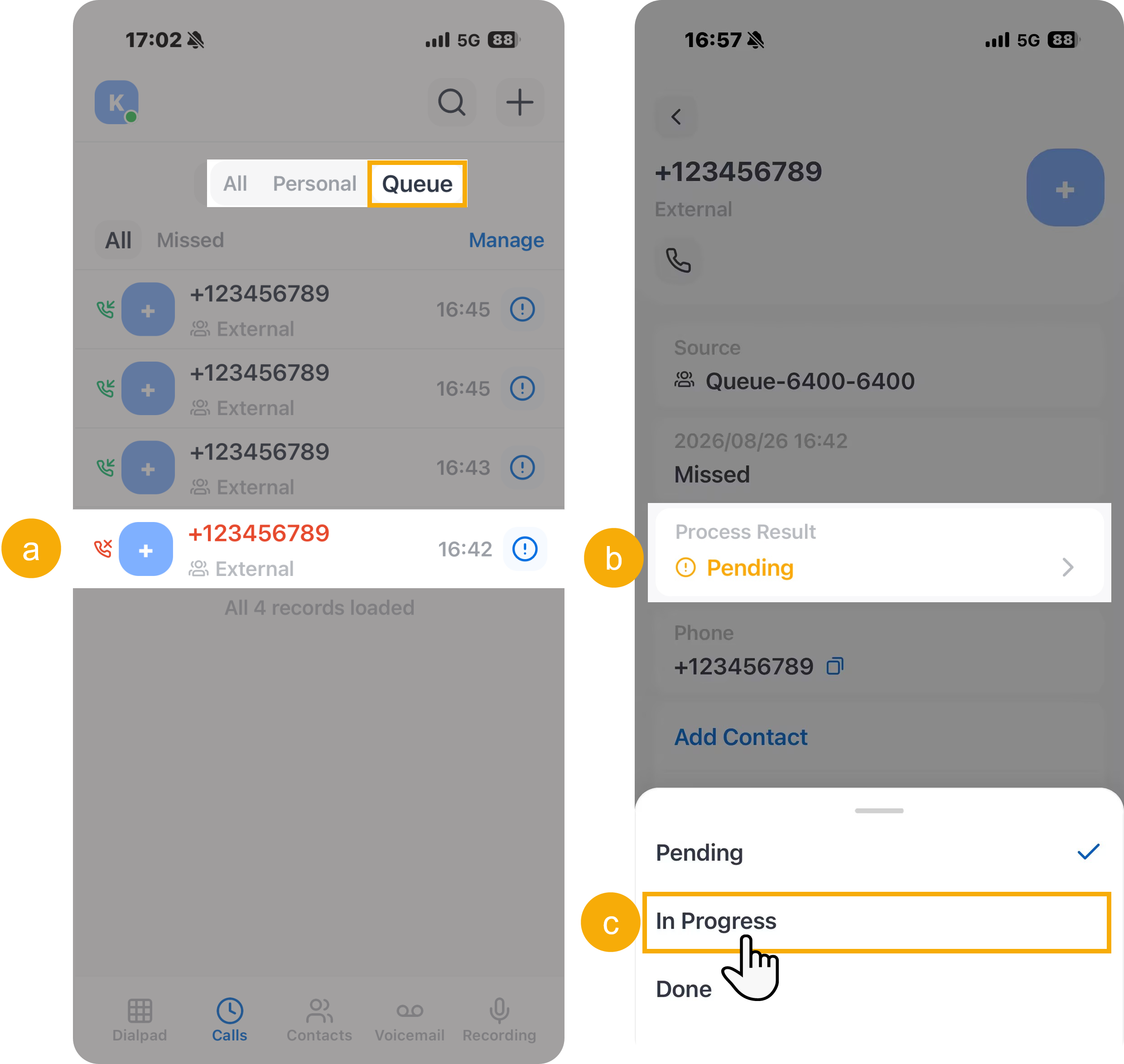
- Tap the desired queue call log.
- In the details page, tap Process Result.
- In the list, select the desired one.
The processing status is changed.
- Tap