Report a Problem
If you encounter any issues while using NovoOne Mobile Client, you can report them directly from the app.
Report a problem when logged in
If you are already logged in to the Mobile Client, follow these steps to report a problem:
- At the top-left corner of NovoOne
Mobile Client, tap your account.
You will enter the Profile & Settings page.
- Report a problem as follows:
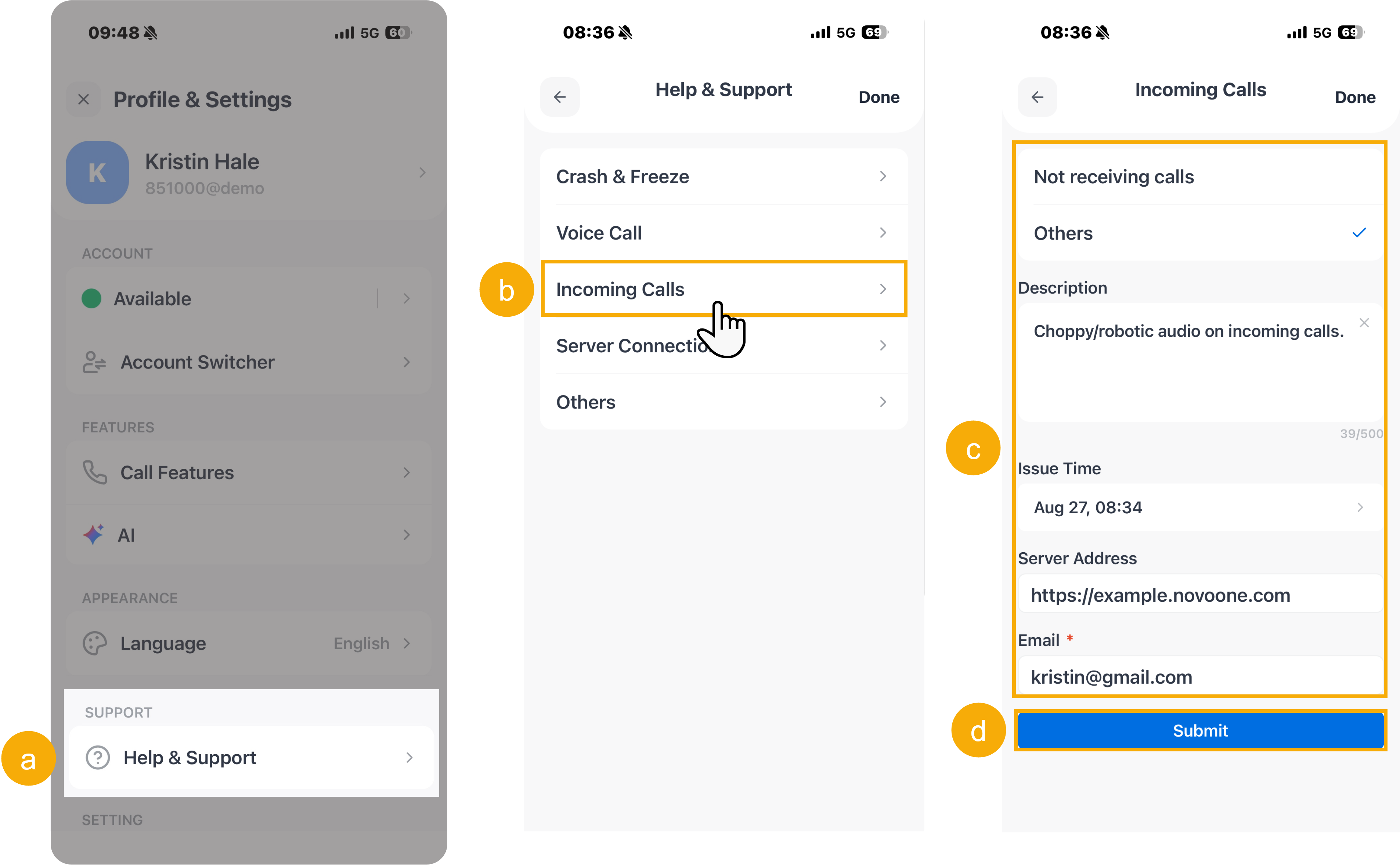
- Scroll down to the SUPPORT section, then tap Help & Support.
- Tap the desired issue category.
- On the details page, enter the following information:
- Description of the problem that you encountered.
- Issue time and server address
- Your email address
- Tap Submit.
A "Submitted Successfully" prompt appears, and Yeastar support team will contact you to solve the problem.
Report a problem when not logged in
If you are not logged in to the Mobile Client, you can still report an issue from the login screen.
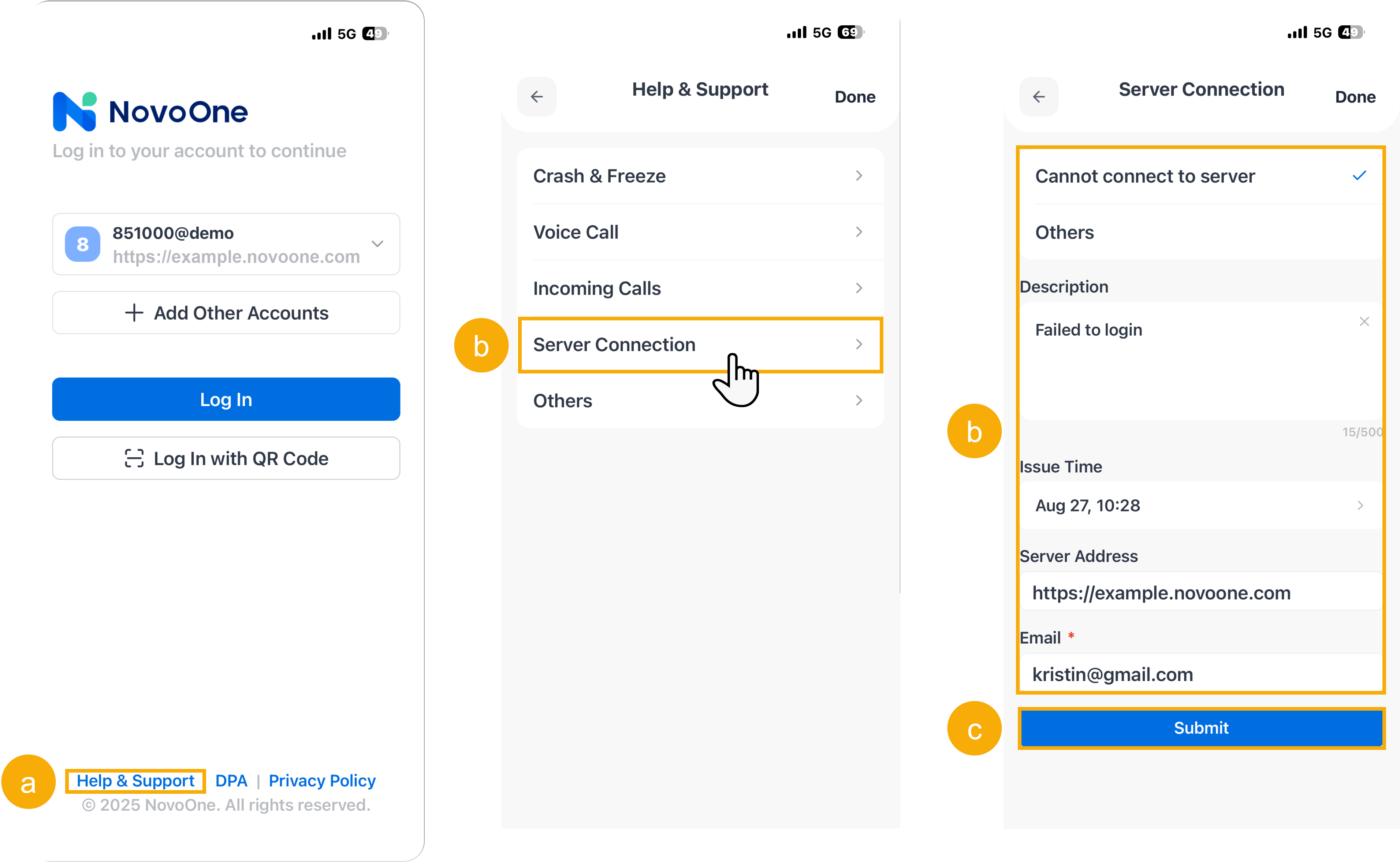
- On the login page of the Mobile Client, tap Help & Support.
- Tap the desired issue category.
- On the details page, enter the following information:
- Description of the problem that you encountered.
- Issue time and server address
- Your email address
- Tap Submit.
A "Submitted Successfully" prompt appears, and Yeastar support team will contact you to solve the problem.