Change Your Agent Status
As a queue agent, you can view and change your status for each queue directly in NovoOne Mobile Client, without accessing the web portal.
Requirements
The version of NovoOne Mobile Client is 26.10.6 or later.
Prerequisites
You are assigned to at least one queue as an agent.
Procedure
- Log in to NovoOne Mobile Client.
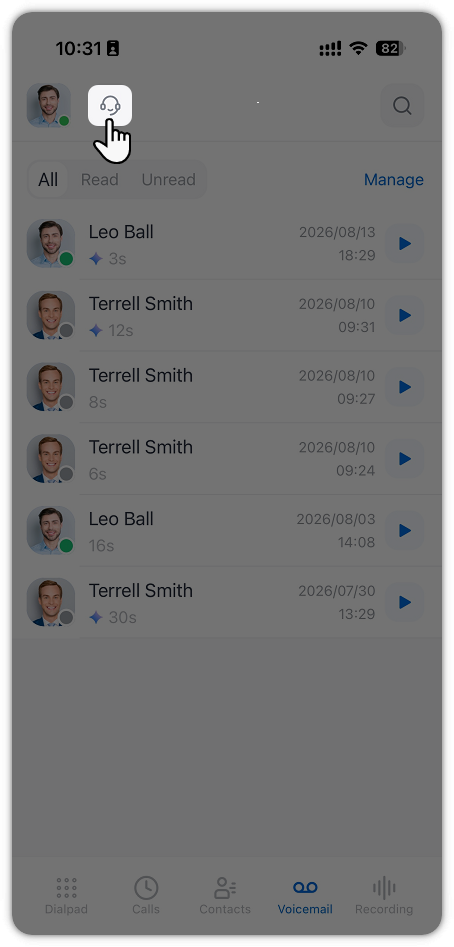
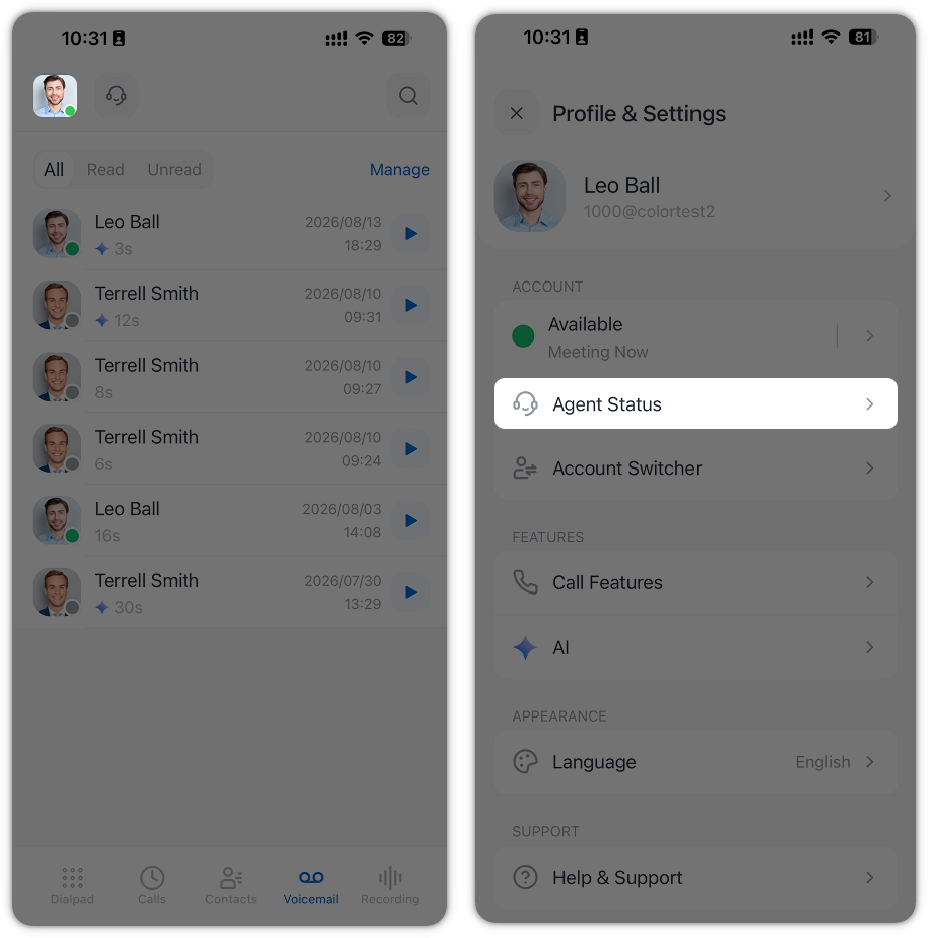
- Access the agent status configuration page using one of the following
methods.
- On the top navigation bar, tap
 .
- At the top-left corner, tap your account, then tap Agent
Status.
- On the top navigation bar, tap
- Change your agent status as needed.
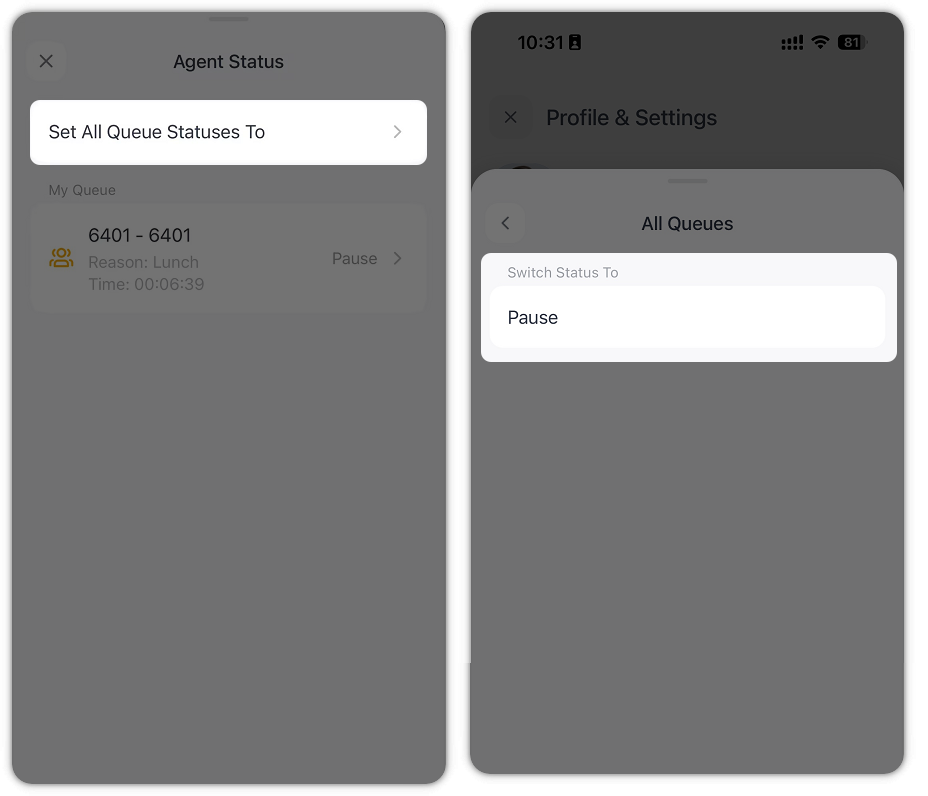
- To change your status for all queues at once, tap Set
All Queue Statuses To, then select a
status.
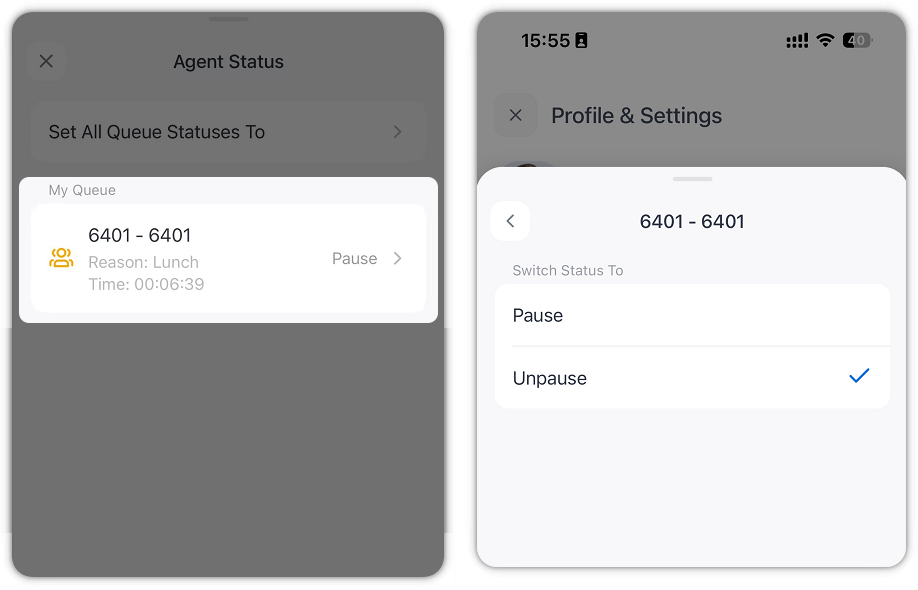
- To change your status for an individual queue, tap the queue in
the list, then select a status.
- To change your status for all queues at once, tap Set
All Queue Statuses To, then select a
status.
Result
Your agent status change takes effect immediately and is synchronized to NovoOne Web Client.