Configure AI Call Transcription
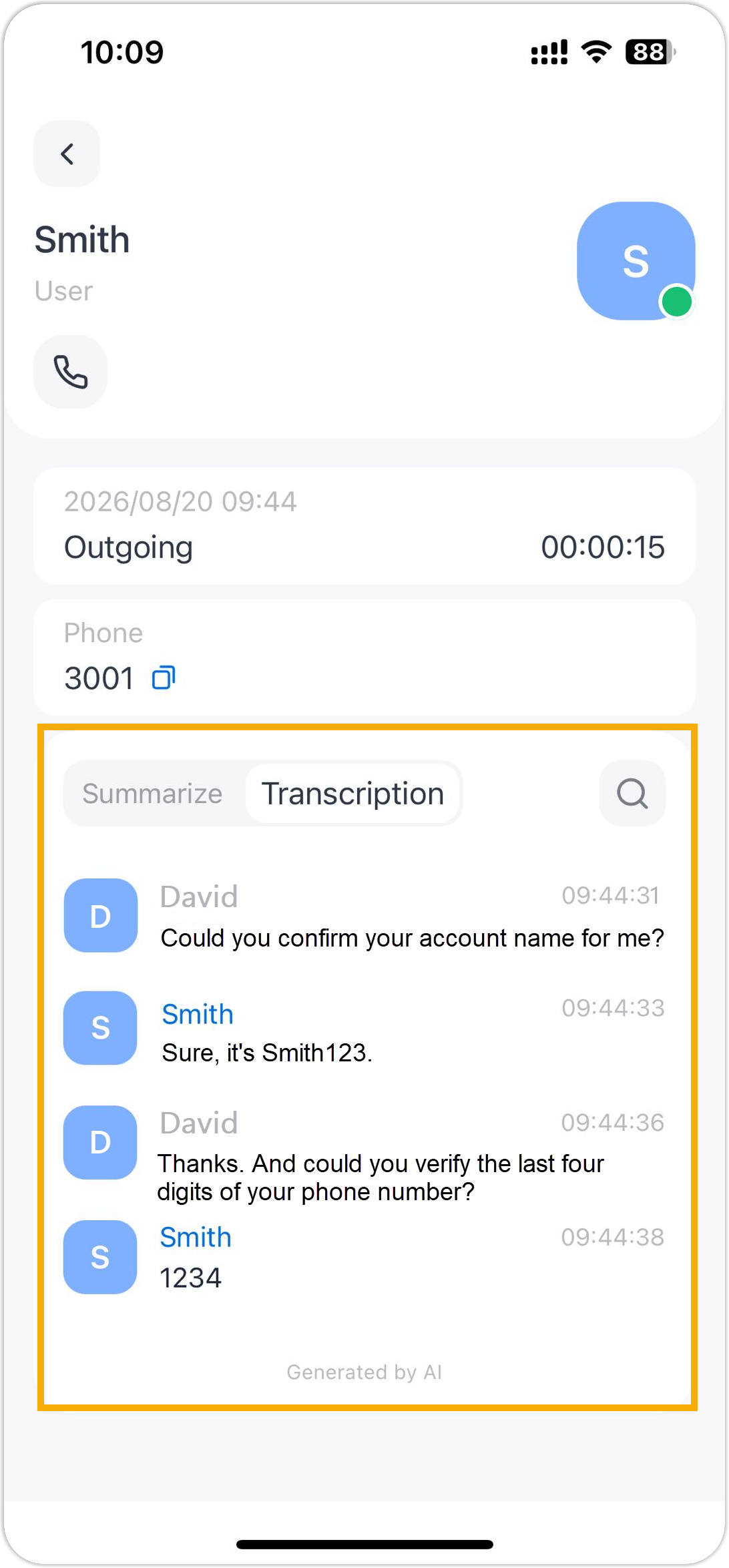
The AI-powered Call Transcription feature supports transcribing a call between two parties into readable texts, and automatically generating a summary after the call ends, helping you efficiently review call transcript, key points and to-do items. This topic describes how to configure AI call transcription on NovoOne Mobile Client.
Requirements
System administrator has enabled the Call Transcription feature and granted you permission to use it.
Procedure
- At the top-left corner of NovoOne
Mobile Client, tap your account.
You will enter the Profile & Settings page.
- In the FEATURES section, tap AI.
- In the Call Transcription section, configure the
following settings according to your need.
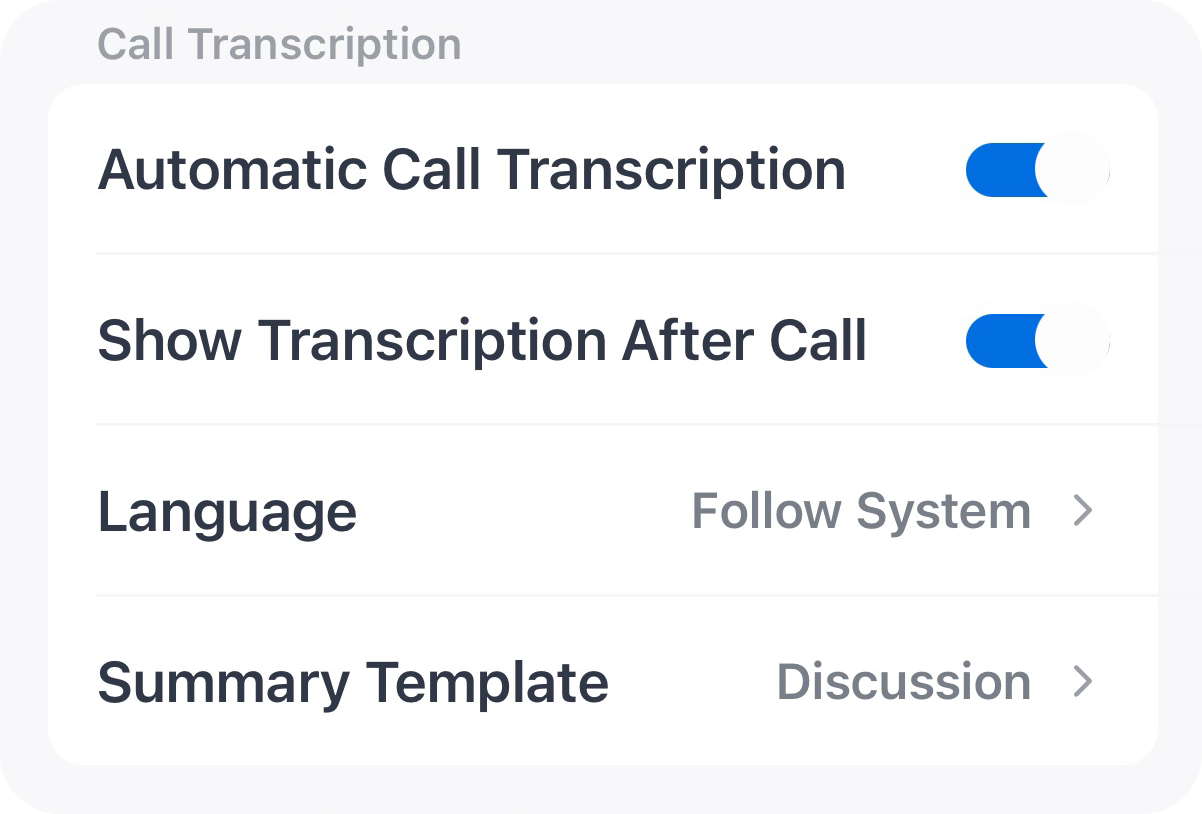
Setting Description Automatic Call Transcription Specify whether to automatically transcribe your calls in real time. Note: If this option is disabled, you can also start transcription from the call screen manually during an active call as needed.Show Transcription After Call Specify whether to automatically display the transcript and summary after the call ends. Language Select the desired language for call transcription. Note: If set to Follow System, the language specified in the system's call transcription settings will be used.Summary Template Select a template for call summary. Note: The available templates are synchronized from the system. You can choose a specific template, or select Follow System to use the global template configured by your system administrator. - At the top-right corner, tap Done.
Result
- Call audio can be recognized and transcribed in the configured language in real time, and can be automatically summarized after call ends.
- You can access the AI-generated transcript and summary of transcribed calls
in call logs.