View and Manage Recordings
This topic describes how to view and manage your call recordings on NovoOne Mobile Client.
Procedure
- At the bottom of NovoOne Mobile Client, tap the Recording tab.
- In the recording list, manage your call recordings as needed.
Operation Instruction Play a call recording Listen to a recorded call to review what was discussed.
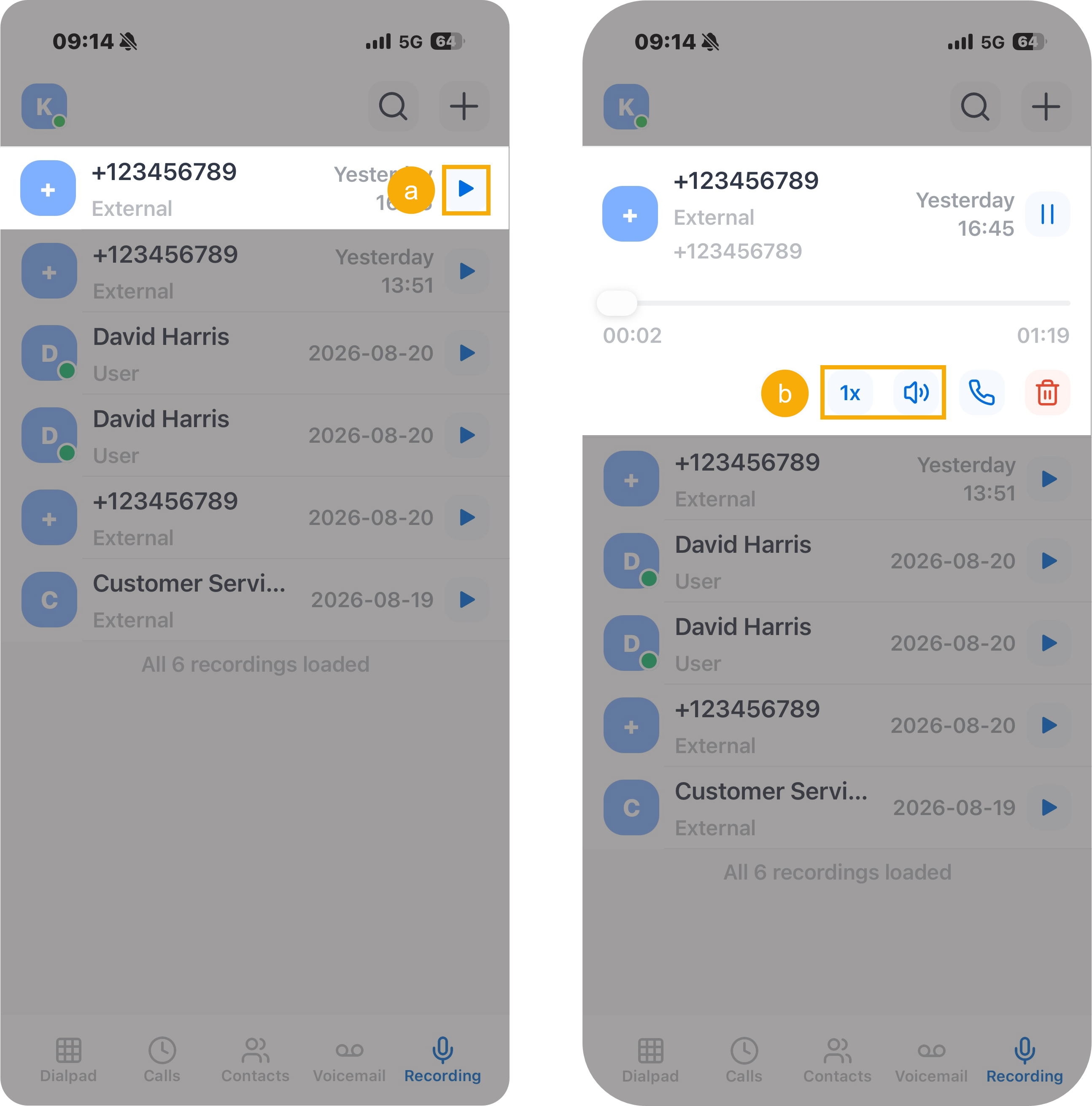
- Tap
 to play
the recording.
to play
the recording. - Optional: In the expanded panel, adjust the playback speed or audio output device as needed.
View the transcript of a call recording Read the call content in text format for quick review.Note: This operation is available only if the system administrator has enabled the Call Transcription feature and granted you permission to use it.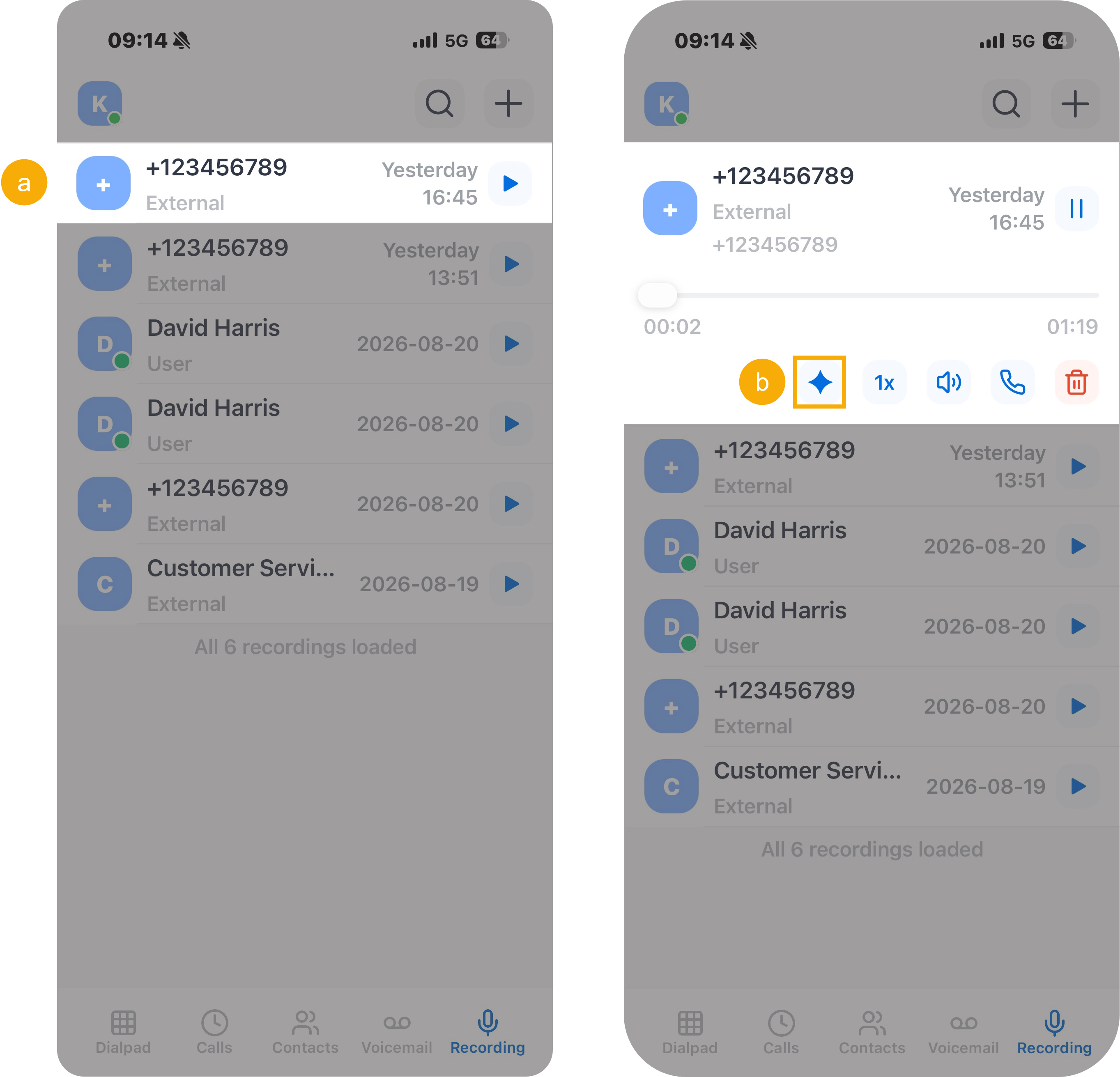
- Tap the desired recording.
- In the expanded panel, tap
 .
.The transcribed text is displayed in the text box below the recording.
Delete a call recording Remove unwanted recordings as needed.
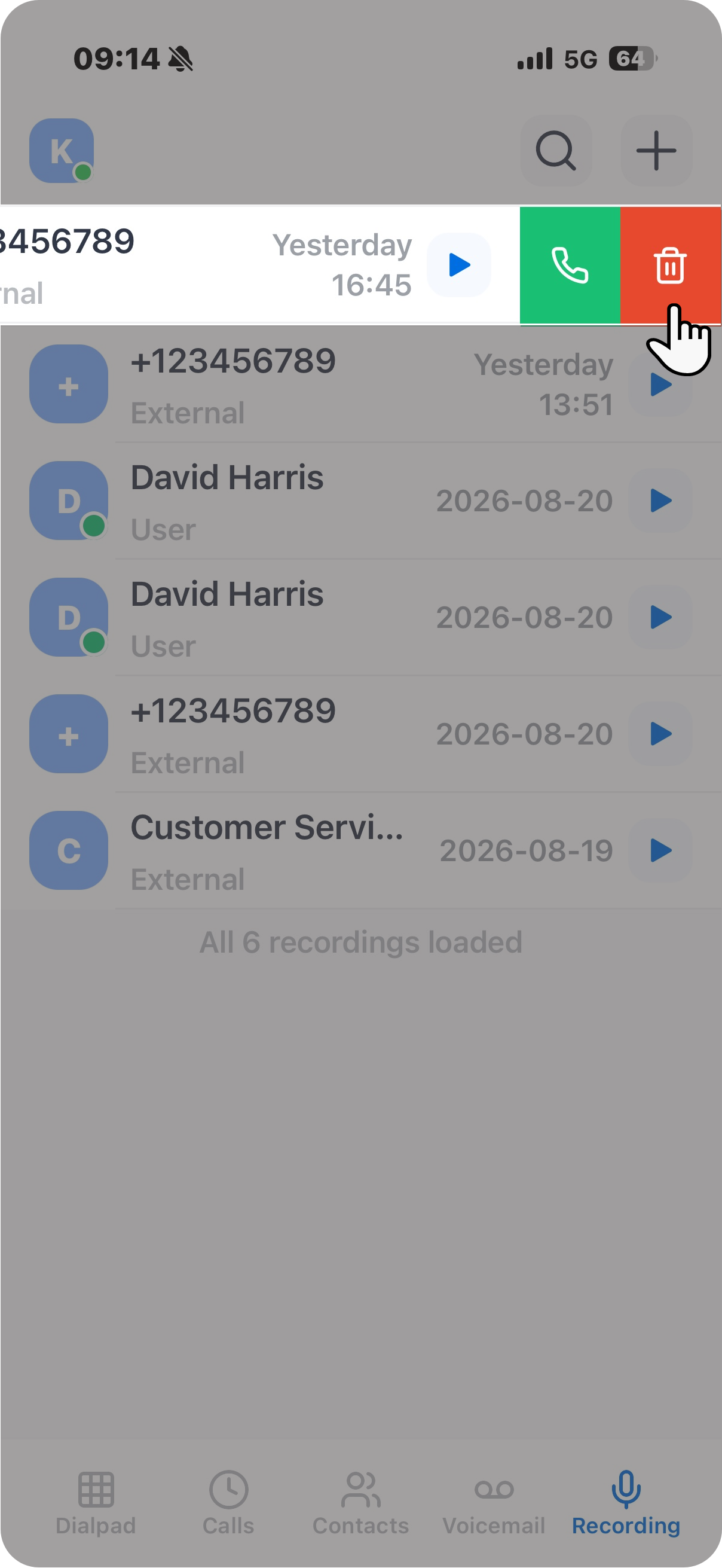
- Swipe left on the desired recording.
- Tap
 to delete the
recording.
to delete the
recording.
- Tap