Manage CDR Files
This topic describes how to manage CDR files downloaded from P-Series Cloud PBXs in Yeastar Central Management.
Prerequisites
- You have access to the CDR
files menu.Tip: If you fail to find the menu, contact your service provider to ensure that the necessary permission is assigned to your account.
- CDR files have been downloaded to Yeastar Central Management via tasks.
Procedure
- Log in to Yeastar Central Management, go to .
All CDR files downloaded from P-Series Cloud PBXs are listed.
- To download CDR files, click
 beside the desired file.
The file is downloaded to your computer.
- To delete CDR files, do as follows:
- To delete a single CDR file, click
 beside the desired file,
then click Confirm in the pop-up
window.
beside the desired file,
then click Confirm in the pop-up
window.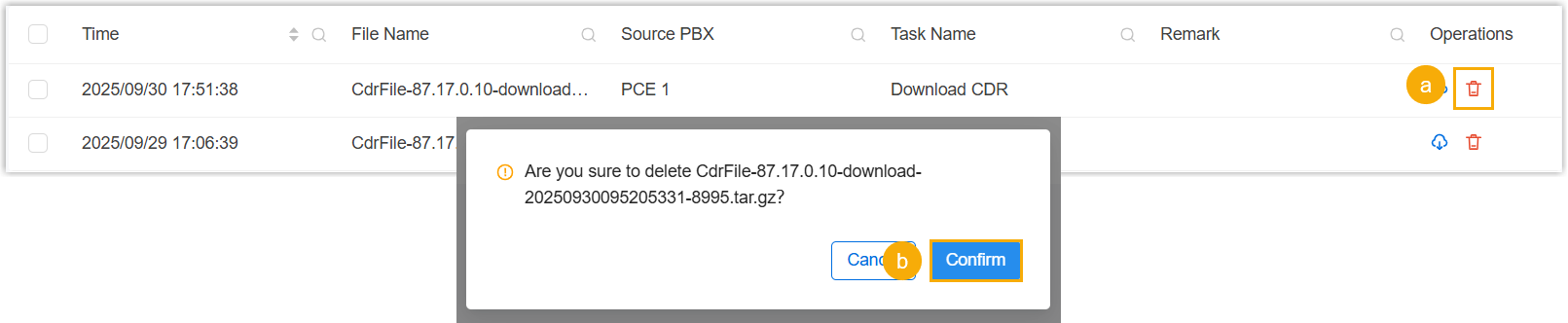
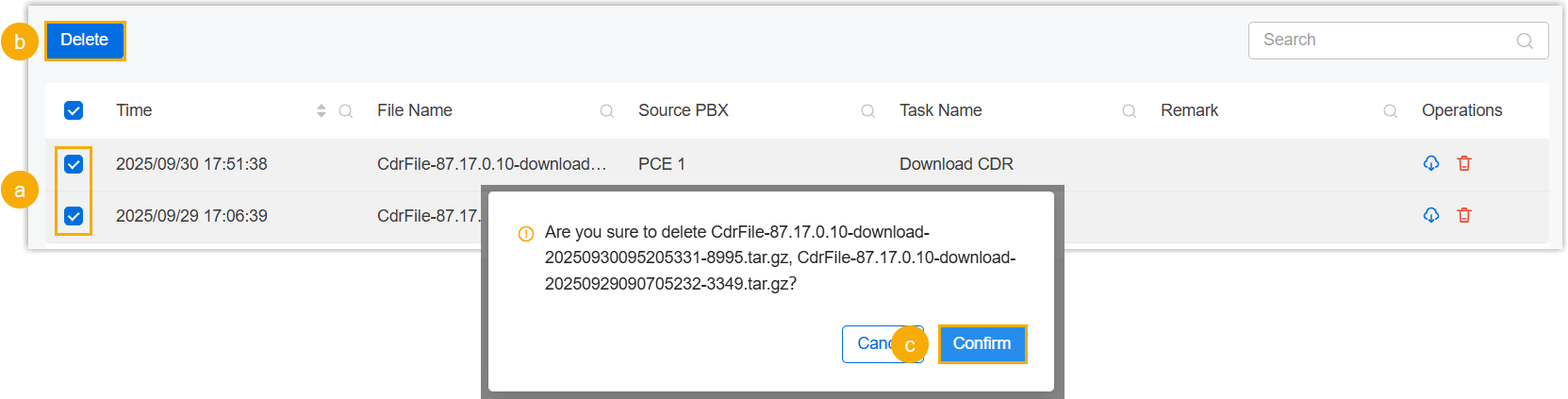
- To delete multiple CDR files, select the desired files and click
Delete, then click
Confirm in the pop-up window.
- To delete a single CDR file, click