Check API Request Traffic for Subordinate Users
Yeastar Central Management automatically monitors the API request traffic for subordinate users (hosting users and resellers), recording the data every five minutes and displaying it in an intuitive line chart for easy tracking and analysis.
Requirements
- The firmware of Yeastar Central Management is 87.16.0.51 or later.
- The subordinate user has enabled API feature.
Procedure
- Log in to Yeastar Central Management, go to .
All subordinate users who have enabled API are displayed in the list.
- In Operations column, click
 beside
the desired subordinate user.
beside
the desired subordinate user.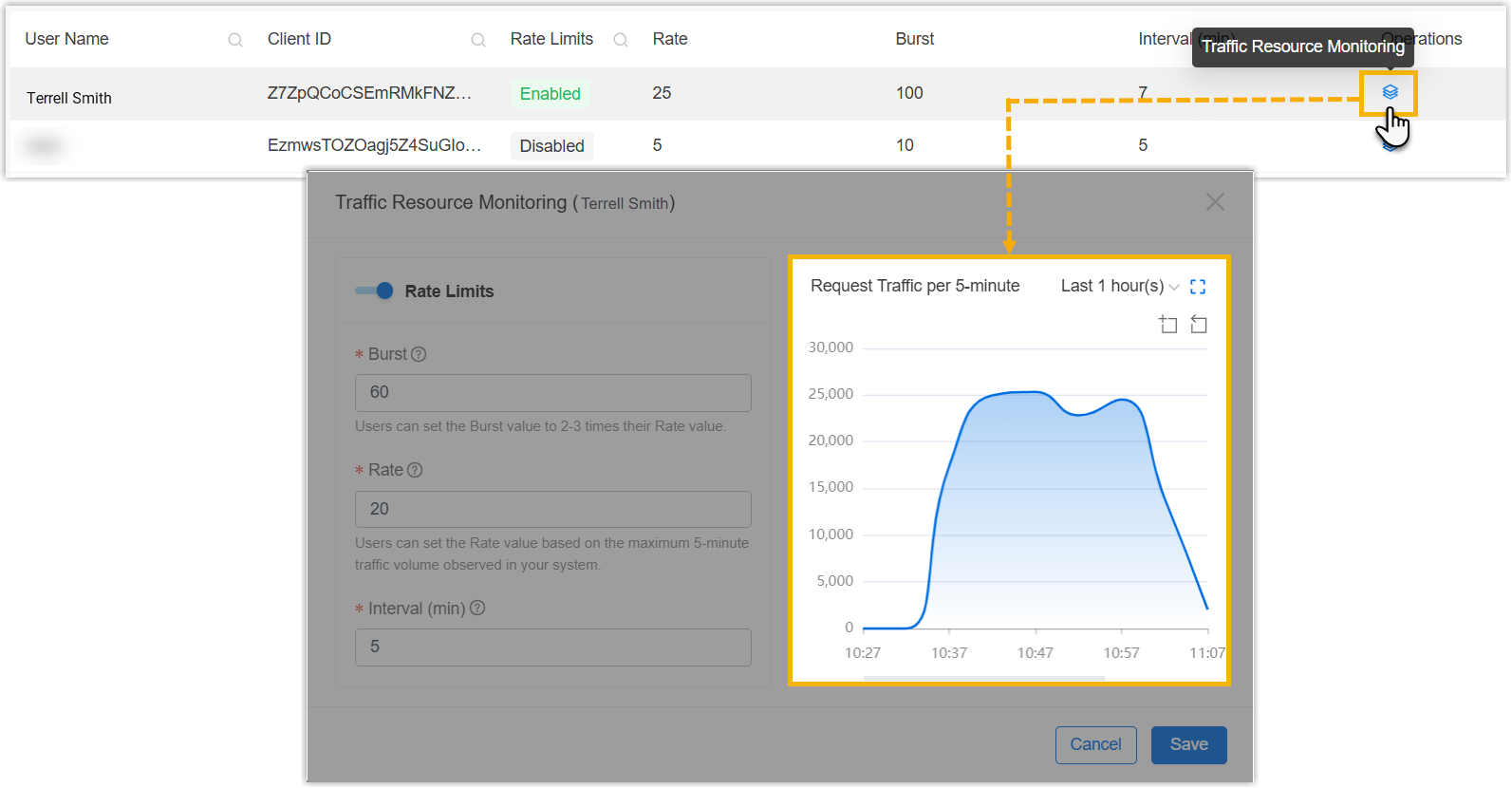
A Traffic Resource Monitoring window pops up.
- In Request Traffic per 5-minute section, check the
monitoring result as needed.
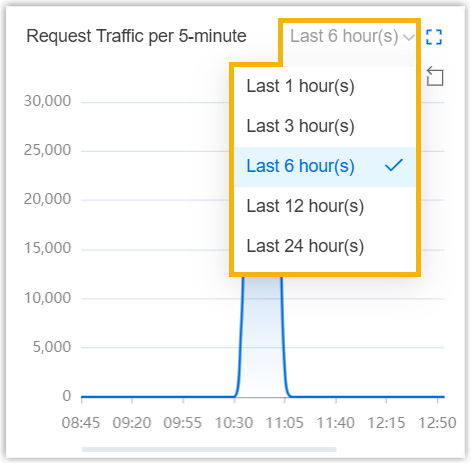
- To check the data in a specified period, select the desired time
range from the drop-down list.
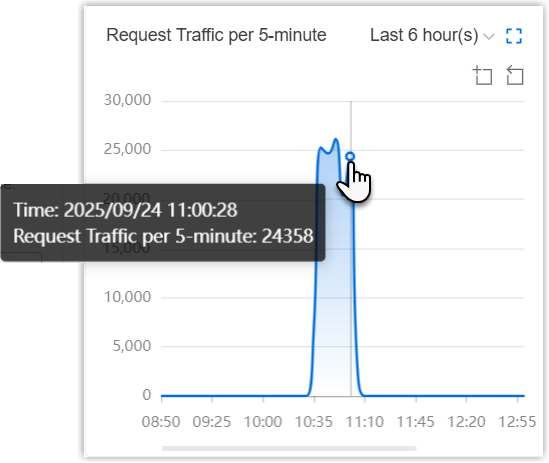
- To check request traffic details, hover your mouse over a data
point on the line chart. The tooltip shows the request traffic
for the 5 minutes before the time point.
- To check the line chart in full screen, click
 at the top-right corner.
 - To view more granular details, click
 and drag the portion of the visualization that
you want to magnify.
and drag the portion of the visualization that
you want to magnify. - To revert to a previous zooming operation, click
 .
.
- To check the data in a specified period, select the desired time
range from the drop-down list.