Delete DNC Lists
This topic describes how to delete DNC lists from Yeastar P-Series Software Edition.
Note: For DNC lists that are currently assigned to an ongoing campaign
where agents are allowed to modify the list, you can NOT delete it until the campaign
ends.
Procedure
- Log in to PBX web portal, go to .
- Delete DNC list(s) as needed.
Scenario Description Delete a DNC list 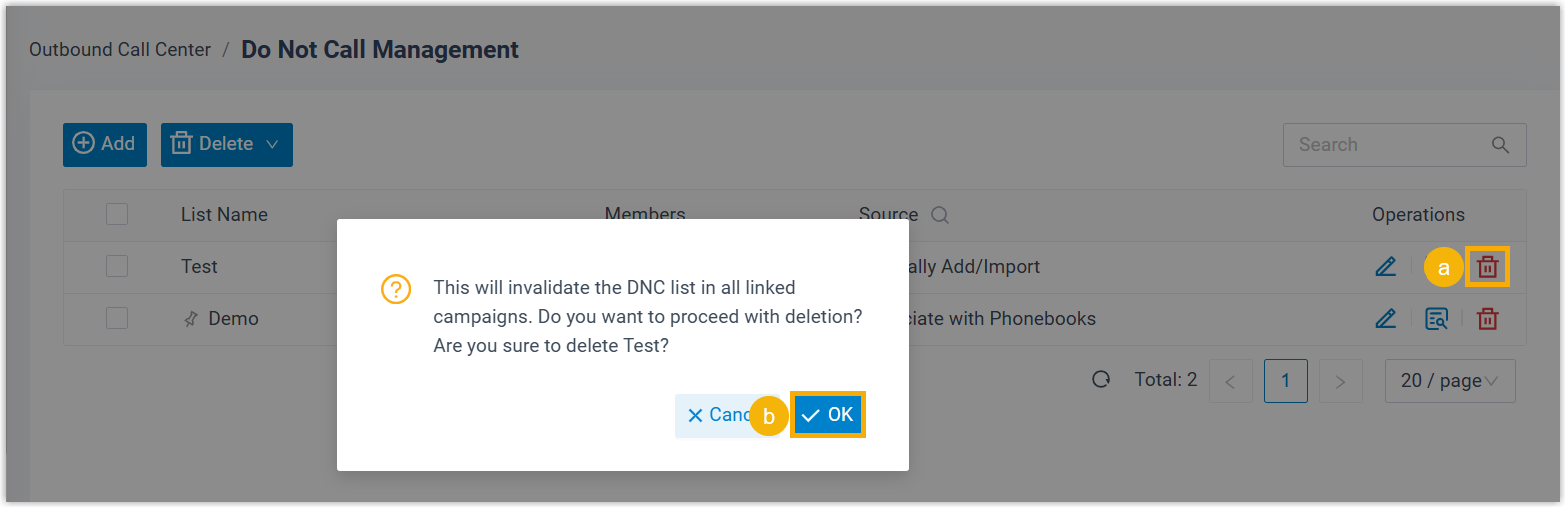
- Click
 beside the
desired DNC list.
beside the
desired DNC list. - In the pop-up window, click OK.
Bulk Delete DNC lists 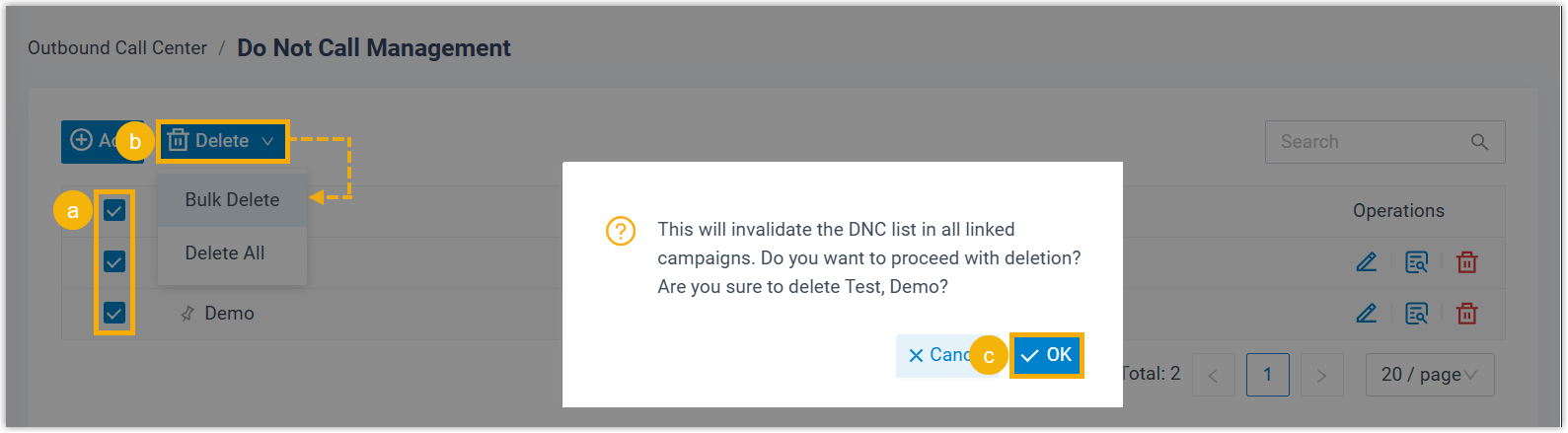
- Select the checkboxes of the desired DNC lists.
- Click Delete, then select Bulk Delete from the drop-down list.
- In the pop-up window, click OK.
Delete all DNC lists 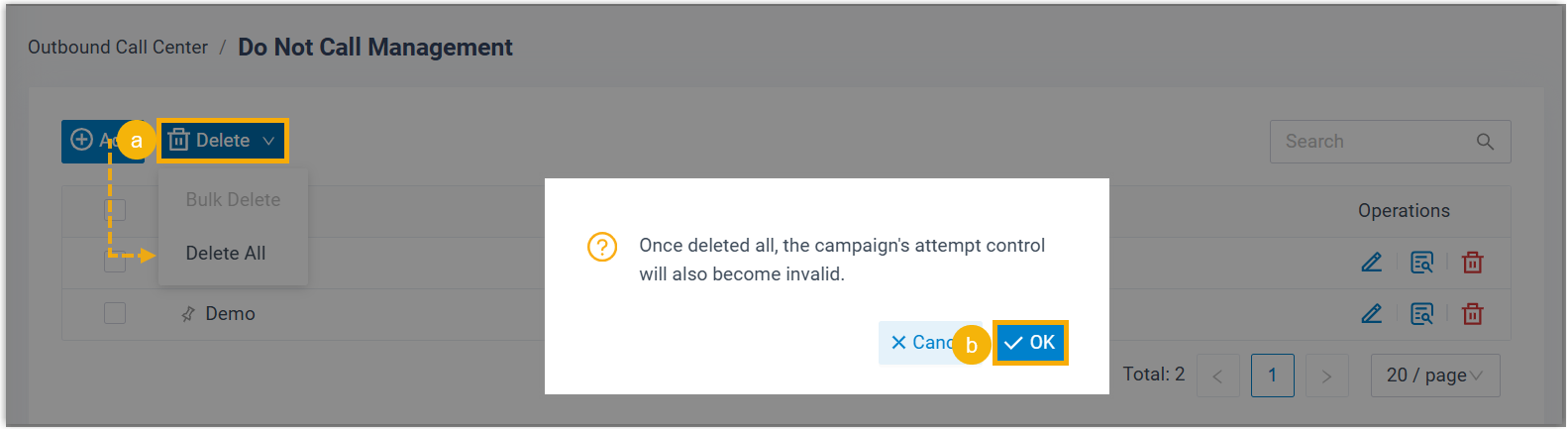
- Click Delete, then select Delete All from the drop-down list.
- In the pop-up window, click OK.
- Click
Result
The DNC list(s) are deleted from the PBX. Numbers in the DNC list(s) will be called if they are included in an outbound campaign's dial list.