Why can't my iPhone receive Linkus calls?
If your iPhone does not receive the first incoming call and no missed call notification is displayed, but receives subsequent calls normally, Focus mode may be enabled. You can resolve this issue in the following ways:
- Add Linkus app for notifications in Focus mode
-
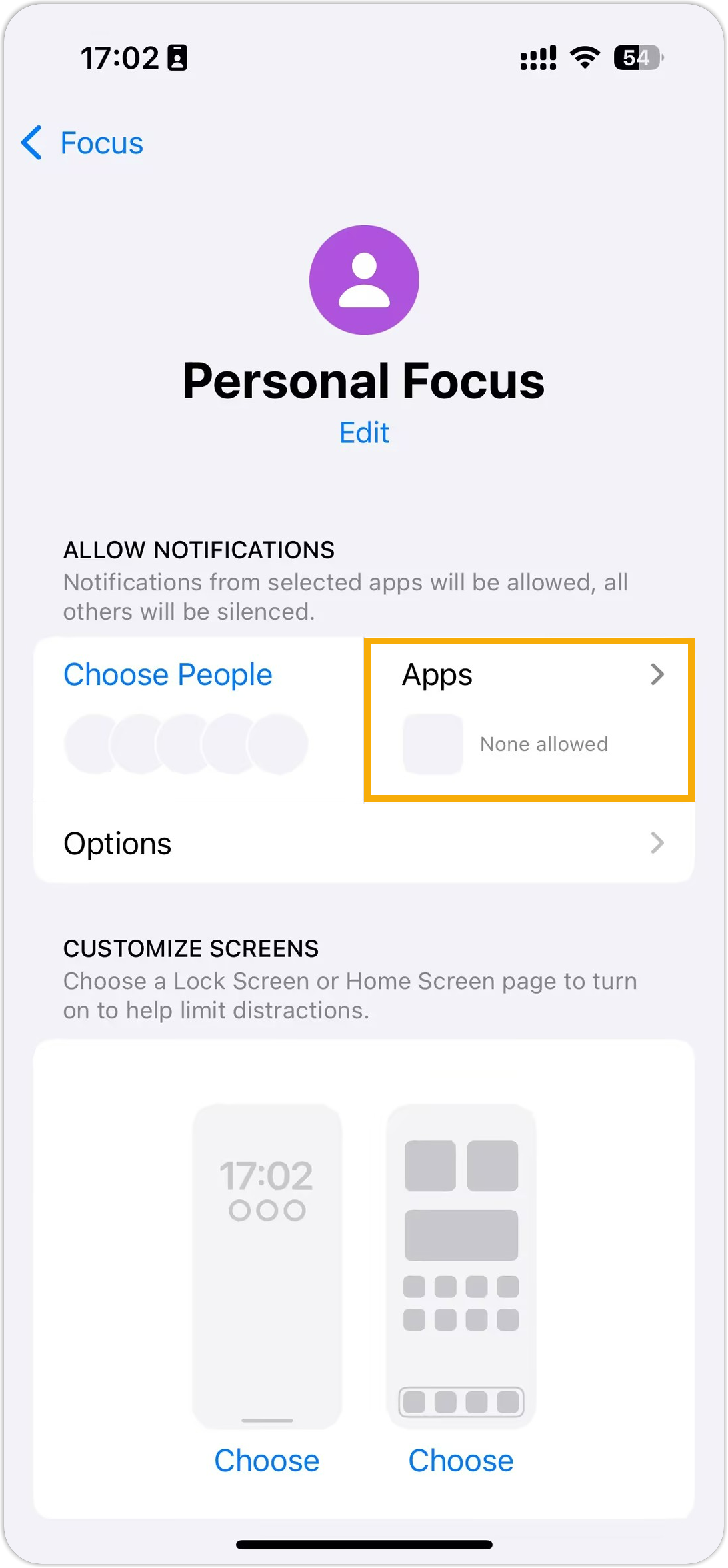
- Go to , then select the desired focus mode.
- Tap the Apps pane.
- On the Notifications page, select
Allow Notifications From, then tap
 to
add Linkus app.
to
add Linkus app.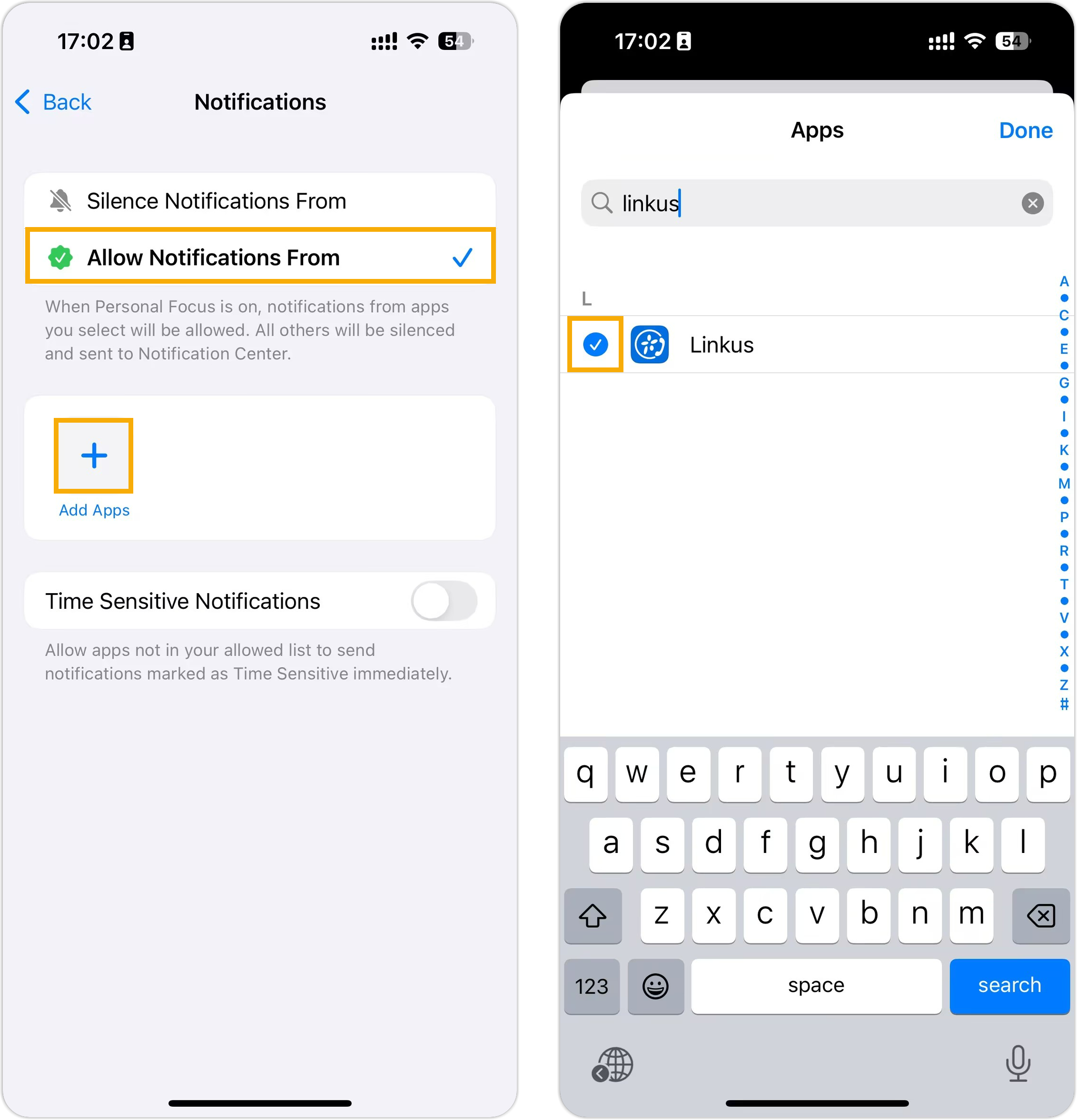
-
- Disable focus mode
-
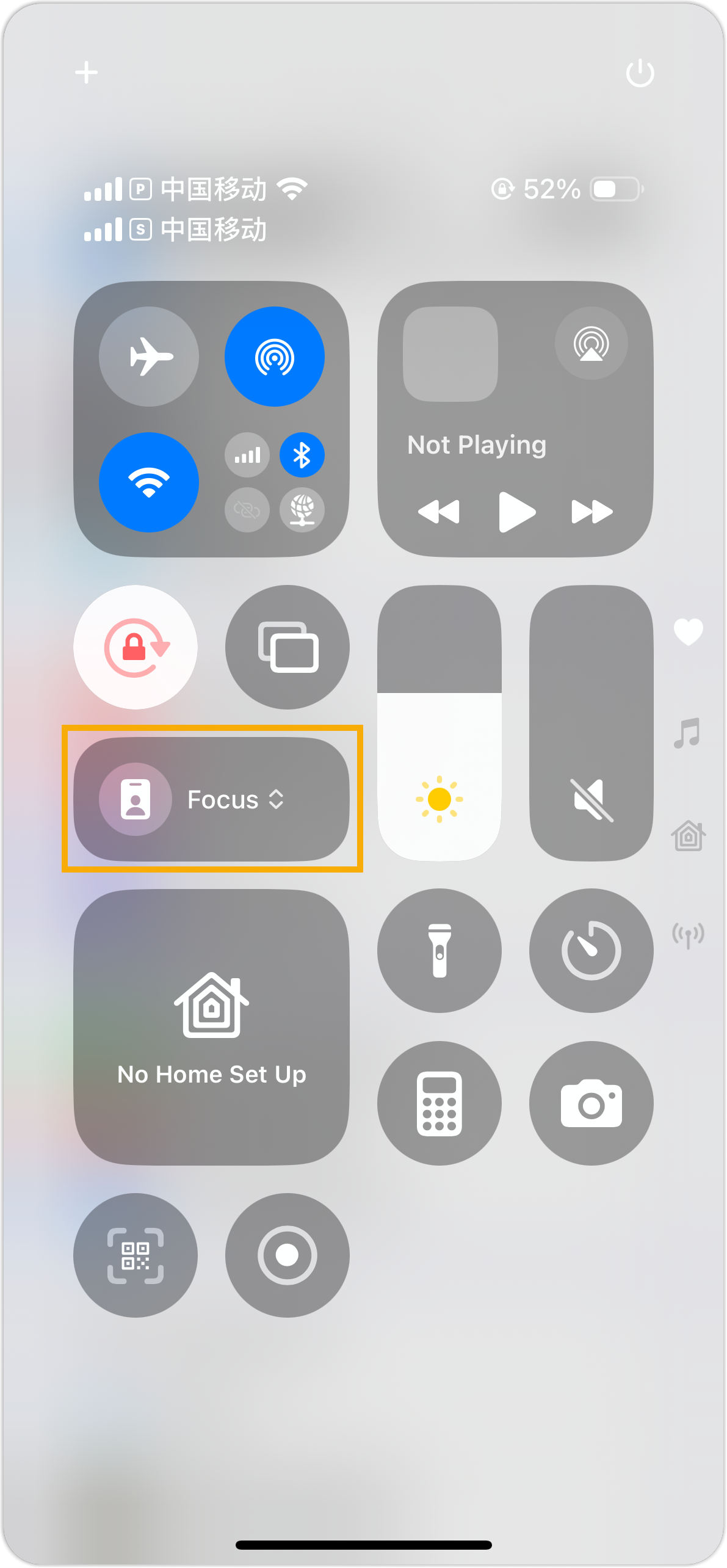
- Swipe down from the top-right corner of your screen to access the Control Center.
- Tap the Focus button.
If the button is not highlighted, it indicates that the focus mode is disabled.
-