Upload SHAKEN Certificate and Private Key
Before enabling outbound call signing feature, you need to upload a private key for signing and its corresponding SHAKEN certificate for the called party to verify call authenticity in Yeastar Central Management.
Requirements
The firmware of Yeastar Central Management is 87.17.0.22 or later.Prerequisites
-
You have generated an ECDSA key pair using the P-256 curve, and stored the private key securely.
- You have submitted a CSR (Certificate Signing Request) containing the public key
to the STI-CA (Secure Telephone Identity Certification Authority), and obtained
a valid SHAKEN certificate that meets the following requirements:
- Signature algorithm:
ECDSA with SHA-256 (ES256) - Format:
.cer,.crt, or.pem
- Signature algorithm:
Procedure
- Log in to Yeastar Central Management, go to .
- In the Signature Certificate Management section, complete
the following settings.
- In the Public Key Certificate section, click
 to upload the SHAKEN certificate.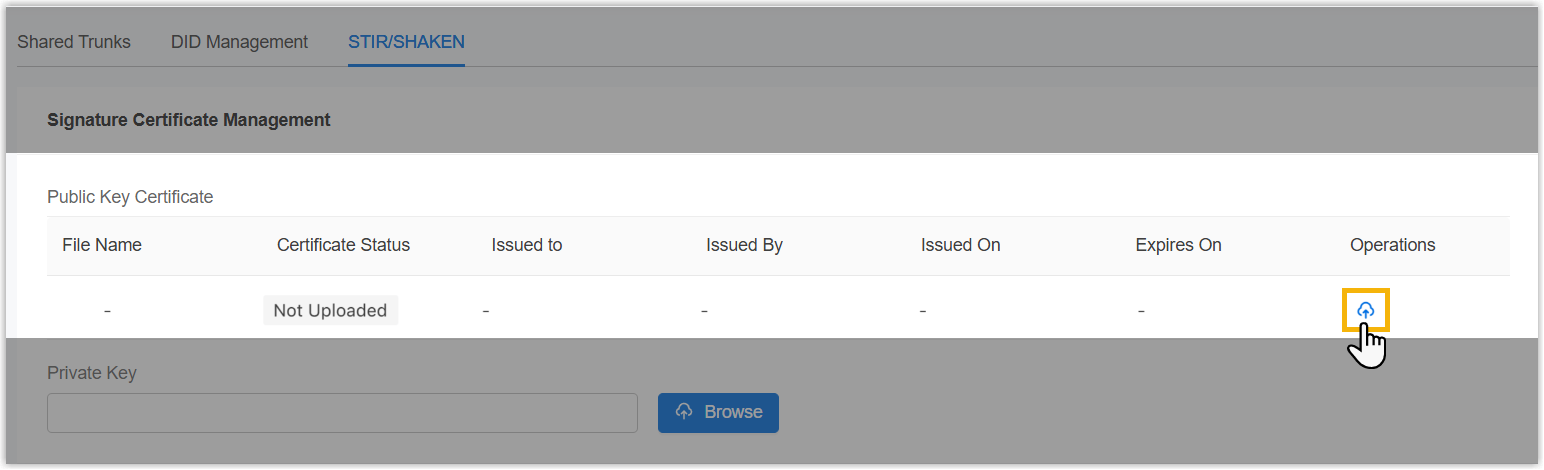
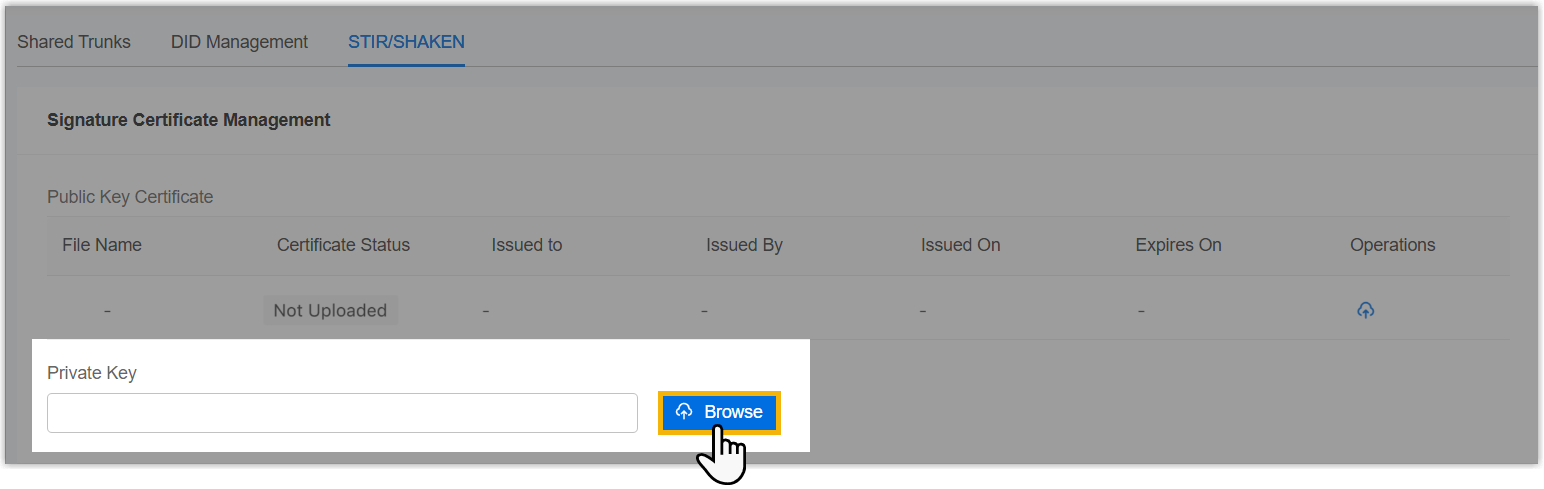
- In the Private Key section, click
Browse to upload the private key.Note: The private key must correspond to the public key in the SHAKEN certificate.
- In the Public Key Certificate section, click
- Click Save.
Result
-
The uploaded SHAKEN certificate and private key are displayed in the Signature Certificate Management section, and can be applied to all shared trunks in the system.
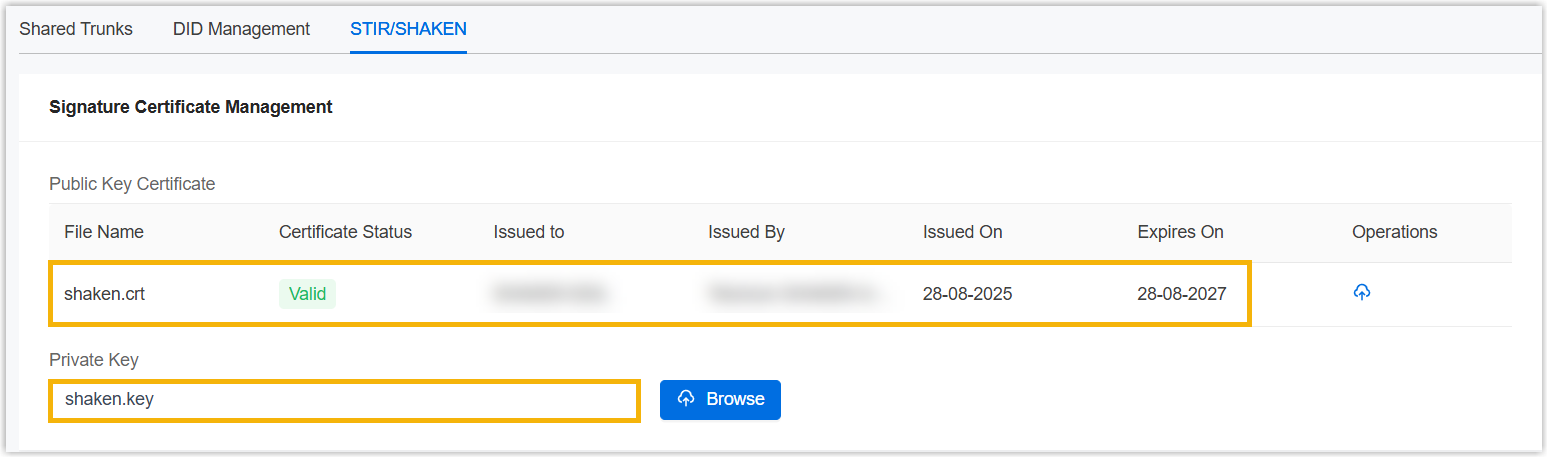
- The system automatically monitors certificate validity. If the certificate has 30, 15, or 1 day left until expiration and the alarm notification STIR/SHAKEN Certificate Expiration Reminder is enabled, the relevant alarm will be triggered.