Configure Alarm Notifications
This topic describes how to configure notification for a specific alarm.
Procedure
- Log in to Yeastar Central Management, go to .
- Configure the alarm notifications according to your need.
- Enable an alarm notification
- Change alarm level
- Configure alarm threshold
- Customize email template for an alarm
- Enable an alarm notification
- To receive system notifications when a specific condition is triggered, you need to enable the corresponding notification feature for the desired alarm first.
-
- In the Notification column,
enable notification for an alarm.

- In the Notification column,
enable notification for an alarm.
- Change alarm level
- A proper level helps you identify the seriousness of the alarm.
You can use the default alarm level, or change the severity
level of a specific alarm as needed.

- Click the Alarm Level beside the alarm.
- In the drop-down list, select a desired level.
- Configure alarm threshold
-
Note: This setting is only available for the system resource usage alerts under Event alarms, including Extension Usage Alert, Concurrent Calls Usage Alert, Recording Capacity Usage Alert, AI Transcription Usage Alert, AI Transcription Pack Usage Alert, AI Receptionist Usage Alert, AI Receptionist Pack Usage Alert, and Shared Trunk Concurrent Calls Usage Alert.
- Click
 beside the
desired alarm.
beside the
desired alarm. - In the Event Threshold drop-down
list, select the capacity thresholds to trigger alarms.Note:
- You can configure up to 5 thresholds.
- If your desired value is not listed, click Create New to add a custom threshold.
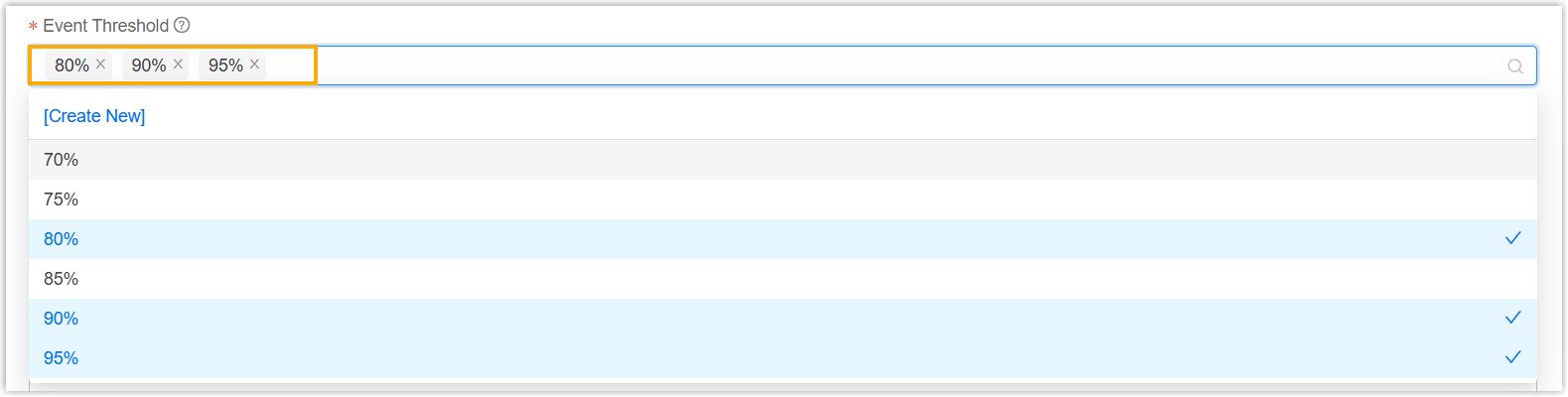
- Click Save.
The system will automatically send the corresponding alarms when the system resource usage reaches any of the pre-set thresholds.
- Click
- Customize email template for an alarm
-
Note: The option is only available for Monitor Alarm and Event Alarm. For PBX Reported Alarm, you can update the email template on PBX management portal (Path: ).
-
- Click beside the
desired event.
- In the Template drop-down list,
select Custom.

- Edit the content of the email template in the Subject and Contents field.
- Click Save.
- Click