Enable Inbound Call Filtering for a Shared Trunk
This topic describes how to enable call filtering feature for a shared trunk. Once enabled, the associated P-Series Cloud PBX will use the verification results provided by the ITSP and reject calls based on the rejection criteria.
Background information
Before delivering an incoming call to your shared trunk, the ITSP verifies the call
and includes the signature verification result in the
P-Asserted-Identity (PAI) header and the SHAKEN attestation
level in a specific SIP header.
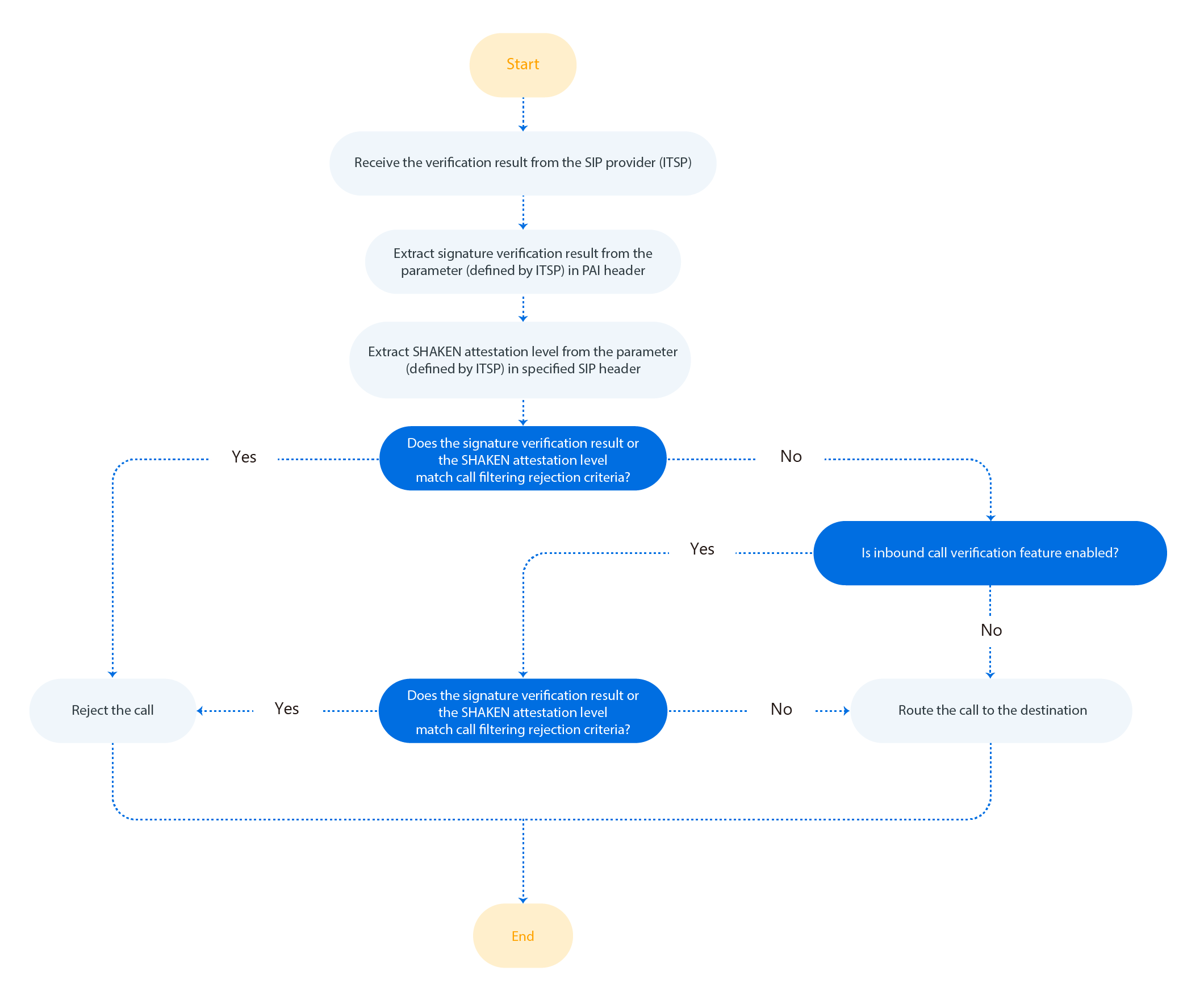
When the verification result is sent to the associated PBX, the PBX extracts the signature verification result and the SHAKEN attestation level from the result. If either of them matches the pre-defined rejection criteria, the PBX will reject the call.
The following diagram (for reference only) illustrates the key steps of how a PBX process the verification result provided by ITSP.
Procedure
- Log in to Yeastar Central Management, go to .
- Click
 besides the desired shared trunk.
- In the Advanced tab, scroll down to the STIR/SHAKEN section.
- Turn on the switch of Upstream Verification Result
Handling, and configure the following settings.
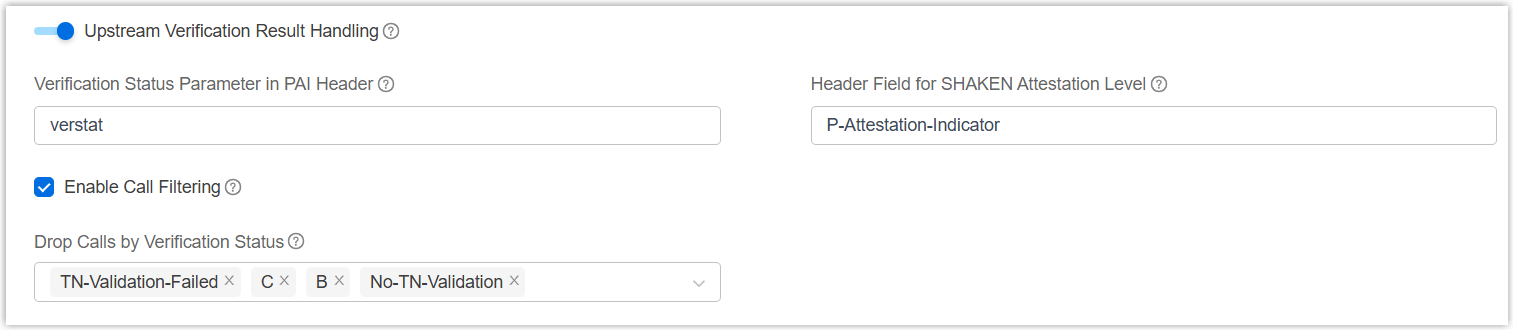
- In the Verification Status Parameter in PAI
Header field, enter the parameter name defined by the
ITSP to convey the signature verification result.
In this example, enter
verstat. - In the Header Field for SHAKEN Attestation Level
field, enter the parameter name defined by ITSP to convey the SHAKEN
attestation level.
In this example, enter
P-Attestation-Indicator. - Select the checkbox of Enable Call Filtering.
- In the Drop
Calls by Verification Status drop-down list, select one
or more verification statuses that will trigger call rejection.
In this example, select No-TN-Validation, TN-Validation-Failed and C. If either the signature verification result or the SHAKEN attestation level matches the selected status, the inbound call will be rejected.
Note: If your ITSP has defined custom verification statuses, click Create New to add them as needed. You can create up to 10 custom statuses.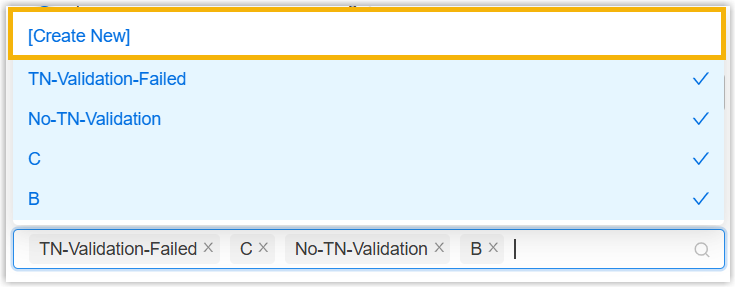
- In the Verification Status Parameter in PAI
Header field, enter the parameter name defined by the
ITSP to convey the signature verification result.
- Click Save.
Result
- The associated PBX uses the verification result provided by the ITSP and reject
calls based on the rejection criteria.
In this example, the PBX extracts the signature verification result
TN-Validation-Failedfrom theverstatparameter and the SHAKEN attestation levelCfrom theP-Attestation-Indicatorparameter. Since either of them matches the rejection criteria configured in the Drop Calls by Verification Status, the inbound call is rejected. - The inbound call filtering results can be checked on the associated PBX.
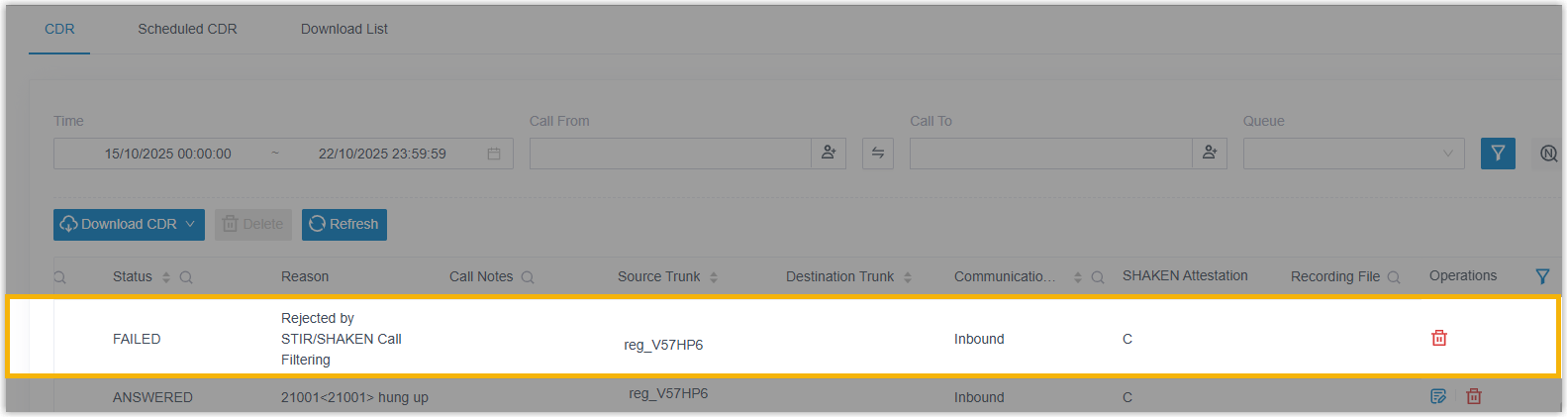
- The SHAKEN attestation level and reject reason of each inbound call are
recorded in the Call Detailed Records (CDR) (Path: ).
- When an inbound call is rejected, an event
notification called Inbound Call Rejected due to STIR/SHAKEN
Verification Failure will be triggered.
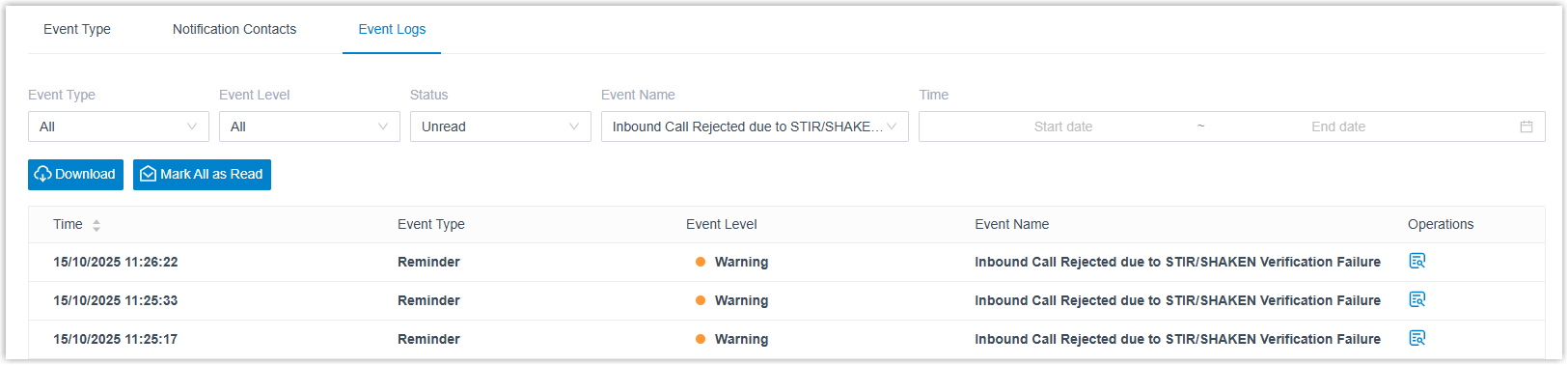
- The SHAKEN attestation level and reject reason of each inbound call are
recorded in the Call Detailed Records (CDR) (Path: ).