Enable Outbound Call Signing for a Shared Trunk
This topic describes how to enable outbound call signing feature for a shared trunk. Once enabled, the associated P-Series Cloud PBX will digitally sign all outbound calls routed through the trunk, excluding emergency and anonymous calls.
Procedure
- Log in to Yeastar Central Management, go to .
- Click
 besides the desired shared trunk.
- In the Advanced tab, scroll down to the STIR/SHAKEN section.
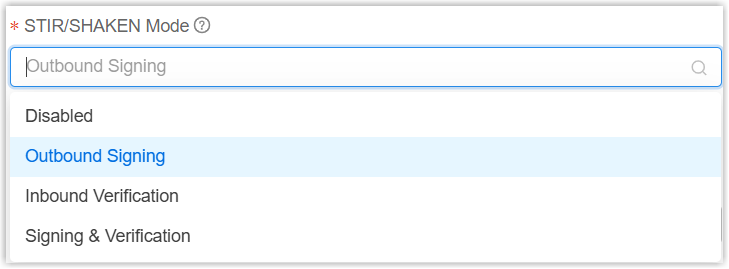
- In the STIR/SHAKEN Mode drop-down list, select either of
the following methods:
- Click Save.
Result
- The associated PBX digitally signs all outbound calls (excluding emergency
and anonymous calls) routed through the trunk using the private key uploaded
in Signature
Certificate Management.
Each outbound call is signed with an
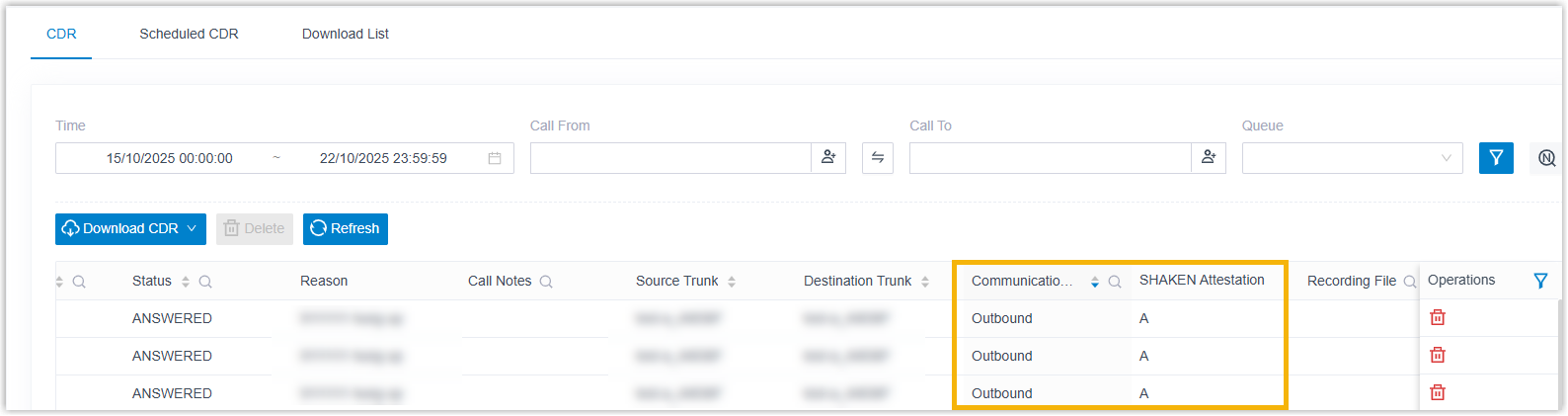
Aattestation level, which is included within theIdentityheader of the SIP INVITE message. - The associated PBX logs the signing status of each outbound call in the Call
Detailed Records (CDR), which can be checked in on the PBX web portal.