Set Linkus Desktop Client to Run at Startup on a Computer
You can configure Linkus Desktop Client to automatically launch when your computer starts up.
Procedure
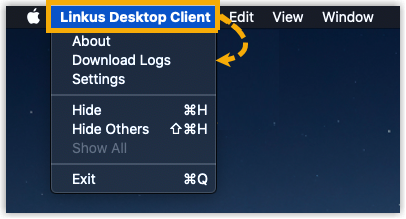
- Access the Settings menu of Linkus Desktop Client
based on your operating system.
- For Windows: At the system tray, right click
 , then select
Settings.
, then select
Settings.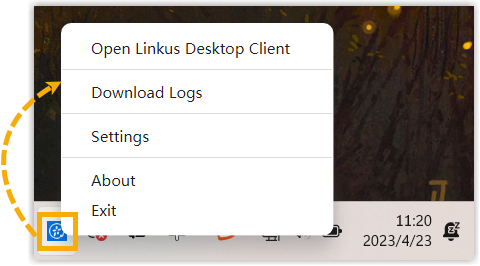
- For macOS: On the App menu, click Linkus Desktop
Client, then select
Settings.
- For Windows: At the system tray, right click
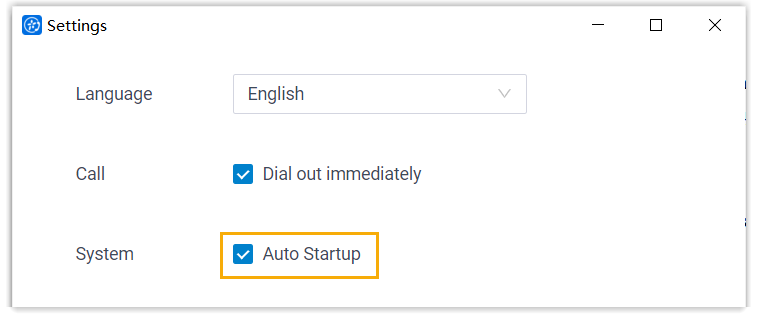
- In the System section, select the checkbox of
Auto Startup.
Result
Linkus Desktop Client will
automatically launch and run when your computer boots up.
Note: If you have enabled Auto Login, your account will be
automatically logged in when Linkus
Desktop Client is launched.