Enable Read Receipts for Channel Messages
Read receipts indicate whether and when messages sent in external chats have been opened and read by the recipients. This feature works in both 1:1 chats and group chats, enabling both agents and customers to see whether their messages have been read. This topic describes how to enable read receipts for online messaging channels.
Requirements and restrictions
- Requirements
-
Item Requirements PBX Server To configure read receipts on the PBX, the following requirements must be met: - The firmware version of Yeastar P-Series Cloud Edition is 84.24.0.73 or later.
- You have subscribed to Enterprise Plan (EP) or Ultimate Plan (UP) for the PBX.
Linkus Mobile Client To apply the read receipt feature on the Linkus Mobile Client, the app version must meet the following requirements: - Linkus iOS Client: Version 5.29.14 or later
- Linkus Android Client: Version 5.29.12 or later
Note: For Linkus Web Client and Desktop Client, read receipts are available as soon as the feature is enabled on the PBX, no additional upgrade required. - Restrictions
-
Read receipts are available only for external chats conducted via the following online messaging channels:
- Facebook Channel
- Live Chat Channel
- WhatsApp ChannelNote: For the WhatsApp channel, this feature does not take effect if the customers have turned off read receipts in their own WhatsApp settings.
Procedure
- Log in to PBX web portal, go to .
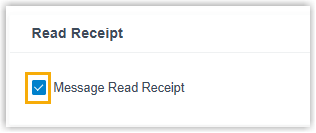
- Select the checkbox of Message Read Receipt.
- Click Save.
Result
In external chats conducted via online messaging channels, both agents and customers
can see a read status indicator ( ) beside their messages, indicating whether the message
has been read by the other party.
) beside their messages, indicating whether the message
has been read by the other party.

For more information, see the following topics: