Key Metrics for CDR Details
Call Detail Record (CDR) provides information about incoming and outgoing calls made and received in Tenant portal. This topic describes the key metrics available in CDR details.
In this topic, we introduce the key metrics displayed in CDR details (Path: CDR & Recordings > CDR >  ), presented from left to right and top to bottom.
CDR Details
This panel provides a quick overview of a call, giving you clear insights into its details and status.

| Item | Description |
|---|---|
| Call Type | The communication type of the call.
Note: For calls with multiple call
legs, this field displays the communication type of the
first call leg.
|
| Last Status | The final status of the call.
Note: For calls with multiple call
legs, this field displays the status of the last call
leg.
|
| ID | A unique identifier for the call. |
| Time | The time when the call was initiated or received. |
| Call Participant | The participants involved in the call.
|
Recording
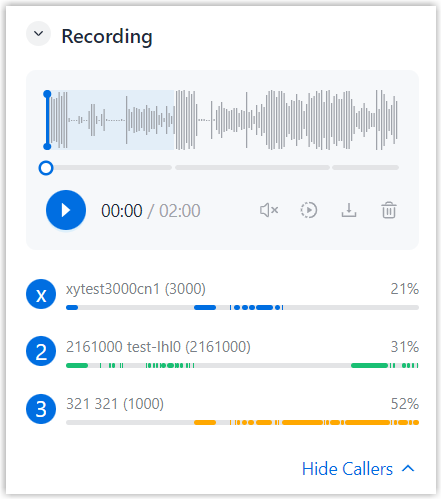
This panel aggregates and organizes all recordings for a call into a single waveform view, presenting the recording duration and ratio for each participant across all call legs. This allows you to intuitively identify when call participants are speaking and quickly locate and play the desired recording segment within clicks.
Beyond this, this panel supports granular management over recording, as shown below:- Play recordings with adjustable volume and playback speed
- Download recordings by segment or as a single file
- Delete recordings directly from the panel
Call Time Breakdown
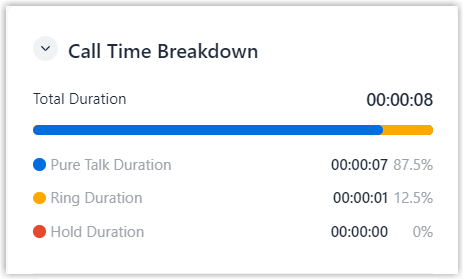
This panel provides instant visibility into the total duration of a call, and visualizes how time is spent across its entire lifecycle, making it easy to see the breakdown of the call time and identify areas for improvement.
| Item | Description |
|---|---|
| Total Duration | The total time between the call started and the call ended. |
| Pure Talk Duration | The time between the call answered and the call ended, excluding any hold time. |
| Ring Duration | The time between the call started and the call answered. |
| Hold Duration | The time during which the call is placed on hold. |
Call Basic
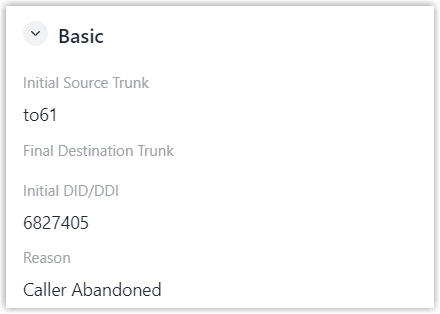
This panel displays key information about the call routing flow.
| Item | Description |
|---|---|
| Initial Source Trunk | The trunk through which the call was received. Note: For calls with multiple call
legs, this field displays the trunk associated with the
first call leg.
|
| Final Destination Trunk | The trunk through which the call was sent. Note: For calls with multiple call
legs, this field displays the trunk associated with the
last call leg.
|
| Initial DID/DDI | The DID/DDI number that the caller dialed. Note: For calls with multiple call
legs, this field displays the DID/DDI number associated
with the first call leg.
|
| Reason | The hangup reason for the last call leg. |
Call Legs
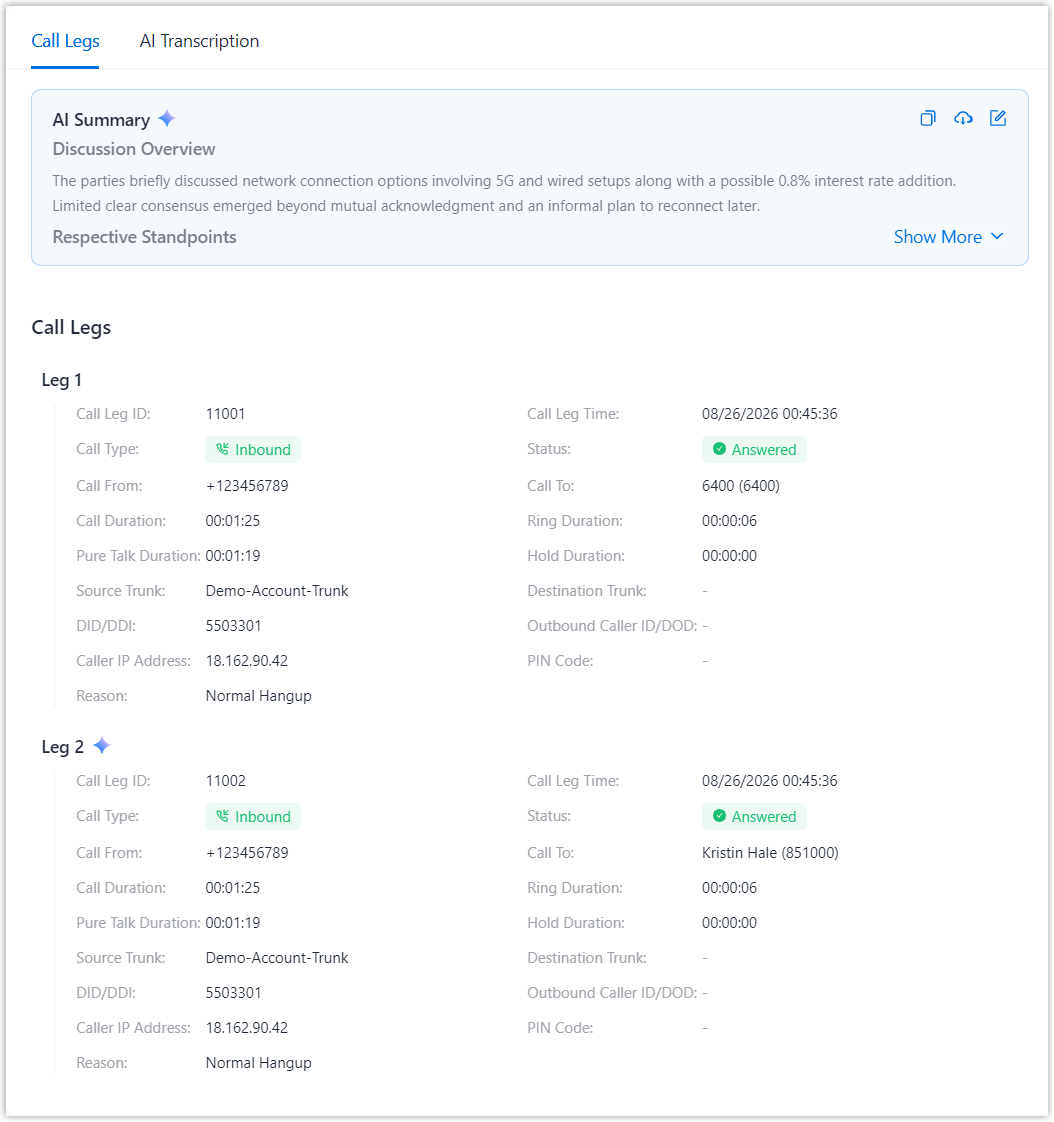
This panel breaks down a call into individual call legs to provide a structured overview of the call flow, enabling easier and more intuitive analysis of call behavior across different call stages.
| Item | Description |
|---|---|
| AI Summary | The AI-generated summary of the call. Note:
|
| Call Leg ID | The unique identifier for the call leg. |
| Call Leg Time | The start time of the call leg. |
| Call Type | The communication type of the call leg.
|
| Status | The status of the call leg.
|
| Call From | The caller who initiated the call. |
| Call To | The callee who received the call. |
| Call Duration | The time between the call started and the call ended. |
| Ring Duration | The time between the call started and the call answered. |
| Pure Talk Duration | The time between the call answered and the call ended, excluding any hold time. |
| Hold Duration | The time during which the call is placed on hold. |
| Source Trunk | The call was received via which trunk. |
| Destination Trunk | The call was sent out via which trunk. |
| DID/DDI | The phone number that the caller dialed. |
| Outbound Caller ID/DOD | The phone number that was displayed on the callee's phone. |
| Caller IP Address | The IP address of the caller's device. |
| PIN Code | The PIN code used when making a call via a restricted
outbound route. Note: If multiple PIN codes are used,
this field displays only the last PIN code.
|
| Reason | The hangup reason for the last call leg. |
| SHAKEN Attestation Level | Shaken attestation level or signature verification result.
|

AI Transcription
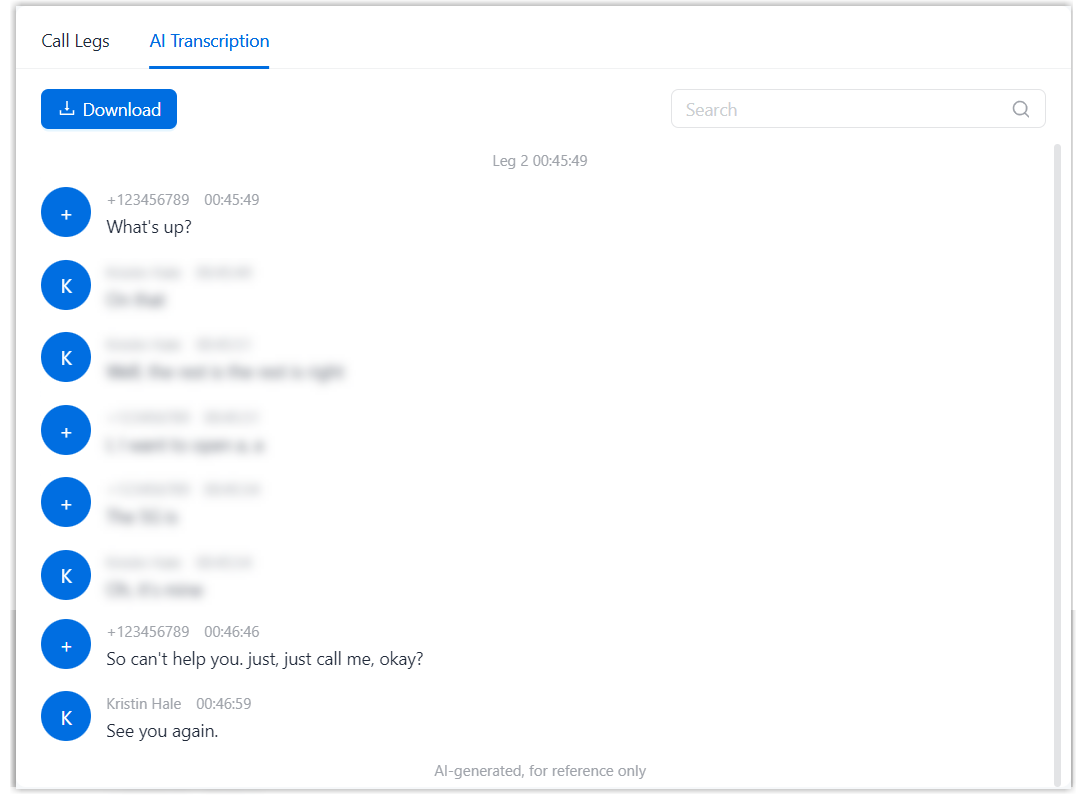
- Transcription content is available only when call transcription is enabled for either call participant.
- You can download the transcription to your local computer for further analysis or record keeping.