Edit and Delete Company Contacts
After company contacts are added, you can edit contact information or delete contacts that are no longer needed.
Edit company contacts
- Log in to NovoOne Tenant portal, go to Company Contacts.
- Click
 beside the desired company contact.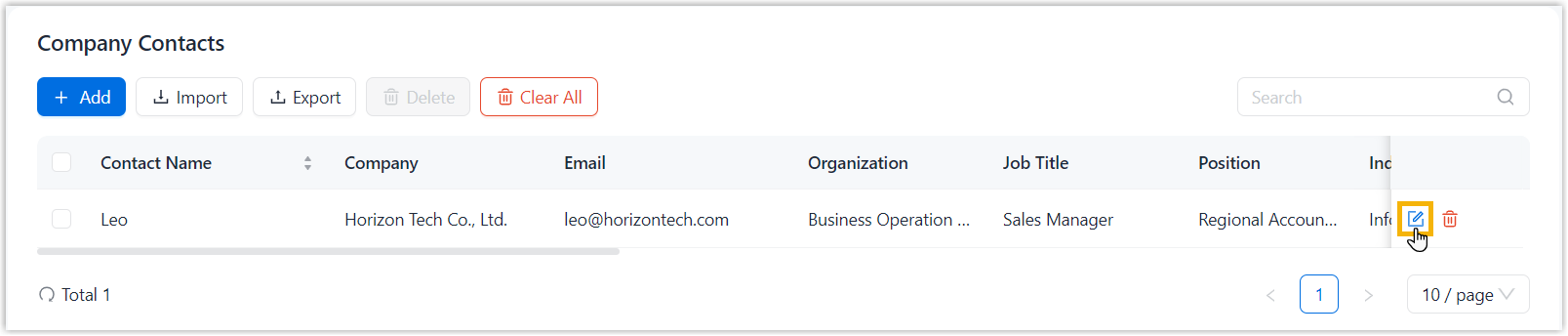
- Edit the contact information as needed.
- Click Save.
The changes are saved in the system and synchronized to users' NovoOne clients.
Delete company contacts
- Log in to NovoOne Tenant portal, go to Company Contacts.
- Delete company contacts based on your needs.
Scenario Instruction Delete one or multiple company contacts - Select the checkboxes of the desired contacts, then click Delete.
- In the pop-up window, click Confirm.
Delete all company contacts 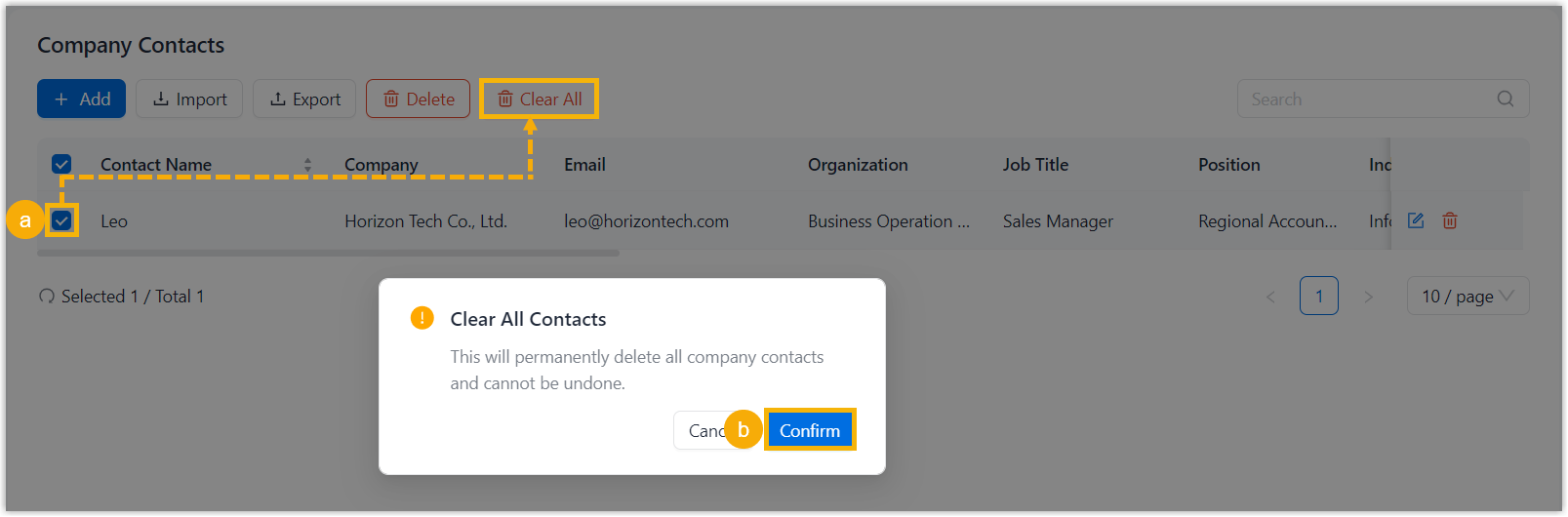
- At the top of the list, click Clear All.
- In the pop-up window, click Confirm.
The company contacts are permanently deleted from the system, and are no longer available to users from their NovoOne clients.