Change or Reset Account Password
You can change your account password to enhance account security, or reset it if you forget it.
Change account password
- Procedure
-
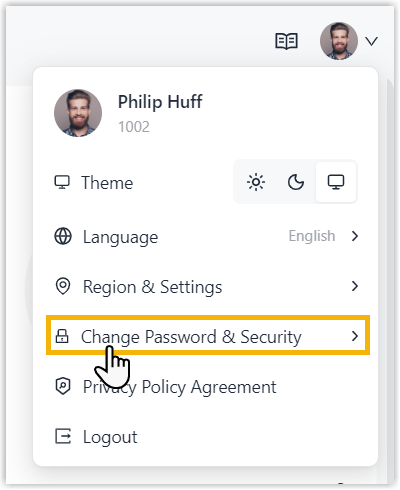
- At the top-right corner of NovoOne Tenant
portal, click your account and select Change Password
& Security.
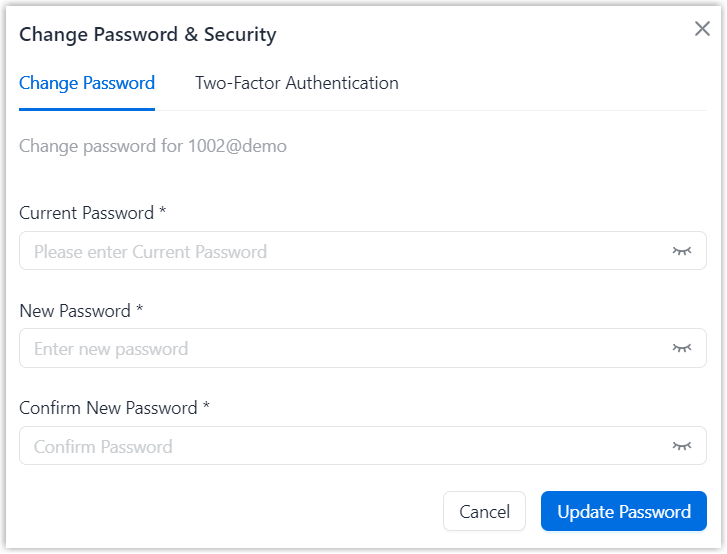
- In the pop-up window, enter your current password and set a new
password, then click Update
Password.
- At the top-right corner of NovoOne Tenant
portal, click your account and select Change Password
& Security.
- Result
-
- You are automatically logged out of Tenant portal.
- You can sign in to the Tenant portal using the new password.
Reset account password
- Procedure
-
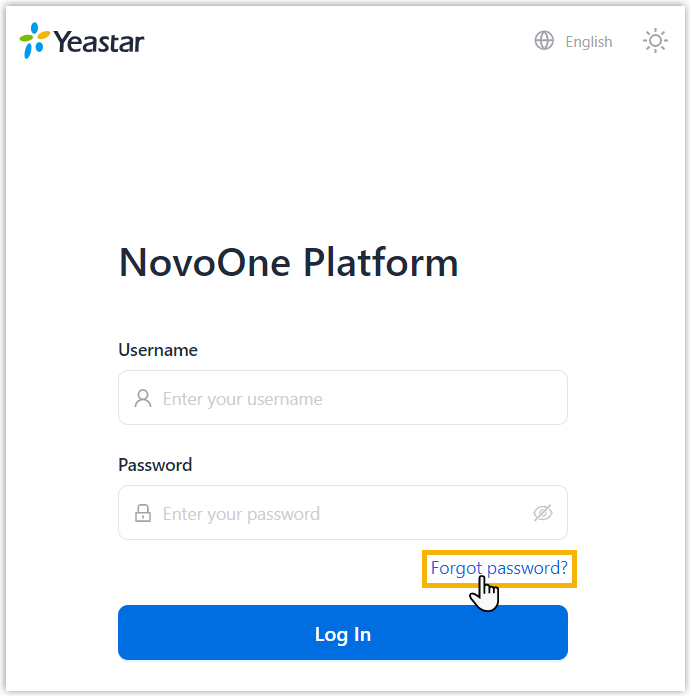
- On NovoOne Tenant portal login page, click
Forgot password?.
- On the Reset Password page, perform the
following operations:
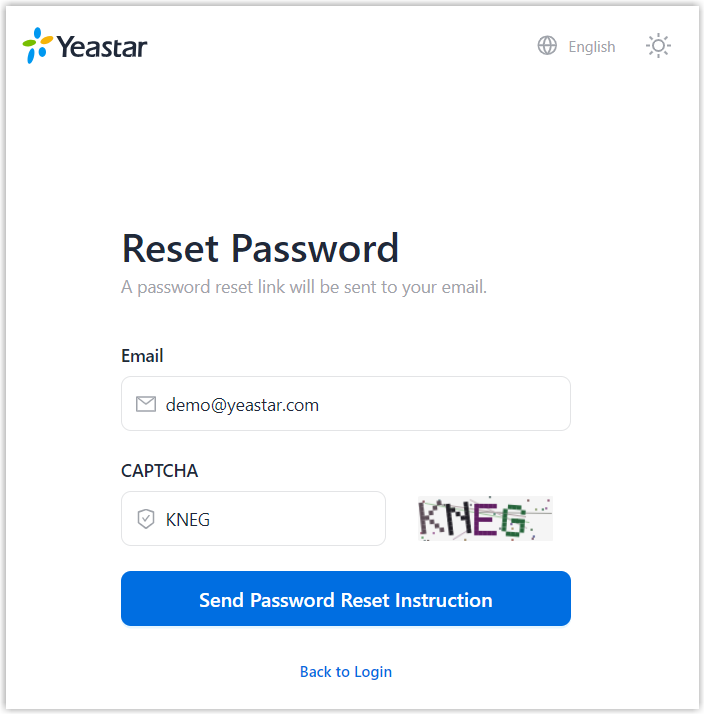
- Enter your email address and the captcha.
- Click Send Password Reset Instruction.
- On NovoOne Tenant portal login page, click
Forgot password?.
- Result
- A password reset link is sent to your mailbox.Note: The link is valid for 30 minutes.
- What to do next
- Click the password reset link to set a new password.