Log in to Mobile Client using Manually-Entered Credentials
You can log in to NovoOne Mobile Client by manually entering login credentials.
Requirements
Your mobile device's operating system must meet the following requirements:
| Platform | Minimum | Recommended |
|---|---|---|
| iOS | iOS 16, 3GB RAM (iPhone 8 Plus and above) |
iOS 16, 4GB RAM (iPhone XS and above) |
| Android | Android 8.0, 4GB RAM | Android 12, 8GB RAM |
Prerequisites
Contact system administrator to obtain the following credentials:
| Credential | Description |
|---|---|
| Extension Account Credential | The extension number and the associated password of your account. |
| Company Account Name | The unique tenant name of your organization. |
| Login URL | The specific domain for your organization's system. |
Procedure
- Open the NovoOne Mobile Client.
- On the login page, enter the following credentials.
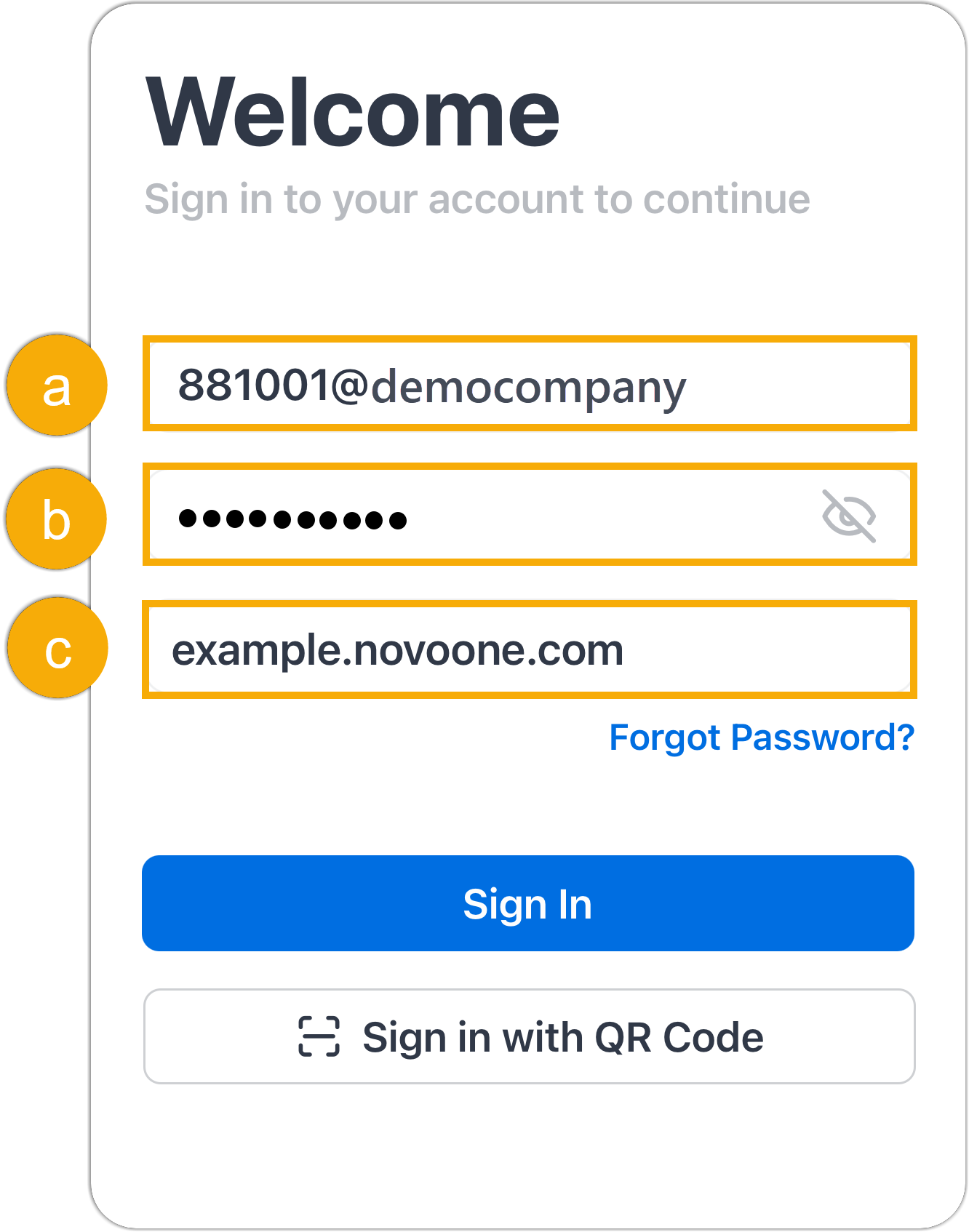
- Enter the username in the format of
<Extension_Number>@<Company_Account_Name>. E.g.,881001@democompany. - Enter the password associated with the extension number.
- Paste the login URL.
- Enter the username in the format of
- Tap Sign in.