Edit Personal Information
Review and update your profile, such as name, email address, and phone number.
Procedure
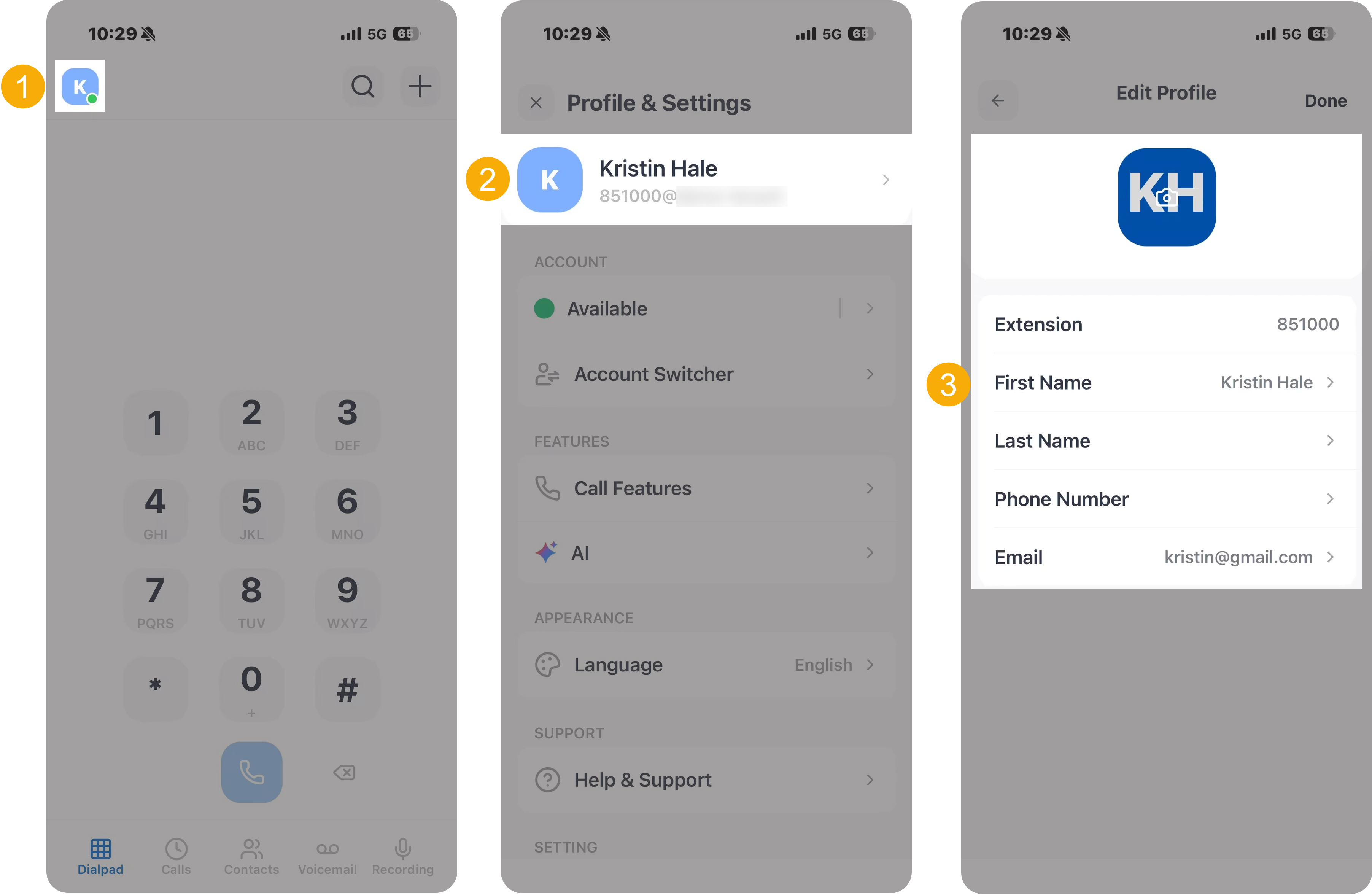
- At the top-left corner of NovoOne
Mobile Client, tap your account.
You will enter the Profile & Settings page.
- At the top of the page, tap the profile section.
-
Update your profile or personal information as needed.
- To change your profile avatar, do as follows:
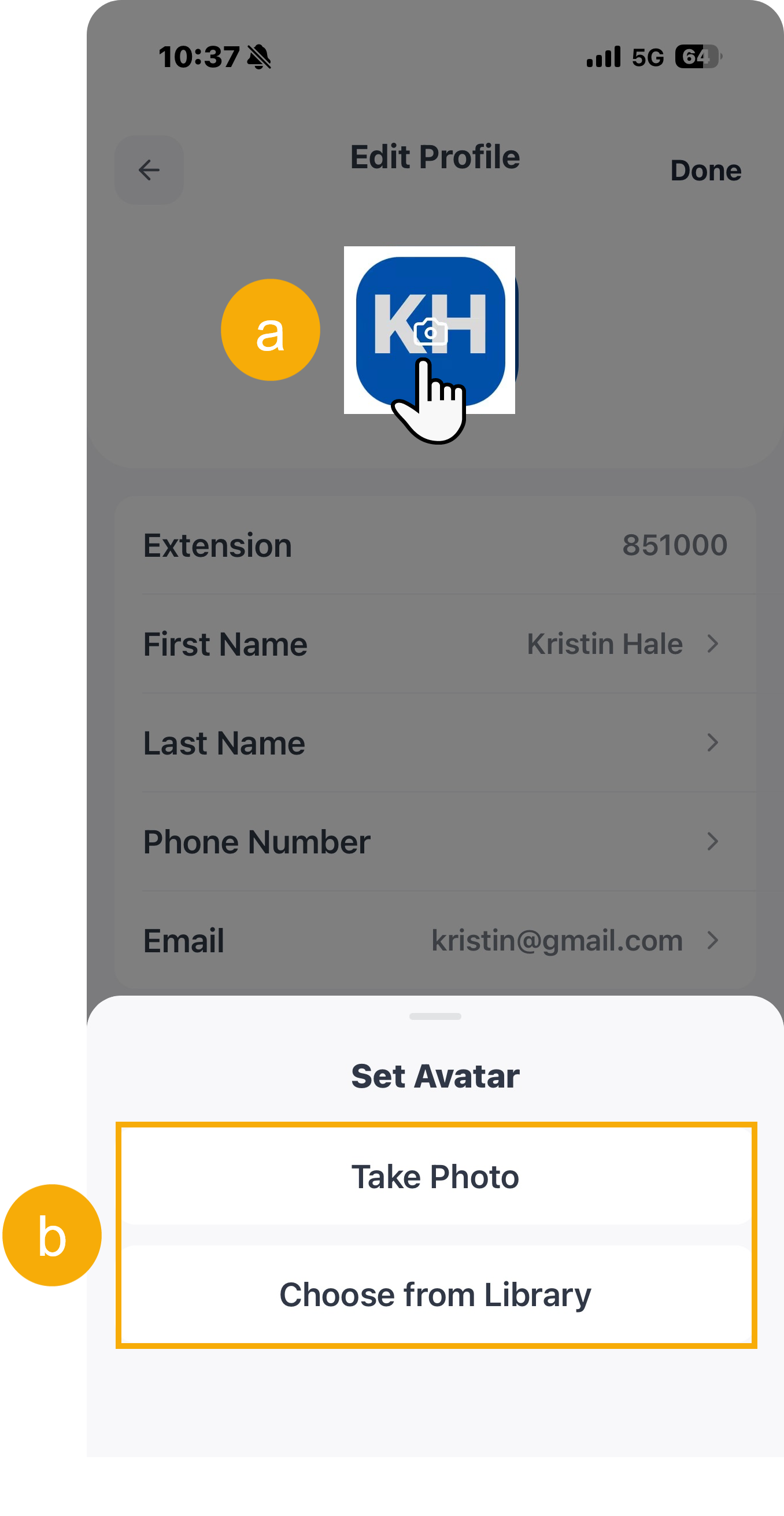
- Tap the avatar.
- Select to take a photo or directly choose an image from
library.Note: If you choose an image from the library, the file must be in
JPG,PNG, orJPEGformat and not exceed 1 MB.
- To update your personal information, do as follows:
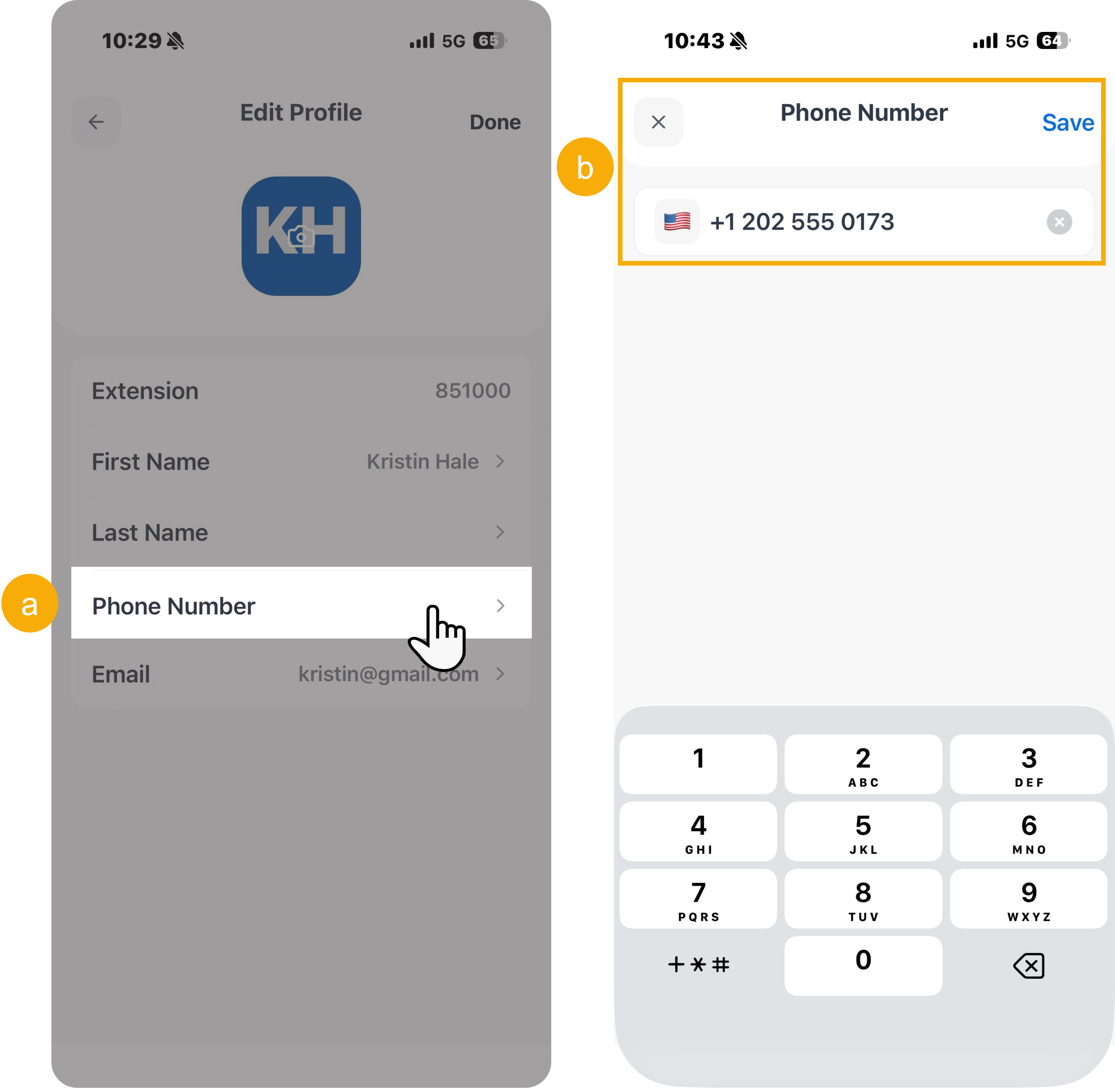
- Tap the desired field.
- Enter the new information, then tap Save at the top-right corner.
- To change your profile avatar, do as follows:
Result
The changes made are applied to your profile across the NovoOne clients.