Enable Inbound Call Verification for a Shared Trunk
This topic describes how to enable inbound call verification feature for a shared trunk. Once enabled, the associated P-Series Cloud PBX will verify all inbound calls routed through the trunk, and reject calls based on the rejection criteria.
Requirements
Procedure
- Log in to Yeastar Central Management, go to .
- Click
 besides the desired shared trunk.
- In the Advanced tab, scroll down to the STIR/SHAKEN section.
- In the STIR/SHAKEN Mode drop-down list, select either of
the following methods:
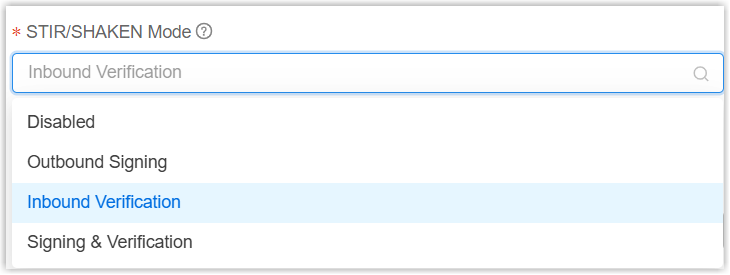
- Click Save.
Result
- The associated PBX verifies all inbound calls routed through the trunk, and rejects calls based on the rejection criteria configured in inbound call verification policy.
- The inbound call verification results can be checked on the associated
PBX.
- The SHAKEN attestation level and reject reason of each inbound call
are recorded in the Call Detailed Records (CDR) (Path: ).
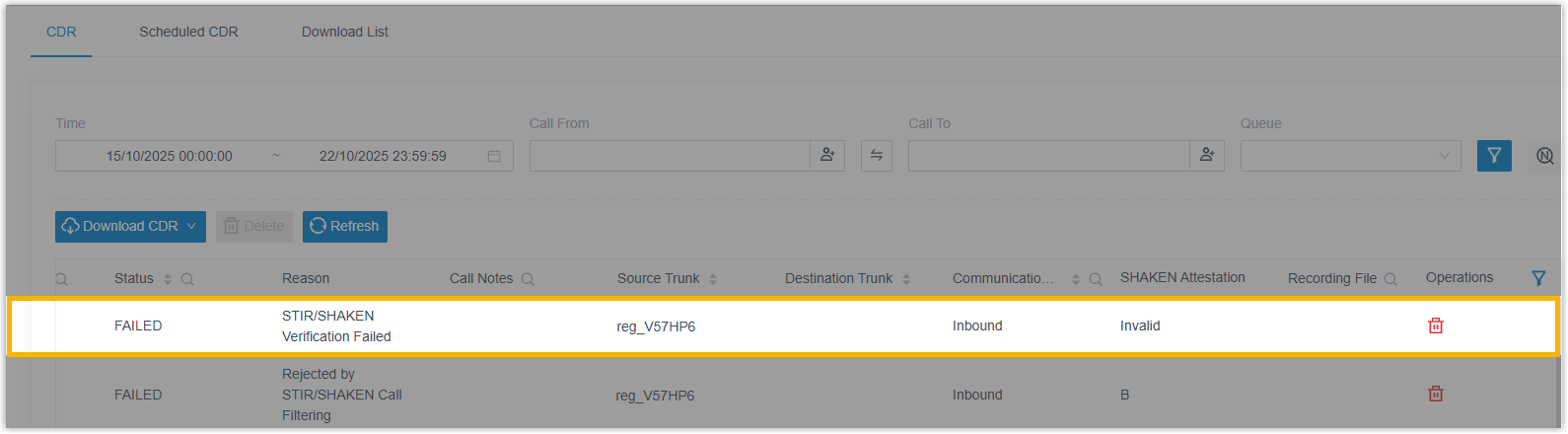
- When an inbound call is rejected, an event
notification called Inbound Call Rejected due to STIR/SHAKEN
Verification Failure will be triggered.
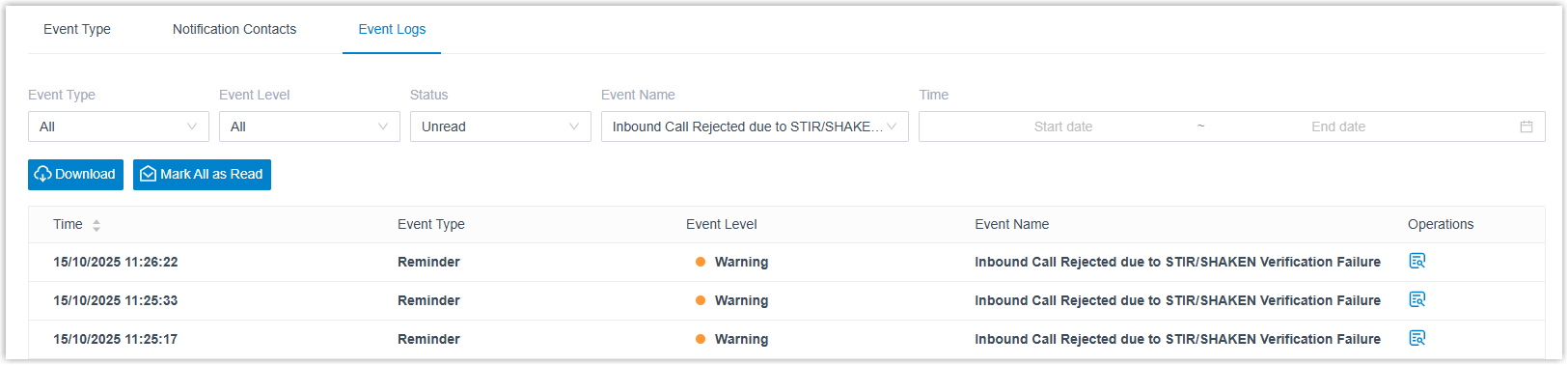
- The SHAKEN attestation level and reject reason of each inbound call
are recorded in the Call Detailed Records (CDR) (Path: ).