Yeastar P-Series Software Edition 83.22.0.17-beta1
Release date:February 5, 2026
Release version:V23.1-Beta
This topic introduces the new features and improvements included in the first beta release of firmware 83.22.0.17.
- To try out the new updates, check for firmware updates from PBX admin portal or download the firmware from Yeastar Official Website , and upgrade your phone system.
- For details on the new features and improvements in Linkus UC Clients and 'Yeastar Linkus for Google' Chrome extension, see Linkus Release Notes.
- If you found something that doesn't work as expected, you can submit feedback directly from here.
New features
- Virtual Fax Integration
- Added support for the integration with the online fax service provider BlueFax, enabling your team to securely send and receive faxes over the Internet via Linkus Desktop or Web Client, without relying on physical fax machines.
- Omnichannel Messaging
- Added support for the SMS messaging integration with VoIP.ms and NETPLANET, which allows business to set up SMS messaging channels for these service providers on Yeastar P-Series Software Edition, so that agents in the business can receive and reply to SMS messages from customers on their Linkus UC Clients.
Improvements and bug fixes
- Call Flow Designer
-
- Optimized the following call flow components:
Component Description Call Control Component Prompt & UserInput Added a configuration item TTS Response Timeout under the Text to Speech prompt configuration.
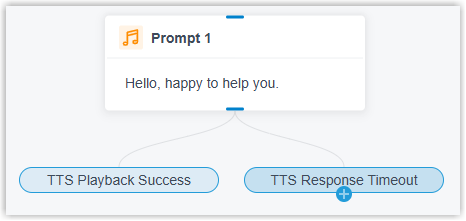
When enabled, the component provides two branches TTS Playback Success and TTS Response Timeout, allowing you to set distinct flow paths based on the TTS generation result (success or timeout).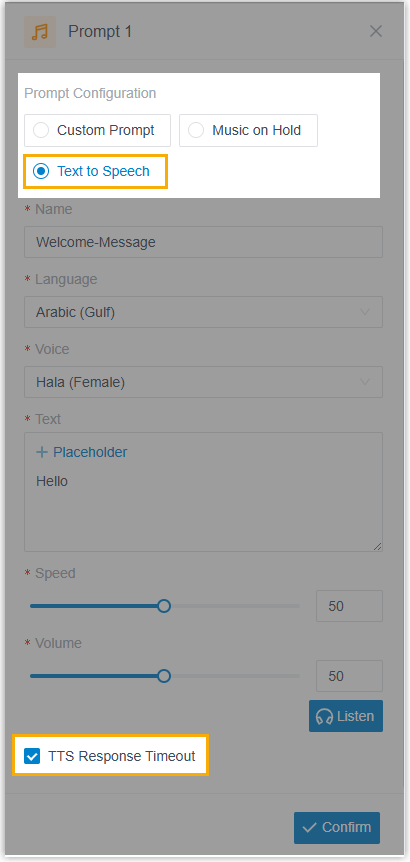
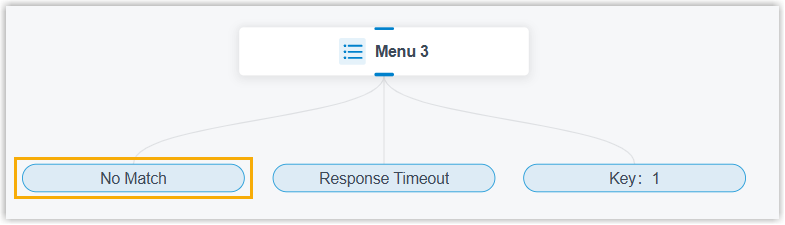
Menu & Dial by Number - Changed the branch name Invalid
Input to No
Match across these
components.
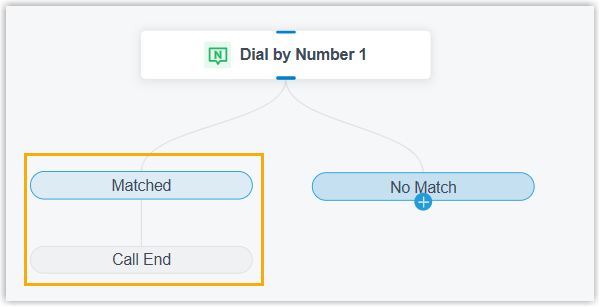
- Added a Matched branch
for the Dial by Number
component, which is directly connected to the
Call End branch.
Transfer - Added a transfer destination type
IVR.
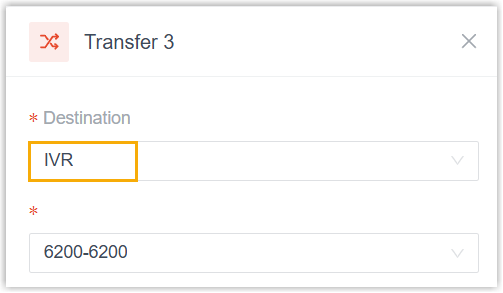
- Added an option Dial Feature
Code for the custom transfer
destination. If enabled, you can set the feature
code to be dialed in the Destination
Number field. Note: Feature codes for in-call operations are NOT supported, such as Record (
*1), Flip (*01), Transfer (*3,*03), and Park (*5,*05).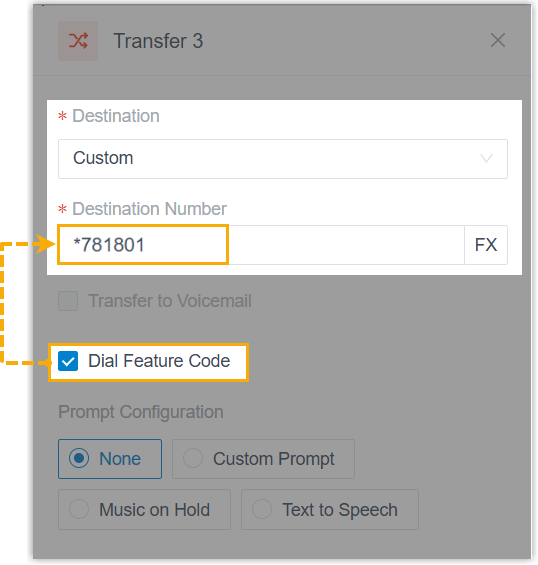
Flow Component Condition Changed the branch name Invalid Input to No Match. 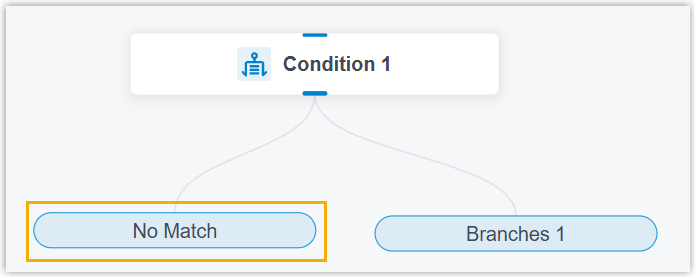
Developer Component / The original Developer component on the left-side toolbox has been split into four standalone components, including Internal Data Ops, Email Sender, Database Access, and HTTP Request. 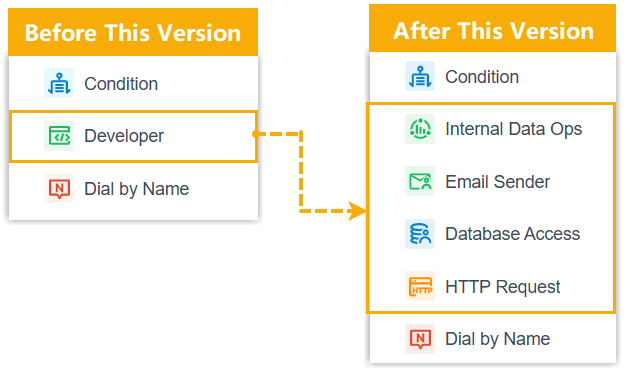
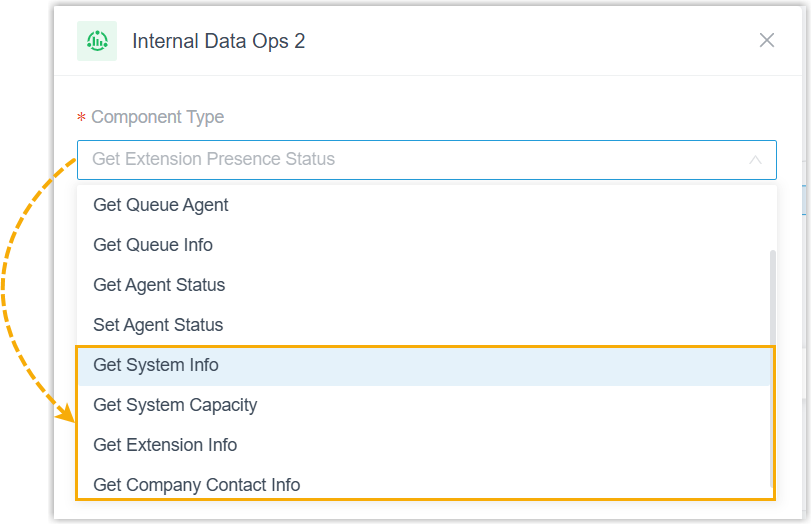
Internal Data Ops This component provides Get and Set operations on the PBX's internal data supported by the original Developer component. In addition, the following changes are introduced: - Added the following Get
operations:
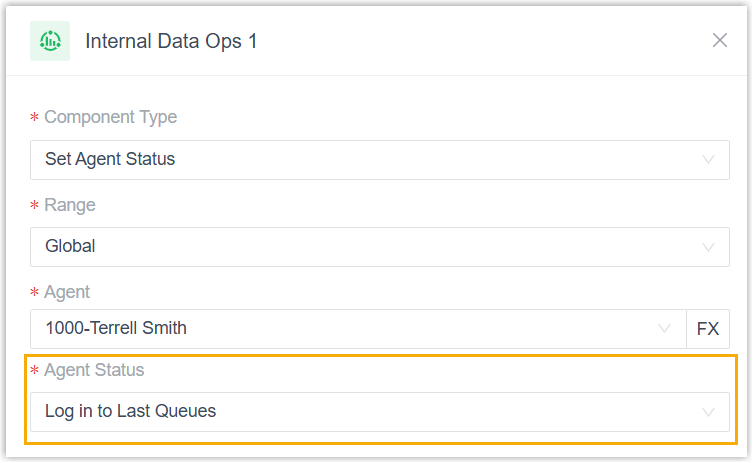
- Added an agent status Log in to
Last Queues for the Set
Agent Status component. If selected,
the agents will be automatically logged in to
all
queues
they
were previously logged in to.
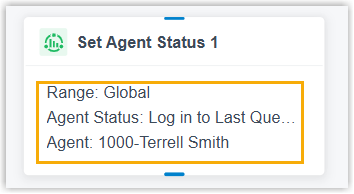
- Added support for displaying the key
configured items and content of the component in
the workspace for easy identification.
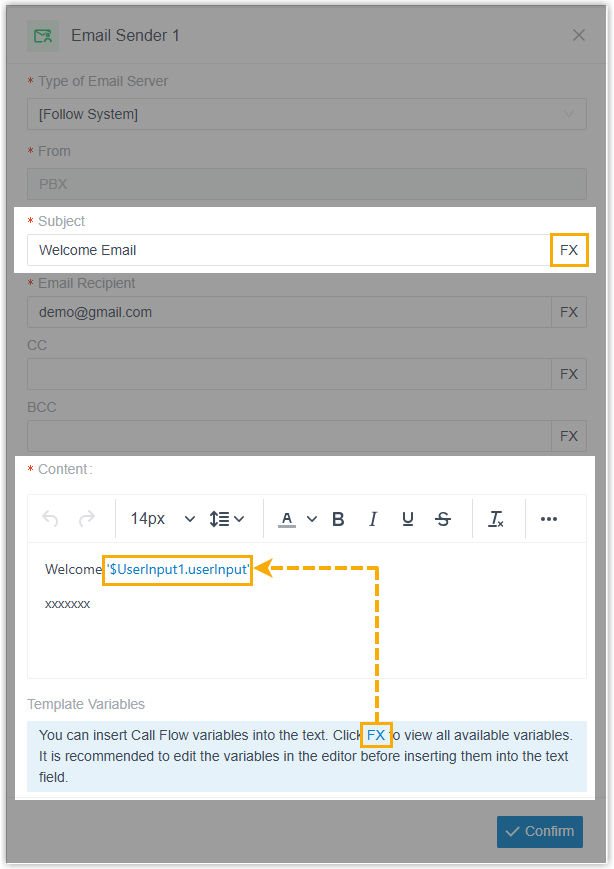
Email Sender - Added support for inserting variables in
Subject and
Content fields.
- Added support for displaying the email subject
in the workspace for easy identification.

Database Access & HTTP Request - Added a configuration item Timeout
Destination.
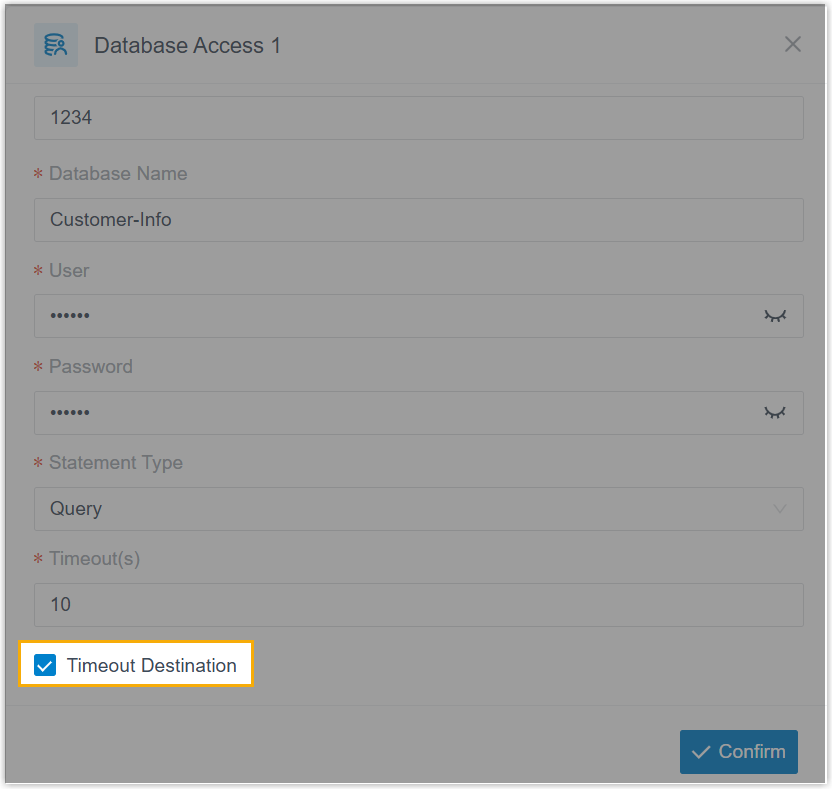
When enabled, the component provides two branches Default Destination and Timeout Destination, allowing you to set distinct flow paths based on the execution result (success or timeout).
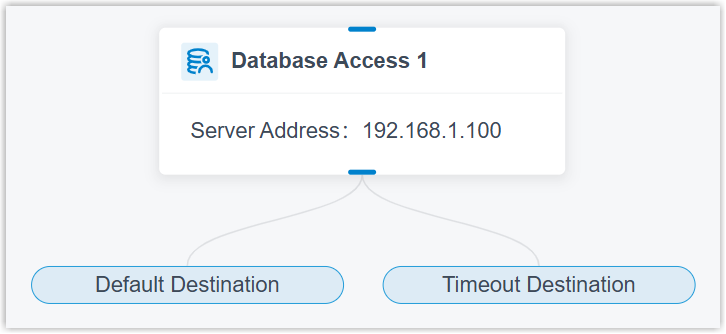
- Added support for displaying the database server address (for Database Access component) or the request URI (for HTTP Request component) in the workspace for easy identification.
- Changed the branch name Invalid
Input to No
Match across these
components.
- Optimized the following call flow components:
-
- Optimized the End Key setting (Path: ), which allows you to set any numeric key
(
0-9) as the end key, or choose None to disable the end key feature.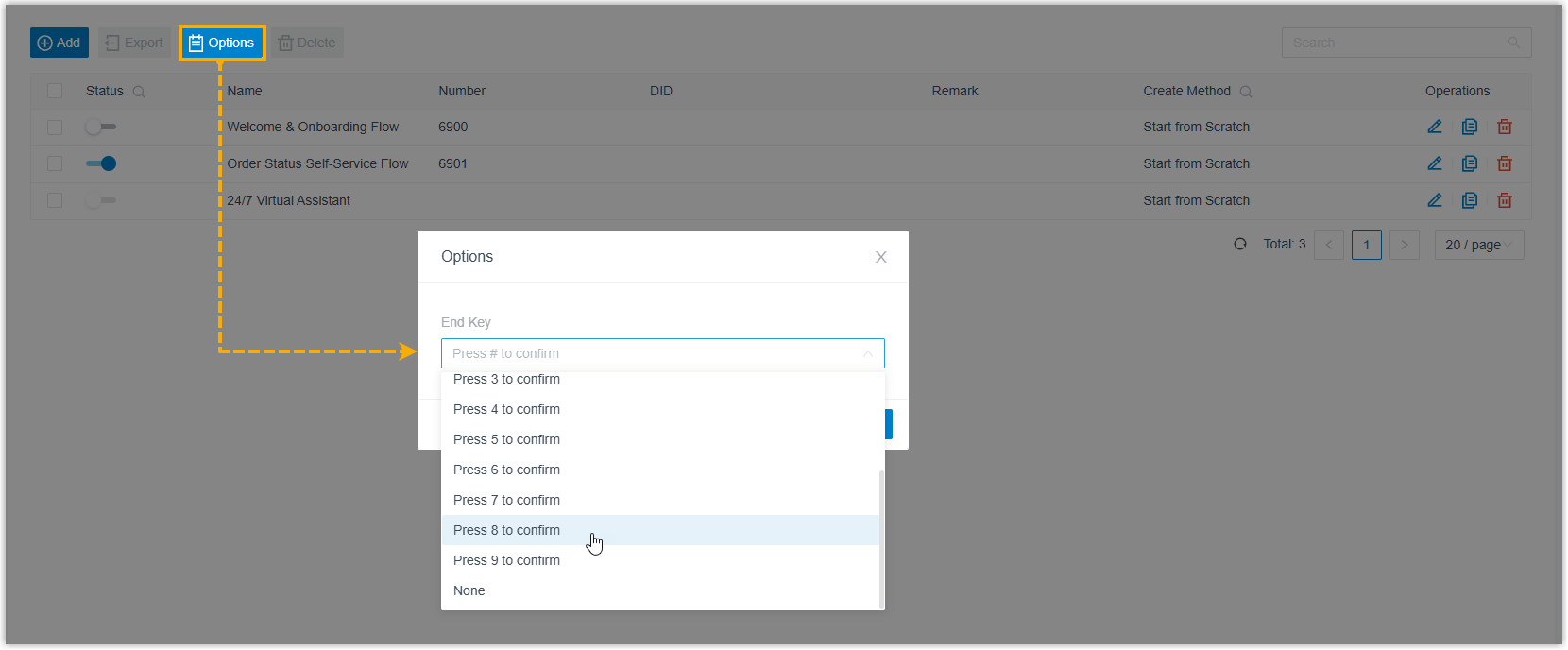
- Added the following variables and function for the call flow designer:
Item Description Variable - Added a variable
$GetExtensionStatus{index}.isUnavailablefor the GetExtensionStatus component to indicate an extension's registration status.
- Added the related variables for the GetSystemInfo, GetSystemCapacity, GetExtensionInfo, and GetCompanyContactInfo components.
Function - Added a function
GET_JSON_ARRAY_ITEM, which can be used to extract the object element at a specified index from a JSON array.
For more information about the variables and functions, see Variables and Functions in Yeastar Expression.
- Added a variable
- Optimized the End Key setting (Path: ), which allows you to set any numeric key
(
- Recording
-
- Added support for setting up recording prompts for one-click
recording (Path: ). If set, when authorized extension users start
or stop call recording during a call, the system will play the
corresponding prompt.
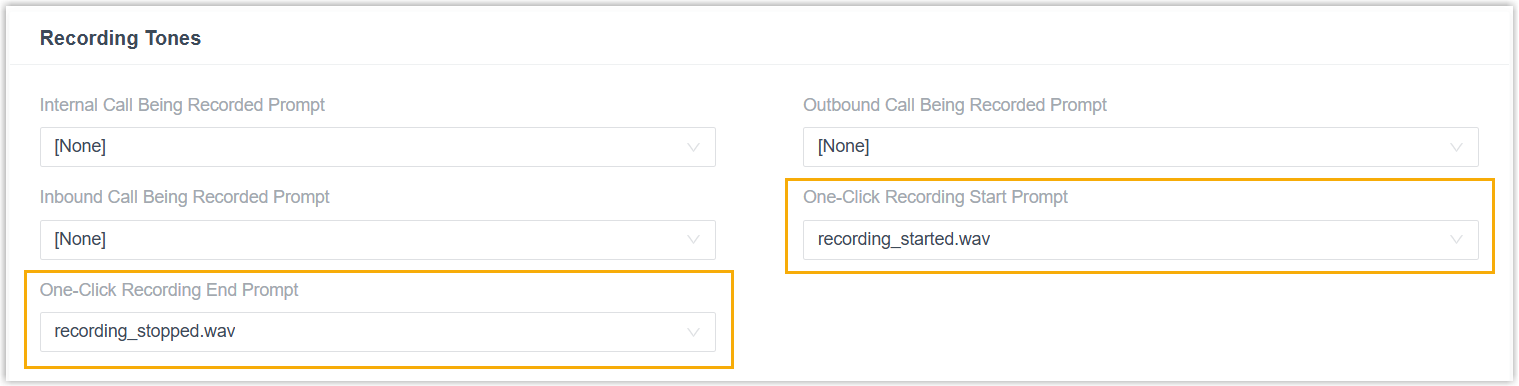
For more information, see Set up Recording Prompt for One-click Recording.
- Added support for setting up recording prompts for one-click
recording (Path: ). If set, when authorized extension users start
or stop call recording during a call, the system will play the
corresponding prompt.
- SIP Settings
- Added a configuration item Call Connection
Assurance (Path: ) to ensure call connection stability for specified
extensions.
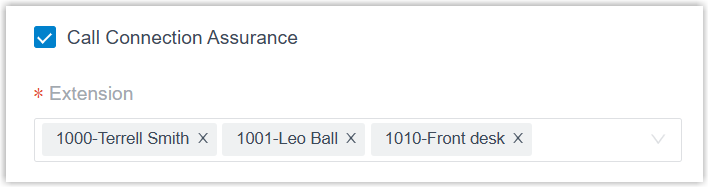 This setting is designed to resolve the no-audio issue that could occur on the first Linkus call after a computer restarts in specific client environments (typically due to certain browser or OS limitations). When a specified extension logs in to the Linkus Desktop Client / Web Client, PBX will place a call to the client. The client will auto-answer and immediately hangs up, pre-establishing a stable connection path for all subsequent calls.Note:
- The entire process is invisible to the extension user.
- The call does not consume call concurrency, and will not generate any call records.
- Archive
- Added the following configuration items for archive tasks (Path: ):
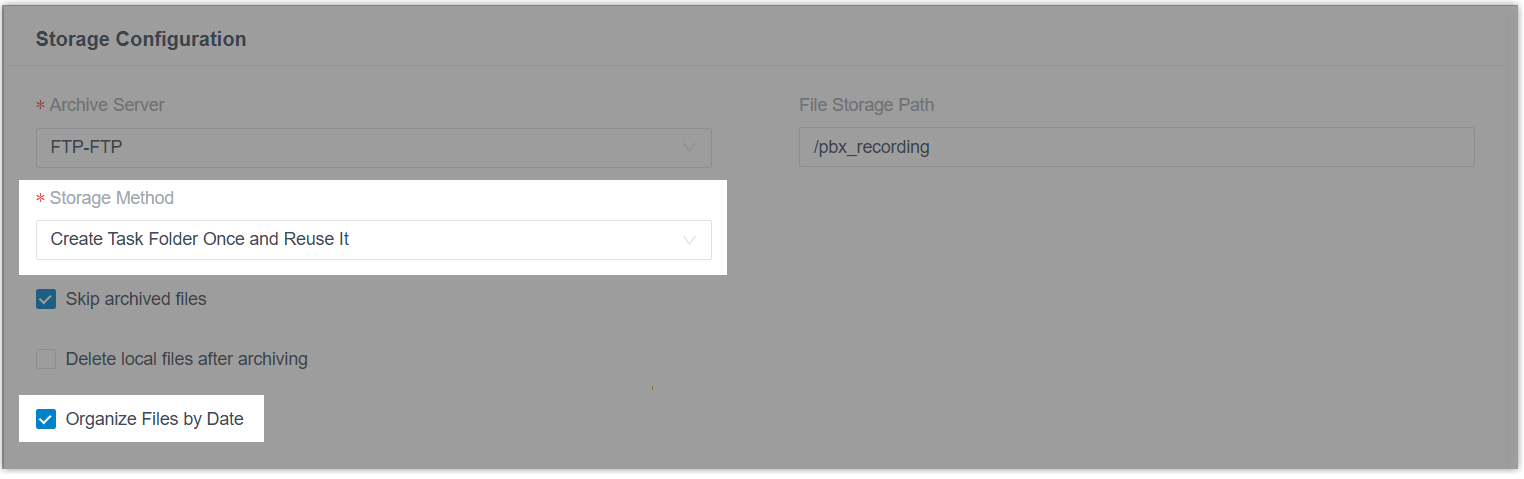
- Storage Method: Choose how to store archived files based on task type (one-time or recurring), either in auto-created folders or directly under the selected storage path.
- Organize Files by Date: Determine
whether to automatically sort files into date-based
subfolders (named in
YYYYMMDDformat ) within the storage path.
- Event Notification
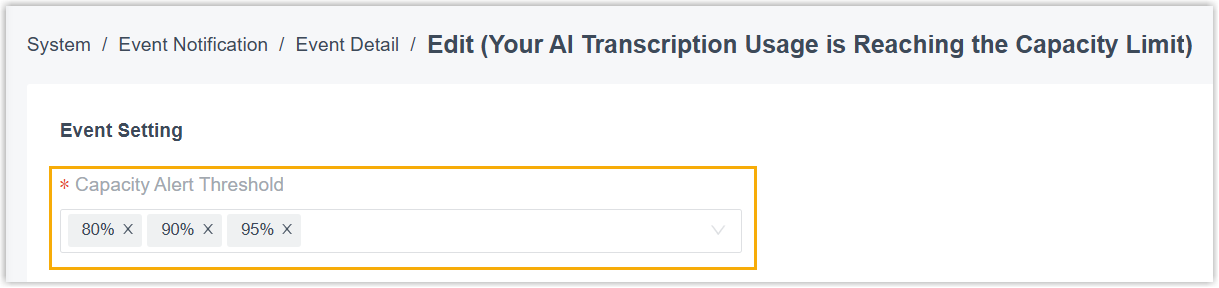
- Added a configuration item Capacity Alert
Threshold for the Your AI Transcription Usage
is Reaching the Capacity Limit event notification (Path: ), which allows you to customize the capacity thresholds
to receive alerts when the AI transcription usage reaches the
thresholds.
- Hot Standby
- Optimized the Hot Standby feature: If the firmware version of the
Primary Server and Secondary Server do not match, the hot standby status
will show as Abnormal, and the system displays a
firmware mismatch message prompting you to upgrade both servers to the
same version, ensuring the Hot Standby feature functions
properly.

- Zendesk Integration
- Updated the authentication mechanism of the Zendesk integration to comply with their updated authentication requirements.
-
Note: If your PBX has already been integrated with Zendesk, you can directly update the integration by simply clicking the Authorize button in the reminder prompt (Path: ) before the deadline, without the need to disconnect and re-configure the integration.

- API
-
- Optimized the API for the following features:
Feature Description Web Server Added API interfaces for Web Server, which can implement the followings: - Query the current HTTPS certificate setting of the PBX web server.
- Update the HTTPS certificate setting of the PBX web server.
For more information, see Developer Guide - Web Server.
Certificate Added API interfaces for Certificate, which can implement the followings: - Query certificate list
- Query the information of one or multiple certificates
- Upload and add a certificate
- Edit or delete a certificate
Auto Recording Added parameters start_promptandend_promptfor interfacesautorecord/getandautorecord/update, which can be used to query or set the prompt that will be played when authorized extension users start or stop recording during a call.Voicemail Added a parameter uidfor interfacesvm/query,vm/get,vm/download,vm/update, andvm/delete, which can be used to query associated CDR ID, or to filter voicemails by CDR ID. - Added the following API events for the PBX system event notification.For more information, see Developer Guide - API Events.
Event Description (30034) System Event Notification (Information) Indicate that an information-level PBX system event occurs. (30035) System Event Notification (Warning) Indicate that a warning-level PBX system event occurs. (30036) System Event Notification (Alert) Indicate that an alert-level PBX system event occurs.
- Optimized the API for the following features:
- Trunk
- Fixed the SIP trunk issue: Calls made over a SIP register trunk (remotely registered using a public IP) were connected successfully but had no audio.
- CDR
- Fixed the CDR issue: When an agent answered an inbound queue call but the caller hung up during the agent ID announcement, the system did not generate the corresponding CDR for the agent extension.

Submit Feedback
Found something that doesn't work as expected?
Let us know - Your feedback will help make the final release even better.