Delete AI Receptionists
When you no longer require an AI receptionist to answer calls, you can permanently delete it from the PBX. This topic describes how to delete single or multiple AI receptionists.
Procedure
- Log in to PBX web portal, go to .
- In the AI receptionist list, delete one or more receptionists according to
your need.
Operation Instruction Delete a single AI receptionist 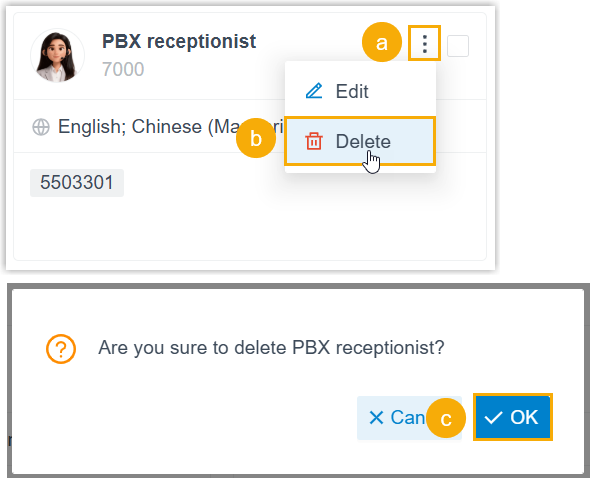
- Click
 on the desired
AI receptionist.
on the desired
AI receptionist. - In the drop-down list, click Delete.
- In the pop-up window, click OK.
Delete multiple AI receptionists in bulk 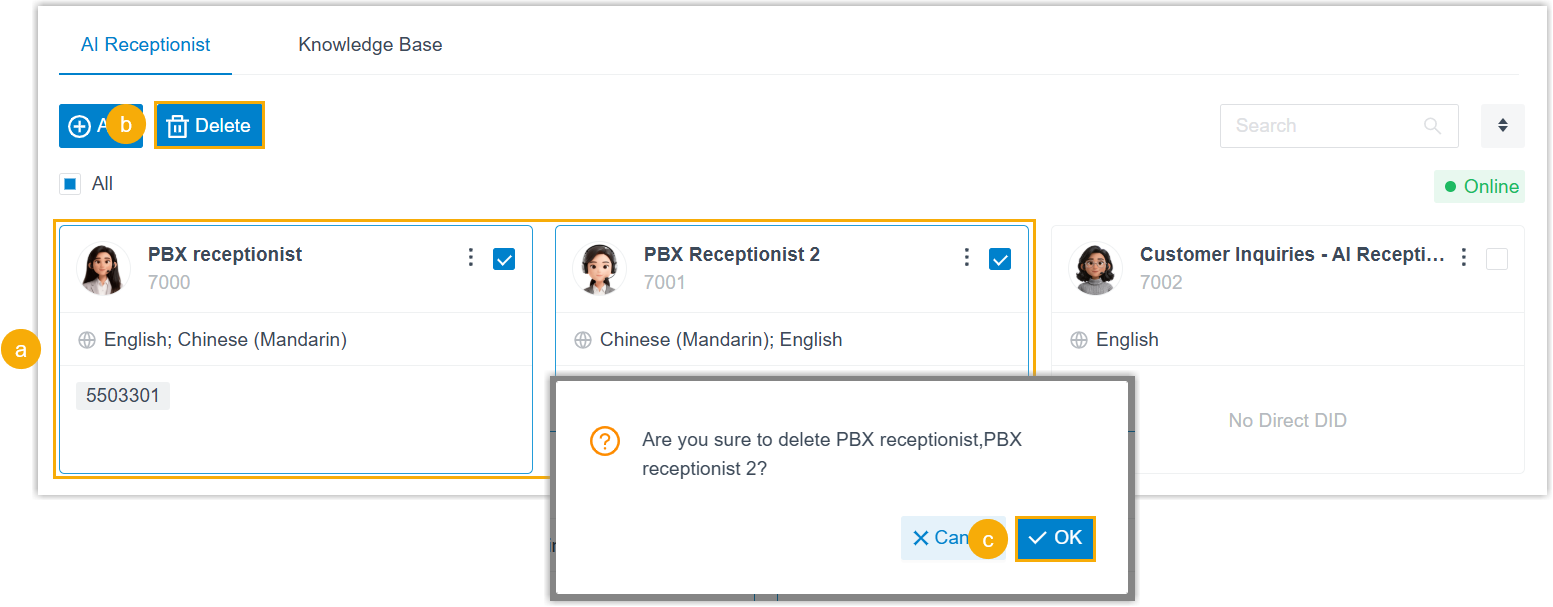
- Select the checkbox of desired AI receptionists.
- At the top of the list, click Delete.
- In the pop-up window, click OK.
Delete all AI receptionists 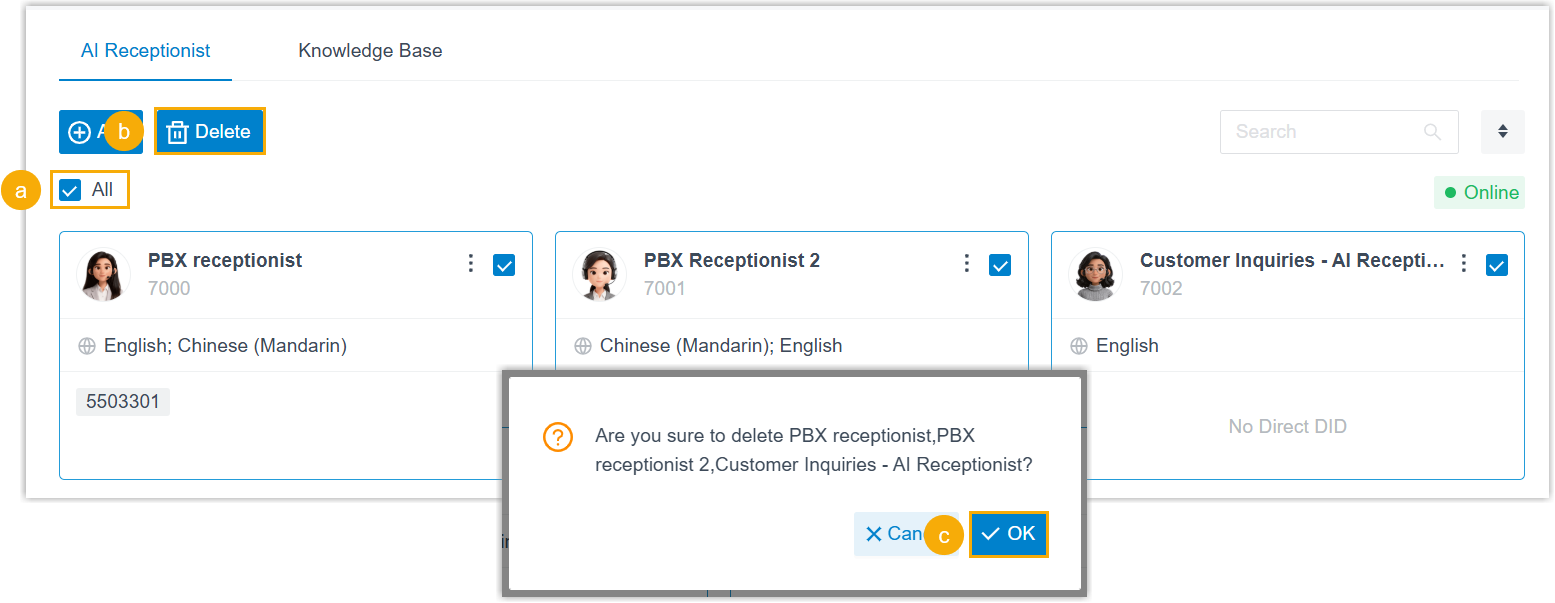
- Select the checkbox of All.
- At the top of the list, click Delete.
- In the pop-up window, click OK.
- Click
- At the top of the webpage, click Apply.