Access AI Receptionist Call Activity Report
AI Receptionist Call Activity report provides an overview of call activity and statistics for AI receptionist calls. This topic describes how to access the report and explains the key metrics in detail.
Requirements
The firmware version of Yeastar P-Series Software Edition is 83.22.0.138 or later.
Procedure
- Log in to PBX web portal, go to .
- Access AI Receptionist Call Activity report.
- Click Default Reports tab.

- In the AI Reports pane, click AI
Receptionist Call Activity.
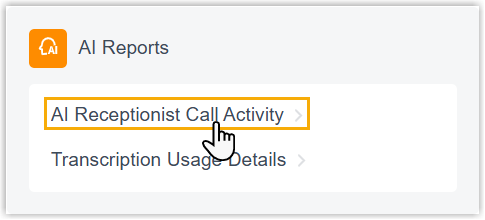
- Click Default Reports tab.
- Set filter criteria for the call report.

- In the Time Range and Select Date fields, specify the time range that the report will cover.
- In the Receptionist drop-down list, select
one or more AI receptionists.
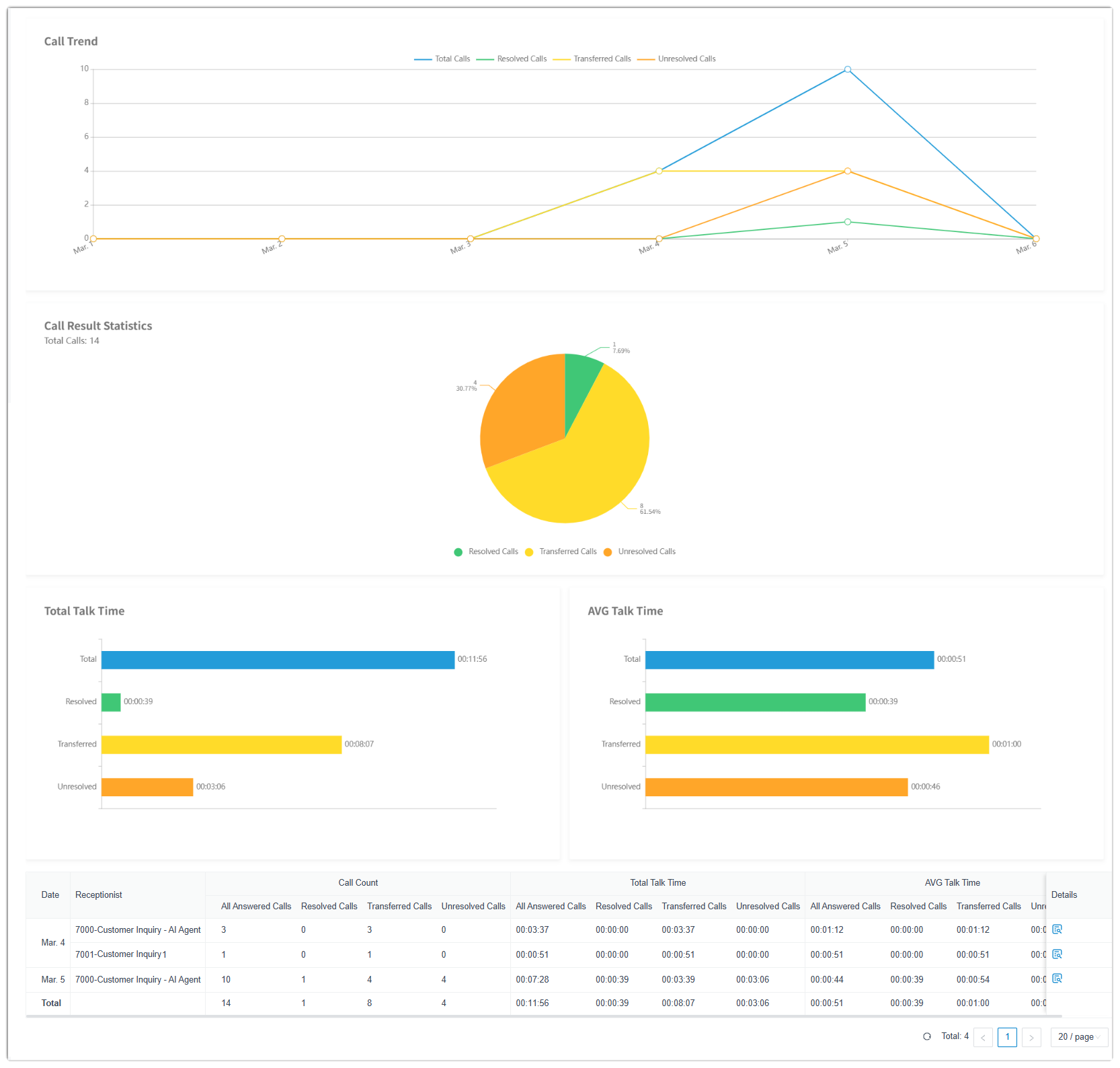
The call report that matches the filter criteria is displayed on the page, as shown below.
- Optional: Save the report for quick access, or
schedule it for automatic delivery via email.
Operation Description Add to My Reports Add the report to My Reports list for quick access. - At the bottom of the page, click Add to My Reports.
- Enter a name to help you identify the report, and adjust filters or metrics as needed.
- Click Save.
Add to Scheduled Reports Schedule a task to automatically send the report via email. - At the bottom of the page, click Add to Scheduled Reports.
- Complete the follow-up settings according to scheduled task.
Download the report Download the report to local PC for offline review and further analysis. 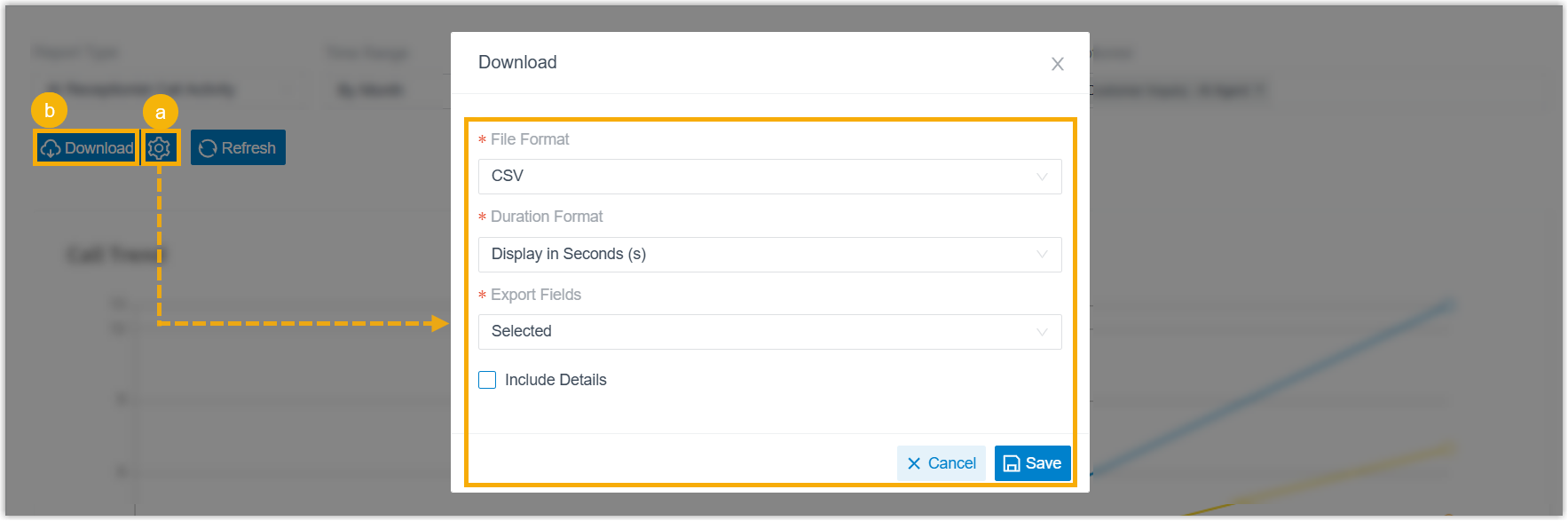
- Optional: Click
 to customize the report
download setting, then save the changes.
to customize the report
download setting, then save the changes.- File
Format: Specify the download format
for this report.
- CSV
- XLS
- HTML
- Duration
Format: Specify the display format for
all duration-related fields.
- Display in Second (s)
- Display as HH:MM:SS
- Export
Fields: Specify the fields to
export.
- All
- Selected
- Include Details:
Whether to download the list data only, or include
detailed records.If you choose to include detailed records, specify how the details will be downloaded.
- Download data as multiple files/sheets
- Details are displayed as indented, offset rows within the same list
- File
Format: Specify the download format
for this report.
- Click Download.
Report details
Note: As shown in the call report, calls handled by AI
receptionists are categorized into three processing results:
- Resolved: The AI receptionist successfully resolved the caller's issue without transferring the call.
- Transferred: The AI receptionist transferred the caller to another destination.
- Unresolved: The AI receptionist neither resolved the caller's issue nor transferred the call.
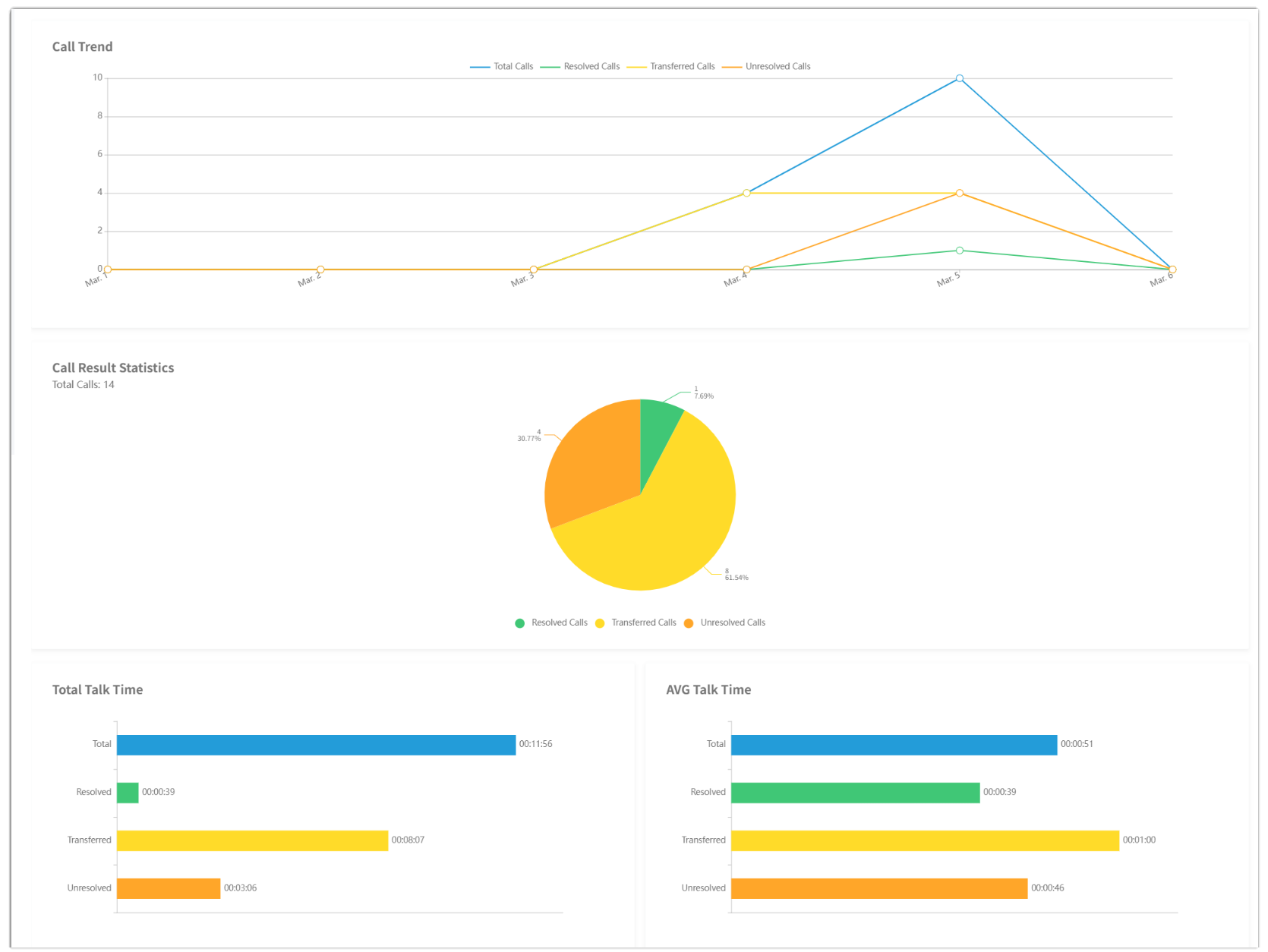
- Visual analytic
- The charts at the top of the report show call trends and outcome
distribution over the selected time period.
- Call statistics
-
Refer to the table below for a detailed description of the report metrics.

- Call details
-
Refer to the table below for detailed information on each call handled by the AI receptionist.
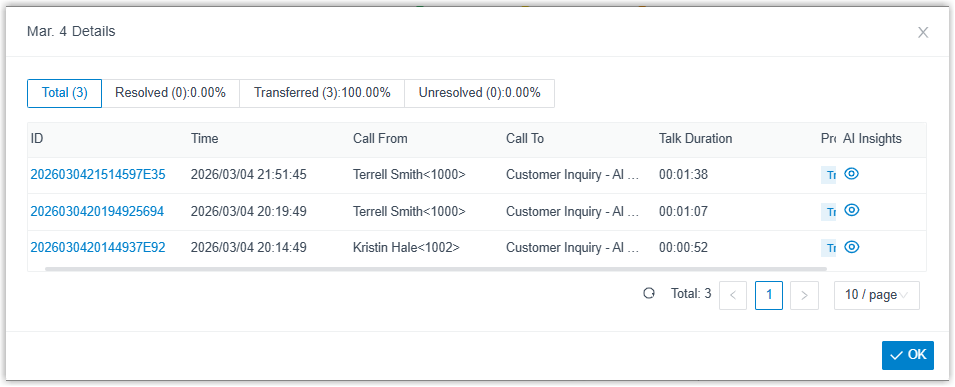
-
Metric Description ID A unique ID of the AI receptionist call. Tip: Click the ID to view the corresponding CDR details.Time The time when the call was received. Call From The name and number of the caller. Call To The name and number of the AI receptionist that answered the call. Talk Duration The time between the call answered and the call ended. Processing Result The processing result of the call. AI Insights The AI transcript and summary for the call. Tip: Click to view the
contents.
to view the
contents.