Edit Personal Information
This topic describes how to edit your personal information, such as profile picture, name, mobile number, or email address.
Procedure
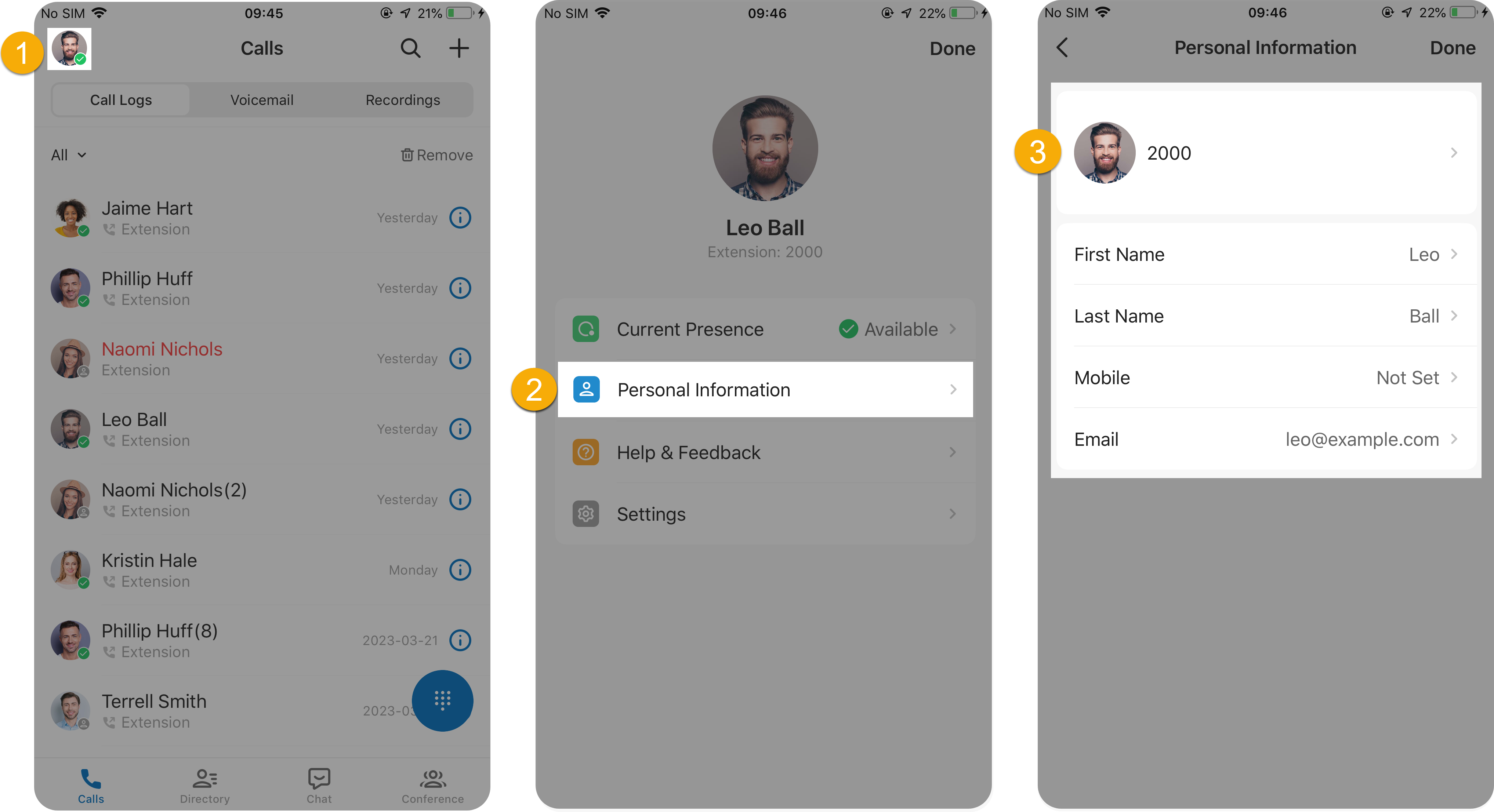
- Log in to Linkus Mobile Client.
- At the top-left corner of the Calls page, tap your account.
- Tap Personal Information.
- Change your profile picture, or edit your name, mobile number, email address as needed.