Select Outbound Caller ID (DOD) to Call
Before making outbound calls from Linkus, you can select which outbound caller ID (DOD) to display. You can use the same DOD number for all outbound calls or select a specific DOD for each call.
Requirements
- PBX Server: Version 83.21.0.16 or later
- Linkus Desktop Client: Version 1.6.0 or later
- Extension: Your extension has been assigned the permission to select outbound caller IDs.
Customize DOD display
You can add a short description or adjust the order of the DODs assigned to your extension, which determines how the DODs will be displayed on your Linkus UC Clients.
- Log in to Linkus Desktop Client,
go to .
All the selectable DODs are displayed on the list.
- Customize DOD display as needed.
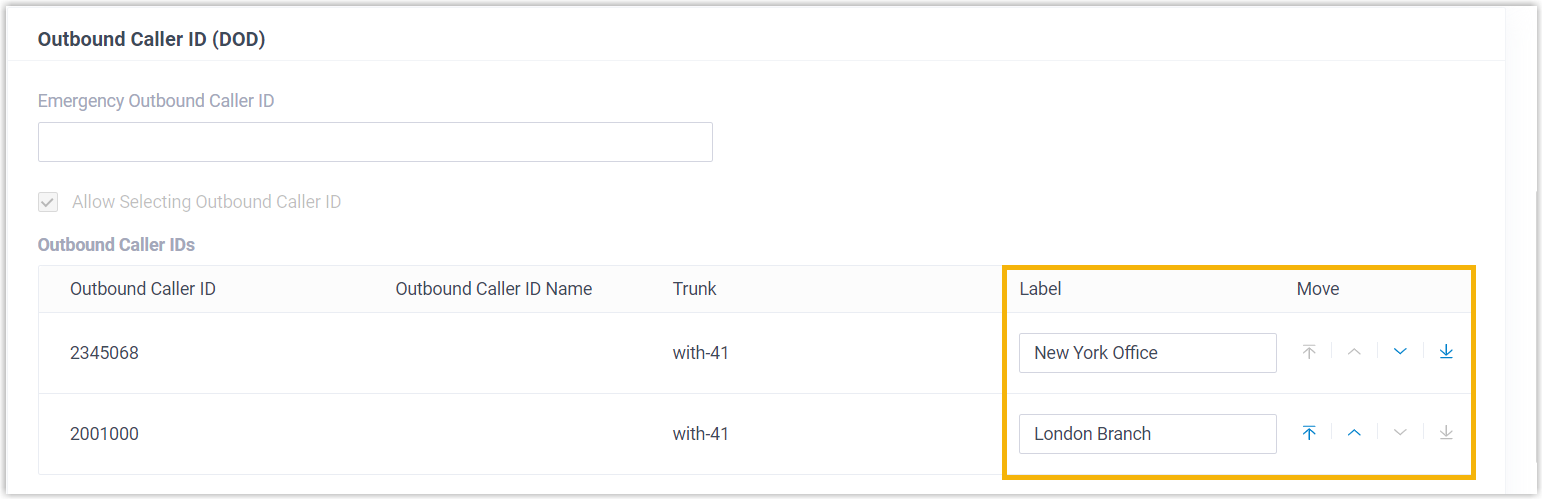
- Label: Enter a short description, which is
used to label the DOD number.
For example, if you enter Support DOD for DOD 5503301, the DOD will appear as 5503301 (Support DOD) on your Linkus UC Clients.
- Move: Click


 to adjust the order in which the DODs
are displayed on your
Linkus UC Clients.
to adjust the order in which the DODs
are displayed on your
Linkus UC Clients.
- Label: Enter a short description, which is
used to label the DOD number.
- Click Save.
Methods of selecting DOD to call
By default, the DOD number configured by system administrator is used when you make outbound calls. You can choose to use the same DOD number for all outbound calls or select a specific DOD for each call.
- Use the same DOD for all outbound calls: You can set a preferred DOD
to be used for all your outbound calls. This can be achieved by selecting a
DOD number from the drop-down list beside Dialpad or dialing a feature code,
as shown below.
Method Instruction Figure 1. Select from list 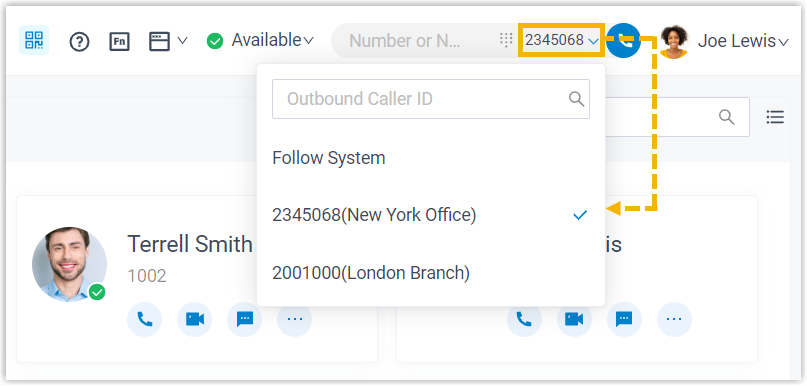
- At the top-right corner, select a desired DOD number from the drop-down list beside Dialpad.
Figure 2. Dial a feature code 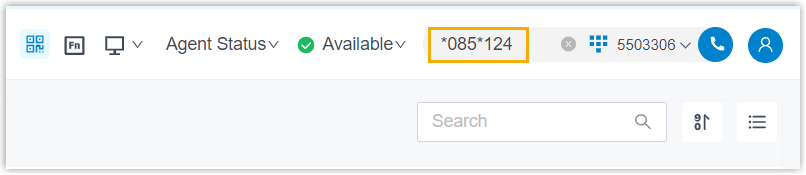 Note: To use this method, you need to obtain a DOD prefix feature code and the short code of the specific DOD number from your system administrator.
- In the Dialpad, enter the feature code
together with the short code (or the DOD
number).
The dialing format is {dod_prefix_feature_code}*{short_code}/{specific_dod_number}. For example,
*085*124or*085*5503302. - Click
 or press
Enter to call out.
or press
Enter to call out.
- Select a specific DOD for each outbound call: You can select a
specific DOD number for an individual outbound call before dialing. This can
be achieved from the Contacts, Call
Logs, Voicemails, or
Recordings page, or by dialing a feature code, as
shown below.
Method Instruction Figure 3. Call out from Contacts page 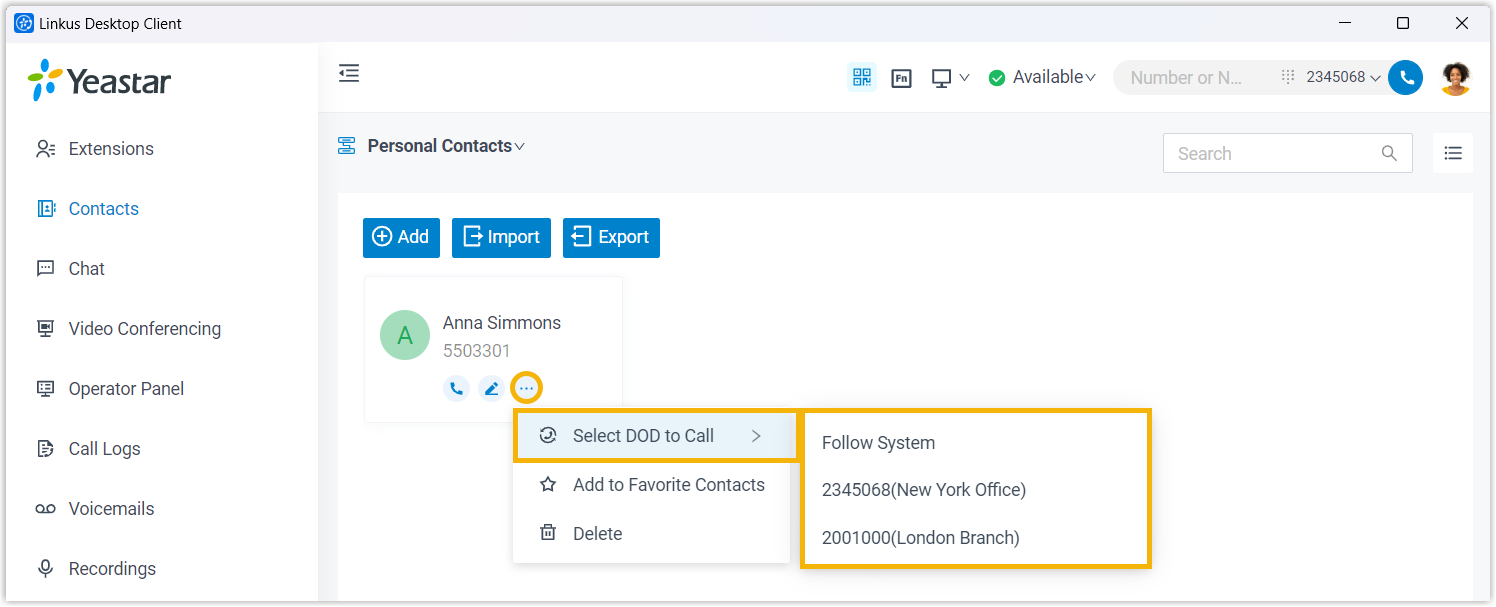
- Go to Contacts and find the desired contact.
- Click
 > Select DOD to Call, then select a specific DOD
number.
> Select DOD to Call, then select a specific DOD
number.
Figure 4. Call out from Call Logs, Voicemails, or Recordings page 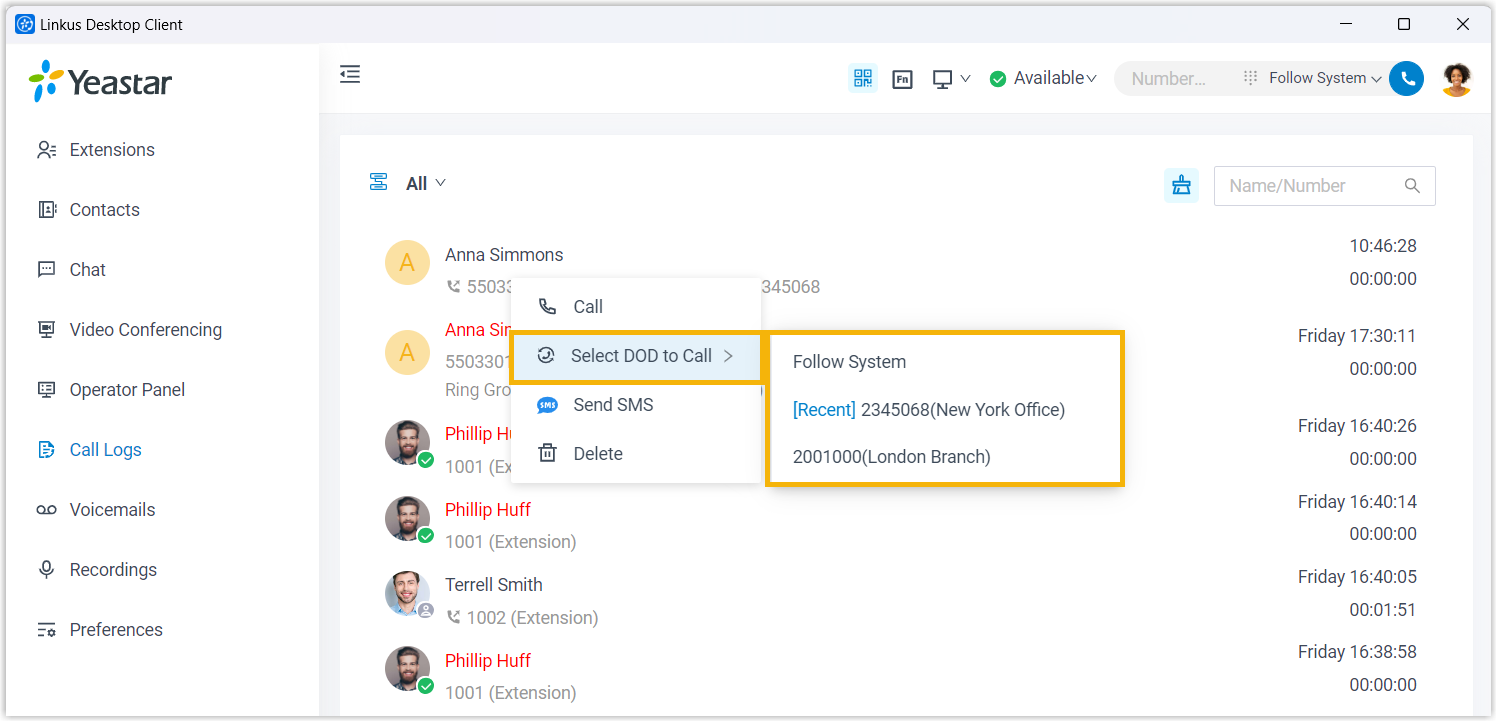
- Go to Call Logs / Voicemails / Recordings.
- Right click a desired record.
- Click Select DOD to Call, then select a specific DOD number.
Figure 5. Dial a feature code on the Dialpad 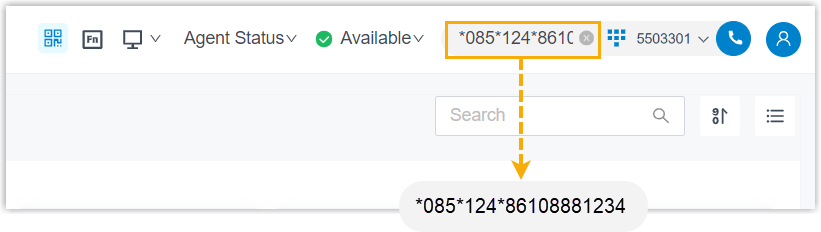 Note: To use this method, you need to obtain a DOD prefix feature code and the short code of the specific DOD number from your system administrator.
- Dial the feature code together with the short
code (or the DOD number), followed by the
destination number.
The dialing format is {dod_prefix_feature_code}*{short_code}/{specific_dod_number}*{destination_number}. For example,
*085*124*861088881234or*085*5503302*861088881234. - Click or press
Enter to call out.