Access Call Quality Monitoring Report
Call Quality Monitoring Report provides an overall assessment of call quality and detailed insights into call quality metrics for individual calls. This topic describes how to access the report from Linkus Desktop Client and explains the key metrics in detail.
Procedure
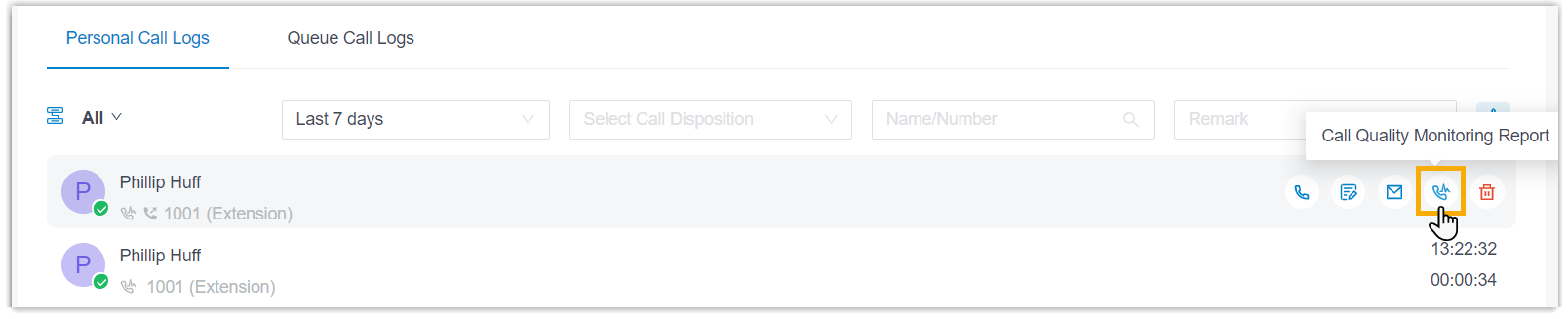
- Log in to Linkus Desktop Client, go to .
- Hover your mouse over the desired call log, then click
 .
.
Result
The report is displayed in the pop-up window.
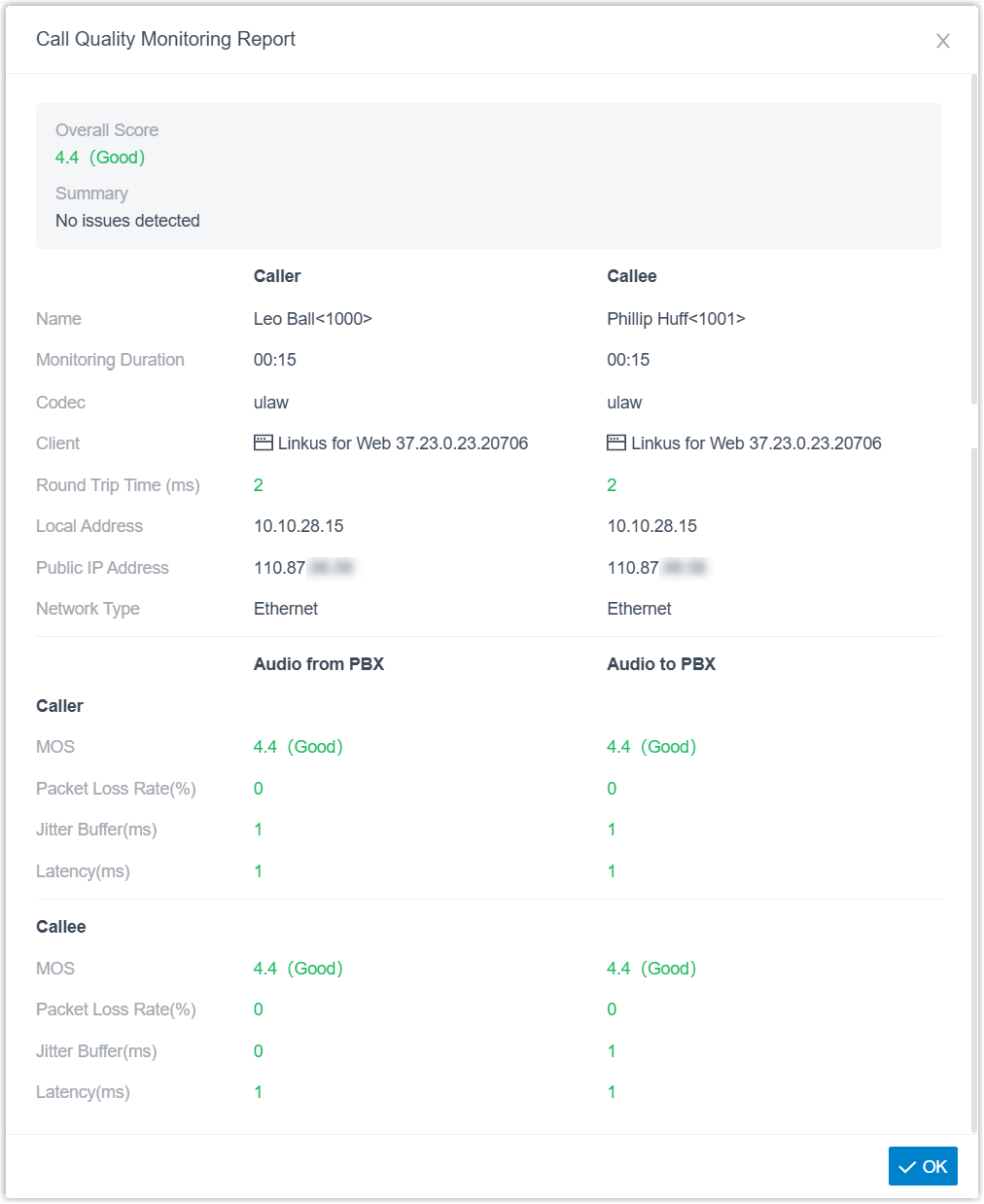
Refer to the table below for a detailed description of the report metrics.
| Metric | Description |
|---|---|
| Overall Score | The overall call quality score and rating. |
| Summary | A summary of the call quality. |
| Caller & Callee | |
| Name | Name and number. |
| Monitoring Duration | The duration during which call quality is monitored. |
| Codec | The codec used for the call. |
| Client | The client used for the call. |
| Round Trip Time (ms) | The round-trip transmission time for audio packets. |
| Local Address | The local IP address used by the client during the call. |
| Public IP Address | The public IP address used by the client during the call. |
| Network Type | The network connection type used by the client during the call. |
| Audio from PBX & Audio to PBX | |
| MOS | The Mean Opinion Score (MOS) for audio quality.
|
| Packet Loss Rate(%) | The percentage of lost audio packets. |
| Jitter Buffer(ms) | The delay variation compensation buffer. |
| Latency(ms) | The network transmission delay. |