Yeastar P-Series Cloud Edition 84.24.0.30 V25.1
This topic outlines the release history of firmware version 84.24.0.30, from the beta stages to the final release.
- To try out the new updates, check for firmware updates from PBX admin portal and upgrade your phone system.
- For details on the new features and improvements in Linkus UC Clients and 'Yeastar Linkus for Google' Chrome extension, see Linkus Release Notes.
- If you found something that doesn't work as expected, you can submit feedback directly from here .
Firmware 84.24.0.30
Release date:August 18, 2026
Release version:V25.1-GA
Base version:84.24.0.30-beta1
This firmware version has officially transitioned from Beta to General Availability (GA) and is now ready for production use.
Along with the promotion to GA, this version includes the following bug fixes:
- Call Issue
- Fixed the call quality issue: Audio quality was poor on calls routed through trunks configured with the G.722 codec.
- AI Receptionist
- Fixed the AI receptionist usage statistics issue: The dashboard displayed higher AI usage capacity than the actual data in the AI Receptionist Call Activity report.
Firmware 84.24.0.30-beta1
Release date:July 28, 2026
Release version:V25.1-Beta
Base version:84.23.0.123
New features
- AI Receptionist
- Added the following features to enhance AI Receptionist capabilities:
- Added support for MCP Server. You can add
MCP servers to Yeastar P-Series Cloud Edition to connect to a
bundled set of external tools, services, and data sources via a
single connection, extending the AI receptionist's capabilities
with additional functions.
For more information, see Add an MCP Server.
- Added support for MCP Server. You can add
MCP servers to Yeastar P-Series Cloud Edition to connect to a
bundled set of external tools, services, and data sources via a
single connection, extending the AI receptionist's capabilities
with additional functions.
-
- Added the following skills for AI receptionist.For more information, see Manage Skills for an AI Receptionist.
Skill Description Send SMS When enabled, AI receptionist can automatically send SMS messages via the PBX's SMS message channel during a call, delivering key information (order confirmations, verification codes, appointment details, etc.) directly to the caller's phone. MCP Server When enabled, AI receptionist can connect to the assigned MCP server to access external tools and data sources in bulk through a single connection. During a call, it can invoke available tools from the assigned MCP server to retrieve information or perform actions (e.g., checking order status, booking appointments) on external systems based on the conversation.
In addition, the following related updates are introduced:- Optimized skill management: In the
Skill tab, you can click
 to order the skills by default
sequence or enable status, allowing quick location of
specific skills.
to order the skills by default
sequence or enable status, allowing quick location of
specific skills.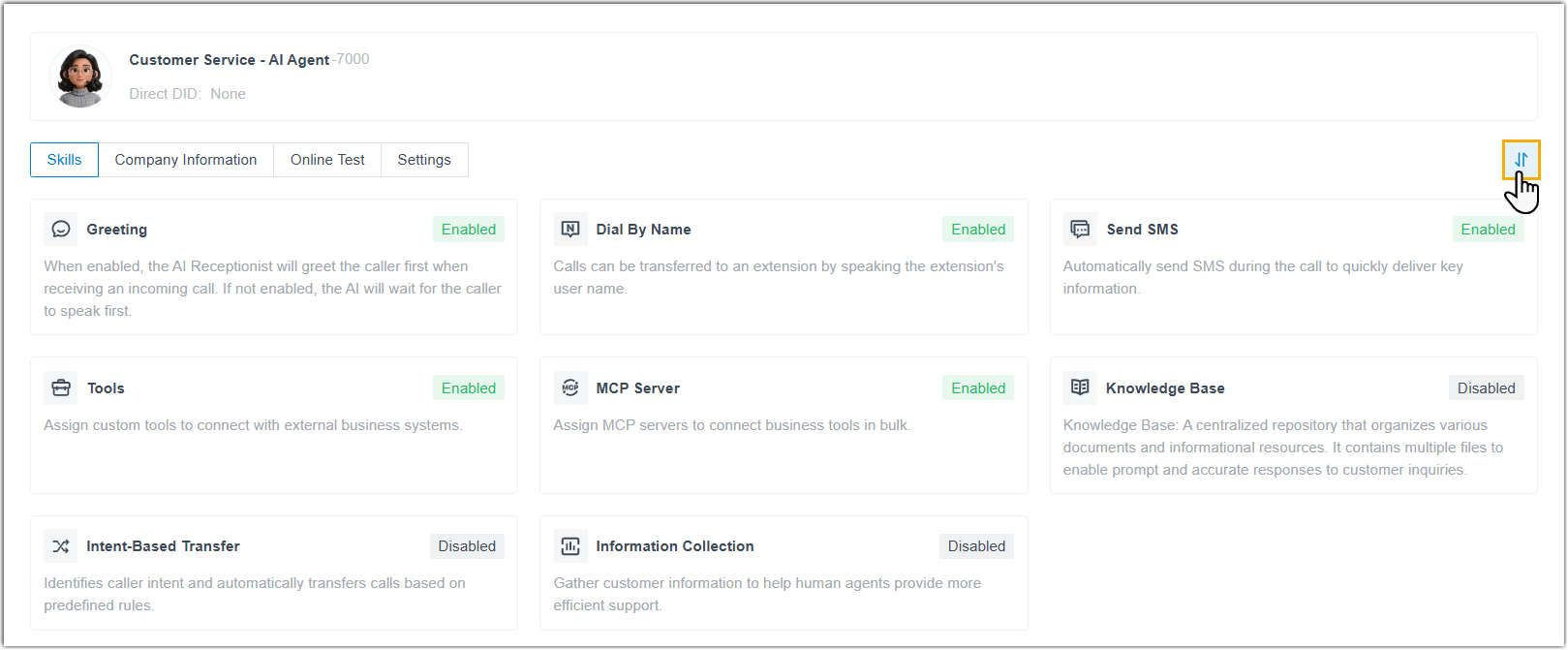
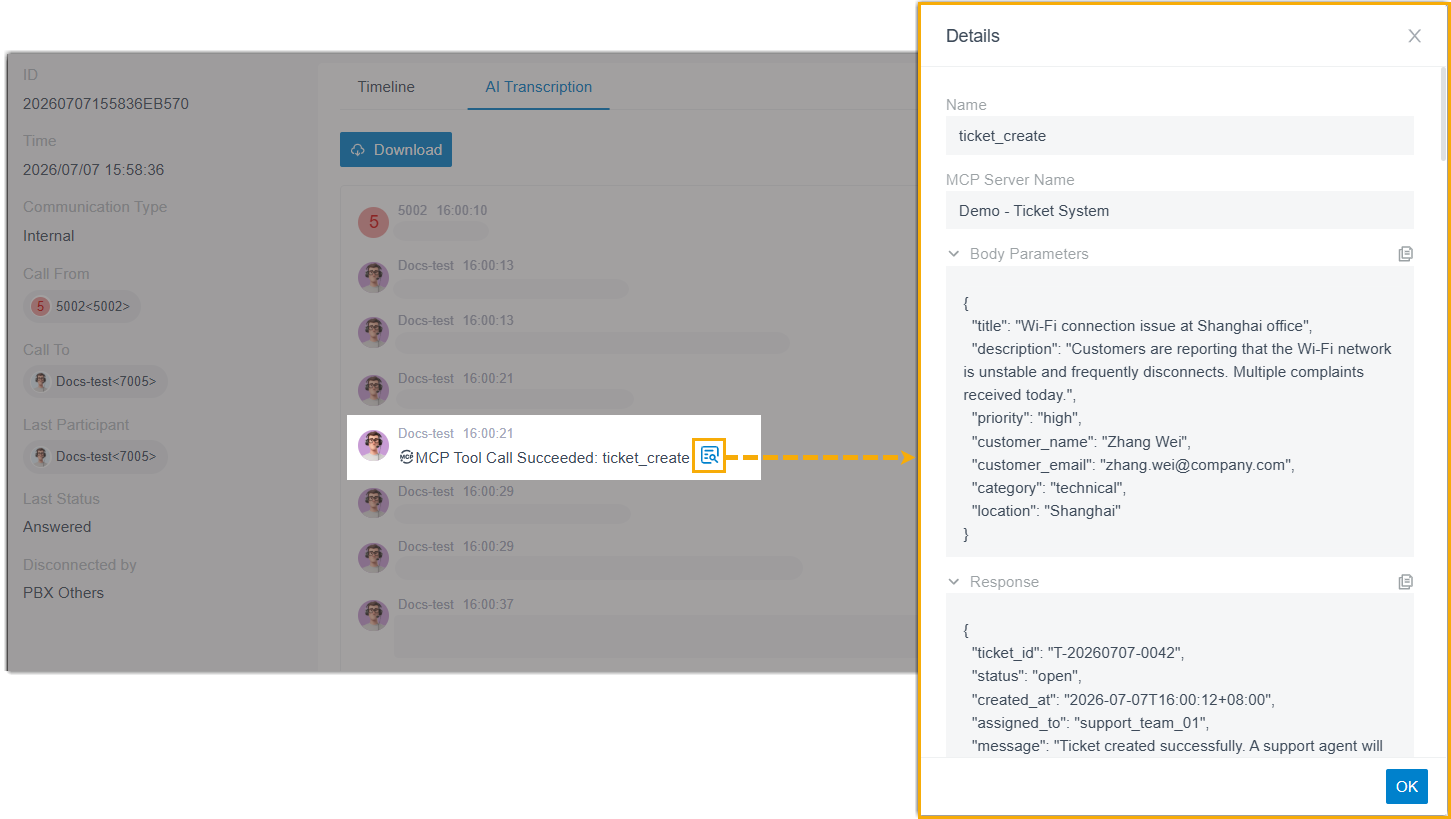
- Optimized the Call Detail Records (CDR) for AI receptionist
calls: The CDR details log every MCP tool call initiated by
the AI receptionist during a call, including the MCP server
name, tool name, execution status, the request parameters
and response results.
-
Optimized the API interface for CDR: Added parameters
tool_details,tool_name, andtool_resultfor thecdr/getaicontextinterface, which return the records and details of tools invoked during AI receptionist calls.For more information, see Developer Guide - Get AI Call Transcript.
- Added the following skills for AI receptionist.
- AI Call Transcription
- Added support for configuring global automatic transcription rules by
call type (internal, outbound, and inbound). For extensions that are
allowed to use the call transcription feature, calls will be
automatically transcribed when matching the configured call
scenarios.
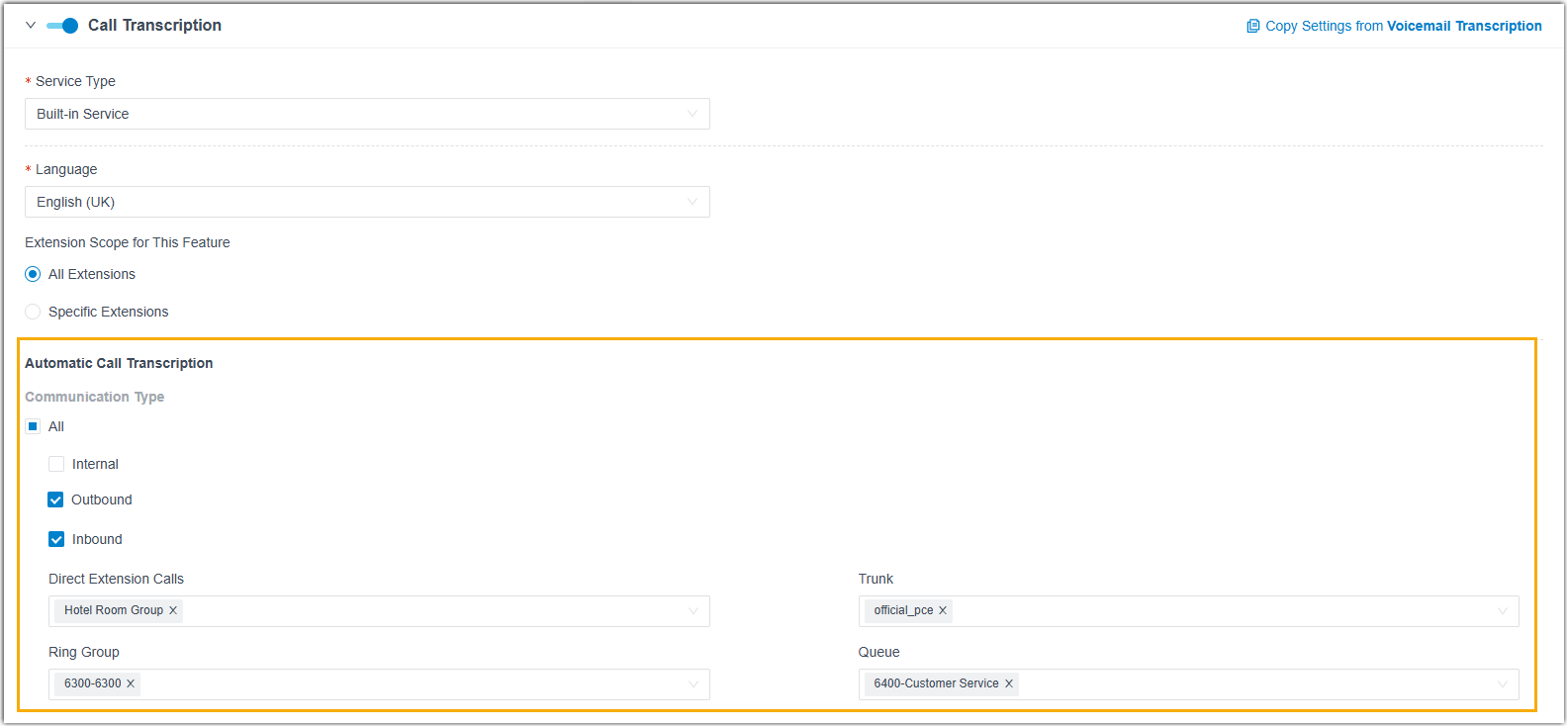
For more information, see Configure AI Call Transcription.
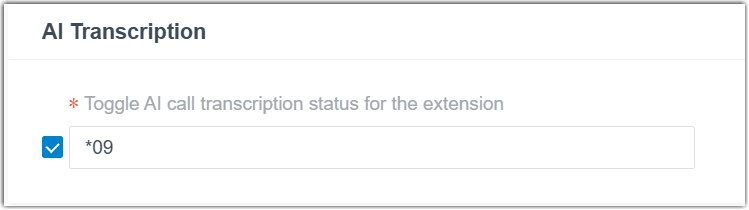
In addition, the following related updates are introduced:- Added a feature code Toggle AI call transcription
status for the extension (Path: ), which allows users to start or pause call
transcription during a call by directly dialing the feature
code.Note: This feature code appears only if the AI Call Transcription is enabled in the PBX.
- Added a feature code Toggle AI call transcription
status for the extension (Path: ), which allows users to start or pause call
transcription during a call by directly dialing the feature
code.
Improvements and bug fixes
- Extension / Organization
-
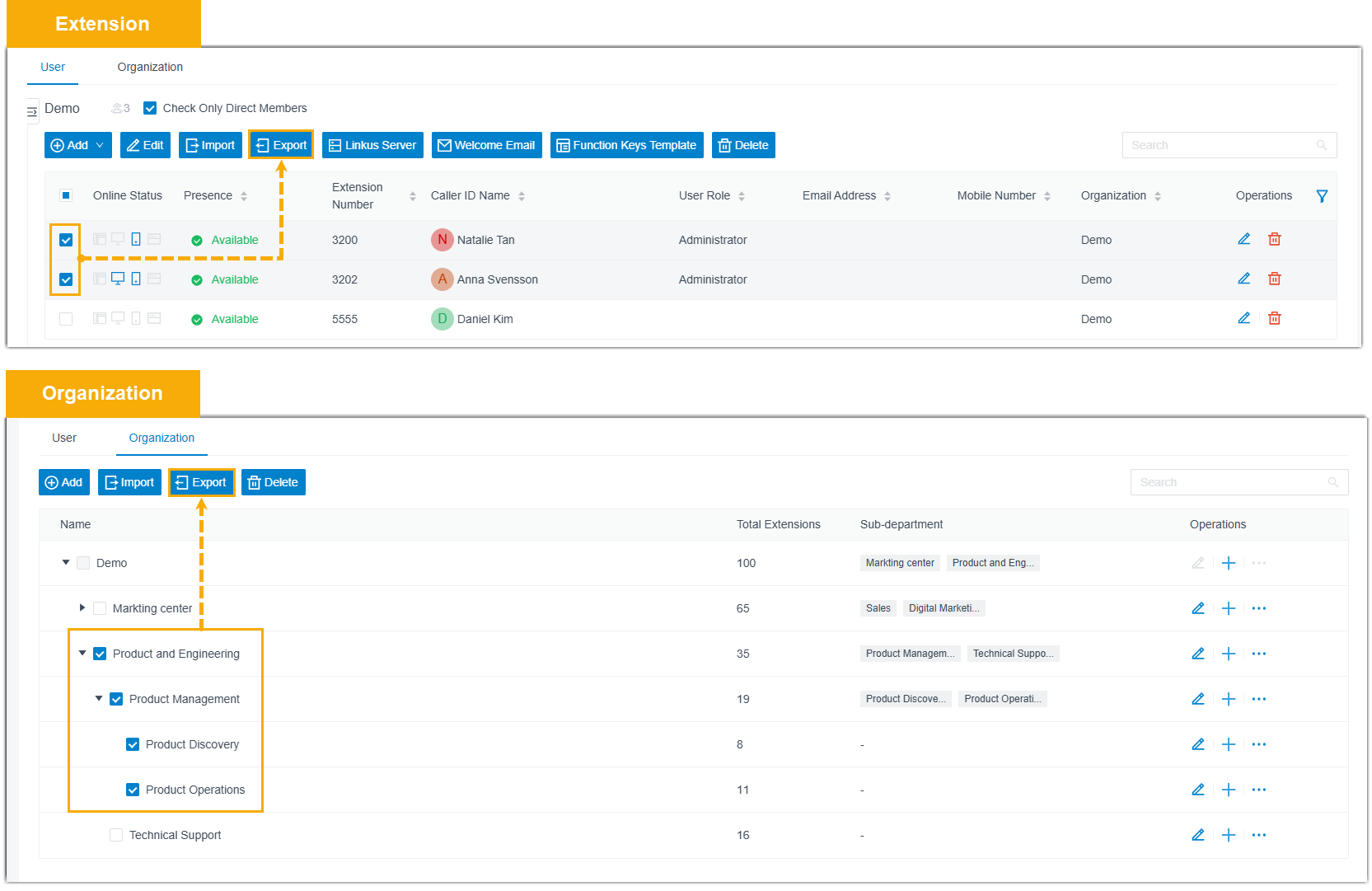
- Optimized the export feature for extension and organization
(Path: ): You can select a specific export scope and
export only the corresponding data, instead of all
data.
- Optimized the function key feature: When updating an extension's BLF function key settings on the administrator portal, the change takes effect on the associated IP phone immediately.
- Fixed the following voicemail-to-email issues:
- When AI Voicemail Transcription was enabled, the transcribed text was missing from the email even though the audio attachment was included.
- When Display DID/DDI Name was enabled in the Distinctive Caller ID Name setting, the emails displayed the source trunk's DID name instead of the caller's actual name.
- Optimized the export feature for extension and organization
(Path: ): You can select a specific export scope and
export only the corresponding data, instead of all
data.
- SIP Trunk
-
Added the following configuration items for SIP trunk setting (Path: Trunk >
 > Advanced > VoIP Settings).
Configuration Item Description Enable RTP Keep-alive When enabled, the PBX will send an RTP Comfort Noise (CN) frame if no RTP packet has been transmitted on the trunk for 10 seconds during a call, maintaining firewall holes open for RTP traffic. Note: This option is only available for Register Trunk and Peer Trunk.Use Registered Target IP for SIP Requests When enabled, after the trunk is successfully registered, the PBX will send subsequent SIP requests directly to the IP address used during registration, rather than resolving the domain again. This prevents call failures that may occur if the DNS record changes after registration.
Note: This option is only available for Register Trunk. - Contacts
- Fixed the LDAP integration issue: After enabling Synchronize Contacts and configuring LDAP Integration, if an incoming call number was not matched on the LDAP server, the PBX stopped querying local PBX contacts, resulting in caller names not being displayed for incoming calls.
- Auto Provisioning
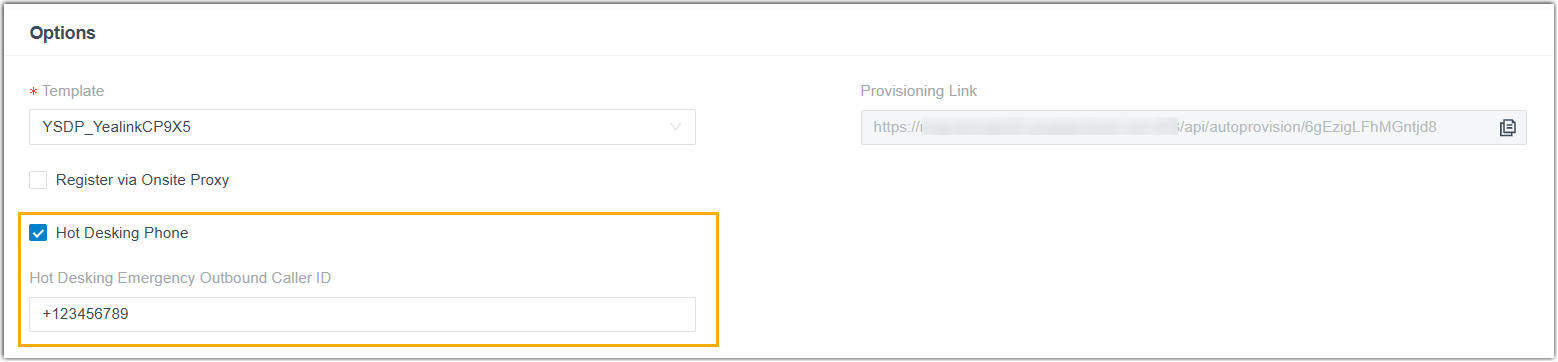
- Added a configuration item Hot Desking Emergency Outbound
Caller ID (Path: Auto Provisioning > Phones > > Options), which allows you to set an emergency outbound caller ID
for a Hot Desking phone. This caller ID will be sent to the Public
Safety Answering Point (PSAP) for location information when making
emergency calls from that phone.Note: To ensure this caller ID is used for emergency calls, set the Emergency Outbound Caller ID Priority to Extension's Emergency Outbound Caller ID in the emergency number.
- Call Flow
- Fixed the call flow issue: After copying an existing call flow, modifying the Text to Speech (TTS) prompt in the copied flow also changed the corresponding TTS prompt in the original flow.
- Ring Group / Queue
-
- Added a global configuration item Allow Members to
Forward Incoming Calls to Voicemail for ring
groups and queues (Path: ).
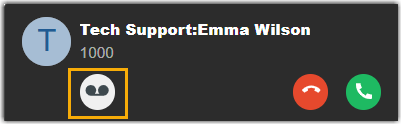
When enabled, group members or queue agents with extension voicemail enabled can forward incoming ring group / queue calls to their own extension voicemail directly from the incoming call window.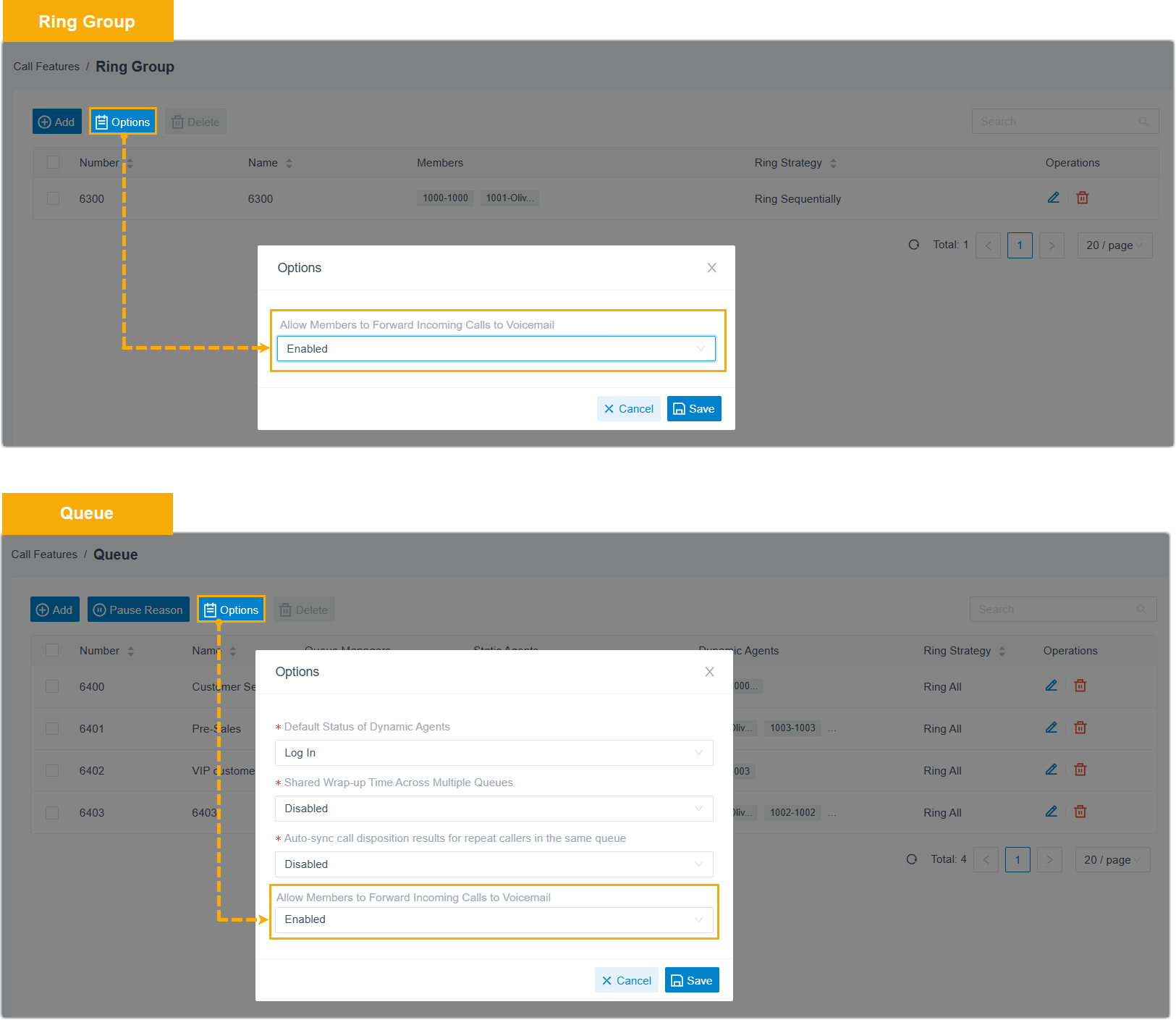
- Fixed the ring strategy issue: When a ring group member or queue agent had configured call forwarding on their IP phone and a ring group / queue call was forwarded, other members in the same group or queue would not continue ringing as expected according to the ring strategy.
- Added a global configuration item Allow Members to
Forward Incoming Calls to Voicemail for ring
groups and queues (Path: ).
- Message Channel
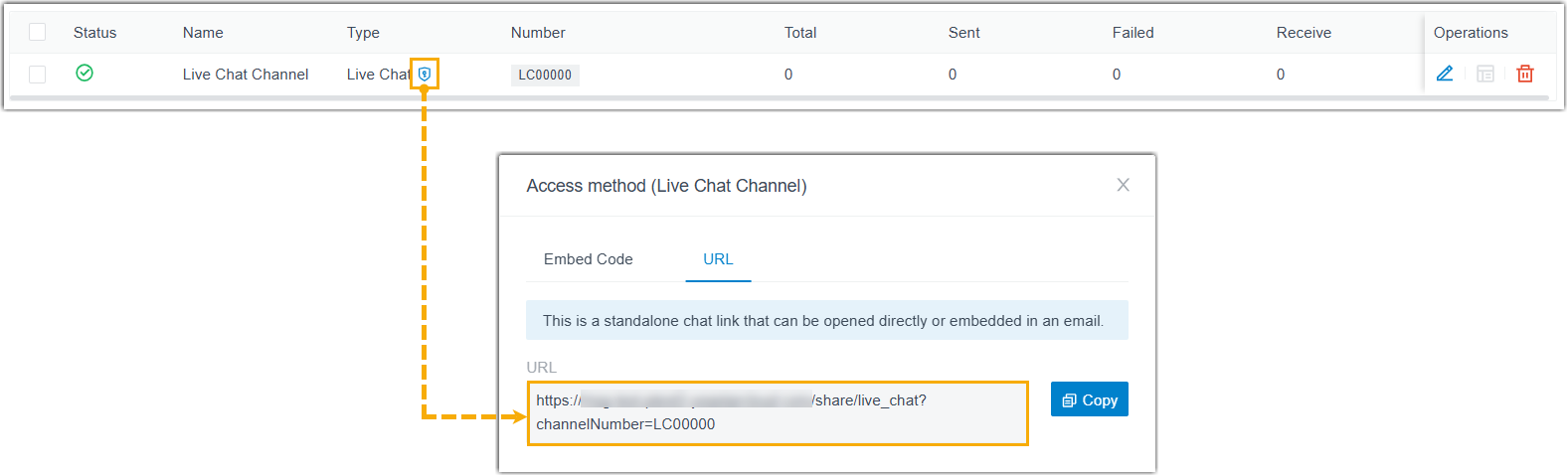
- Added an access method URL to the Live Chat
message channel (Path: ). In addition to the embedded code, you can obtain a
standalone URL for a Live Chat channel, which can be accessed directly
or embedded into external
platforms
(e.g., emails).
- Voice Prompt
- Fixed the custom prompt issue: After uploading an MP3 file as a holiday prompt, the Prompt field displayed as None instead of the converted WAV file.
- Microsoft Entra ID (Azure Active Directory) Integration
- Optimized the contact synchronization to address performance issues when syncing a large number of contacts.
- CRM Integration Template
- Fixed the authentication issue: When the authentication method of an integration template was set to Bearer Token, the access token was obtained successfully but the token refreshing failed.
- Zendesk Integration
- Fixed the following integration issues:
- After a synced contact was merged with an existing contact in Zendesk, call pop-up and automatic ticket creation failed when the contact called into the PBX.
- After an AI-transcribed call ended, the recording of the call was synchronized to the Zendesk ticket twice.
- API
- Optimized the API interfaces for the following features:
- CDR
- Fixed the CDR issue: Historical CDR records were lost after upgrading.
- Call Report
- Fixed the following call report issues:
- The number of queue calls showed in Queue Performance call report was fewer than the number of actual CDRs for the specified queues.
- Emails for scheduled reports were not sent successfully when the File Format was set to PDF.