Test an AI Receptionist
This topic describes how to test an AI receptionist to verify its responses, either via call or chat.
Note:
- Test calls do not consume AI receptionist minutes or occupy concurrent call capacity; No records will be generated in CDR and call reports.
- During testing, the time-based greeting will not take effect, and calls cannot be transferred.
Prerequisites
You have created an AI receptionist.
Procedure
- Log in to PBX web portal, go to .
- Click the desired AI receptionist, then go to the Online Test tab.
- Select a test method and follow the instructions below:
Method Instruction Call 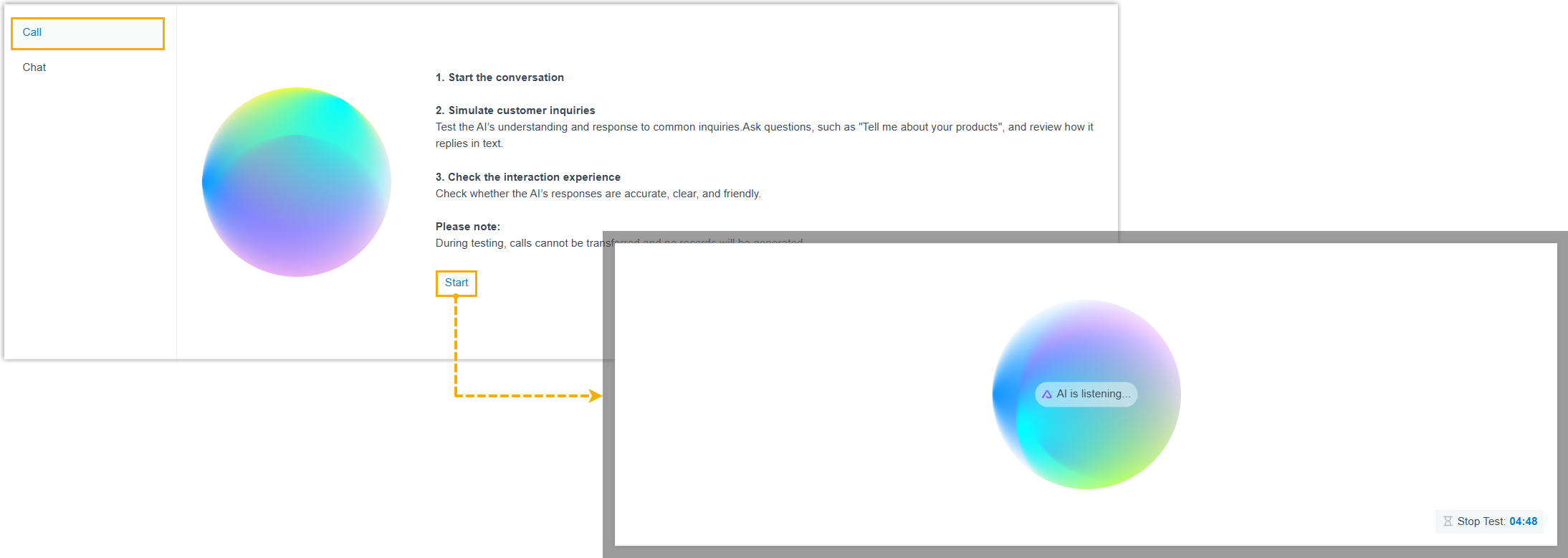 Note: The duration of a test call is limited to 5 minutes.
- At the left panel, click Call.
- Click Start to initiate a test call.
- Simulate customer inquiries by asking questions. For example, What is your company's core service?.
- Listen to the receptionist's replies and evaluate the response accuracy and overall interaction experience.
Chat 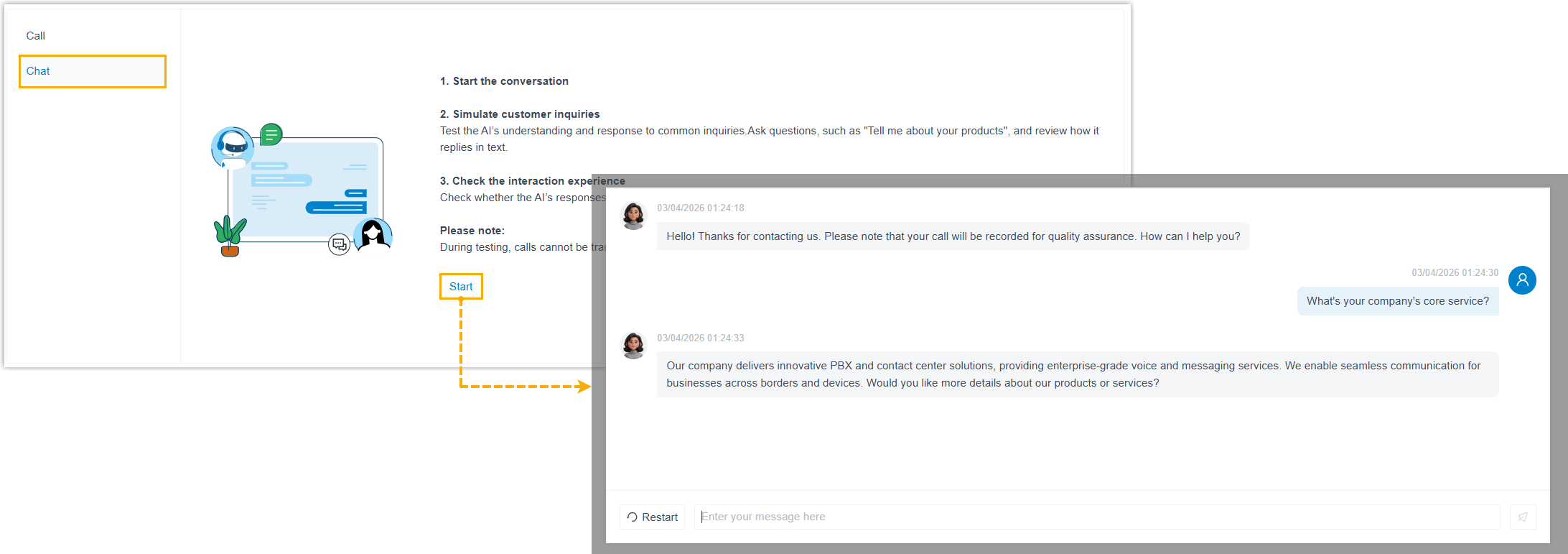
- At the left panel, click Chat.
- Click Start to begin a chat session.
- Simulate customer inquiries by sending messages.
- Review the receptionist's replies and evaluate the response accuracy and overall interaction experience.
What to do next
- Based on the test result, adjust the AI receptionist's personalization and skills as needed to improve its performance.
- If the test is successful, use the AI receptionist for live calls (via direct number dialing, an assigned direct DID, or as a call routing destination).