Configure AI Call Transcription for an Extension
After AI call transcription is enabled, calls for authorized extensions can be recognized and transcribed in a global preset language. You can adjust the transcription settings for extensions individually to meet their specific needs.
Note:
- If the authorized extension is registered on Linkus Desktop Client, the AI Call Transcription feature is available only if the client’s version is 1.15.3 or later.
- Authorized extension users can customize the AI call transcription settings directly on their Linkus Clients, and the changes will be automatically synchronized to the corresponding extension settings on the PBX.
Prerequisites
You have enabled AI call transcription globally, and granted the usage permission to
the desired extension. For more information, see the following topics:
Procedure
- Log in to PBX web portal, go to .
- Click
 beside the desired extension, then click the AI
tab.
beside the desired extension, then click the AI
tab. - In the Call Transcription section, configure the
following settings according to extension's need.
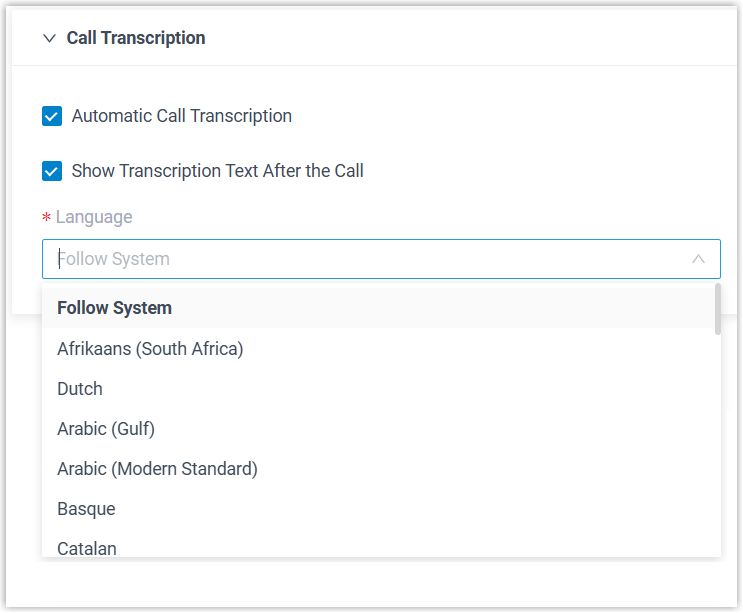
Setting Description Automatic Call Transcription Specify whether to automatically transcribe extension's calls in real time. Note: If the option is disabled, but the global Automatic Call Transcription setting is enabled and specific call types are configured to be automatically transcribed for the extension, the corresponding calls will still be automatically transcribed.Show Transcription Text After the Call Specify whether to automatically display the transcript and summary after the call ends. Note: Call summary is automatically generated and displayed only when global AI call transcription meets either of the following conditions:- Global AI call transcription is configured with the PBX's built-in AI engine.
- Global AI call transcription is configured with both a third-party speech to text service and an LLM.
Language Select the desired language for call transcription. - Click Save.
Result
- When extension users join a one-on-one call, call audio can be recognized and transcribed in the configured language in real time and a call summary can be generated automatically after the call ends.
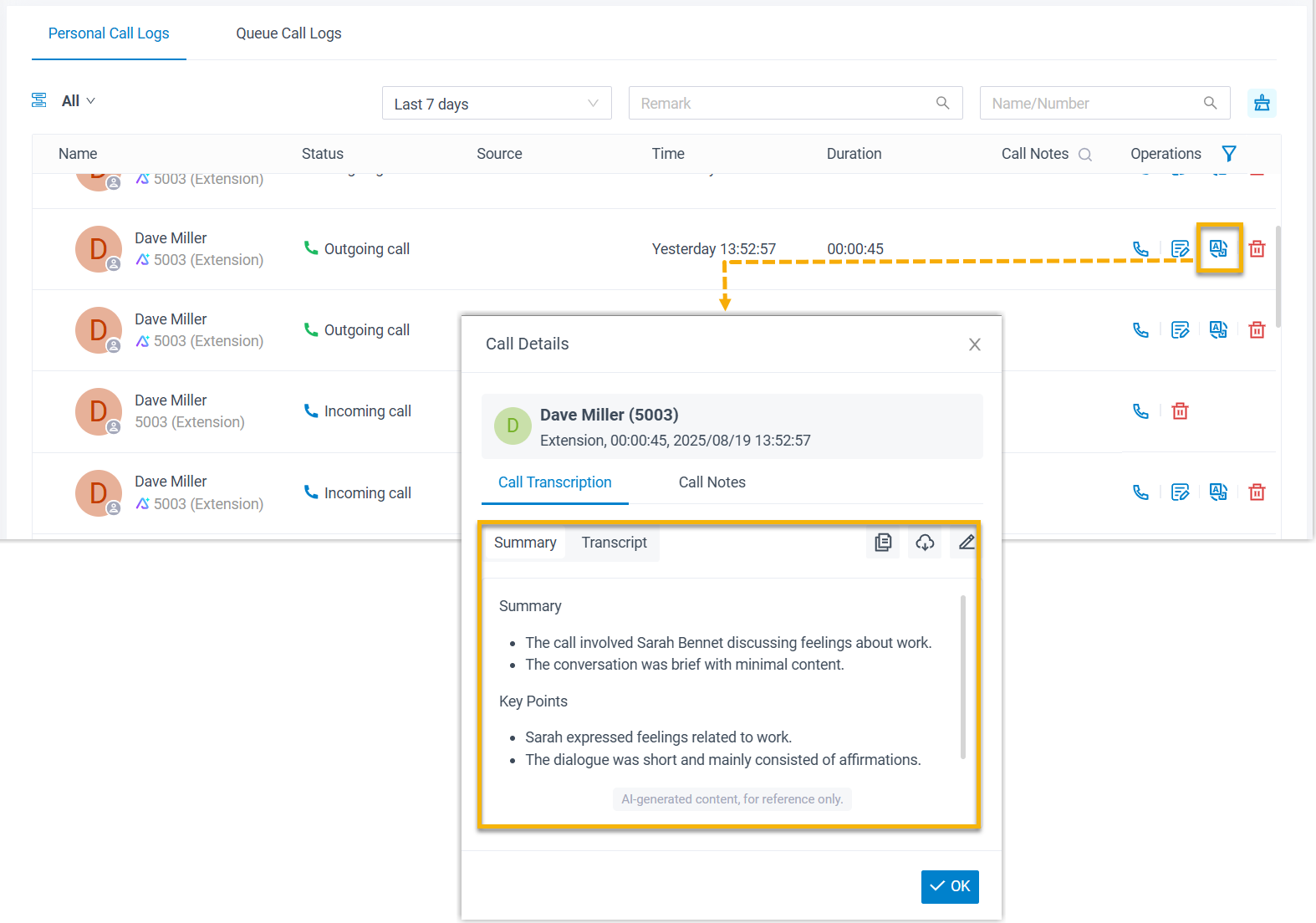
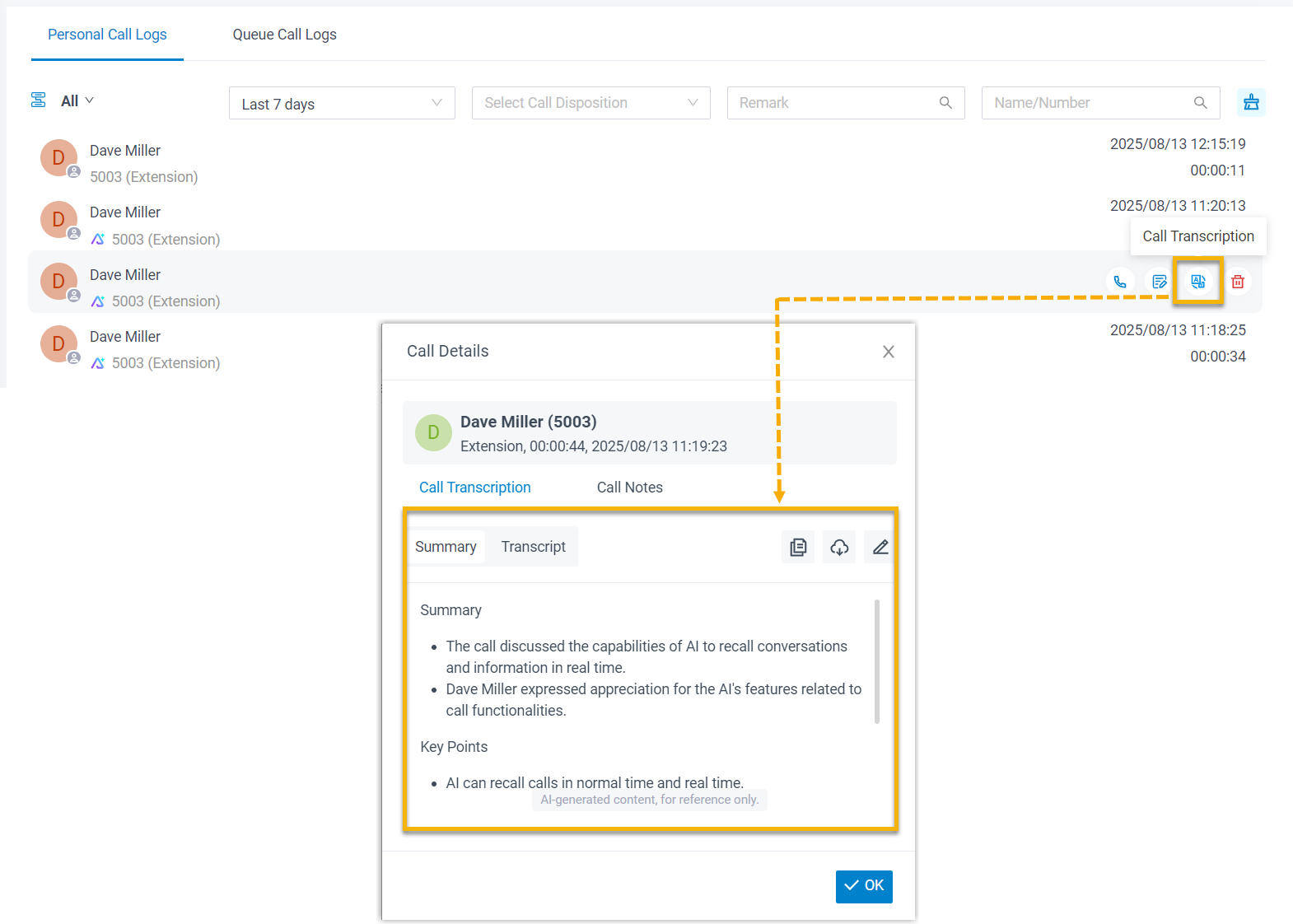
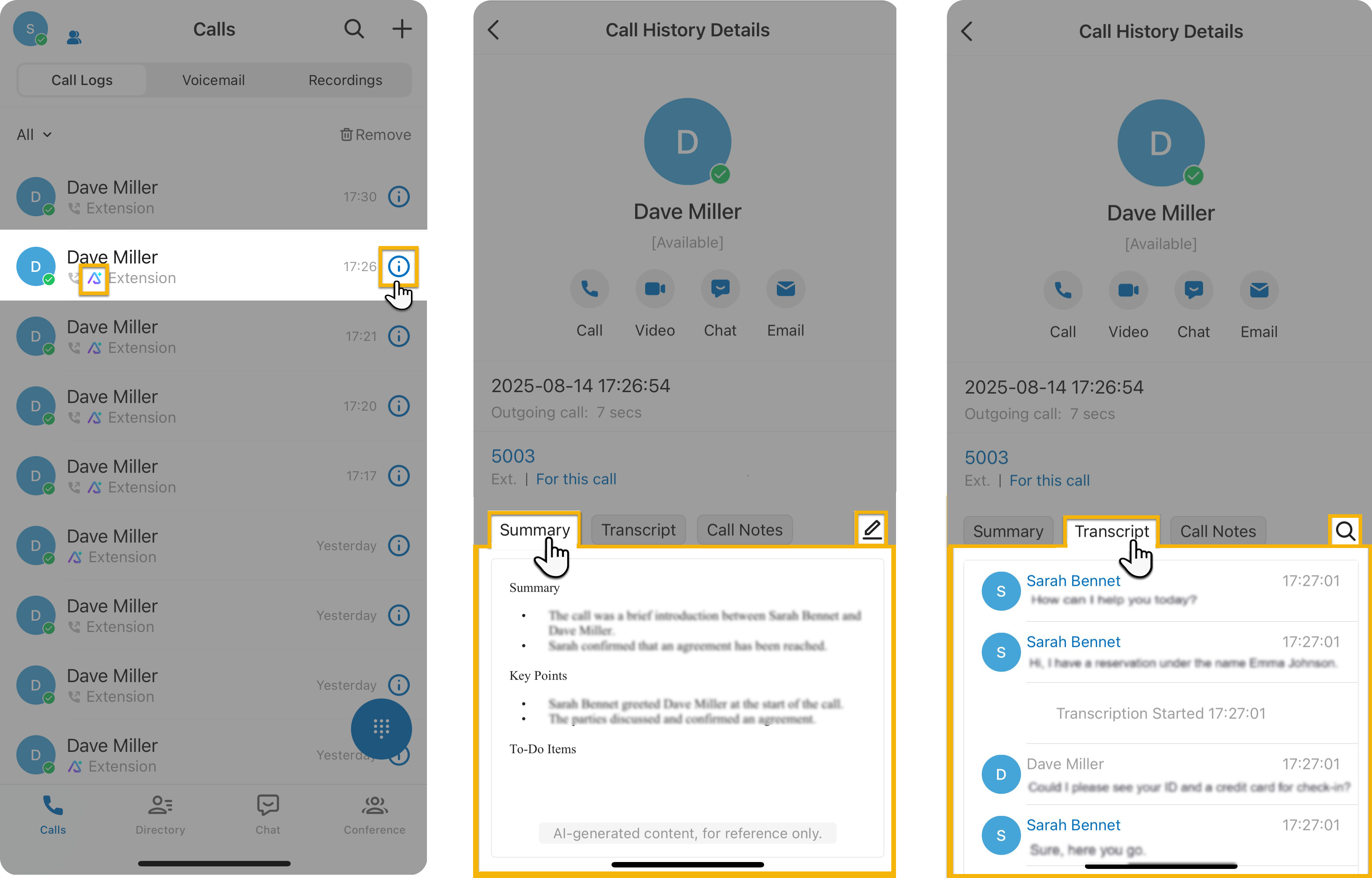
- Extension users can access the AI-generated transcript and summary of
transcribed calls in the call logs on their Linkus UC Clients. Calls that
have been transcribed are marked with a
 icon.
icon.Linkus Web Client Linkus Desktop Client Linkus Mobile Client