Yeastar P-Series Appliance Edition 37.23.0.123-beta1
Release date:June 29, 2026
Release version:V24.3-Beta
This topic introduces the new features and improvements included in the first beta release of firmware 37.23.0.123.
- To try out the new updates, check for firmware updates from PBX admin portal or download the firmware from Yeastar Official Website , and upgrade your phone system.
- For details on the new features and improvements in Linkus UC Clients and 'Yeastar Linkus for Google' Chrome extension, see Linkus Release Notes.
- If you found something that doesn't work as expected, you can submit feedback directly from here.
New features
- Call Quality Monitoring
-
Yeastar P-Series PBX System supports real-time call quality monitoring for extensions during calls and provides call performance reports with detailed metrics, helping technical support diagnose and troubleshoot call issues more efficiently.
For more information, see Call Quality Monitoring Overview.
In addition, the following related updates are introduced:- Added an event notification Poor Call Quality
Reminder (Path: ), which is triggered when a monitored call is
rated as having poor overall call quality.
For more information, see Event Notification Overview.
- Optimized the API interfaces for the following features to
support the call quality monitoring feature:
Feature Description Extension Added parameters enb_monitor_call_qualityandmonitoring_end_timestampfor theextension/get,extension/query,extension/createandextension/updateinterfaces, which can be used to query or set call quality monitoring feature for extensions.For more information, see Developer Guide - Extension.
Call Report Added parameters endpoint,network,call_score,cdr_id, andqos_call_quality_listfor thecall_report/list,call_report/detailandcall_report/downloadinterfaces, which can be used to query call quality monitoring details in call reports.For more information, see Developer Guide - Call report.
- Added an event notification Poor Call Quality
Reminder (Path: ), which is triggered when a monitored call is
rated as having poor overall call quality.
Improvements and bug fixes
- Web Interface
- Added support for the following web interface languages:
- Catalan
- Hungarian
- Extension Group
- Fixed the member list display issue: When an extension's first name or
last name was set to
nullvia API, the member list of the extension group to which it belongs appeared empty, and querying the extension group via API returned no response data. - Auto Provisioning
-
-
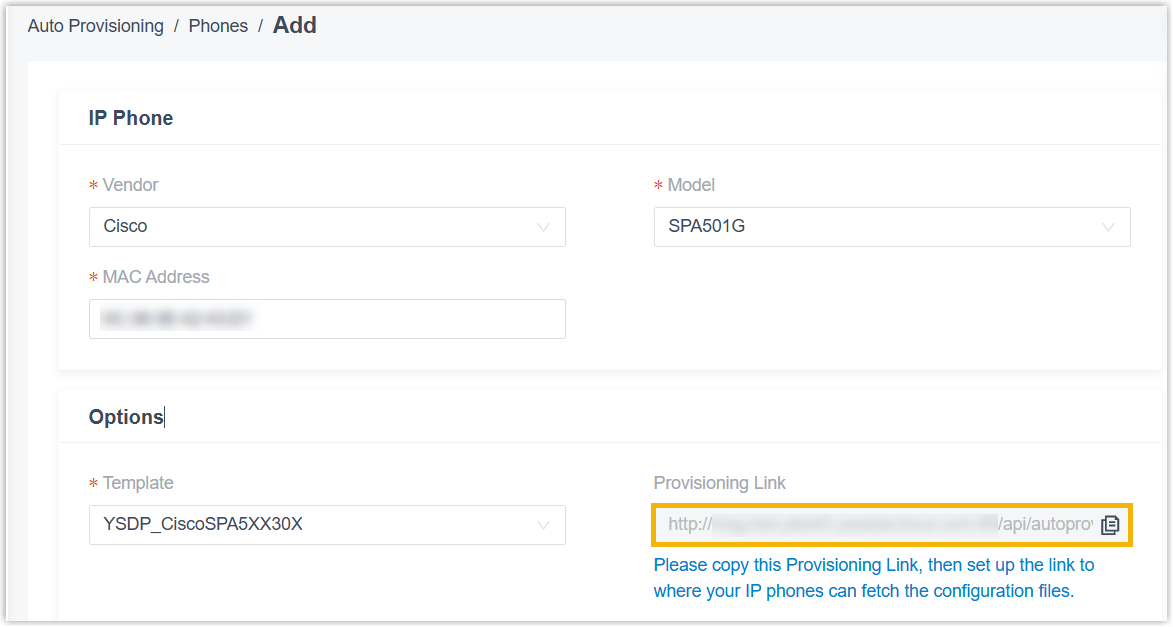
Added support for retrieving configuration files via HTTP to auto provision Cisco SPA-series IP phones.
- Fixed the random phone password generation issue: After bulk adding Yealink IP phones with the Generate a random phone password option enabled, the system failed to generate the Var Phone Password and User Phone Password for the first phone.
-
- Inbound Route
- Fixed display issue of inbound route list: When creating an inbound route, if a default destination was set and Time Condition routing was subsequently configured before saving, the route was not displayed in the list but remained functional.
- Call Flow Designer
- Fixed the DID number issue: If a DID number of a trunk was assigned to a call flow, when modifying the trunk settings (other than DID number), the DID number no longer displayed in the call flow list, and calls to the DID number were not routed to the call flow.
- Voicemail
-
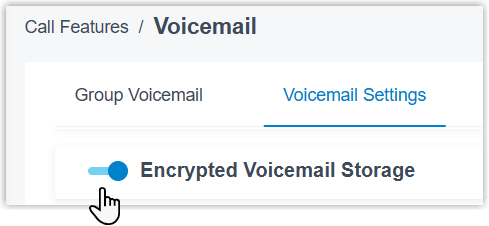
- Added an Encrypted Voicemail Storage
setting (Path: ). When enabled, voicemail messages are encrypted
when stored to prevent unauthorized access to the message
content.
For more information. see Encrypted Voicemail Storage.
Added a No Greeting option for the voicemail greetings. When selected, the system will not play a greeting before callers leave voicemail messages.
The option is available in the following settings:
Setting Illustration Extension voicemail greeting (Path: Extension and Trunk > Extension >  > Voicemail > Voicemail Greeting)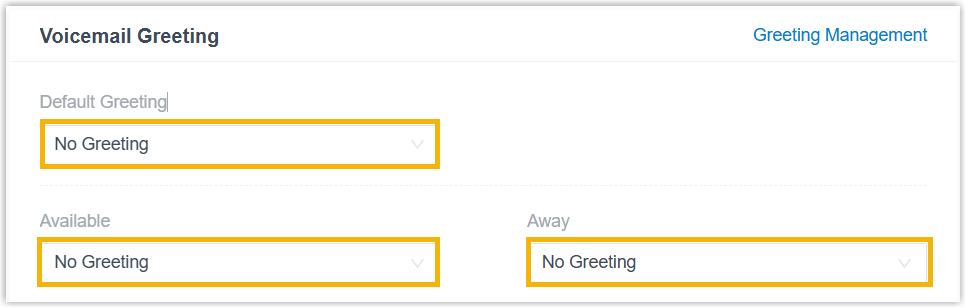
Group voicemail greeting (Path: Call Features > Voicemail > Group Voicemail > > Group Voicemail Greeting)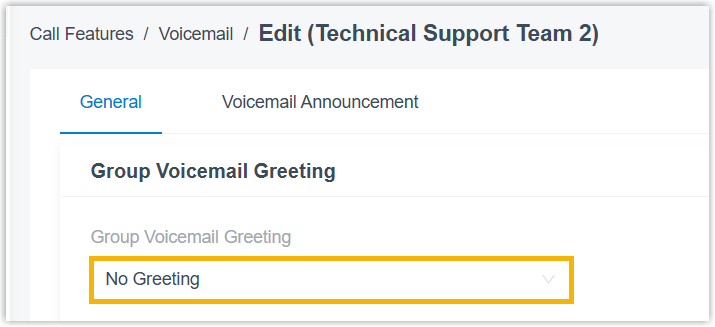
Global voicemail greeting (Path: ) 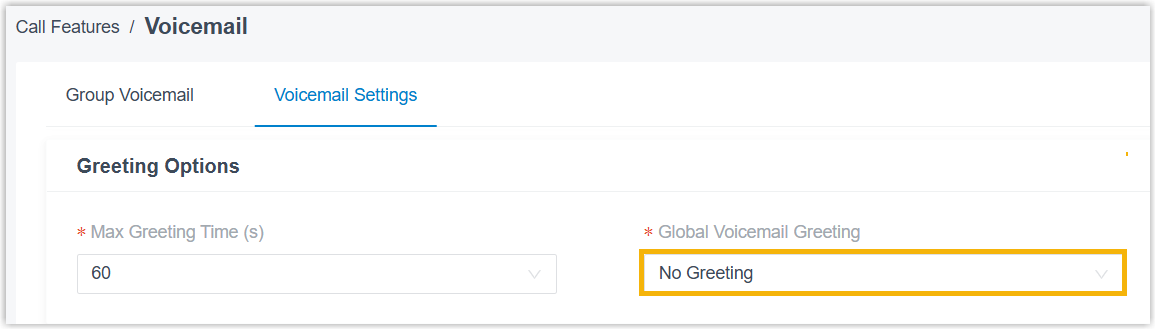
- Added an Encrypted Voicemail Storage
setting (Path: ). When enabled, voicemail messages are encrypted
when stored to prevent unauthorized access to the message
content.
- AI Transcription
- Fixed the AI transcription usage display issue: The usage was counted in seconds but incorrectly displayed as minutes, causing the displayed usage to be significantly higher than the actual usage.
- Message Channel
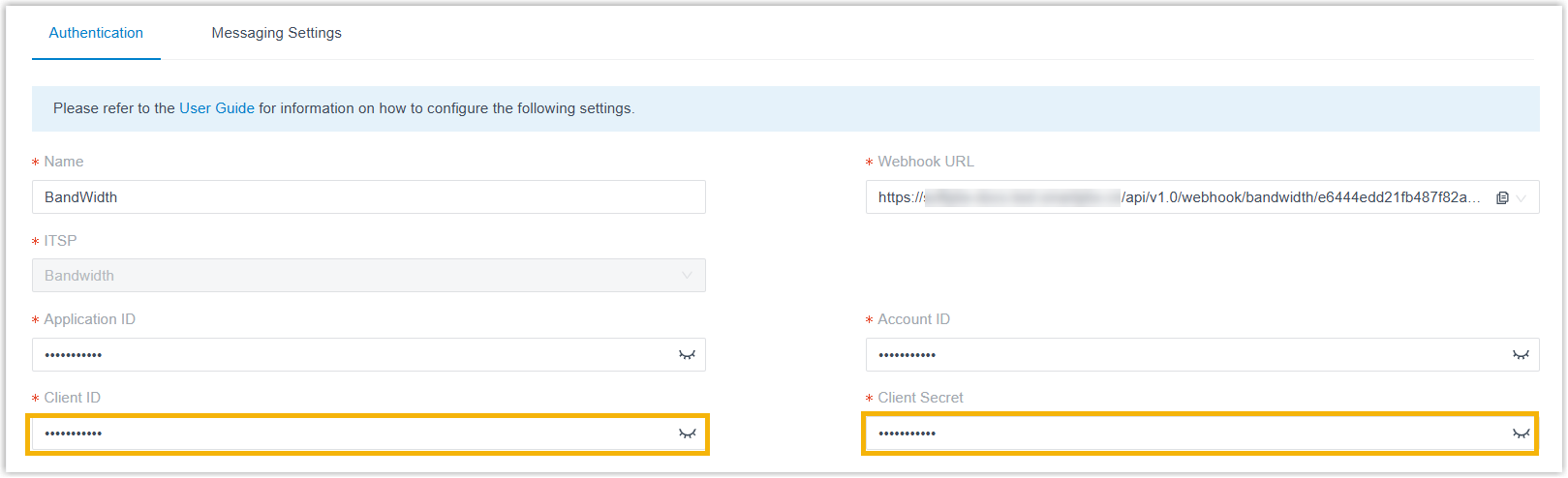
- Optimized the authentication mechanism of the Bandwidth SMS channel
integration to comply with their updated authentication requirements.
The integration uses Client ID and
Client Secret for authentication instead of
Username and
Password.
 Note: If you have an existing integration, to avoid service interruption, you need to update it before December 2, 2026.
Directly click the Update Authentication button on the channel's authentication configuration page (Path: Massaging > Massage Channel >
> Authentication), and fill in the new OAuth 2.0
credentials generated from your Bandwidth account,
without the need to disconnect and re-configure the
integration.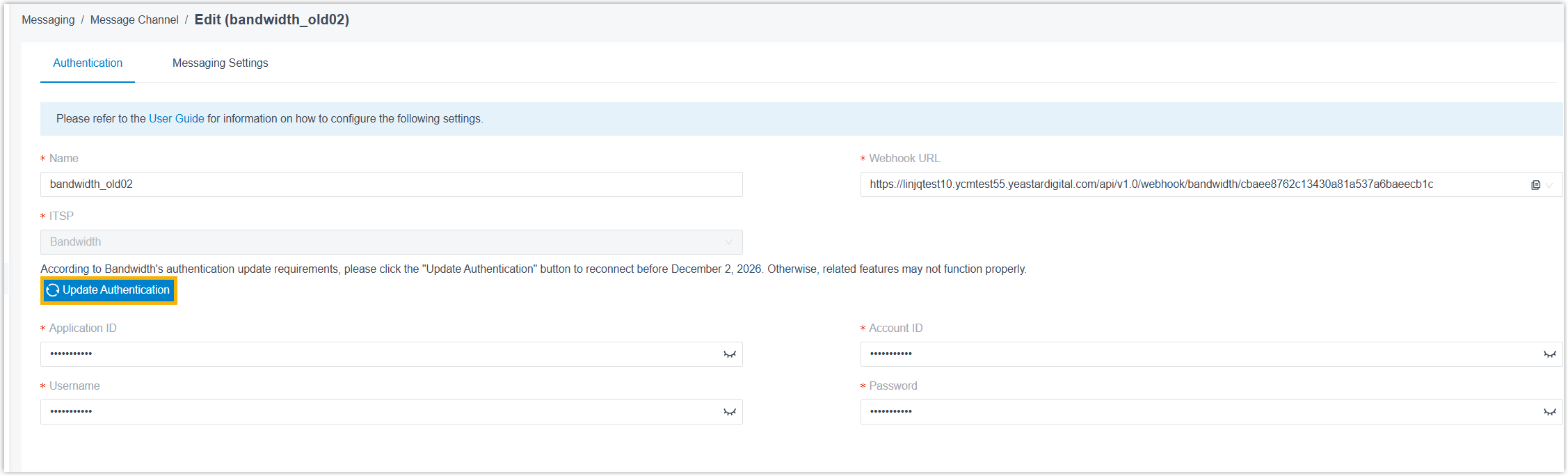
For more information, see Set up an SMS Channel for Bandwidth.
- Hot Desking
- Fixed the hot desking login issue: After bulk updating voicemail access PIN for extensions, the extension users were unable to log into hot desking phones using the updated PINs.
- Storage
- Fixed network drive detection issue: A network drive had been successfully mounted to the PBX via Samba 3.0 protocol, but the PBX incorrectly displayed the status of the network drive as unmounted and failed to retrieve its disk capacity information.
- Microsoft Entra ID (Azure Active Directory) Integration
- Fixed the following user synchronization issues:
- When the User Range for Extension Auto Creation was set to Users in Specific Group, newly added users in specified Microsoft Entra ID group(s) were successfully synced to PBX extension list but were not added to the corresponding extension group(s) that were synced from Microsoft Entra ID.
-
Syncing users with blank email addresses from Microsoft Entra ID to the PBX cleared the email fields of the corresponding PBX extensions, resulting in the relevant users being unexpectedly logged out of their Linkus UC Clients.
- After enabling the Microsoft Teams User Presence Synchronization feature for more than 200 extensions in bulk, the CPU load reached 100%.
- CRM/Helpdesk Integration Template
-
- Added support for saving a default template as a custom
template.
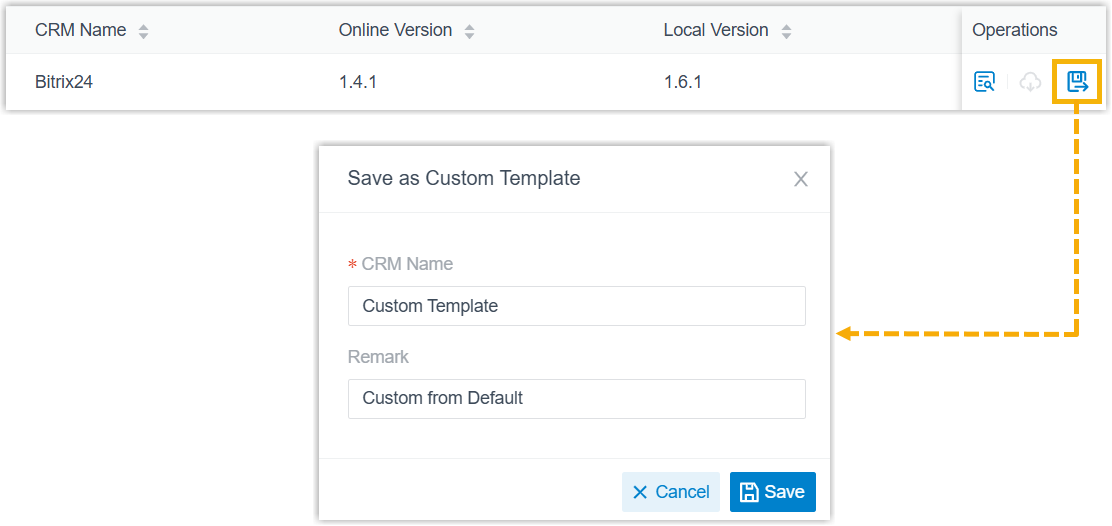
For more information, see Create a Custom CRM Template from Default and Create a Custom Helpdesk Template from Default.
- Added support for editing XML content of a custom template
directly in the view window.
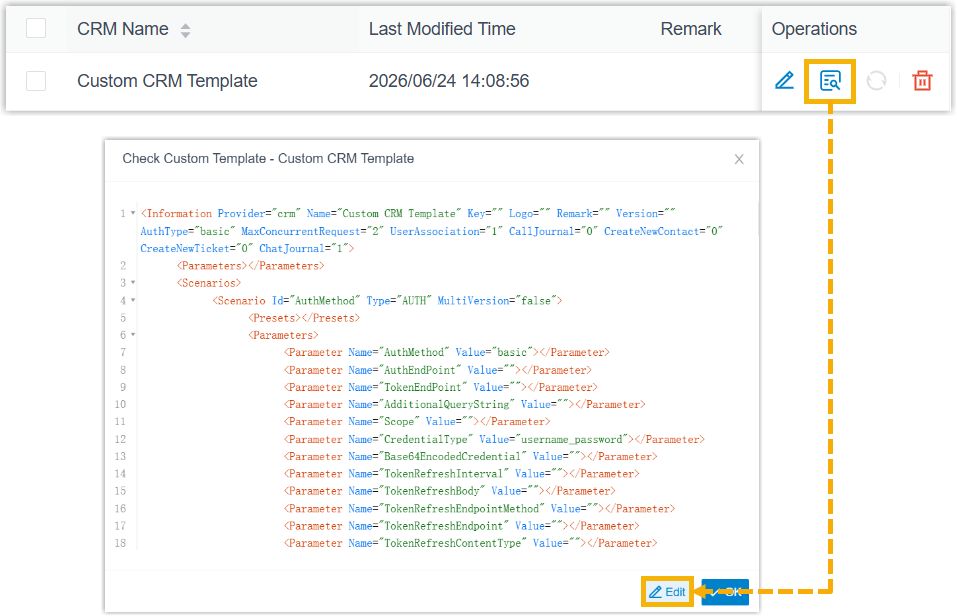
For more information, see Edit a Custom CRM Template and Edit a Custom Helpdesk Template.
-
Optimized the following configurations for a custom template:
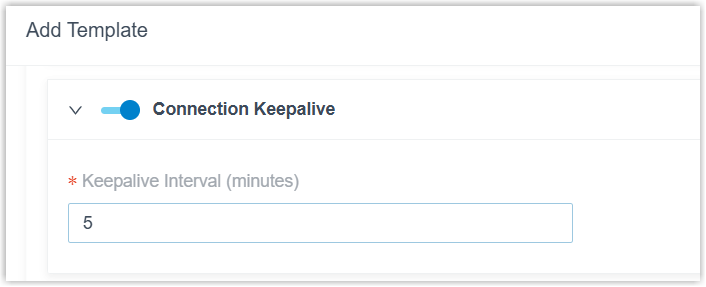
- Added support for configuring Connection
Keepalive in the Request
Configuration section. When enabled,
the system will send keep-alive requests to the
CRM/Helpdesk at the specified interval to monitor
connection status and authentication validity, so
as to prevent the connection from being closed due
to network timeout or inactivity.
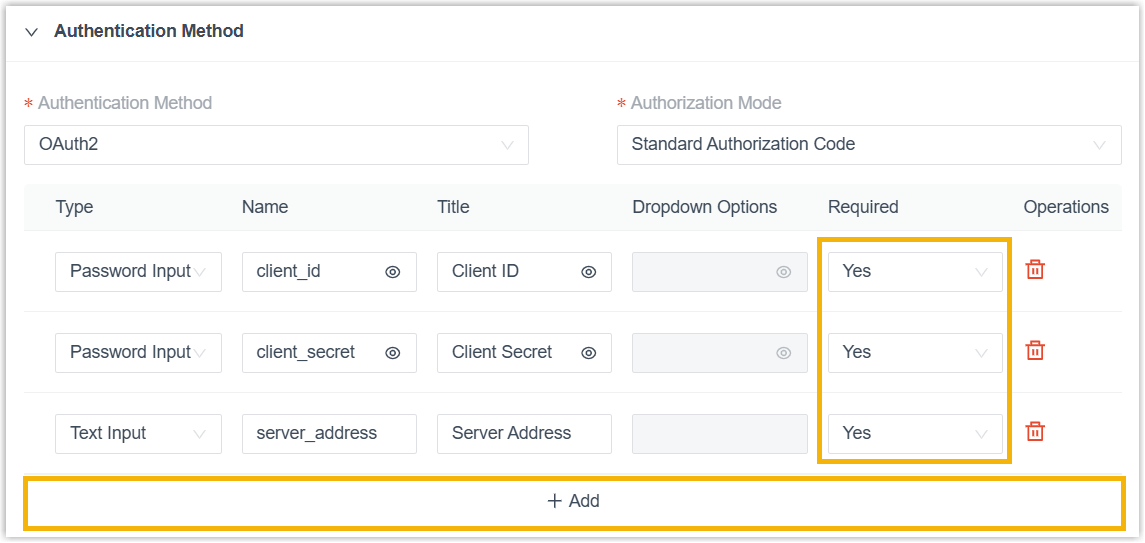
- Optimized Authentication Method
configuration: When configure OAuth2
authentication on the template configuration page,
you can add up to 10 custom fields , and
specifying whether each field is mandatory using
the Required
field.
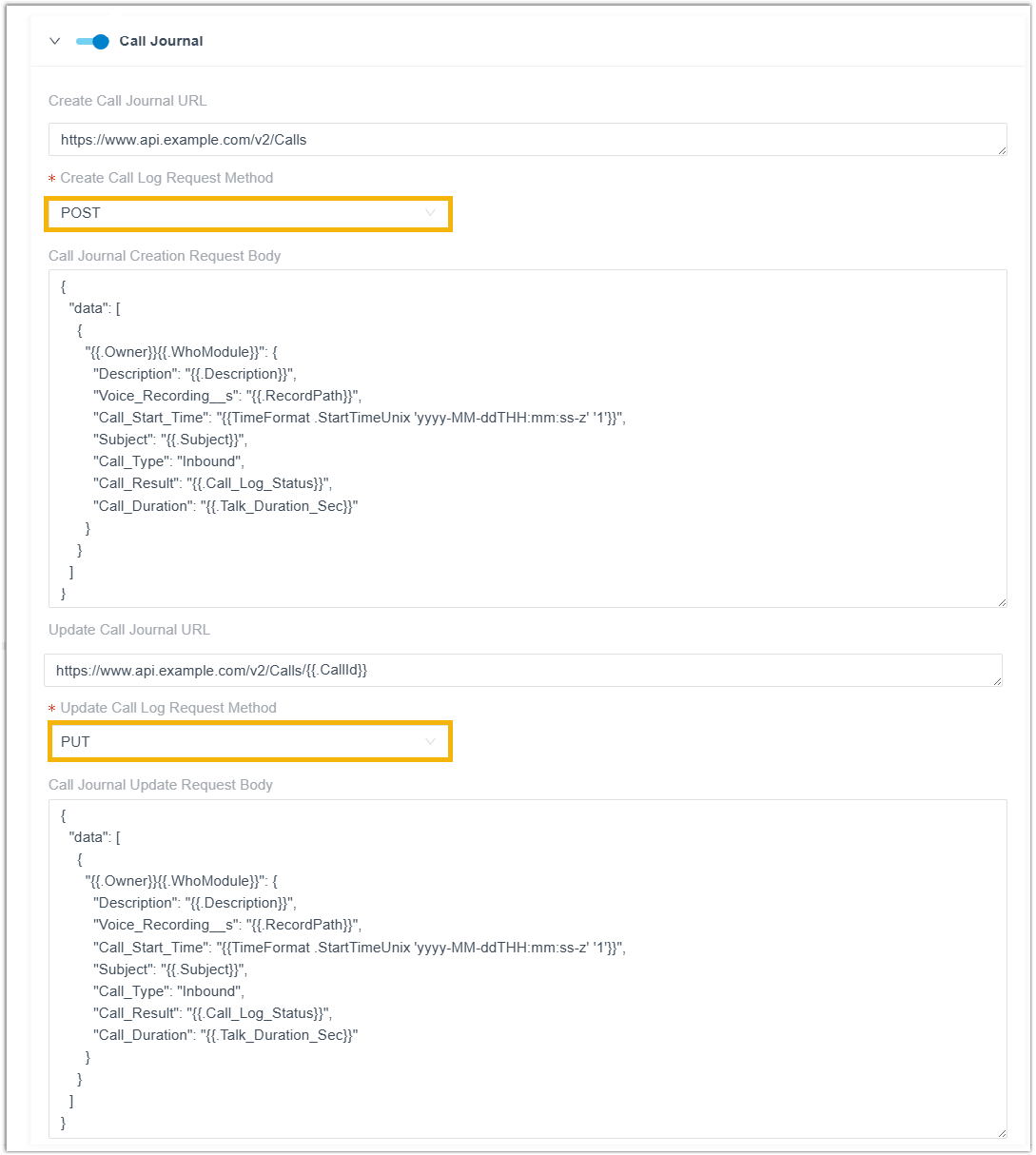
- Optimized the Call Journal configuration:
Added the configuration items Create
Call Log Request Method and
Update Call Log Request
Method, which can be used to specify
the request method as POST
or PUT.
For more information, see Add a CRM Integration Template and Add a Helpdesk Integration Template.
- Added support for configuring Connection
Keepalive in the Request
Configuration section. When enabled,
the system will send keep-alive requests to the
CRM/Helpdesk at the specified interval to monitor
connection status and authentication validity, so
as to prevent the connection from being closed due
to network timeout or inactivity.
- Added support for saving a default template as a custom
template.
- CDR
-
- Optimized the filters in CDR list.
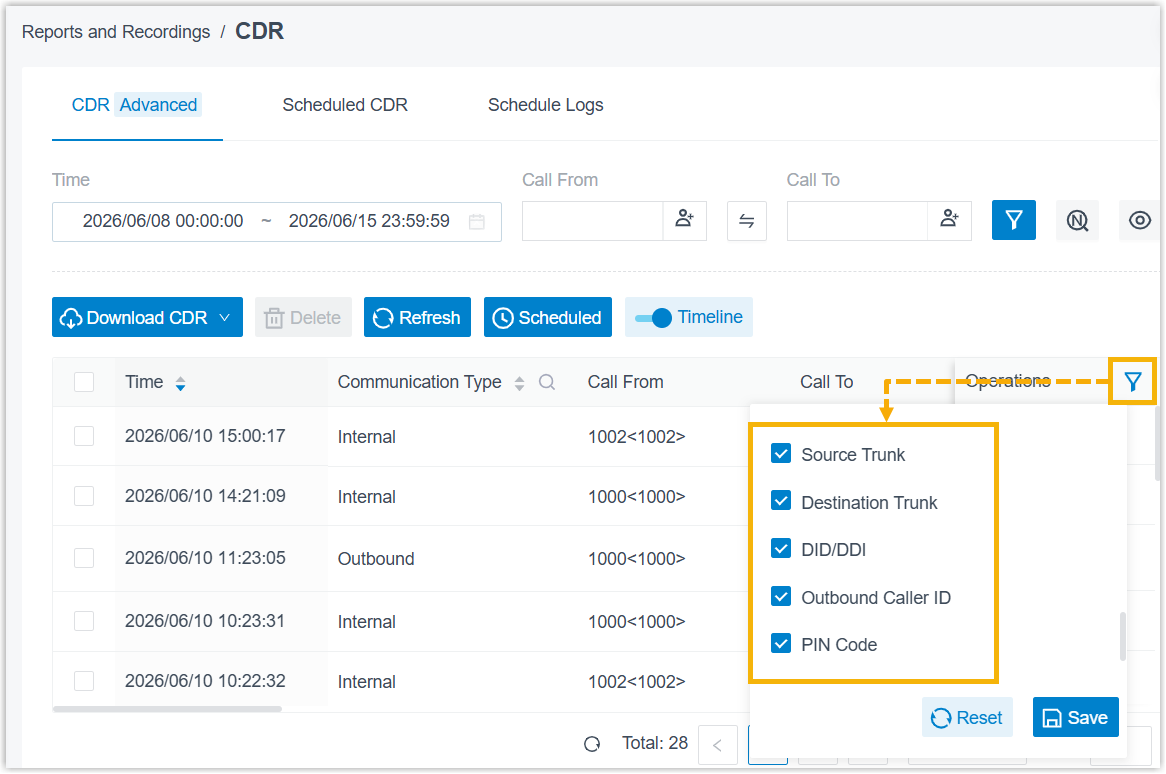
- Added column header filters Source Trunk, Destination Trunk, and DID/DDI.
- Moved the Outbound Caller ID and PIN Code filters from top filters to column header filters.
- Fixed the Pure Talk Duration calculation issue: The monitoring time was incorrectly included in Pure Talk Duration for monitored calls.
- Optimized the filters in CDR list.
- Recording File
- Fixed the recording playback and download issue: Archived recording files of inbound calls to queues or ring groups could not be played or downloaded.
- Call Report
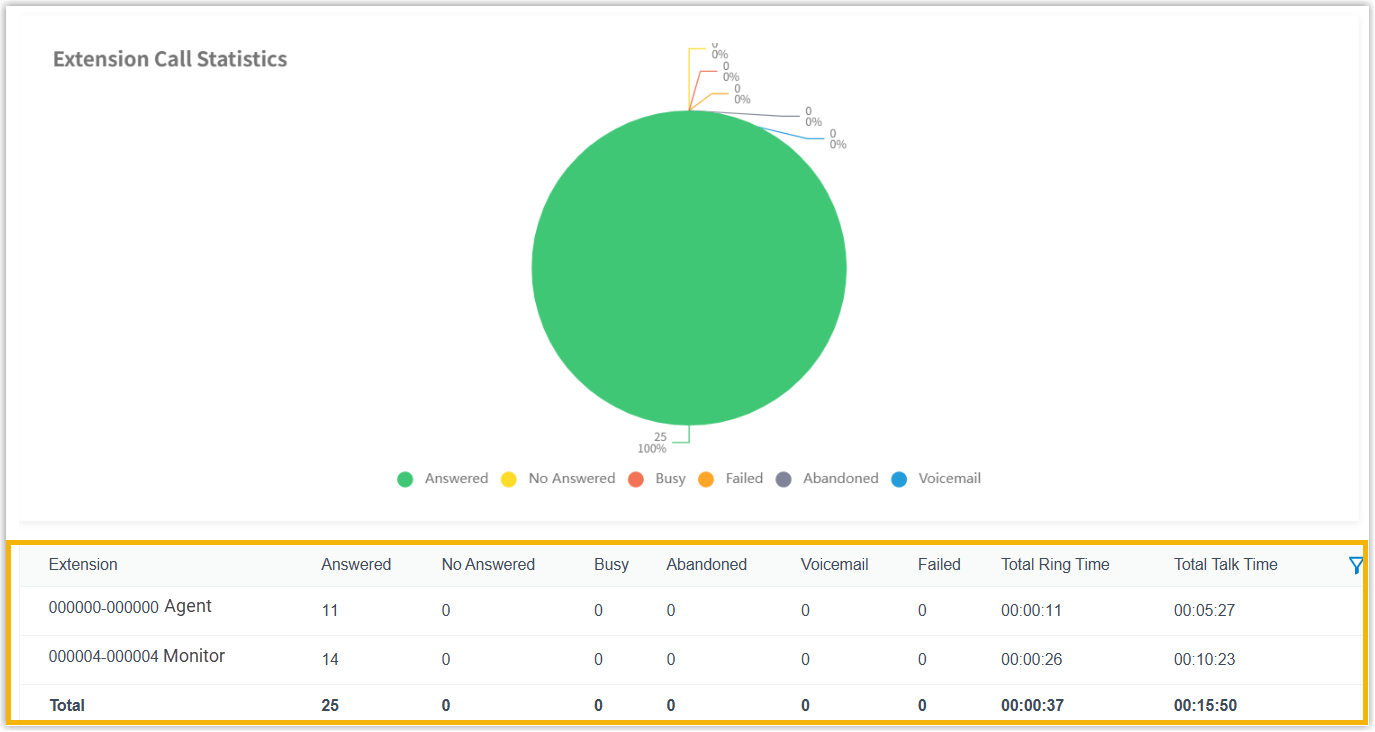
- Optimized the Extension Call Statistics report:
For a monitored call, the report separately displays two entries
containing call metrics for the monitored party and the monitoring
party.
- API
-
- Added API interfaces for CDR in
openapi/v2.0, which can be used to query CDRs and set CDR options.Note: The query interfaces inopenapi/v2.0can only used to retrieve CDRs generated on version 37.21.0.117 or later.For more information, see Developer Guide - CDR (2.0).
- Optimized the API event
30013(Call Transfer Report): When a blind transfer occurs, the destination extension number is also included in the report. - Fixed the error code issue: A Redis exception caused the system
to return an error code
10004(TOKEN EXPIRED) even when the token was still valid.
- Added API interfaces for CDR in

Submit Feedback
Found something that doesn't work as expected?
Let us know - Your feedback will help make the final release even better.