Yeastar P-Series Appliance Edition 37.24.0.122 V25.3
This topic outlines the release history of firmware version 37.24.0.122, from the beta stages to the final release.
- To try out the new updates, check for firmware updates from PBX admin portal or download the firmware from Yeastar Official Website , and upgrade your phone system.
- For details on the new features and improvements in Linkus UC Clients and 'Yeastar Linkus for Google' Chrome extension, see Linkus Release Notes.
- If you found something that doesn't work as expected, you can submit feedback directly from here.
Firmware 37.24.0.122
Release date:October 12, 2026
Release version:V25.3-GA
Base version:37.24.0.122-beta2
This firmware version has officially transitioned from Beta to General Availability (GA) and is now ready for production use.
Along with the promotion to GA, this version includes the following bug fixes:
- IVR
-
Fixed the IVR issue: IVR settings could not be saved when service subscription for Messaging had expired, even if the IVR did not have any message destinations configured.
- Security
- Fixed the security issue: A security vulnerability was addressed to help improve system security.
Firmware 37.24.0.122-beta2
Release date:September 22, 2026
Release version:V25.3-Beta
Base version:37.24.0.122-beta1
Improvement and bug fix
- Extension
- Optimized the Ringback Tone setting: The ringback tone defaults to None instead of Follow System when creating extensions.
- Trunk
- Fixed the FXO trunk issue: When an incoming call was received through an FXO trunk and routed to a ring group, the call could not be forwarded to an external number when the member extension was configured to forward calls.
Firmware 37.24.0.122-beta1
Release date:September 21, 2026
Release version:V25.3-Beta
Base version:37.24.0.73
New features
- Message Flow Designer
- Yeastar P-Series PBX System provides the Message Flow Designer (MFD), allowing you to
visually create and automate message workflows. With an intuitive drag & drop
interface and fully configurable, pre-built components, you can effortlessly build
messaging chatbots and auto-responders, significantly boosting team productivity and
enhancing customer satisfaction.
For more information, see Message Flow Designer Overview.
In addition, the following related updates are introduced:- Added Message Flow as a destination option for message
channels, allowing inbound messages to be routed to a message flow.
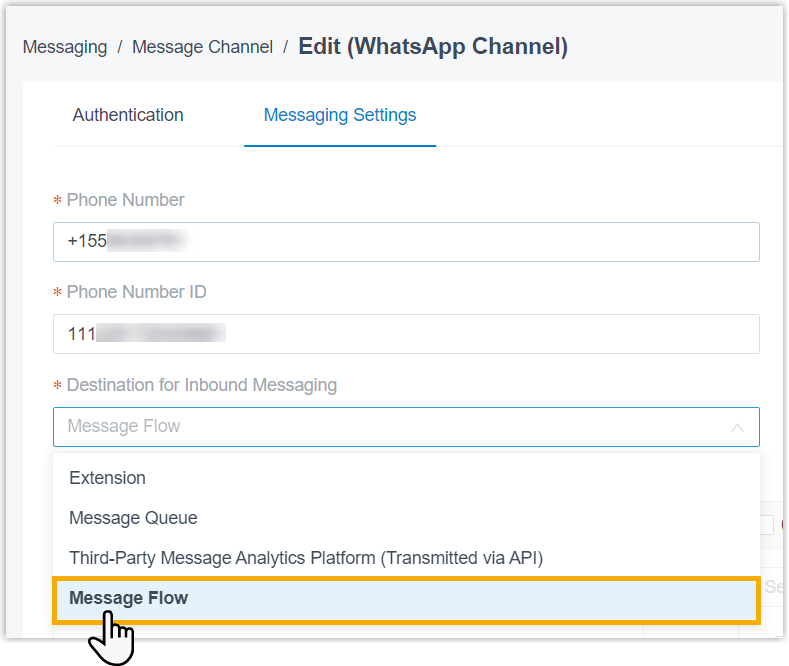
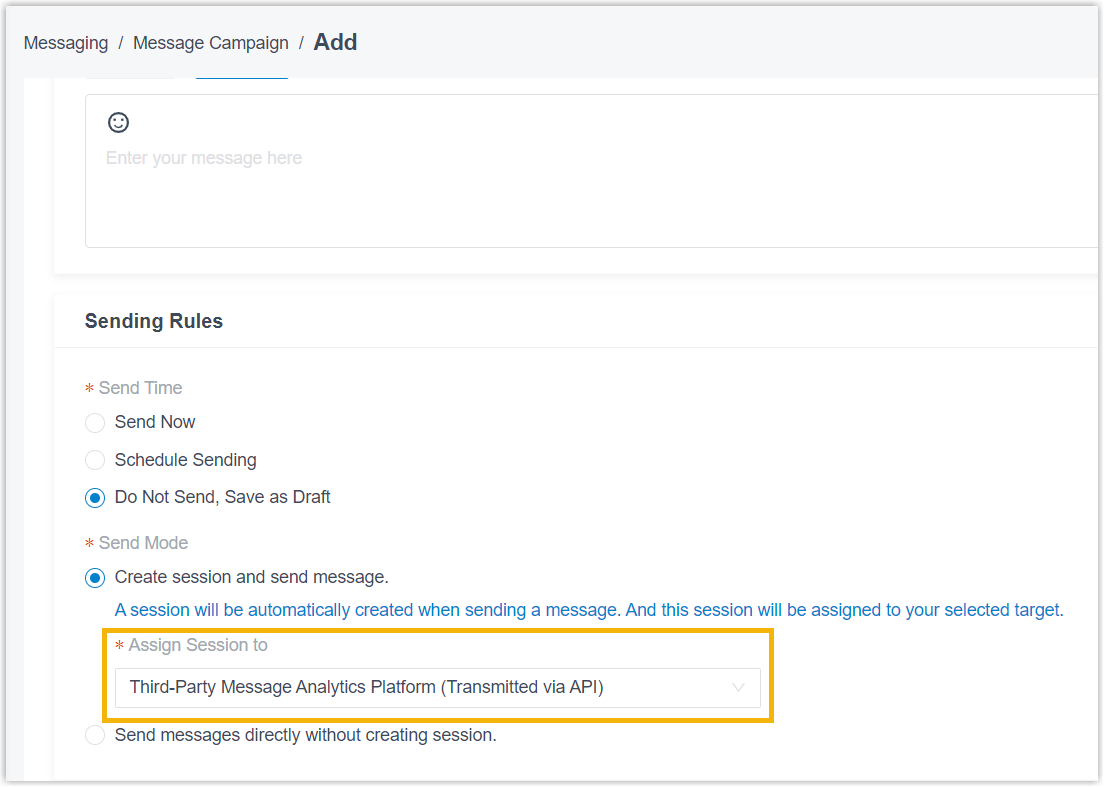
- Added Message Flow and Third-Party Message
Analytics Platform (Transmitted via API) as destination options for
sessions in message campaigns, allowing you assign the session automatically
created when sending a message to these destinations.
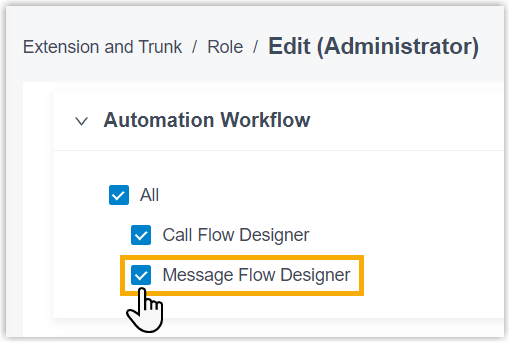
- Added support for role-based permission control for Message Flow Designer (Path: ).
- Added Message Flow as a destination option for message
channels, allowing inbound messages to be routed to a message flow.
- Yeastar for Teams Desktop Plugin
- Yeastar P-Series PBX System provides Yeastar for Teams Desktop Plugin dedicated for the integration with Microsoft Teams, which allows Teams users to make and receive calls without relying on Linkus Web Client, Linkus Desktop Client, or other SIP devices as CTI-controlled endpoints.
Improvements and bug fixes
- Web Interface
- Added support for the following web interface languages:
- Hrvatski jezik(Croatian)
- српски језик(Serbian)
- System
- Fixed the CPU overload issue: Excessively high CPU usage caused degraded PBX performance.
- Extension
-
- Added support for adding and managing voicemail greetings, and assigning them to
different presence statuses when bulk adding or editing extensions (Path: ).
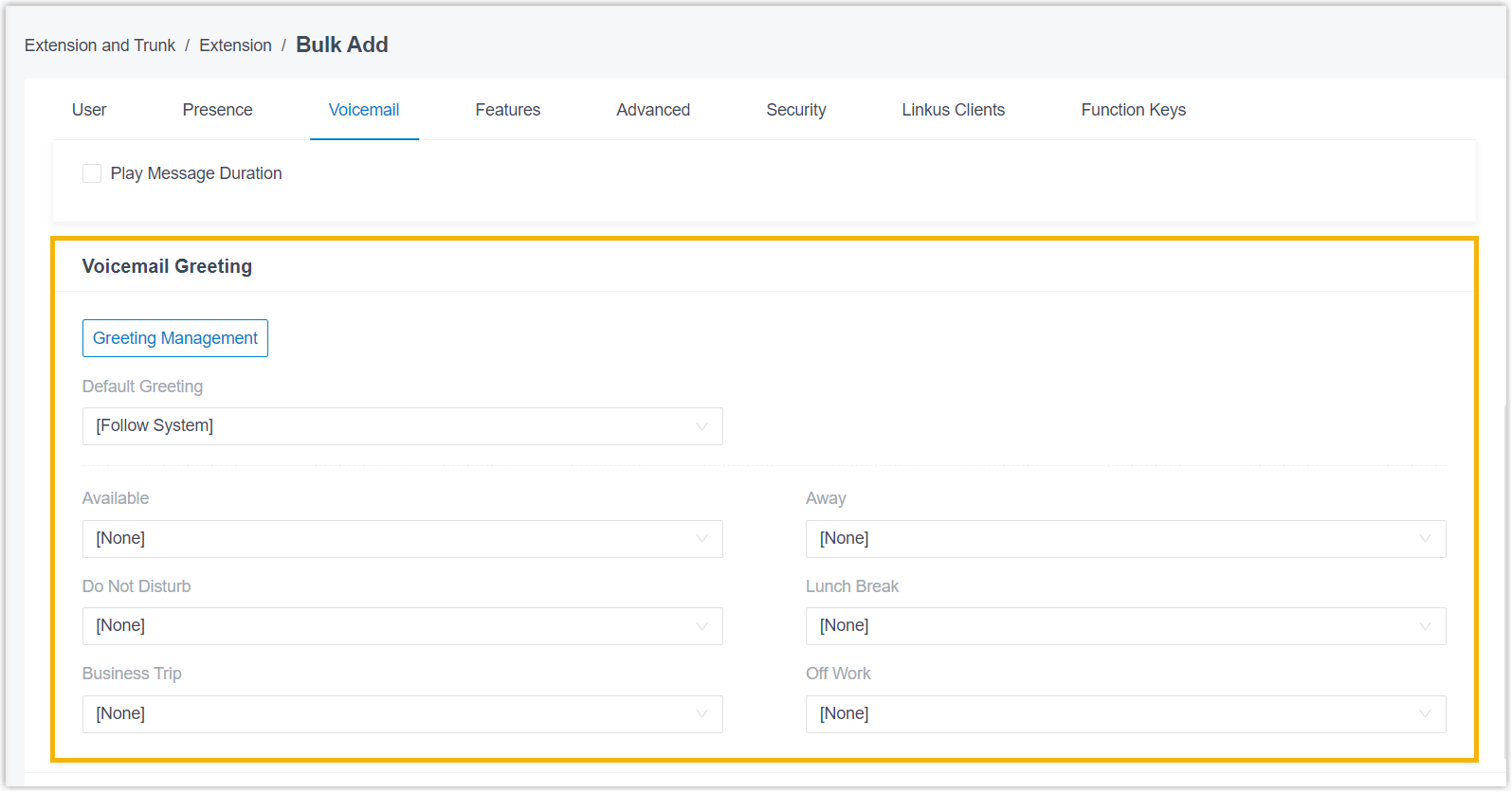
For more information, see Voicemail Greeting Overview.
- Added support for automatically sending SMS or WhatsApp messages to callers when
calls to the extension are not answered and the trigger conditions are met (Path: ).
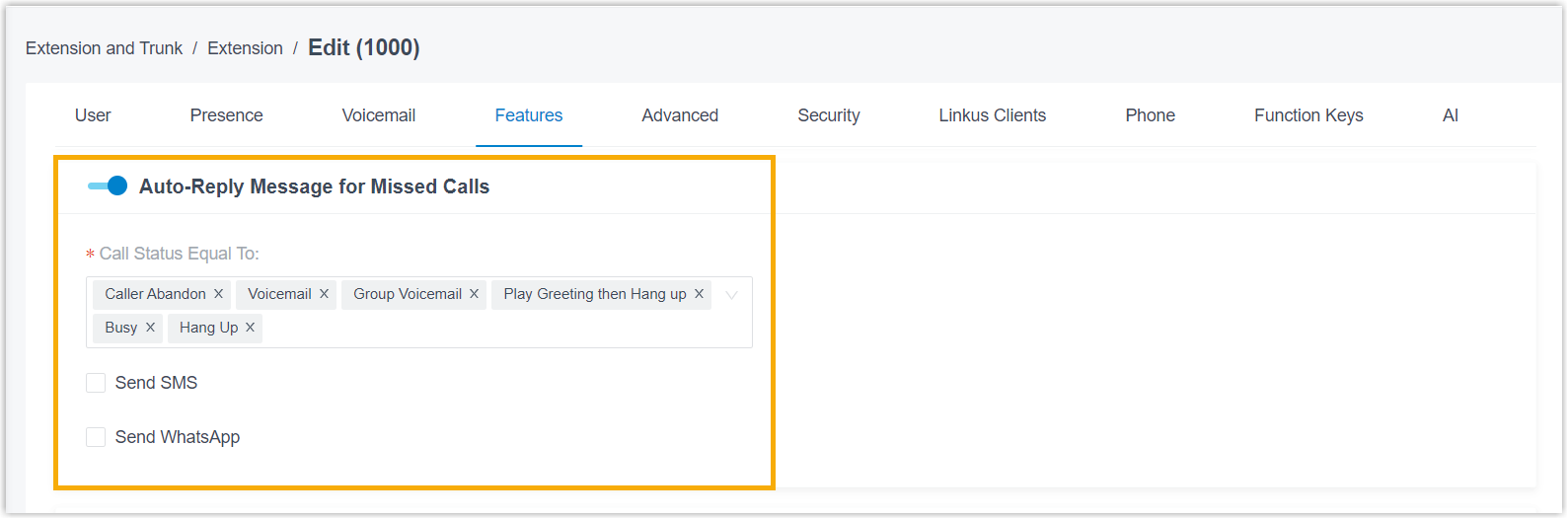 Note:
Note:- To use this feature, make sure that the PBX is integrated with an SMS
channel or a WhatsApp channel, and the extension user has permission to create
messaging sessions.
For more information, see Set up an SMS Channel and Set up a WhatsApp Channel.
- Extension users can also configure this feature on their Linkus Desktop or Web Client (Path: ).
For more information, see Configure Auto-Reply Message for Missed Calls.
- To use this feature, make sure that the PBX is integrated with an SMS
channel or a WhatsApp channel, and the extension user has permission to create
messaging sessions.
-
Added support for configuring outbound call recording prompt (Path: ).

When an outbound call initiated from the extension is recorded, the system plays the configured prompt before recording starts to notify both parties that the call is being recorded.
-
Fixed the function key issue: After applying a function key template to extensions in bulk, the existing function keys were not deleted, resulting in a mismatch with the template.
- Added support for adding and managing voicemail greetings, and assigning them to
different presence statuses when bulk adding or editing extensions (Path: ).
- Trunk
- Fixed the inbound call failure issue: Inbound calls through a trunk failed to connect, even though the trunk was shown as reachable in the web interface.
- Contacts
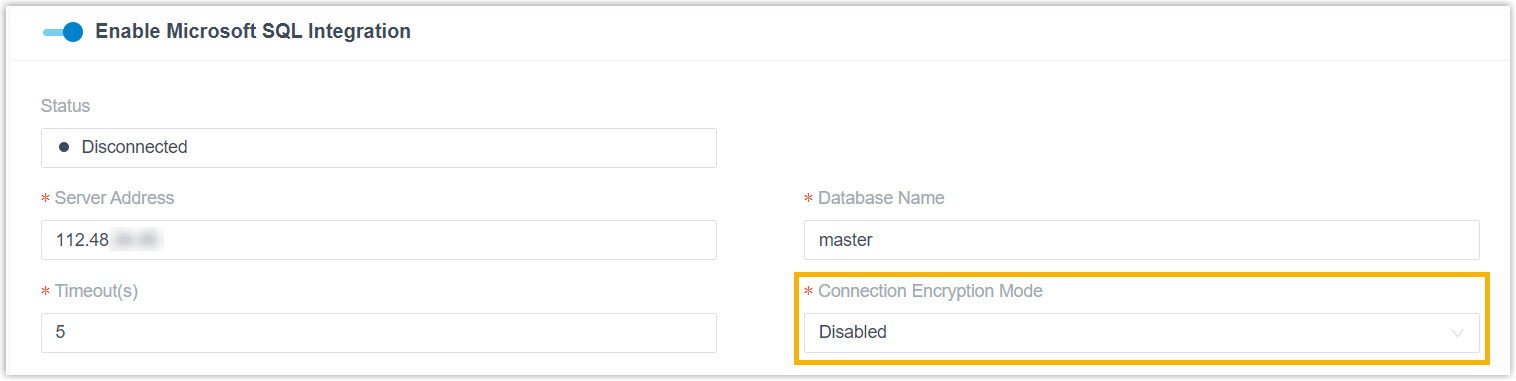
- Optimized the integration with Microsoft SQL: Added a Connection Encryption Mode configuration item (Path: ), which allows you to specify the encryption mode for the connection between PBX and Microsoft SQL Server.
-
- Auto Provisioning
-
-
Removed the requirement to select at least one codec when adding or managing IP phones and custom templates.
-
Fixed the authentication issue: Authentication failed during first-time auto provisioning when IP phones were added and assigned extensions in bulk.
-
Fixed the Snom IP phone provisioning issue: When a Snom IP phone was already bound to a PBX, adding it to another PBX via RPS actually failed, but the RPS Request Success event was still triggered to indicate a success.
-
- Inbound Route
- Fixed the DID matching issue: After a time condition was enabled for an inbound route that routed calls to a call flow with DID number, the call flow number instead of the actual DID number was used for DID matching, causing calls to enter the wrong destination and be disconnected immediately.
- Call Flow Designer
-
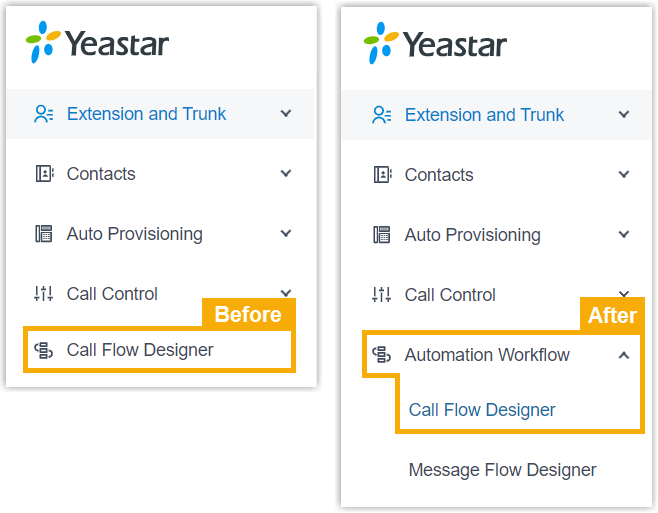
- Moved the feature entry from the first-level menu to the second-level menu. The
new access path is .
- Added support for the following components:
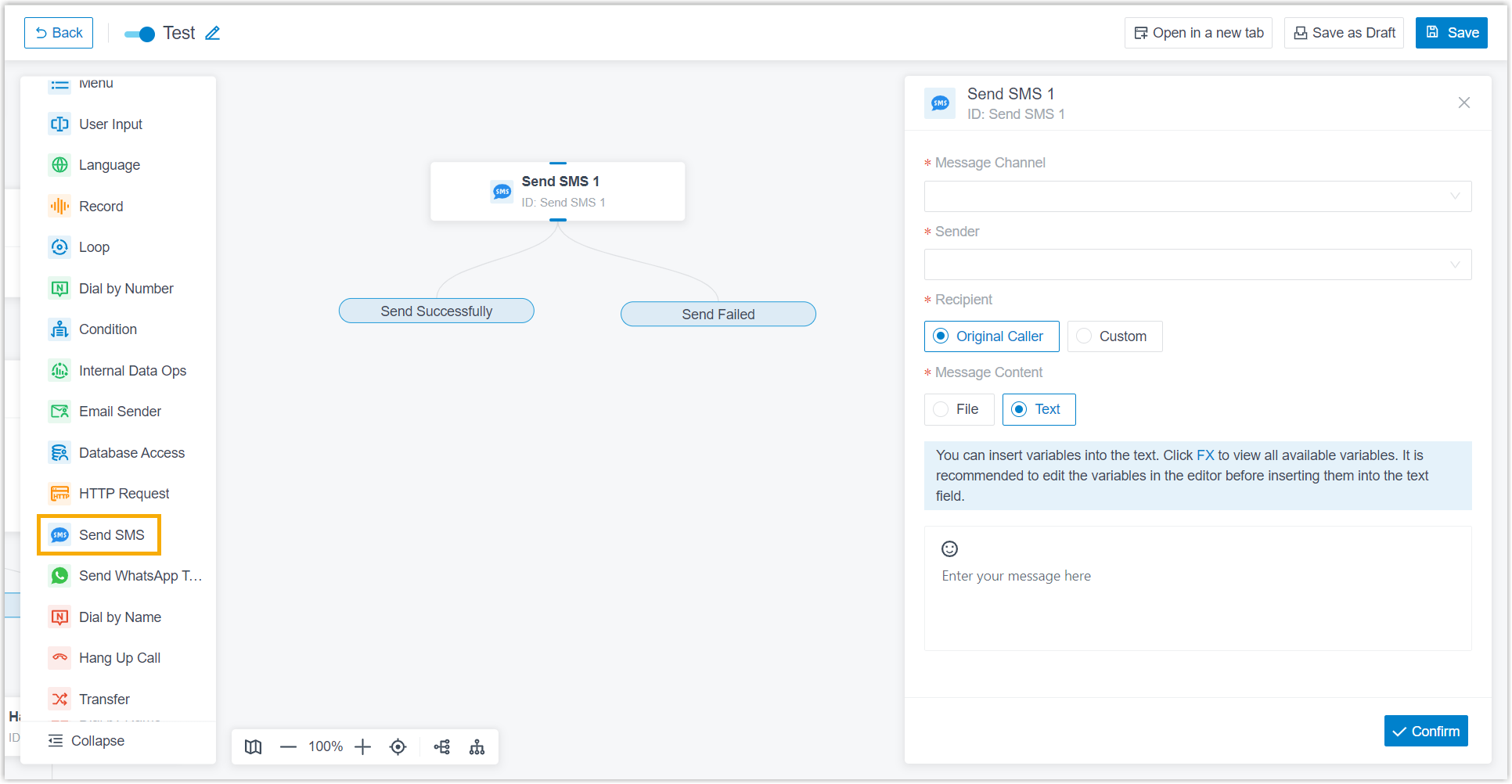
- Send SMS: This component allows you to send SMS
messages to the original caller or a custom phone number.
- Send WhatsApp Template Message: This component allows
you to send WhatsApp messages to the original caller or a custom phone
number.
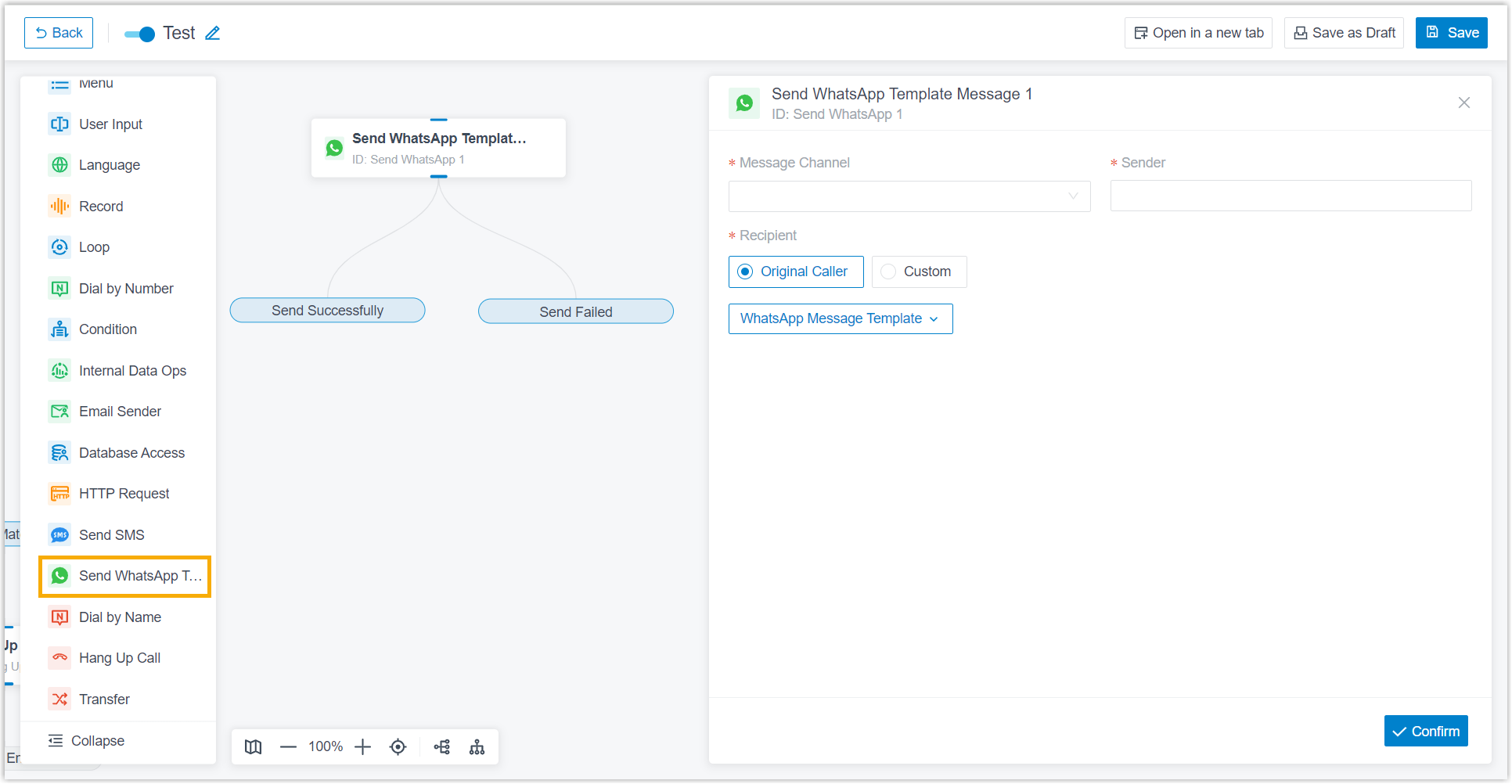
For more information, see Call Flow Components.
- Send SMS: This component allows you to send SMS
messages to the original caller or a custom phone number.
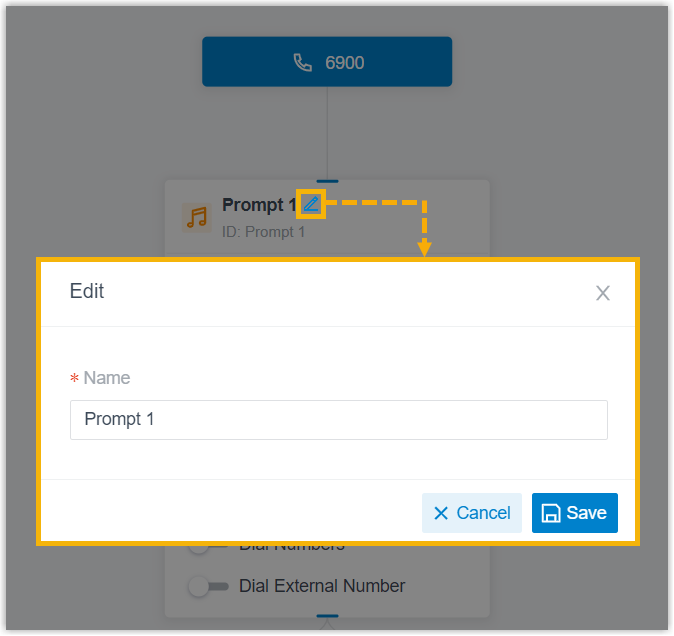
- Added support for modifying component names.
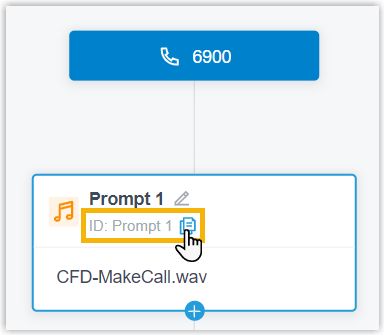
- Added support for displaying and copying the component ID, which serves as the
unique identifier for the component.
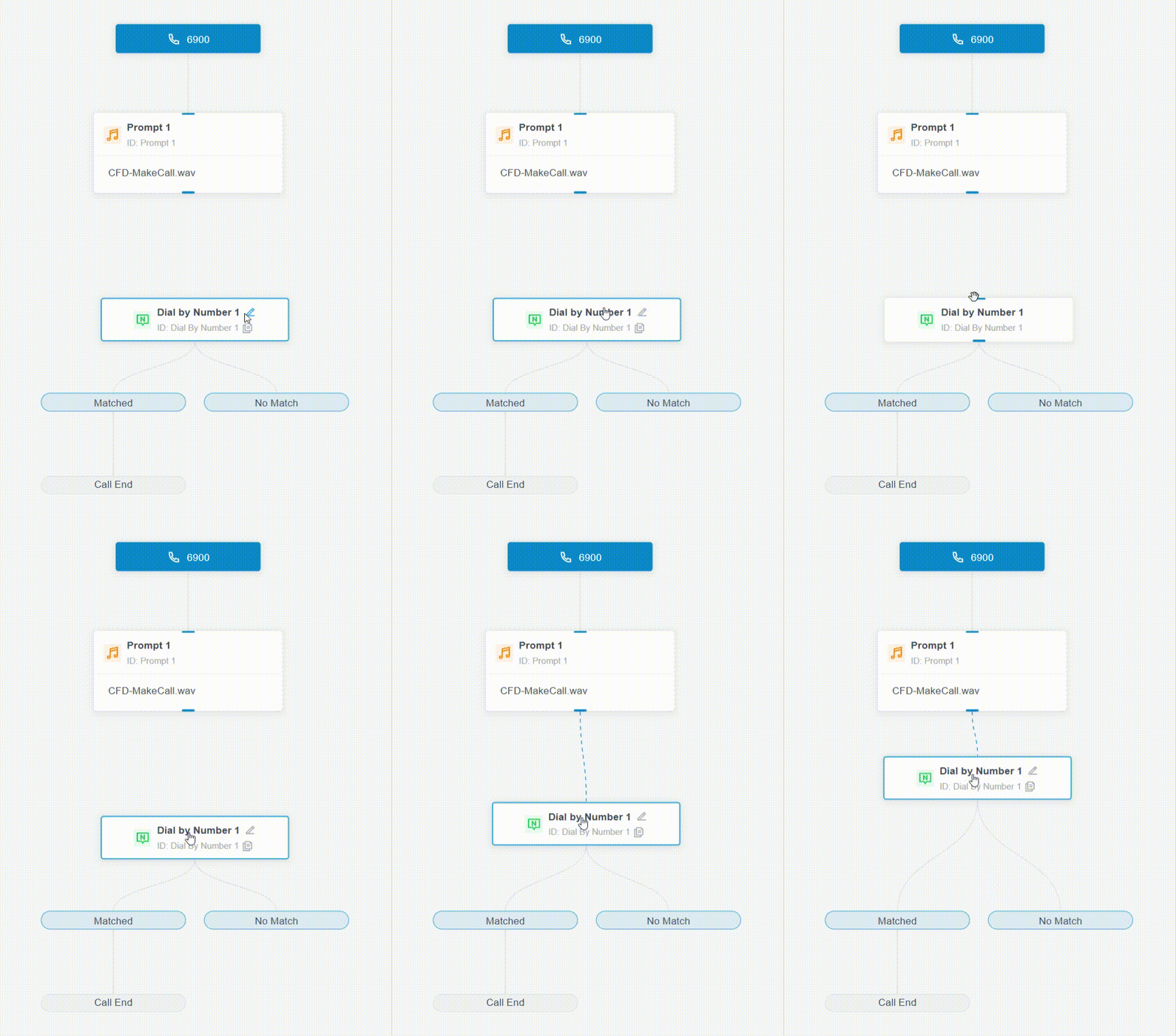
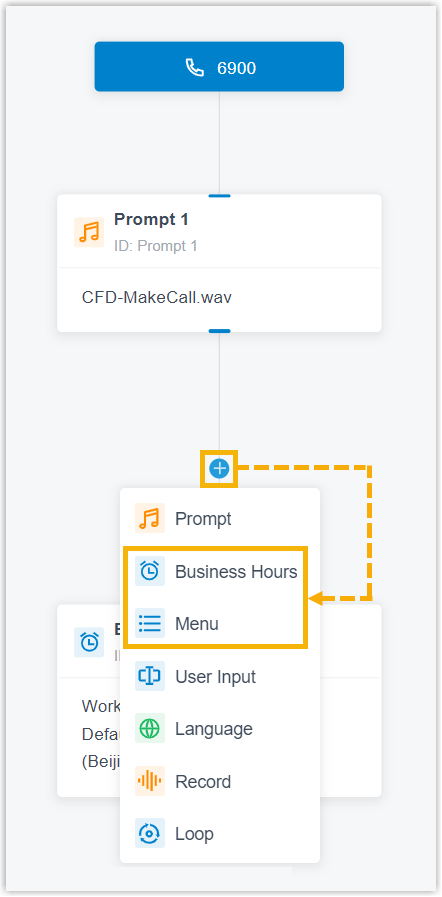
- Optimized the experience in component and branch connection:
- Dragging a component close to the end of another component or branch
automatically connects them.
- Multiple upstream components or branches can be connected to the same
downstream component.
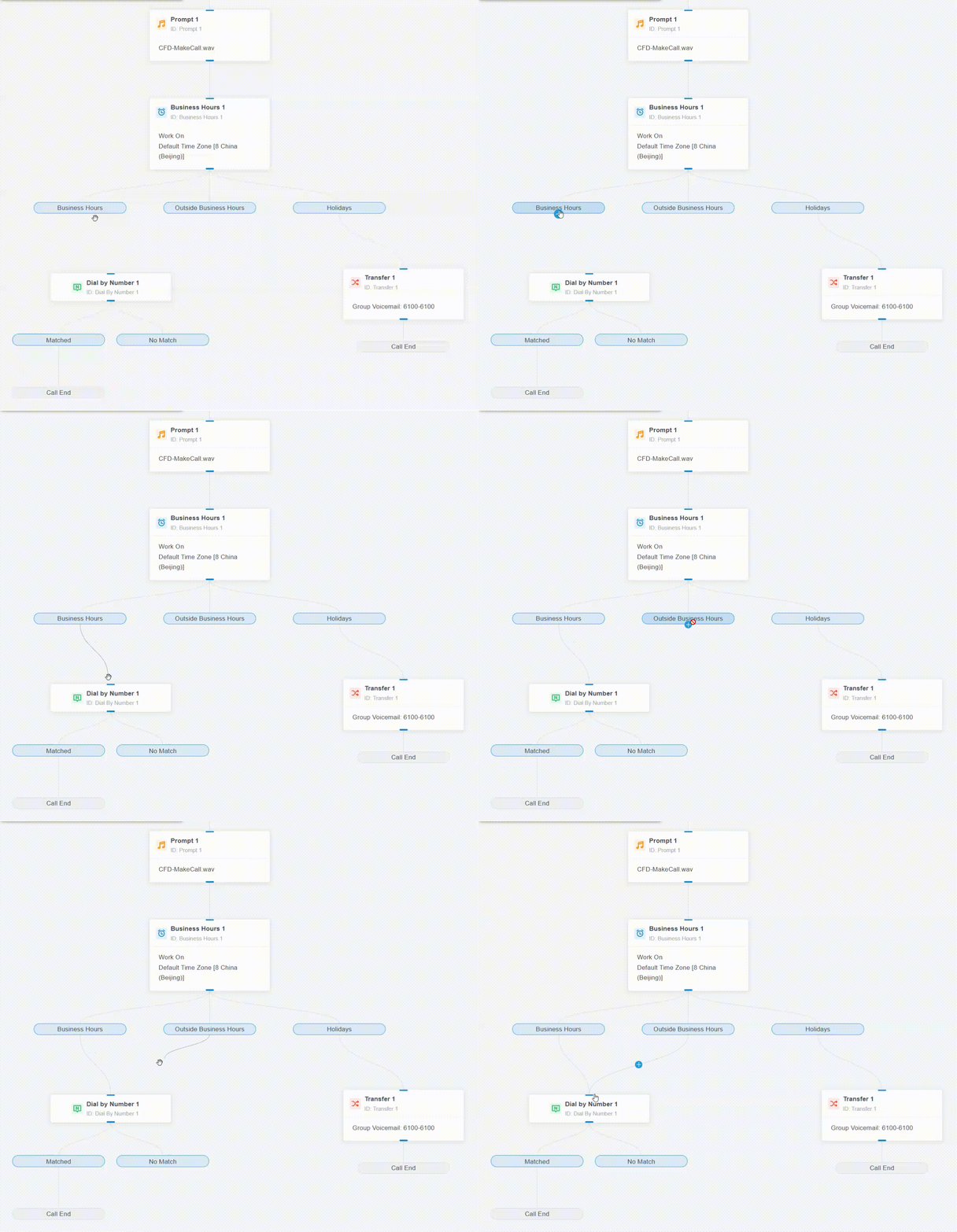
- Business Hours, Menu, and
Condition components can be added to branches other
than ending branches.
- Dragging a component close to the end of another component or branch
automatically connects them.
- Moved the feature entry from the first-level menu to the second-level menu. The
new access path is .
- Voicemail
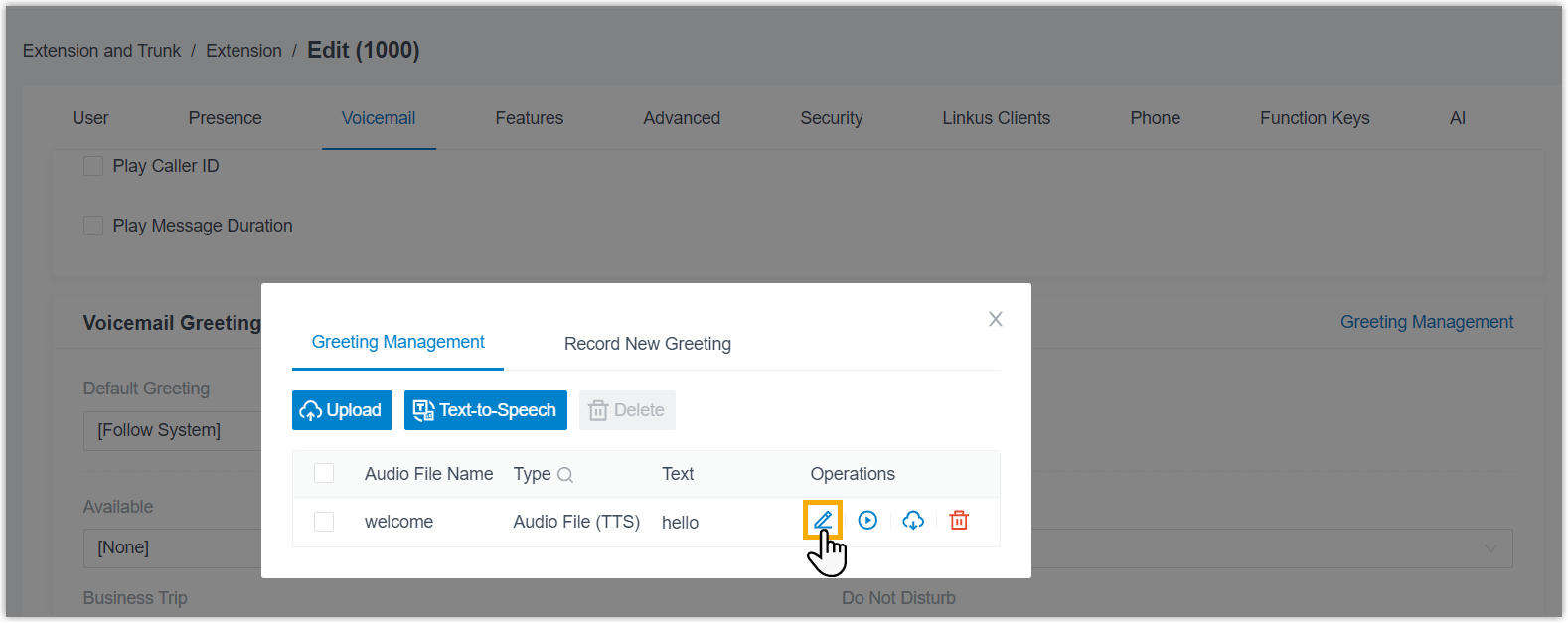
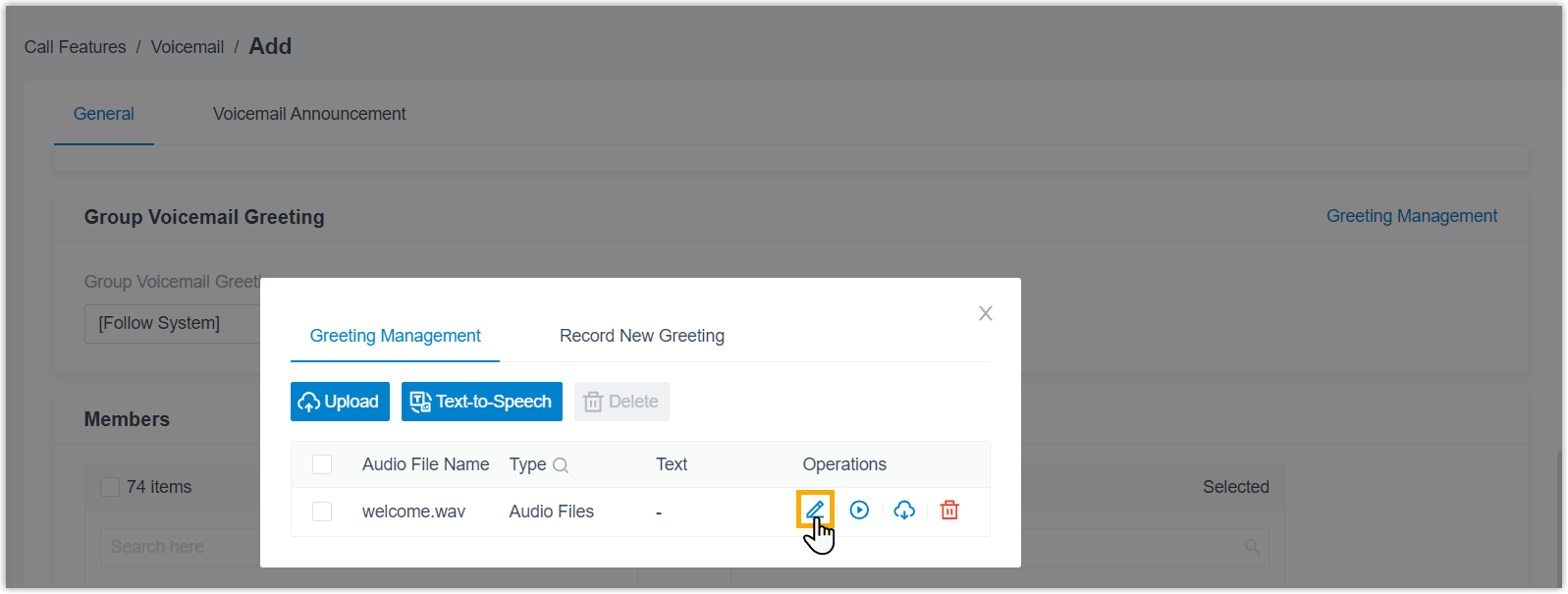
- Added support for managing user-added voicemail greetings.
- (Extension Voicemail) Path: Extension and Trunk > Extension > Voicemail > Voicemail Greeting > Greeting Management >
 .
.
- (Group Voicemail) Path: Call Features > Voicemail > Group Voicemail > General > Group Voicemail Greeting > Greeting Management > .
- (Extension Voicemail) Path: Extension and Trunk > Extension > Voicemail > Voicemail Greeting > Greeting Management >
- Ring Group
-
-
Fixed the simultaneous ringing issue: When simultaneous ringing on a mobile number was enabled for a ring group member extension, incoming calls to the ring group did not ring the mobile phone.
-
Fixed the sequential ringing issue: When an incoming call to a sequential ringing group was not answered by the first member, the call was disconnected instead of continuing to ring the next member.
-
- Queue
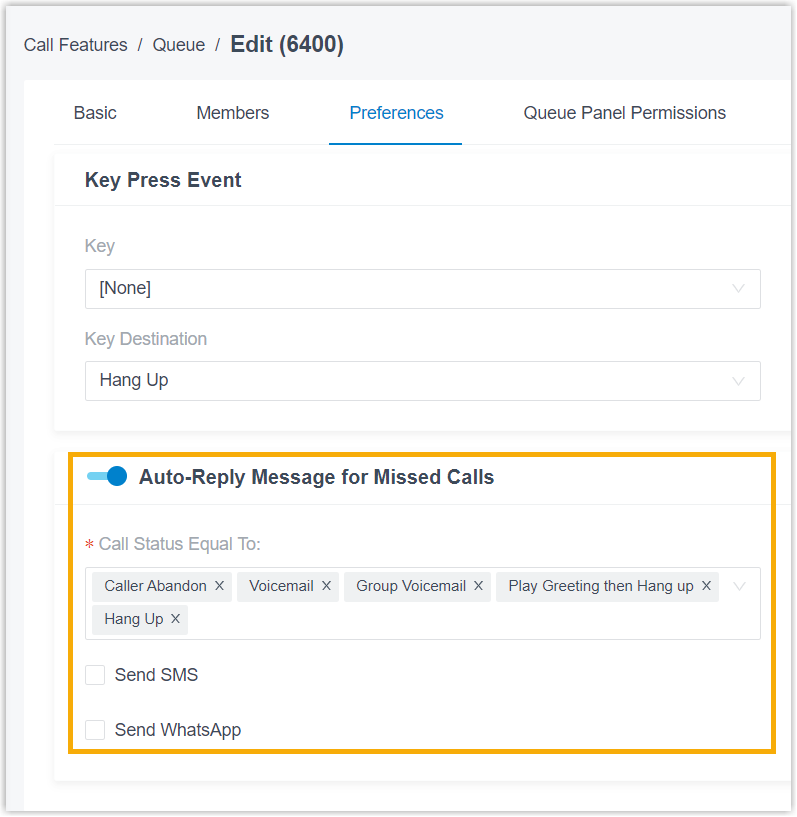
- Added Auto-Reply Message for Missed Calls configuration item
for queue in PBX web portal (Path: ) and API, allowing to automatically send SMS or WhatsApp messages when
a missed queue call meets the predefined conditions.
- Call Parking
- Added the following timeout destination options for parked calls (Path: ).
- Hang Up
- IVR
- Call Flow
- Ring Group
- Queue
- Play Prompt and Exit
- AI
- Fixed the AI voicemail transcription setup issue: Configuring AI voicemail transcription with Amazon service failed, with an error message indicating that the storage bucket already existed but was not owned by the account.
- Messaging
-
- Added Country/Region configuration item dedicated for SMS
and WhatsApp channels. The system automatically adds the specified country or region
code to customer phone numbers that are not in E.164 format before sending
messages.

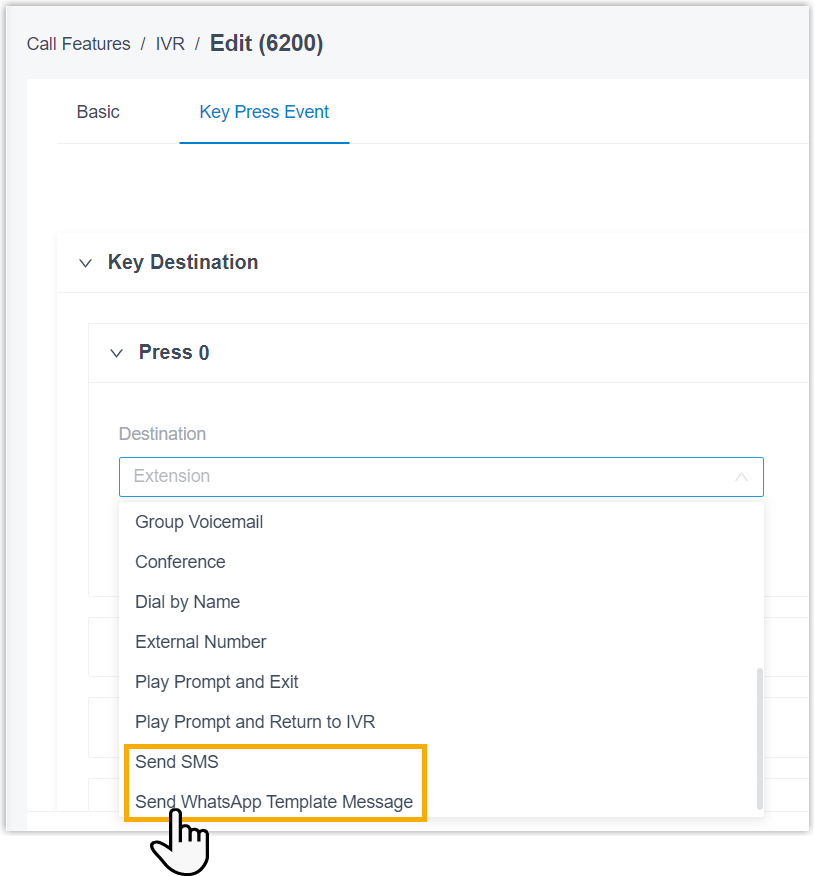
- Added Send SMS and Send WhatsApp Template
Message as keypress destination options for IVR and queue, allowing SMS or WhatsApp messages to be
sent to the caller.
- Added Country/Region configuration item dedicated for SMS
and WhatsApp channels. The system automatically adds the specified country or region
code to customer phone numbers that are not in E.164 format before sending
messages.
-
Fixed the email issue: Notification emails were delivered, but no recipient was shown in the To field.
- Voice Prompt
-
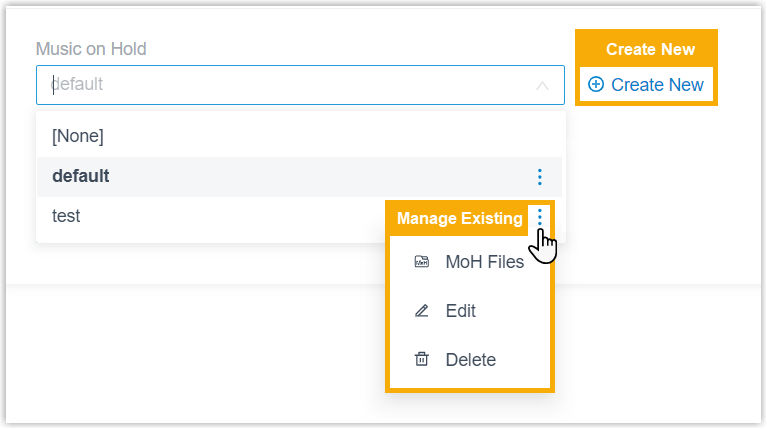
- Added support for creating and managing Music on Hold (MoH) playlists and MoH
files from anywhere MoH is supported.
You can create a playlist directly from the current interface, or manage existing playlists and MoH files from the available playlist options, as shown below.
 The following table lists the features that support MoH, including but not limited to the following:
Feature Description Extension Path: 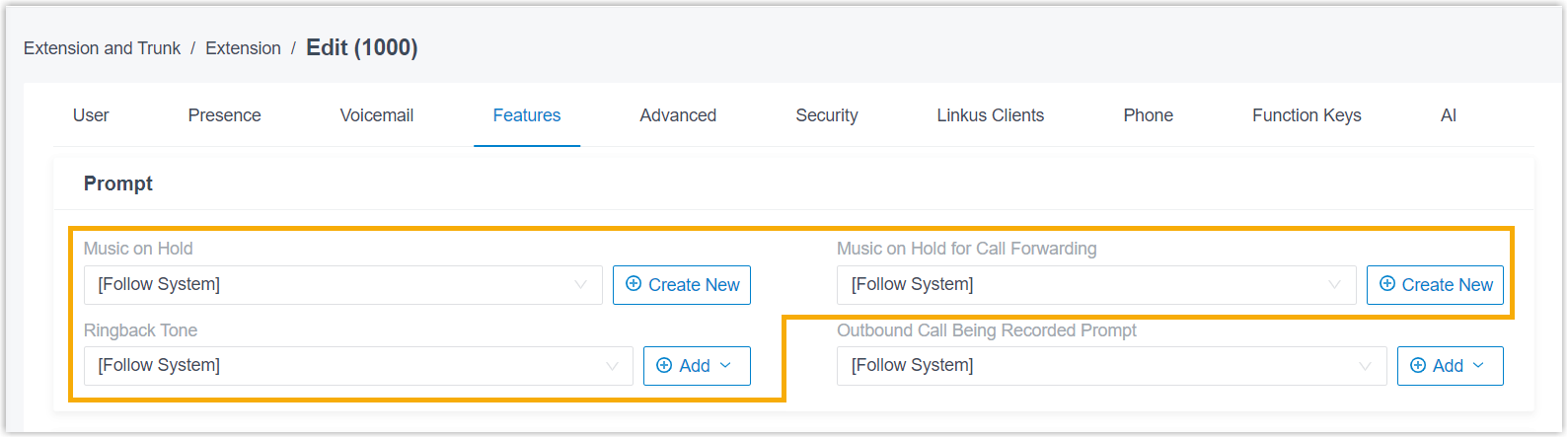
Inbound Route Path: 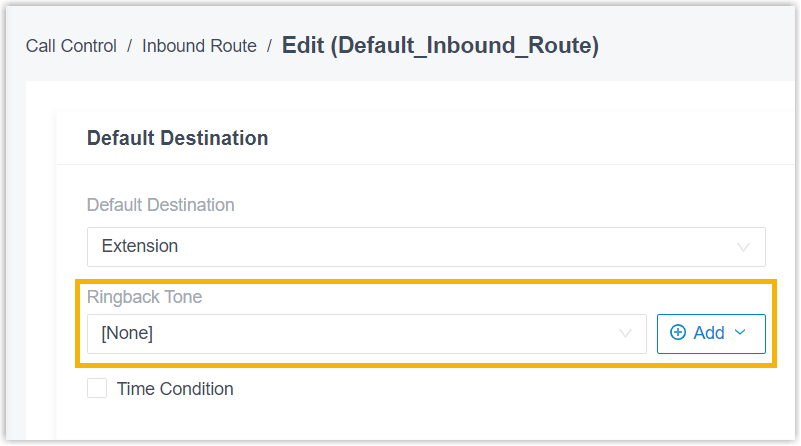
Call Flow Designer Path: 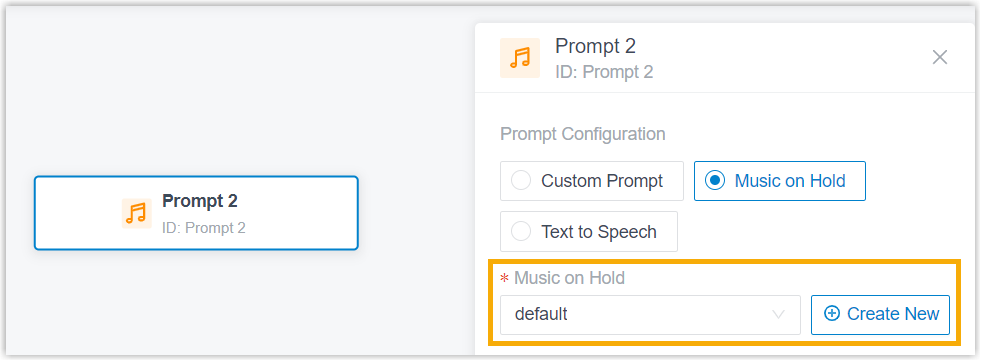
Call Parking Path: 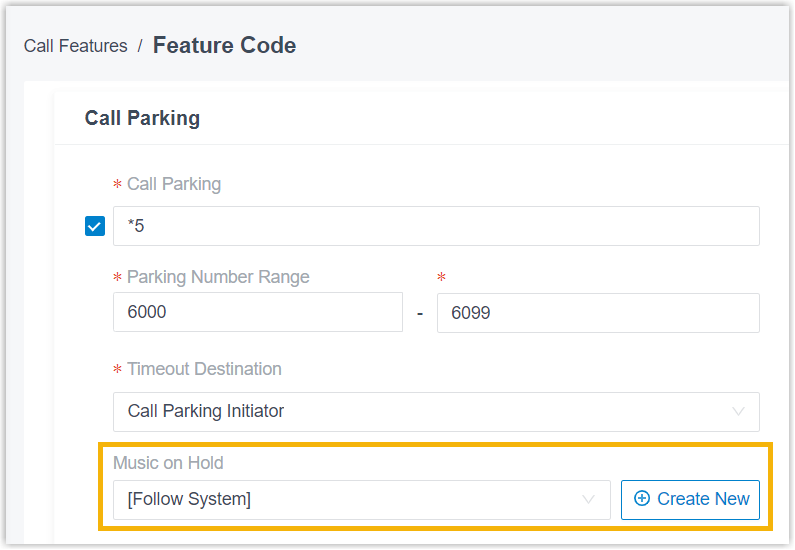
Ring Group Path: 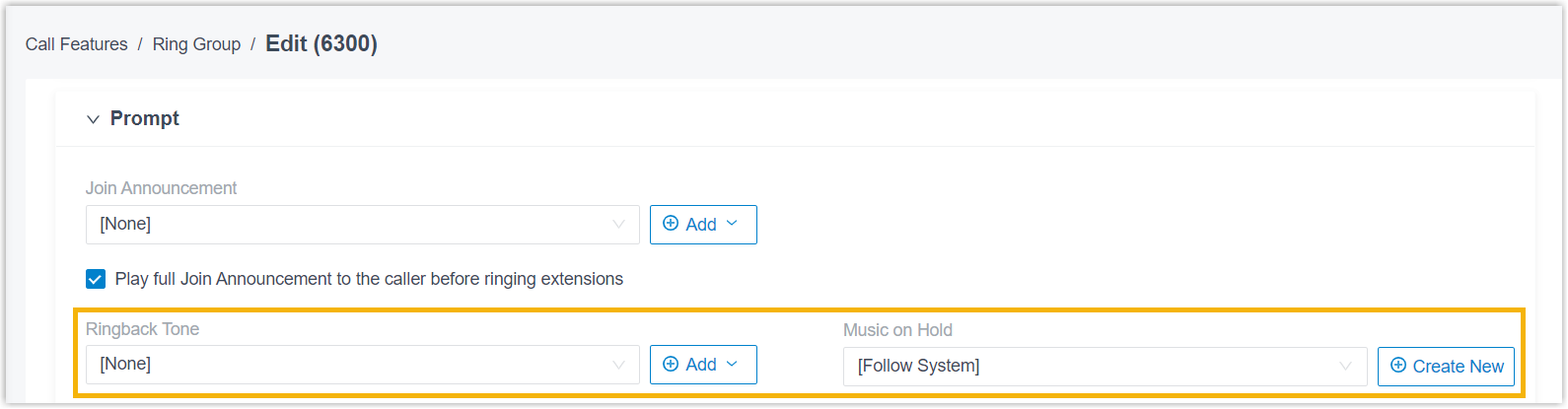
Queue Path: 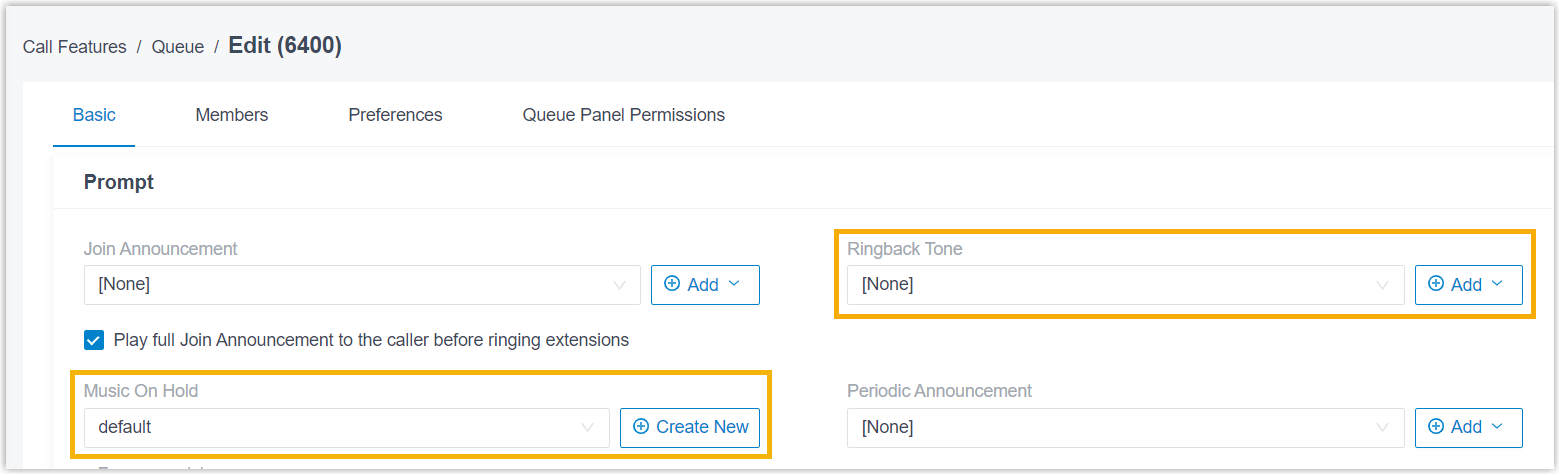
Voice Prompt Path: 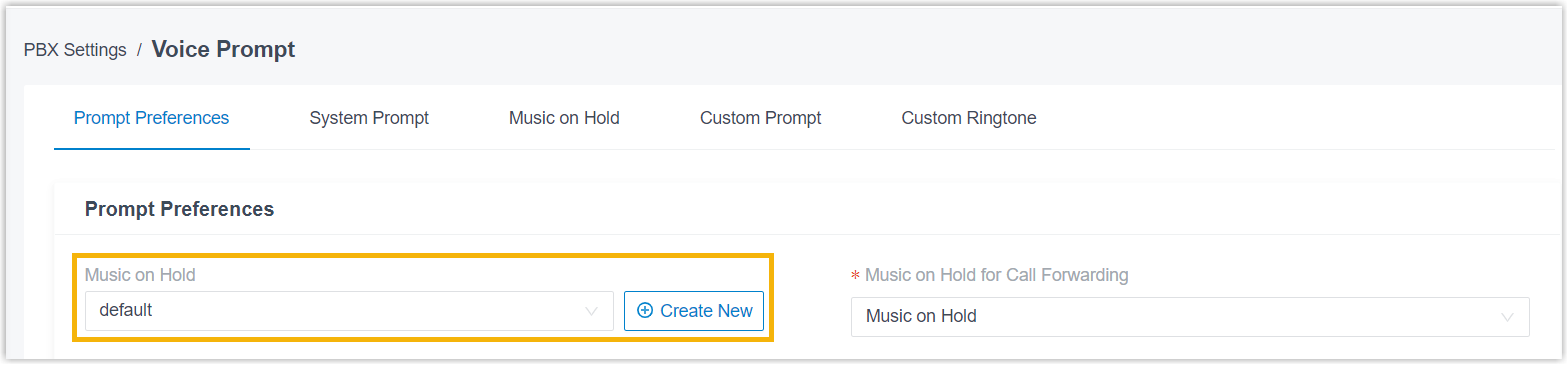
- Added support for adding and managing custom prompts from anywhere custom prompt
is supported.
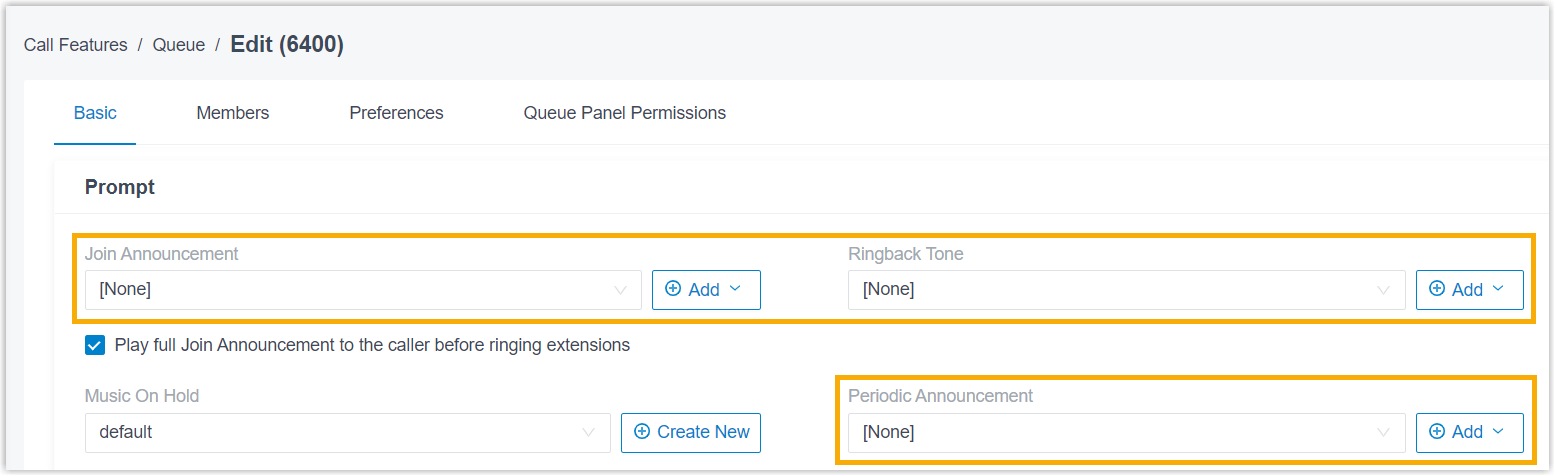
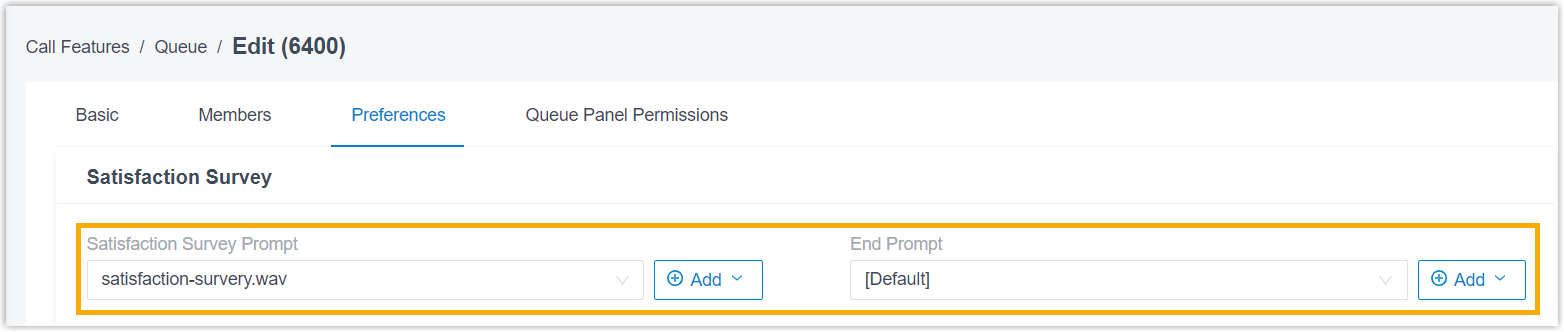
You can add a custom prompt directly from the current interface, or manage existing custom prompts from the available custom prompt options, as shown below.
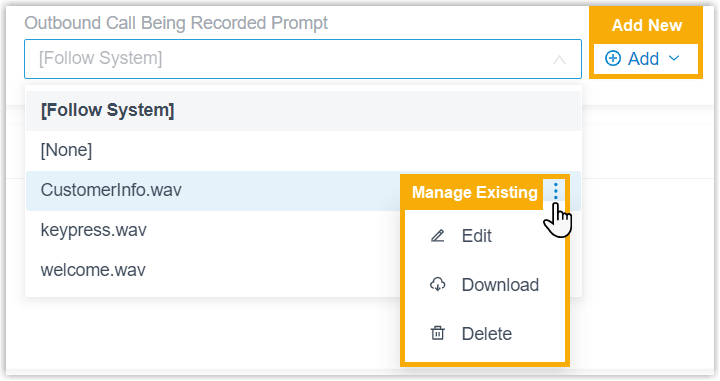
The following table lists the features that support custom prompt, including but not limited to the following:
Feature Description Extension Path: 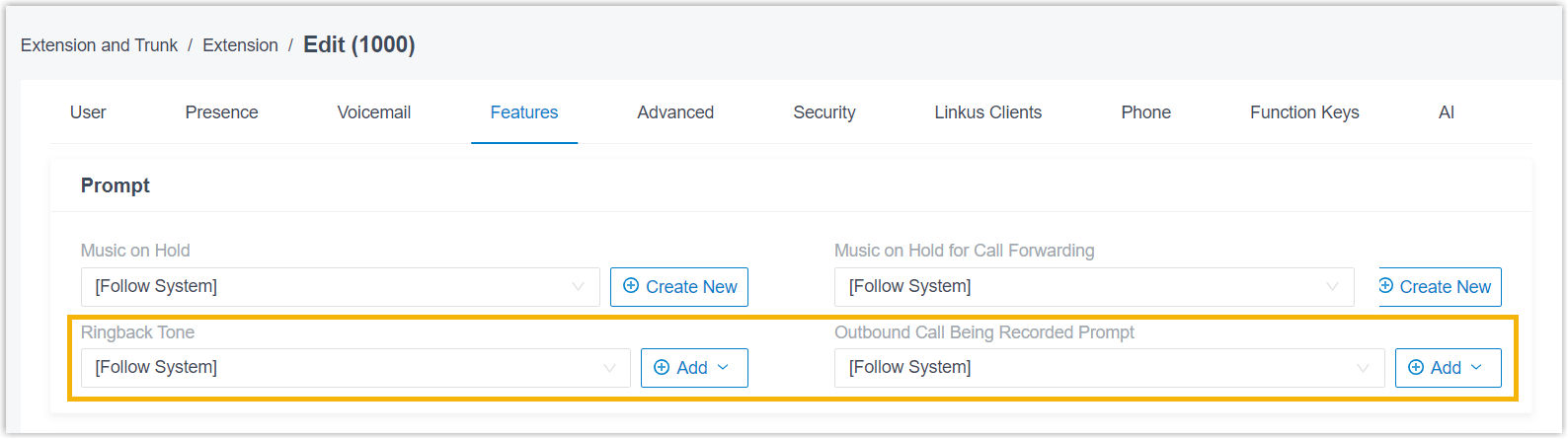
Inbound Route Path: Business Hours and Holidays Path: 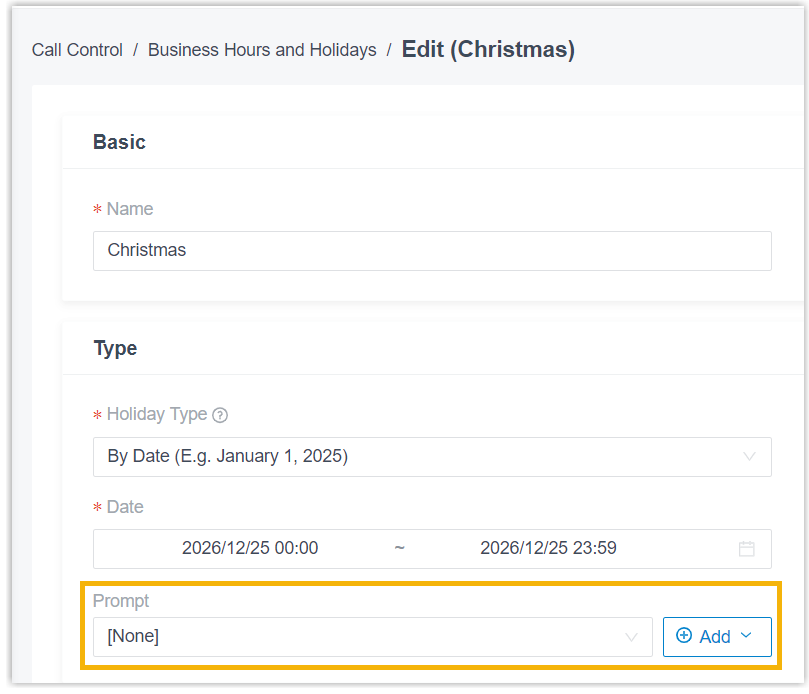
Emergency Number Path: 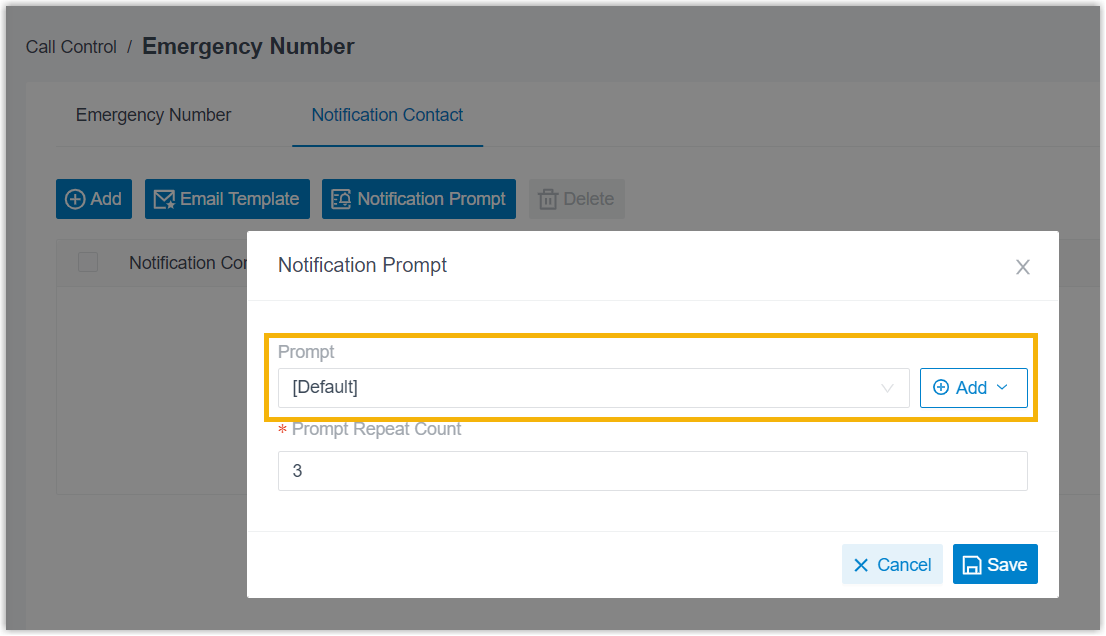
Call Flow Designer Path: 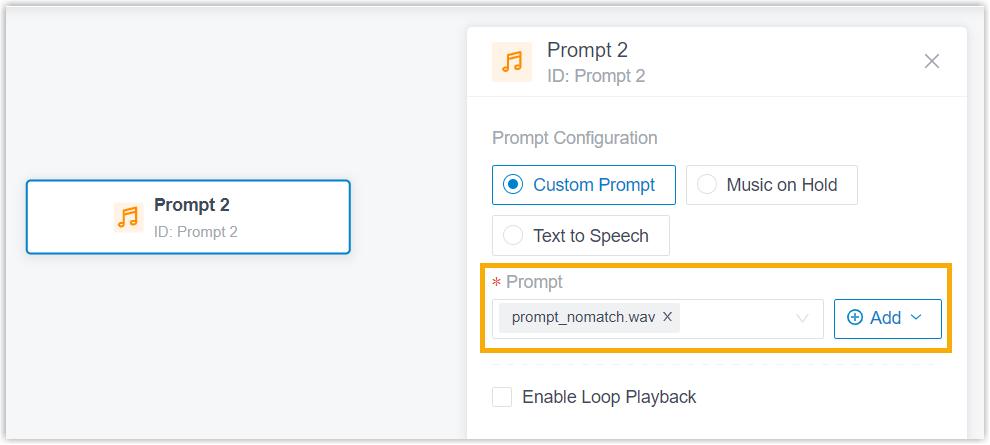
IVR Path: 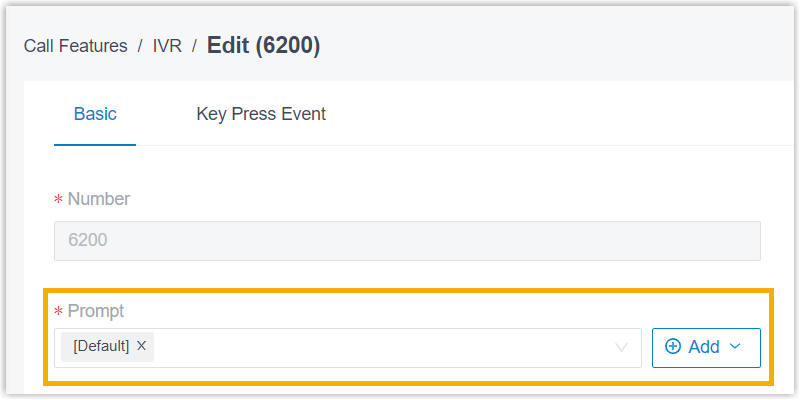
Ring Group Path: 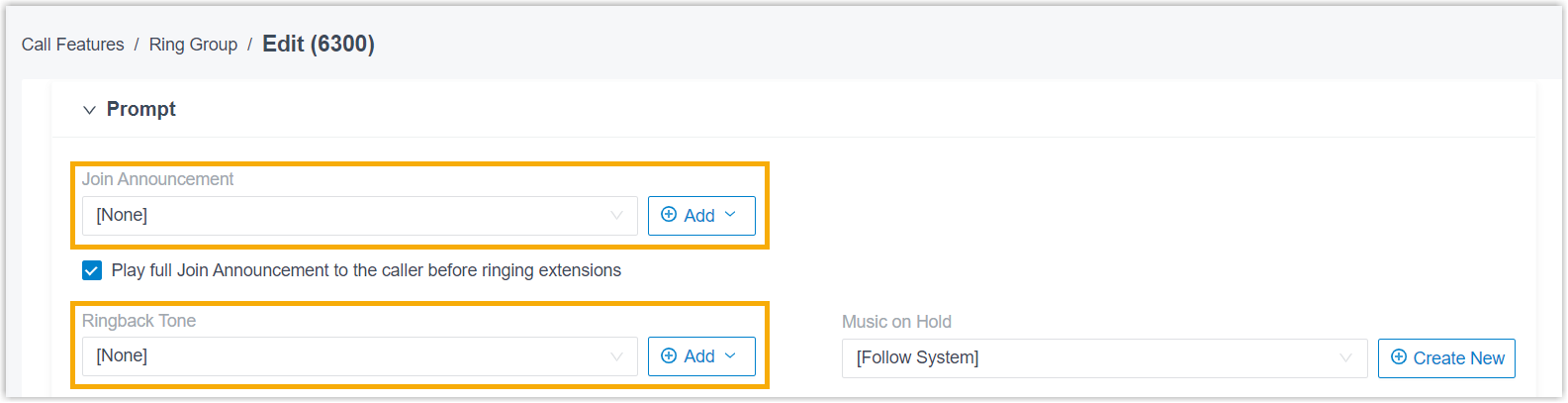
Queue - Path:
- Path:
Paging/Intercom Path: 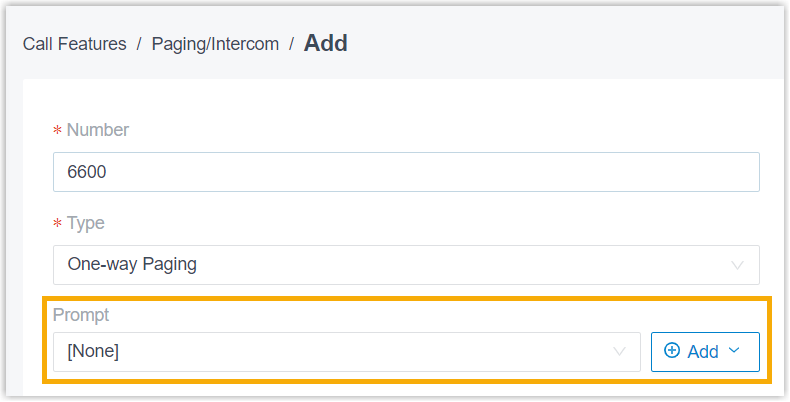
Recording Path: 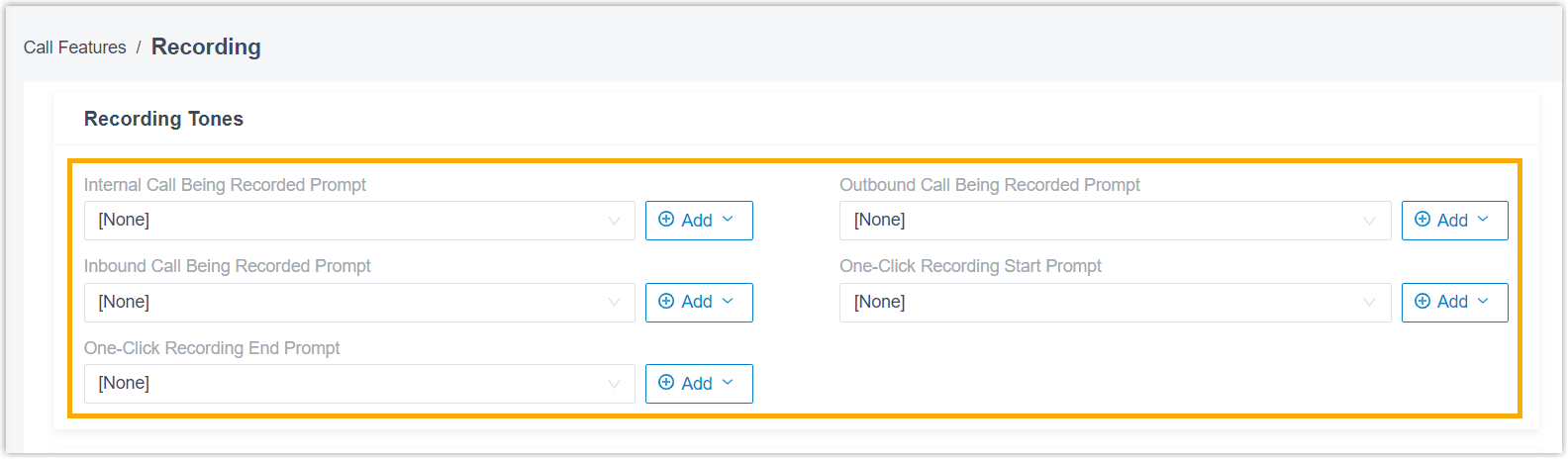
Voice Prompt Path: 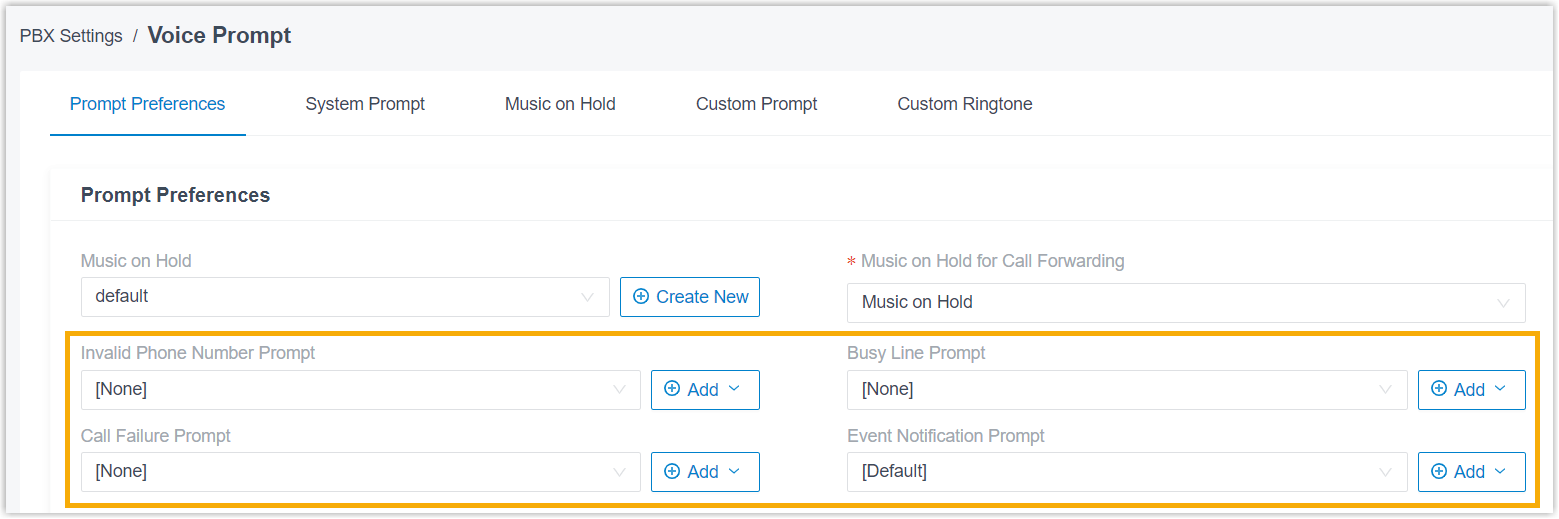
PMS Integration Path: 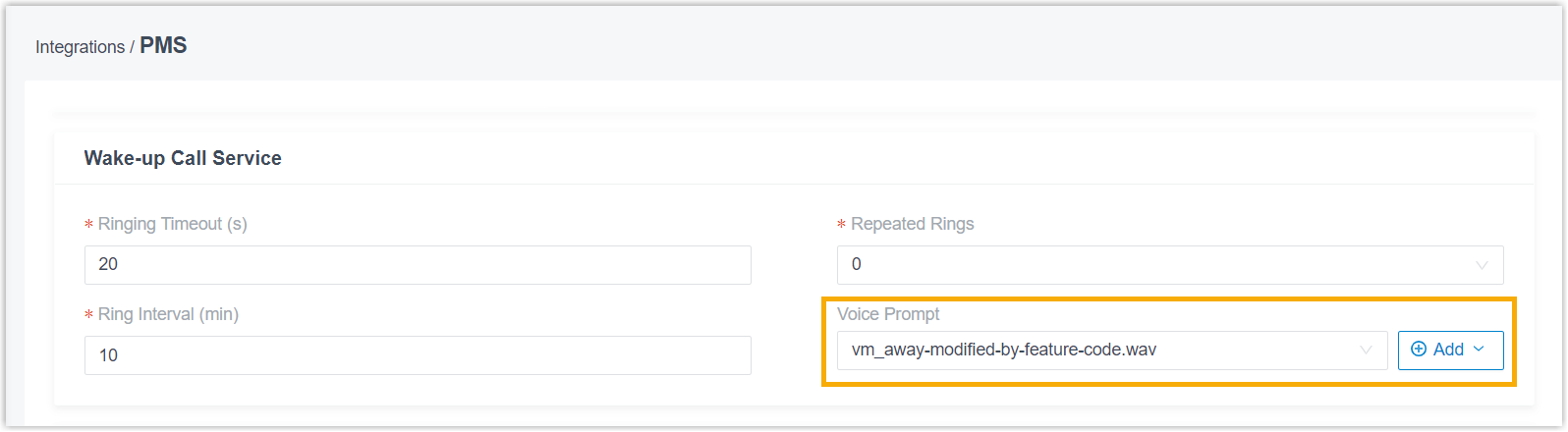
Hotel Management Path: 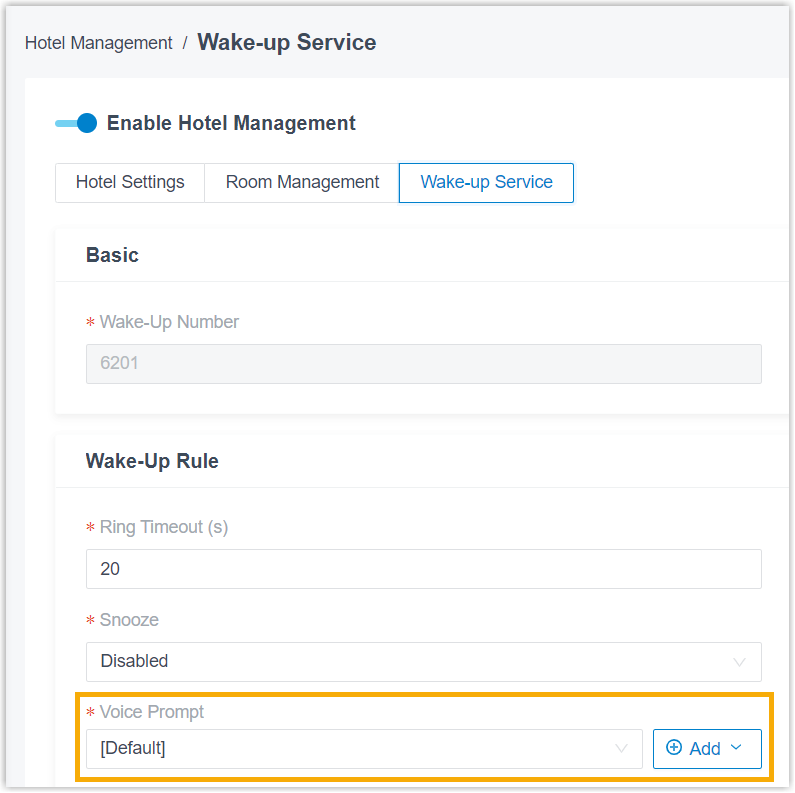
Destinations Destination that support Play Greeting then Hang Up or Play Prompt and Exit, including but not limited to the following: - Extension Presence Status
- Inbound Route
- Call Parking
- IVR
- Ring group
- Queue
- Path:
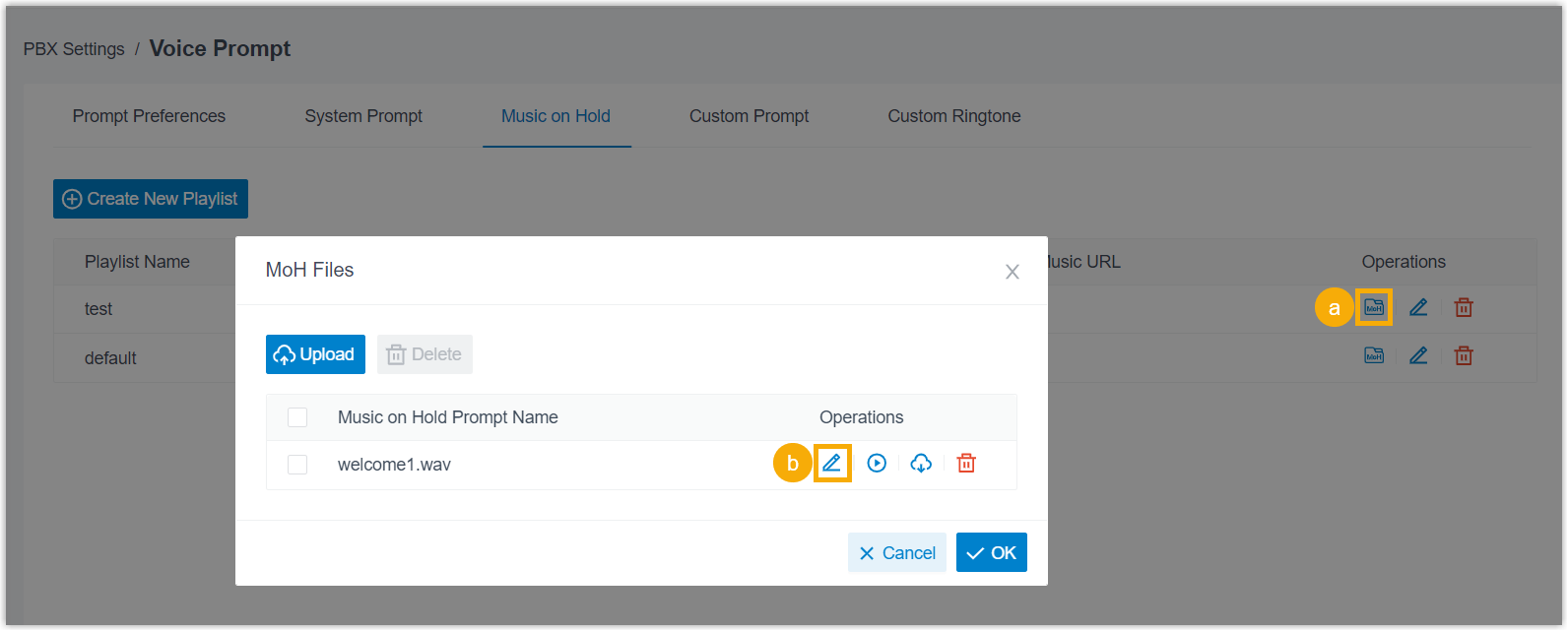
- Optimized Music on Hold: Added support for editing custom MoH files (Path: PBX Settings > Voice Prompt > Music on Hold >
 > ).
> ).
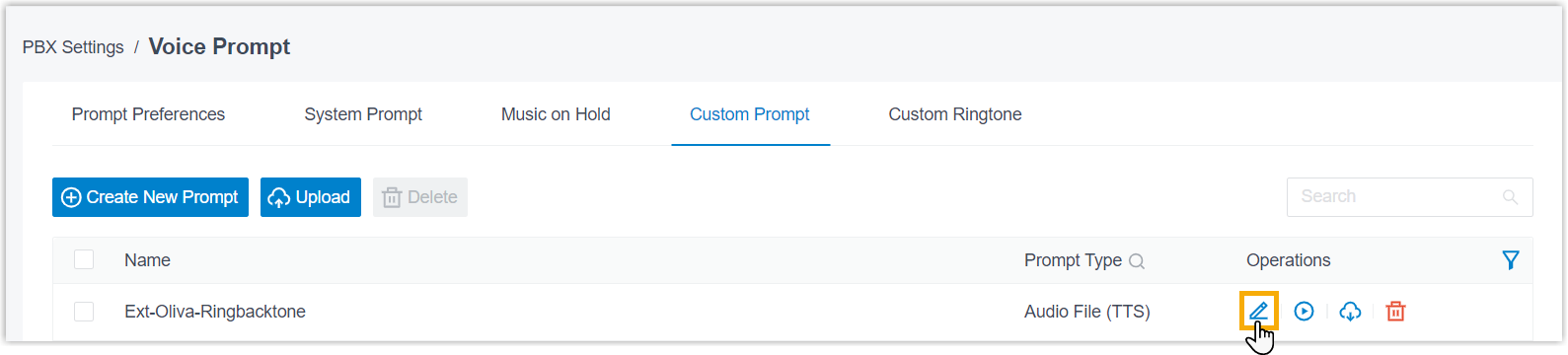
- Optimized custom prompt: Added support for editing custom prompt generated using
Text-to-Speech (TTS) (Path: PBX Settings > Voice Prompt > Custom Prompt > ).
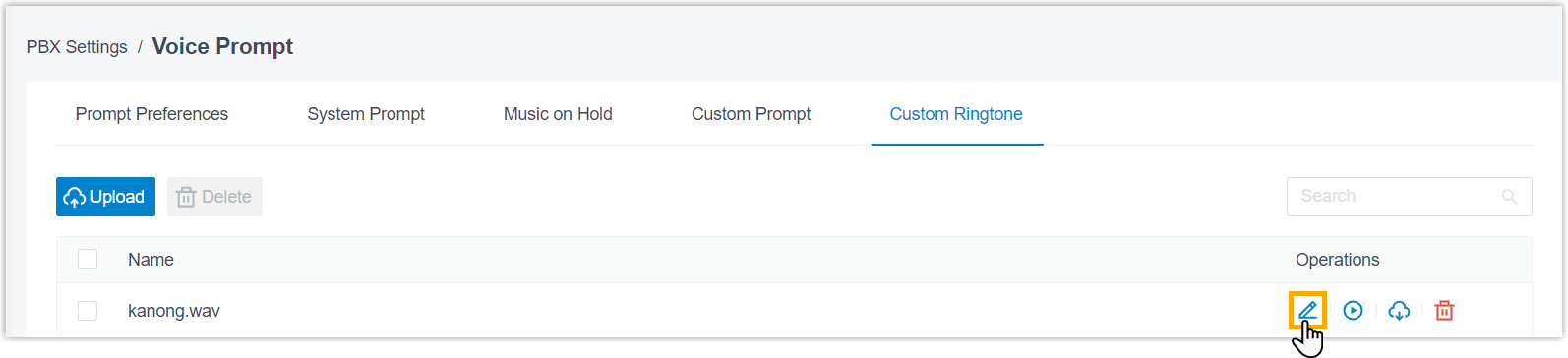
- Optimized custom ringtone: Added support for editing user-added ringtones (Path: PBX Settings > Voice Prompt > Custom Ringtone > ).
- Added support for creating and managing Music on Hold (MoH) playlists and MoH
files from anywhere MoH is supported.
- Hot Standby
-
Fixed the hot standby issue: The standby server in a hot standby pair became unresponsive due to high CPU usage.
- Maintenance
- Fixed the system log issue: Enabling the Debug log level consumed all available disk space, resulting in PBX login failure.
- Call Report
-
-
Fixed the custom report issue: Querying a custom report timed out when the report contained a large amount of data.
-
Fixed the built-in report issue: The call-back details of records in the Unreturned Missed Call Report were not displayed.
-
- API
-
- Optimized API interfaces for the following features:
Feature Description System Added the message_flowoption to themenuparameter of thesystem/get_menuoptionsinterface to query available message flows.Extension - Added the following interfaces to add or update voicemail
greetings generated using Text-to-Speech (TTS).
extension_vm_greeting/createextension_vm_greeting/update
- Added the
enb_missed_call_auto_replyandmissed_call_auto_replyparameters to the following interfaces to query or configure automatic SMS or WhatsApp messages replies for missed inbound calls to extensions.extension/getextension/queryextension/createextension/update
- Added the
outbound_recording_promptparameter to the following interfaces to query or configure the prompt played before recording starts to notify both parties that an outbound call initiated from an extension is being recorded.extension/getextension/queryextension/createextension/update
Messaging - Added the
message_channel/sms_itsp_listinterface to query the service provider list available for SMS messaging channels. - Added the
country_codeparameter to the following interfaces to specify country or region code dedicated for SMS or WhatsApp channel. The system automatically adds the code to customer phone numbers that are not in E.164 format before sending messages to them.message_channel/getmessage_channel/querymessage_channel/createmessage_channel/update
- Added the
message_flowoption toassign_to_typeparameter of the following interfaces. This option allows the session automatically created when sending SMS or WhatsApp messages to be assigned to a message flow.message_campaign/getmessage_campaign/query
message_campaign/createmessage_campaign/update
- Added the
message_flowoption todestination_typeparameter of the following interfaces to route inbound messages to a message flow.message_channel/getmessage_channel/querymessage_channel/createmessage_channel/updatemessage_channel/getlivechatmessage_channel/createlivechatmessage_channel/updatelivechat
IVR - Added the
send_smsandsend_whatsappoptions to thepressX_destparameter of the following interfaces to query or configure the action of sending SMS or WhatsApp messages when a numeric key (0–9) is pressed.ivr/getivr/queryivr/createivr/update
- Added the
pressX_message_config,press_hash_message_config,press_star_message_config, andinvalid_message_configparameters to the following interfaces to query or configure the messages triggered when a numeric key,#key,*key, or invalid keypress event occurs.ivr/getivr/queryivr/createivr/update
- Added the
sms_configandwhatsapp_configobjects as response parameters andsend_smsandsend_whatsappparameters as request parameters to the following interfaces to query or configure SMS and WhatsApp message sending as IVR keypress destinations.ivr/getivr/queryivr/createivr/update
Queue - Added
send_smsandsend_whatsappoptions to thekey_destparameter of the following interfaces to query or configure SMS or WhatsApp message sending when a key is pressed.queue/createqueue/updatequeue/getqueue/query
- Added the
missed_call_auto_replyobject to the following interfaces to query or configure automatic SMS or WhatsApp replies for missed queue calls that meet the specified conditions.queue/getqueue/queryqueue/createqueue/update
Preferences Added the following interfaces to query or configure voice prompt preferences. prompt_preference/getprompt_preference/update
System Prompt Added the following interfaces to query, configure, and manage system prompts. system_prompt/listsystem_prompt/updatesystem_prompt/uploadsystem_prompt/getsystem_prompt/downloadsystem_prompt/delete
Music on Hold (MoH) Added the following interfaces to query, configure, and manage MoH playlists and files. play_list/deletemoh_files/listmoh_files/uploadmoh_files/playmoh_files/updatefilemoh_files/downloadmoh_files/delete
Custom Prompt Added the following interfaces to query, configure, and manage custom prompts. custom_prompt/listcustom_prompt/getcustom_prompt/querycustom_prompt/searchcustom_prompt/createcustom_prompt/updatecustom_prompt/deletecustom_prompt/playcustom_prompt/recordcustom_prompt/download
Custom Ringtone Added the following interfaces to query, configure, and manage custom ringtones. custom_ringtone/searchcustom_ringtone/uploadcustom_ringtone/updatefilecustom_ringtone/downloadcustom_ringtone/playcustom_ringtone/delete
Voicemail Added the following interfaces to add or update group voicemail greetings generated using Text-to-Speech (TTS). vm_greeting/createvm_greeting/update
For more information, see API Interfaces & Events Summary.
- Added the following interfaces to add or update voicemail
greetings generated using Text-to-Speech (TTS).
-
Fixed the outbound route update issue: Adding an authorized extension to an outbound route via API succeeded, but the extension was not selected in the route on the web interface.
- Optimized API interfaces for the following features:
- Microsoft Entra ID (Azure Active Directory) Integration
-
Fixed the integration issue: PBX failed to refresh the access token, resulting in integration failure.
- PMS Integration
- Fixed the extension name sync issue: After the name of an extension was changed on the PBX, the name displayed on the phone was not updated.