Pause Red Hat SSO Synchronization
If you want to prevent the synced user data from being overwritten by the updates from Red Hat SSO, you can temporarily put the sync on hold. This topic describes how to pause the user synchronization from Red Hat SSO.
Procedure
- Log in to PBX web portal, go to .
- Turn off the switch of User Synchronization.

- Click Save.
- In the pop-up window, do as follows:
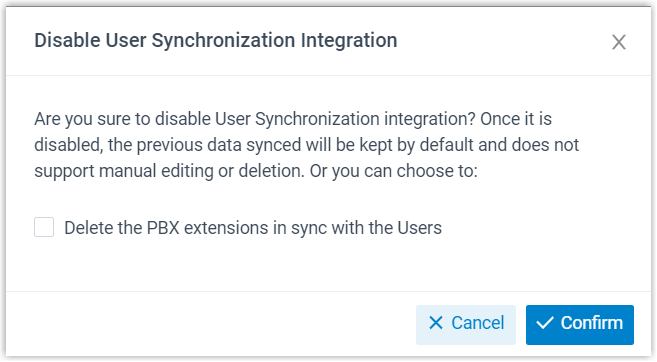
- If you want to delete the PBX extensions associated with the synced users, select the checkbox of Delete the PBX extensions in sync with the Users.
- Click Confirm to proceed.
Result
- The user synchronization is paused.
- The settings of User Synchronization remain and can not be edited.
- If you choose to retain the associated PBX extensions, you can NOT update the user information of the extensions or delete the extensions.