Disable Red Hat SSO Integration
If you need to troubleshoot the PBX, you can suspend the Red Hat SSO integration instead of disconnecting it. This topic describes how to disable the Red Hat SSO integration temporarily without losing the existing configurations.
Procedure
- Log in to PBX web portal, go to .
- On the top of the integration page, turn off the switch.
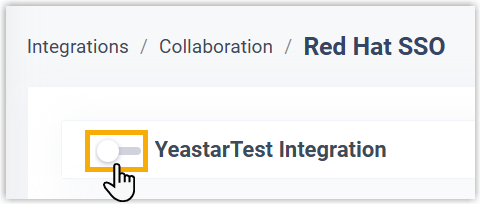
- Click Save.
- In the pop-up window, do as follows:
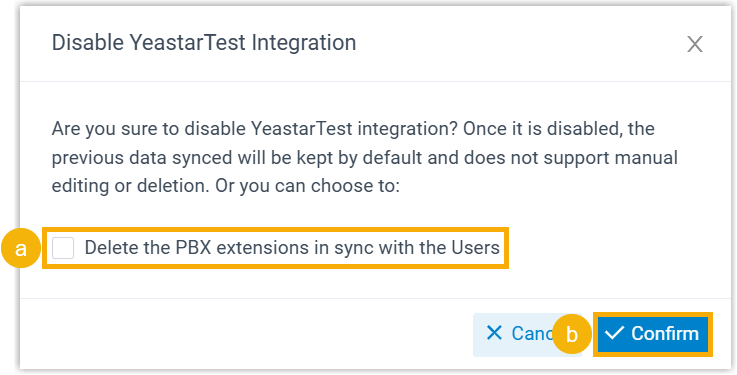
- If you want to delete the PBX extensions associated with the synced users, select the checkbox of Delete the PBX extensions in sync with the Users.
- Click Confirm to proceed.
Result
- The Status displays "Disabled", indicating that the
integration is suspended.

- The integration configurations remain and can not be edited.
- Red Hat users can NOT log in to Linkus UC Clients using their Red Hat credentials for now.