Enable and Configure Global AI Call Transcription
NovoOne Tenant supports AI call transcription powered by the built-in AI engine, which can transcribe call audio into readable text and automatically generate call summaries. This topic describes how to enable and configure the AI call transcription in the tenant.
Requirements
You have subscribed to the Transcription service and have sufficient user quotas allocated by your service provider.
Procedure
- Log in to NovoOne Tenant portal, go to .
- In the Transcription Setting tab, complete the
following settings.
- Turn on the switch of Call Transcription.
- Configure the call transcription settings.
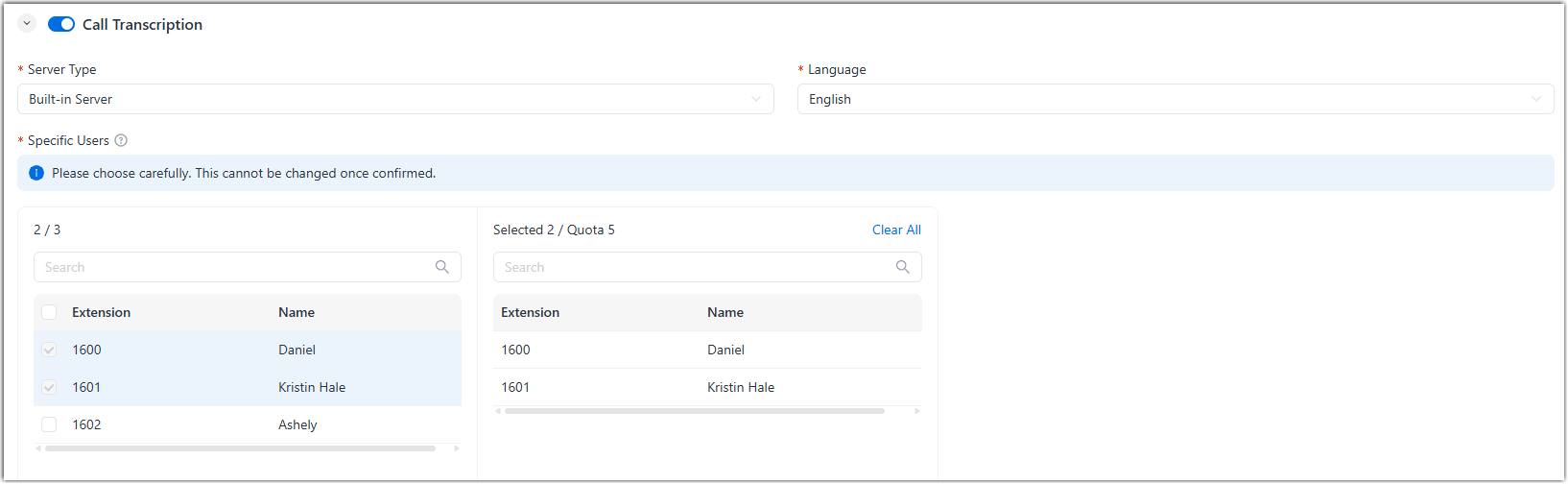
Setting Description Server Type Select Built-in Server. Language Select the desired language to be detected and transcribed for call audio. Specific Users Select the users that are allowed to use the call transcription feature. Note:- Review your selection carefully. The selected user cannot be changed after saving.
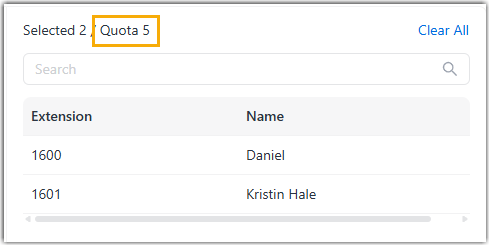
- You can check the available user quota in the
Selected box.
- At the bottom of the page, click Save.
- Go to the Summary Templates tab, select the default
summary template.
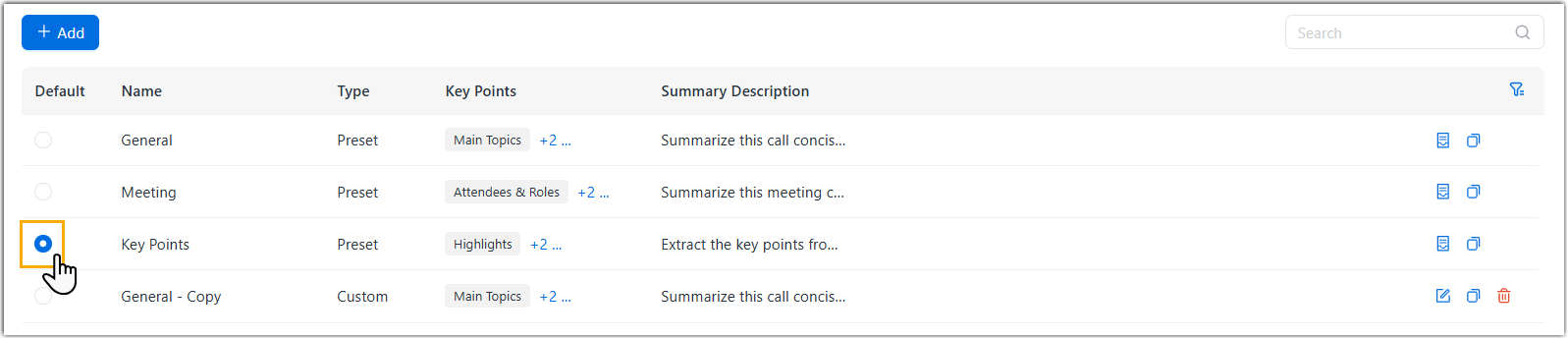
The selected template will be applied when the system generates call summary.
Result
- The AI call transcription feature is enabled globally, providing the
following capabilities on the authorized user's NovoOne
clients:
- During a one-to-one call on the client, call audio will be transcribed into readable text in real time, and the transcripts will be logged into the CDR.
- After the call ends, the system automatically generates a call summary based on the specified summary template.
- If the call has been recorded, users can manually initiate
transcription on the call recording on their NovoOne clients.Note: Once triggered, the recording transcript will replace the original real-time call transcript.
- You can override the call transcription settings for users individually as needed (Path: ). For more information, see Override AI Call Transcription for a User.