Enable Inbound Call Verification for a Trunk
This topic describes how to enable inbound call verification for a trunk. Once enabled, the system will verify all inbound calls routed through the trunk, and reject calls based on pre-defined rejection criteria.
Prerequisites
- You have configured inbound call verification policy.
- Ensure that the trunk is a Register Trunk or Peer Trunk.Note: STIR/SHAKEN is not supported on Account Trunk.
Procedure
- Log in to NovoOne Platform portal, go to .
- Click
 beside the desired trunk.
 - In the Advanced tab, scroll down to the STIR/SHAKEN section.
- In the STIR/SHAKEN Mode drop-down list, select either of
the following methods:
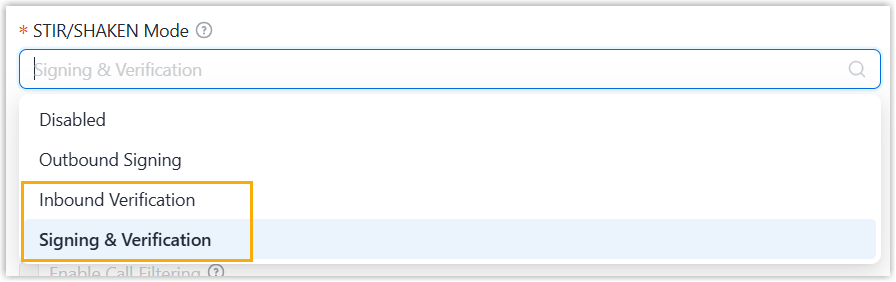
- Inbound Verification: Verify all inbound calls routed through the trunk.
- Signing & Verification: Sign outbound calls and verify inbound calls routed through the trunk.
- Click Save.
Result
- The system verifies all inbound calls routed through the trunk, and rejects calls based on the rejection criteria configured in inbound call verification policy.
- The inbound call verification results can be checked within the associated
tenant portal.
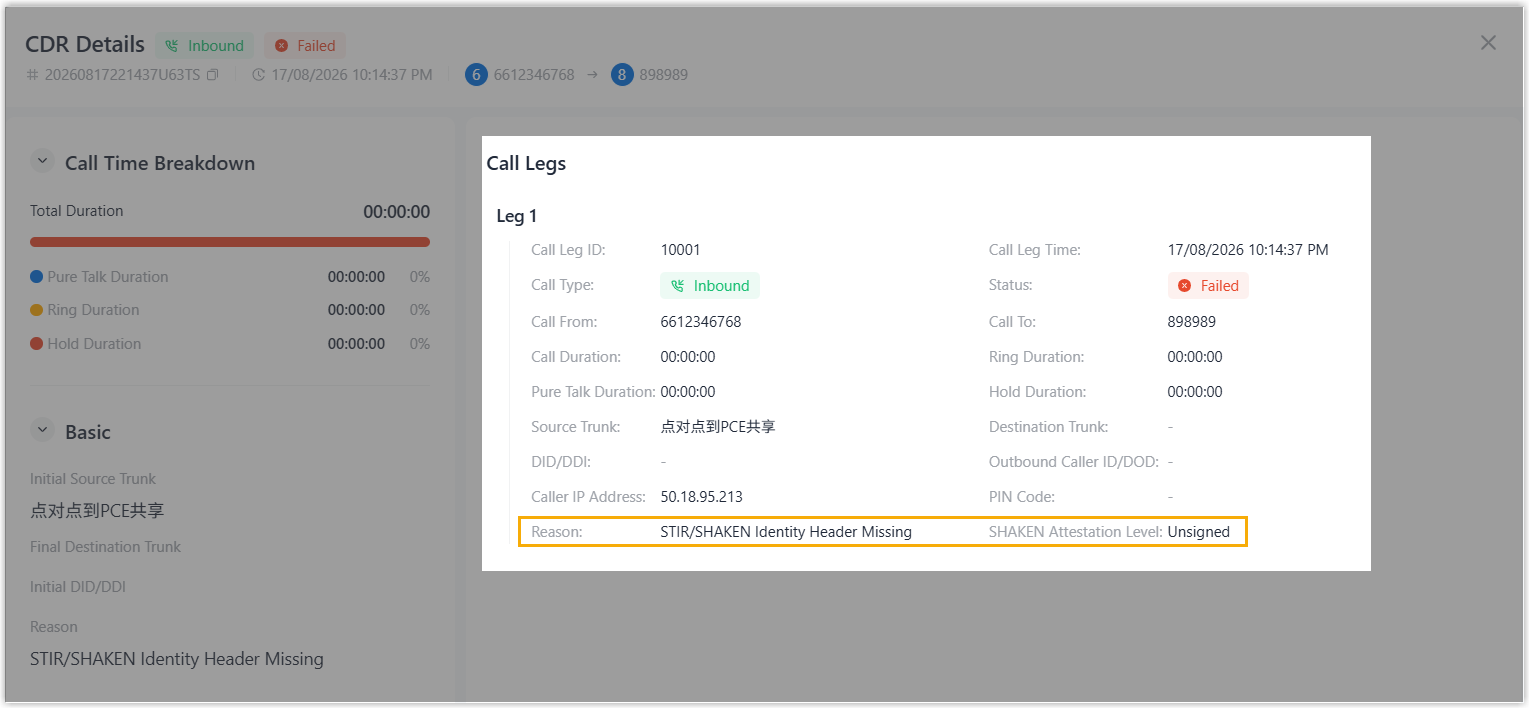
- The SHAKEN attestation level and reject reason of each inbound call
are recorded in the Call Detailed Records (CDR) of the tenant (Path: CDR & Recordings > CDR >
 ).
).
- When an inbound call is rejected, an Inbound Call Rejected due to STIR/SHAKEN Verification Failure event notification is triggered in the tenant.
- The SHAKEN attestation level and reject reason of each inbound call
are recorded in the Call Detailed Records (CDR) of the tenant (Path: CDR & Recordings > CDR >