Log In to NovoOne Platform Portal
This topic describes how to log in to NovoOne Platform Portal.
Prerequisites
You have obtained the credentials (email address and password) of your NovoOne Platform account.
Procedure
- Launch your web browser, visit the domain name of your NovoOne Platform portal.
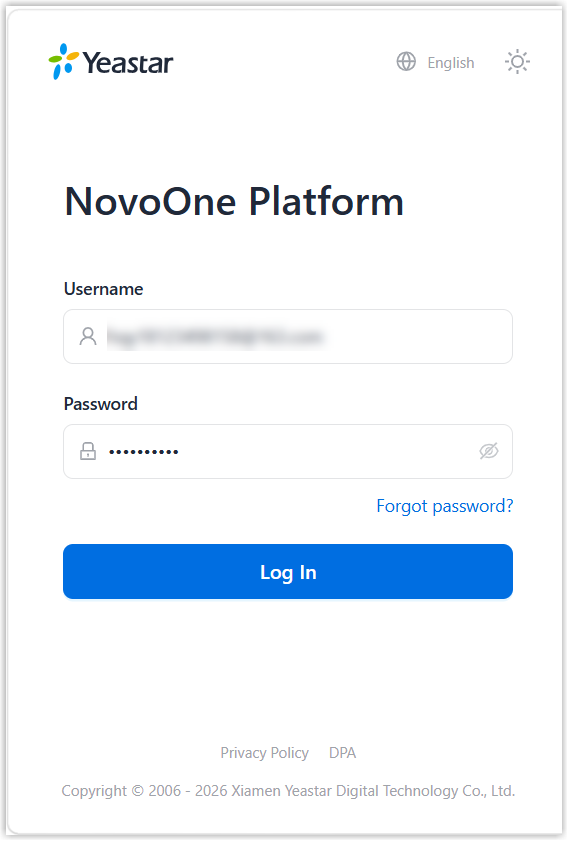
- On the login page, enter your email address and password, then click
Log In.Note: If you forget your login password, reset the password.
- If you have set up Two-Factor Authentication, you need to enter an
authentication code.
For more information about setting up two-factor authentication, see Two-Factor Authentication (2FA) Overview.
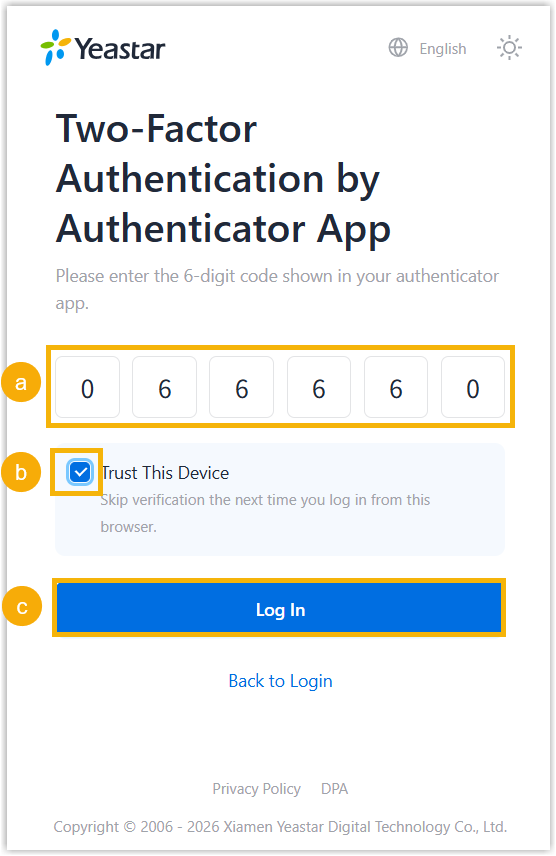
- Enter the authentication code provided by an authenticator application or email.
- Optional: Select the checkbox of
Trusted Device.Note: For the device from which you log in most frequently, you can enable the option to add it as a trusted device. In this way, you don't have to re-enter an authentication code with this device for the next 180 days.
- Click Log In.
Result
You have successfully logged in to NovoOne Platform portal.