Reset Login Password
This topic describes how to reset your login password if you've forgotten it.
Procedure
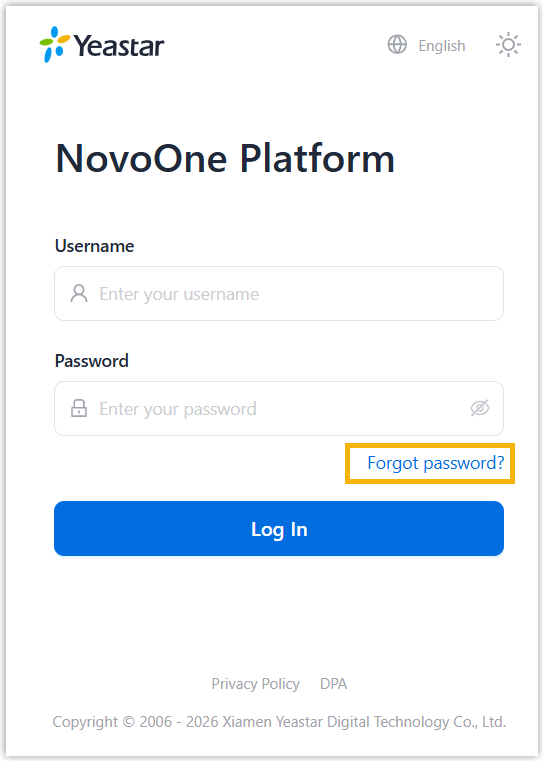
- Launch your web browser, visit the domain name of your NovoOne Platform portal.
- On the login page, click Forgot password?.
- On the password reset page, complete the following settings.
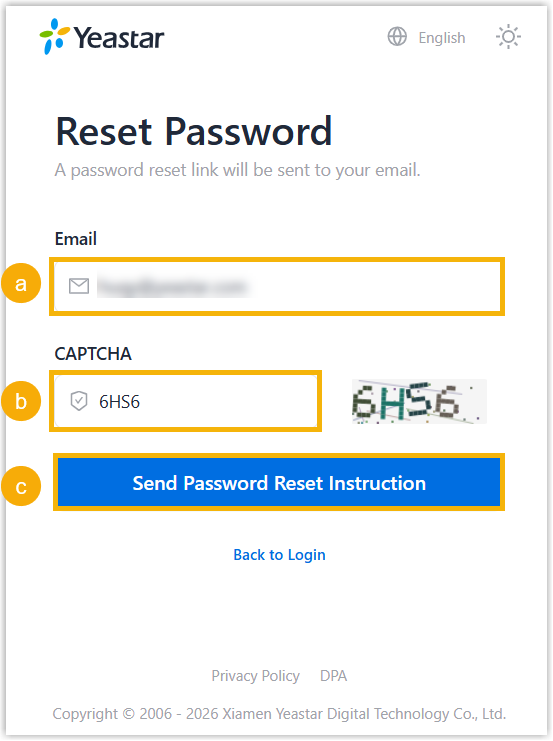
- In the Email field, enter your email address.
- In the CAPTCHA field, enter the verification code.
- Click Send Password Reset Instruction.
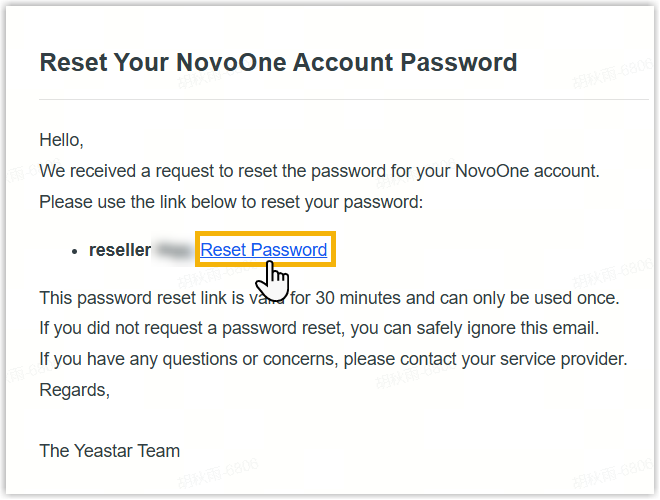
An email with a password reset link is sent to your email address.
- Access the email and click the reset link.Note: The password reset link is valid for 30 minutes, and can be used only ONCE.
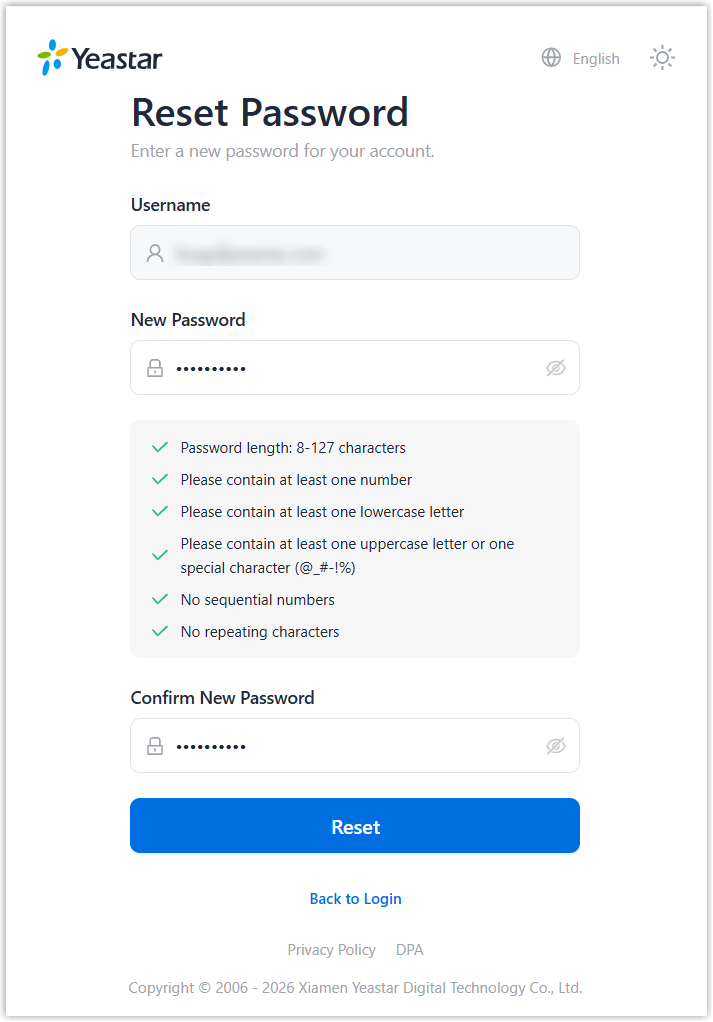
You are redirected to the password reset page.
- On the password reset page, enter your new password twice and click
Reset.
Result
The password is reset, and you can log in to NovoOne Platform portal using the new password.