Create a NovoOne Platform Account for a Reseller
If your partners want to sell NovoOne Tenant, you can create reseller accounts for them on NovoOne Platform.
Procedure
- Log in to NovoOne Platform portal, go to .
- Click Add.
- Under the Account Information tab, fill in the
reseller's basic information.
Settings Description Profile Image Click Upload to upload profile image for this user. First Name Enter the user's first name. Last Name Enter the user's last name. Email (Username) Enter the user's email address. The user can use this email address to receive activation emails, reset their password, and log in to NovoOne Platform. Company Enter the user's company. Phone Enter the user's phone number. Address Enter the user's address. System Language Select a language to initiate the user's system language setting. Remark Enter a remark. - Under the Account Limits tab, specify the number of
tenants the reseller can create and allocate the system resources you
subscribed to him/her.Note:
- To check subscribed resource details associated with the settings listed below, go to My Subscription.
-
The configured number for these settings must not exceed your available resources and cannot be less than the current resource usage of the reseller.
Settings Instruction Tenants Configure whether to limit the number of tenants the reseller can create. - Unlimited: No limit.
- Limited: After selected, you need to set a number.
Users Set the number of extension users based on your subscription. The reseller can allocate the number among tenants to control how many extension users each tenant can own. - If your Users subscription is unlimited,
configure whether to limit the number of extension
users.
- Unlimited: No limit.
- Limited: After selected, you need to set a number.
- If your Users subscription is limited, set a number.
Concurrent Calls Set the number of concurrent calls based on your subscription. The reseller can assign the concurrent calls to different tenants as needed. - If your Concurrent Calls subscription is
unlimited, configure whether to limit the number of
concurrent calls.
- Unlimited: No limit.
- Limited: After selected, you need to set a number.
- If your Concurrent Calls subscription is limited, set a number.
White Label Enable or disable the White Label service. After enabled, the reseller can set up a custom domain and customize tailor-fit branding options to establish his/her own brand. Note:- This setting is visible only when you have subscribed to White Label service.
- The setting will be grayed out if the resources are insufficient.
Transcription Users Set the maximum number of extension users that can use the transcription feature across the reseller's tenants. Note:- This setting is visible only when you have subscribed to Transcription service.
- The value cannot exceed either your available resources or the maximum set in Users.
AI Receptionist (On-Time Capacity) Set the number of AI transcription minutes. The reseller can assign these transcription minutes to different tenants as needed. Note: This setting is visible only when you have subscribed to AI Receptionist (On-Demand Minute Pack) service.AI Receptionist (Monthly Rolling Plan) Set the number of AI transcription monthly quota packs. Note: This setting is visible only when you have subscribed to AI Receptionist (Monthly Rolling Plan) service.Recording Users Assign available recording resources to the reseller. The reseller can assign the recording resources to different tenants as needed.
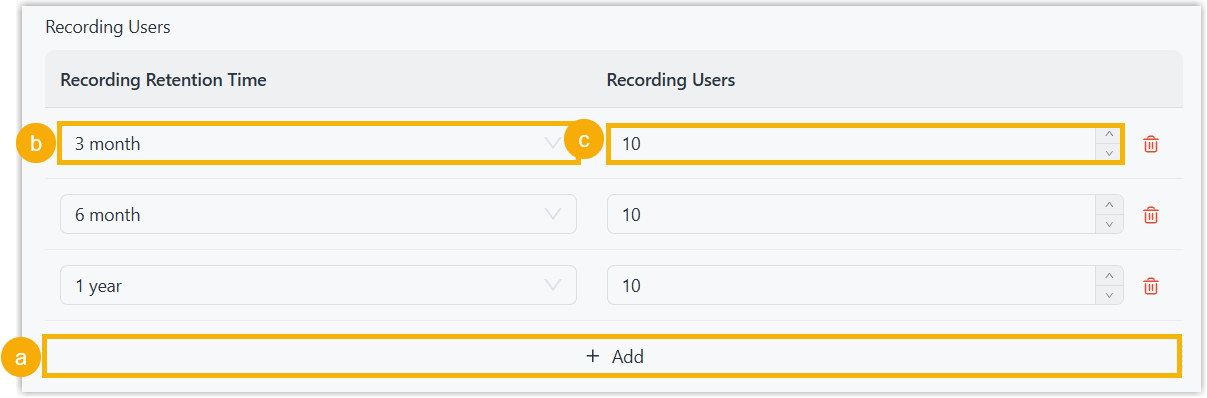 Note: This setting is visible only when you have subscribed to Call Recording service.
 - Under the Account Permissions tab, select or deselect the permission checkboxes to control which features the reseller can access.
- Save the settings using one of the following methods:
- Click Save to save directly.
- Click Save & E-mail to save and
immediately send an activation email to the configured email
address.Note: Activation link in the email is valid for 7 days and can be used only ONCE.
Result
- The reseller account is created and displayed in the Resellers list.
- The capacity that you have assigned to the reseller is deducted from your total subscription capacity.
What to do next
- If an activation email is sent to the reseller's email address when saving,
the reseller needs to access the email and click the activation button to
activate the account.
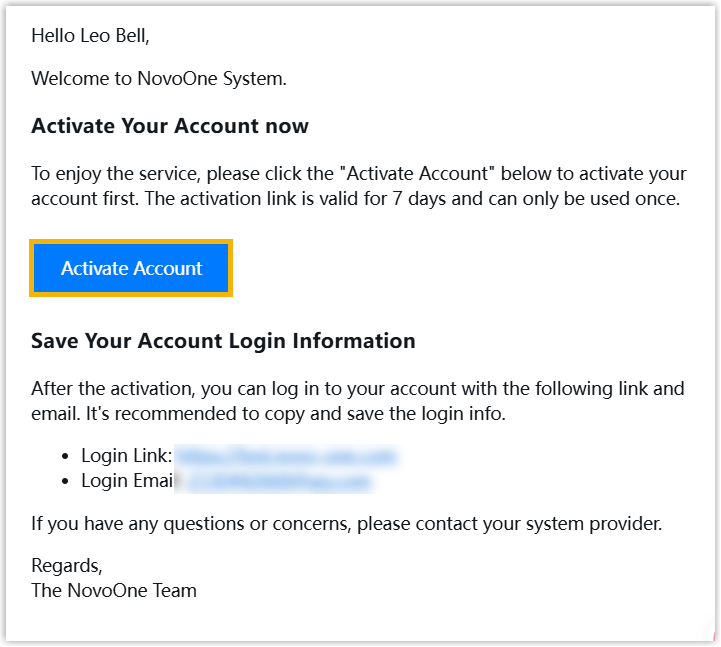
- If you only save the settings without sending an activation email to the reseller, go to send email for reseller account activation.