Manage Reseller Accounts
This topic describes how to edit, export, freeze, and delete reseller accounts.
Edit a reseller account
- Log in to NovoOne Platform portal, go to .
- Click
 beside a desired account.
 - Change reseller's basic information, system resources, or user permission as
needed.Note: If you change the Email, the email address that you have set earlier can NOT access NovoOne Platform.
- Click Save.
Export reseller accounts
- Log in to NovoOne Platform portal, go to .
- Optional: Filter reseller accounts using one of the following
methods.
- Click
 beside a desired column, enter a desired value and
click Confirm.
beside a desired column, enter a desired value and
click Confirm.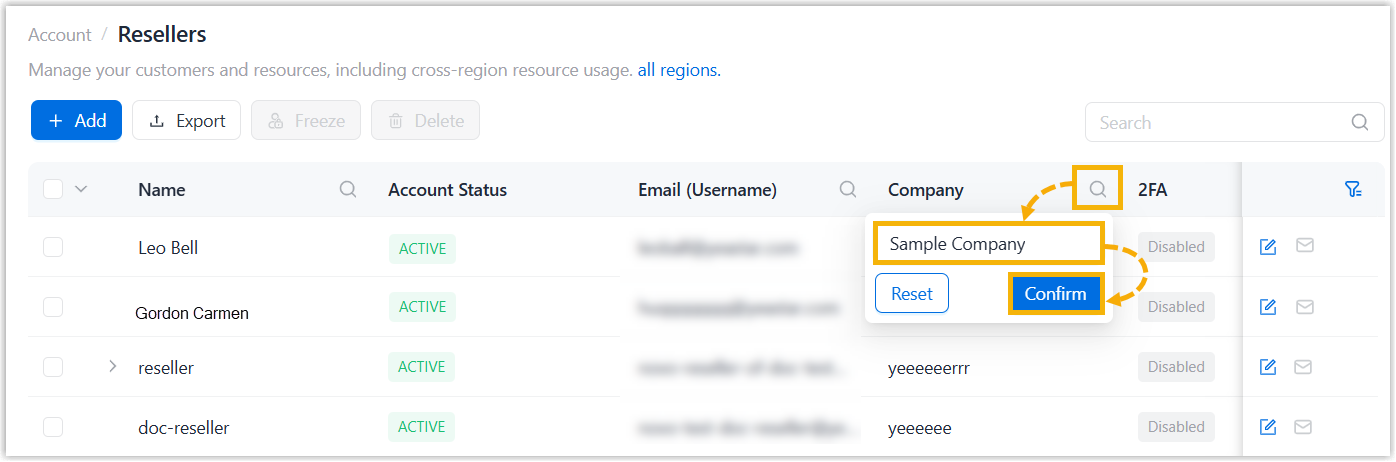
- At the top-right corner of the reseller list, enter a value in the
search box to perform a fuzzy search.
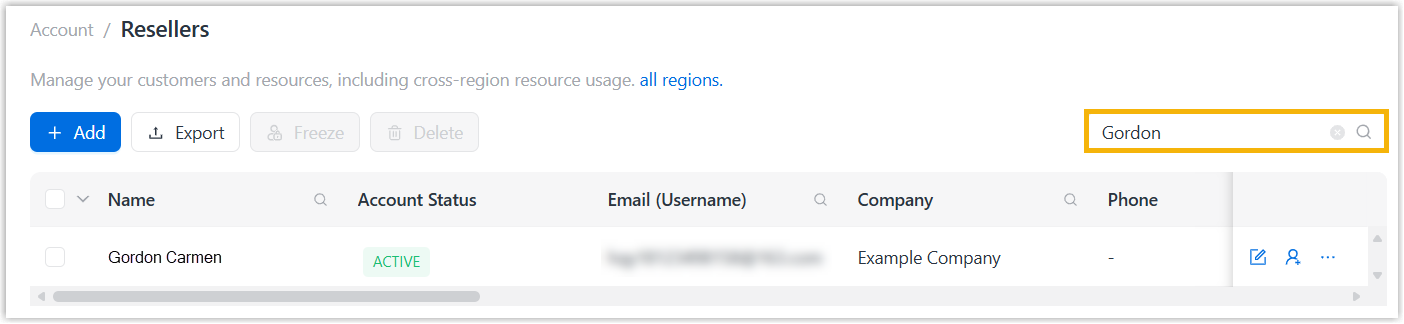
The matched reseller accounts are displayed.
- Click
- Optional: Select desired resellers in the list.
- Click Export.
The reseller accounts are exported to a
.xlsxfile.
Freeze reseller accounts
- Log in to NovoOne Platform portal, go to .
-
To freeze a reseller account, do as follows:
- Click
 beside a desired account and click
Freeze.
beside a desired account and click
Freeze. - In the pop-up window, click Freeze.
- Click
-
To bulk freeze reseller accounts, do as follows:
- Select the checkboxes of desired accounts, then click Freeze at the top.
- In the pop-up window, click Freeze.
The frozen reseller accounts are displayed with FROZEN status. Frozen
users can no longer be able to log in to NovoOne Platform, and
currently logged-in users will be automatically signed out.
Note: Freezing reseller accounts does not affect their colleague
accounts. To freeze their colleague accounts, click beside a
desired colleague account and click Freeze.
beside a
desired colleague account and click Freeze.Delete reseller accounts
Note: You can NOT delete a reseller account that has been
associated with NovoOne Tenant.
- Log in to NovoOne Platform portal, go to .
-
To delete a reseller account, do as follows:
- Click beside a desired account and click
Delete.
- In the pop-up window, click Delete.
- Click
-
To bulk delete reseller accounts, do as follows:
- Select the checkboxes of desired accounts, then click Delete at the top.
- In the pop-up window, click Delete.
The reseller account and its associated colleague accounts are deleted; the system resources assigned to the reseller is retrieved to your total subscription capacity.