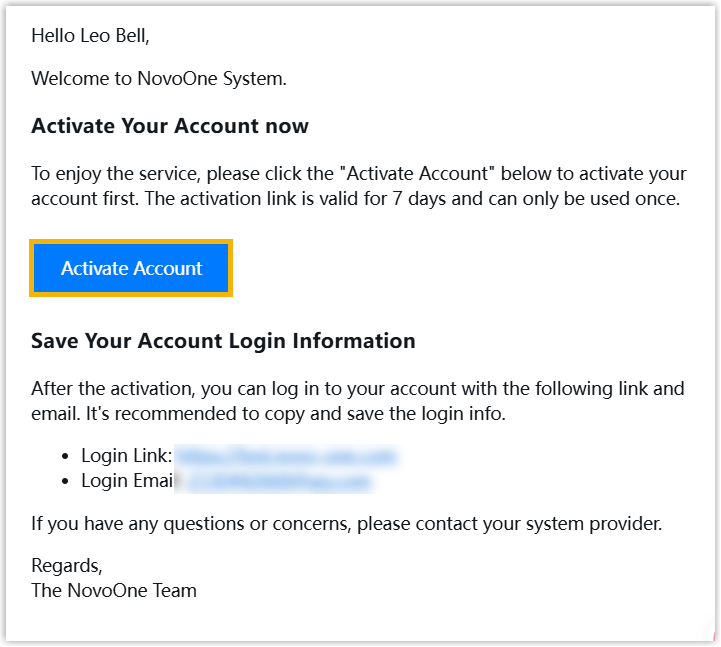
Send an Account Activation Email to a User
This topic describes how to send an account activation email to a reseller or a reseller's colleague to activate his or her account.
Prerequisites
You have created an account for a reseller or an account for a reseller's colleague on NovoOne Platform.
Procedure
- Log in to NovoOne Platform portal, go to .
- Click
 beside a desired account and click
Resend Activation Email.
beside a desired account and click
Resend Activation Email.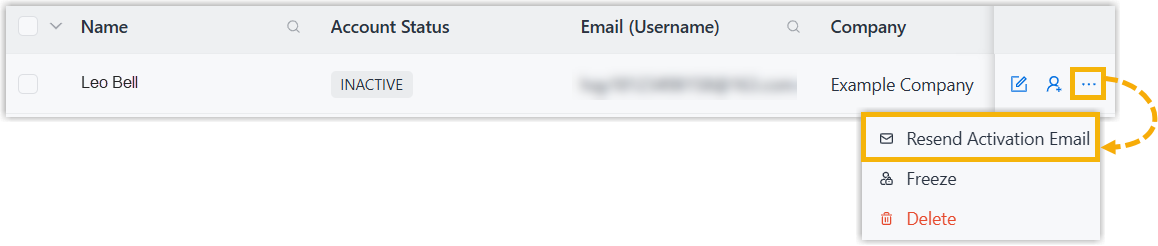
Result
An activation email is sent to the user's email address.
Note: Activation link in the email is valid for 7 days and can
be used only ONCE.
What to do next
The user needs to access the email and click the activation button to activate the account.