Manage SIP Trunks
This topic describes how to manage SIP trunks, such as editing and deleting trunks.
Edit a SIP trunk
- Log in to NovoOne Platform portal, go to .
- In the trunk list, click
 beside the desired trunk.
 - Edit the trunk settings as needed.
- Click Save.
Delete SIP trunks
Note: This action
will automatically delete all related configurations, including trunk
assignments and DID associations. Therefore, proceed with caution as this may
affect ongoing calls.
- Log in to NovoOne Platform portal, go to .
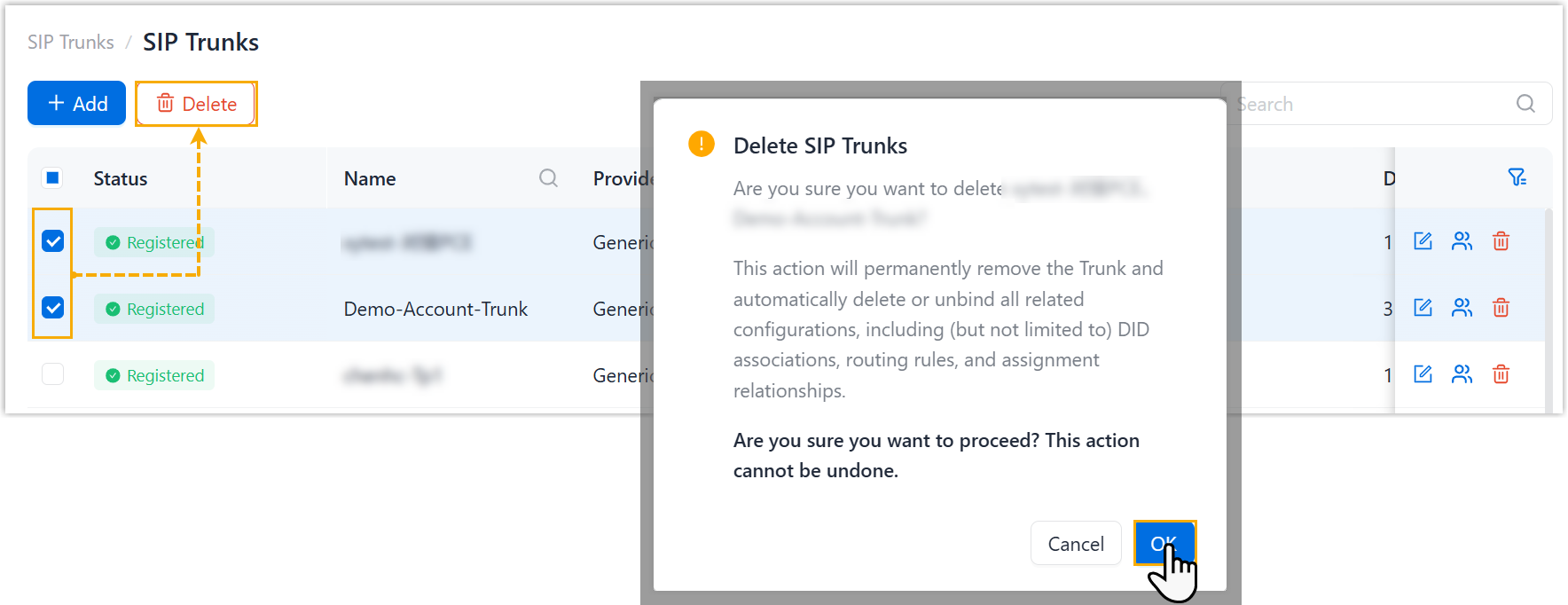
- Select the checkboxes of the desired trunks, then click
Delete and confirm the operation.