Manually Switch Presence Status
This topic describes how to manually change the current presence status to another status on NovoOne Mobile Client.
Procedure
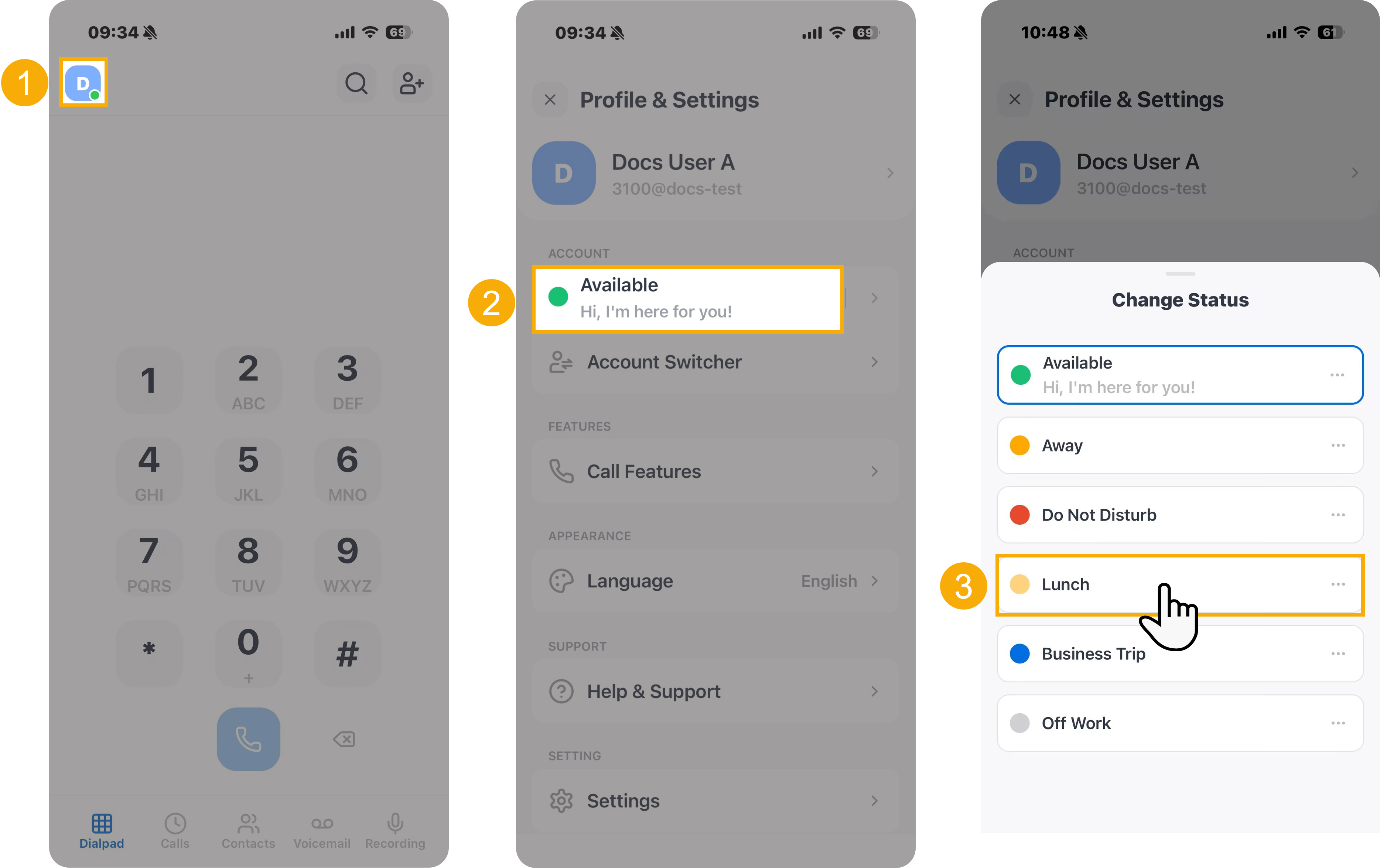
- At the top-left corner of NovoOne
Mobile Client, tap your account.
You will enter the Profile & Settings page.
- In the ACCOUNT section, tap the current presence status.
- In the Change Status page, select a desired presence
status.
The presence status and the relevant presence settings take effect.