Check Subscription for Remote Management Connections
This topic describes how to check the used and the total number of manageable devices.
Procedure
- Log in to Yeastar Central Management, click My Subscription.
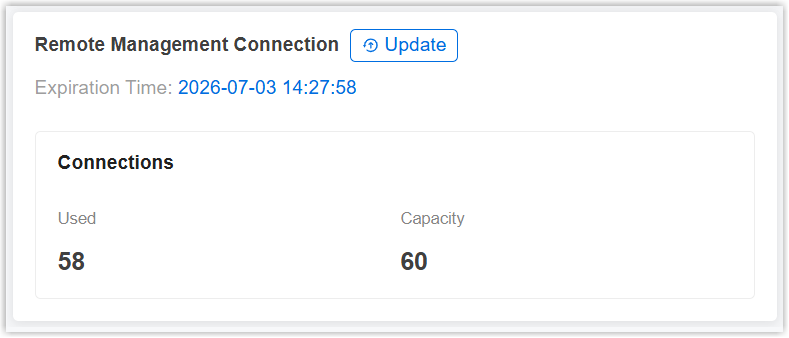
- At the bottom of the page, check the Remote Management service
subscription, expiration
time, and the used and the total number of manageable devices.
- To update the license for the service subscription, do
as follows:
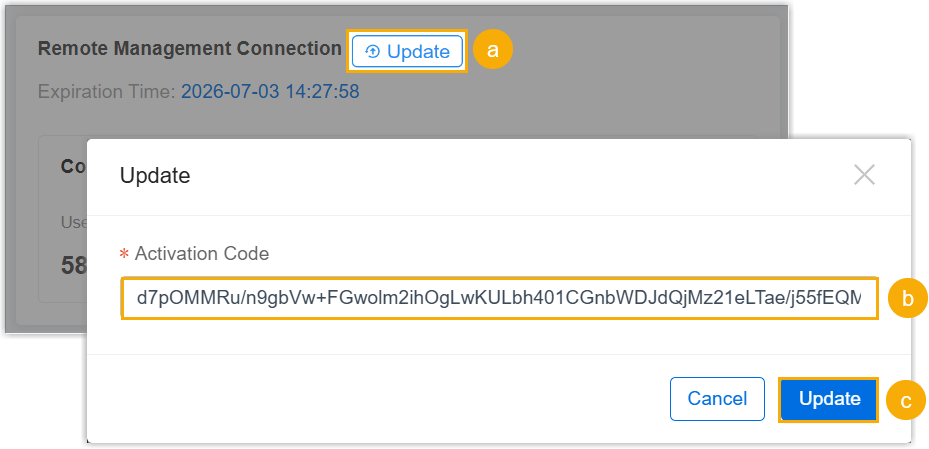
- Click Update.
- In the Activation Code field, paste the new license.
- Click Update.