Yeastar Central Management 87.15.0.83
Release Date: July 14, 2025
New features
- Device
- Added a Device feature for remote management, which allows you to
connect Yeastar P-Series Appliance Edition and P-Series
Software Edition to the platform for remote monitoring,
management, and provisioning, giving you the power to quickly and
securely take control of the devices without having to travel to the
site.Important: To achieve this, the following requirements should be met:
- Contact Yeastar support for assistant to deploy the self-hosted remote management service on your Yeastar Central Management.
- Upgrade the firmware of Yeastar Central Management to 87.15.0.83 or later.
- Subscribe to RM Premium (Self-hosted) service.
Improvements
- Web Interface
- Optimized the login experience: Added support for pasting an authentication code directly, instead of entering it manually, when log in to Yeastar Central Management with two-factor authentication.
- Dashboard
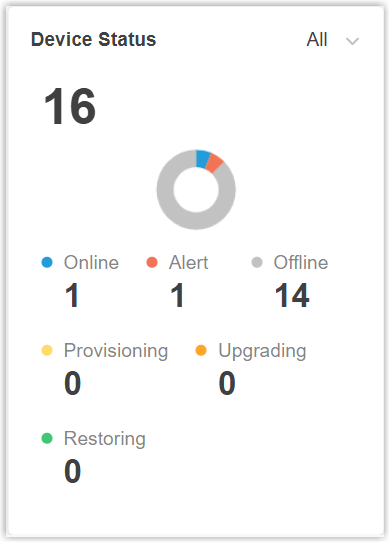
- Added a dashboard widget Device Status under the
Resource tab, which summarizes and
categorizes the remote P-Series Appliance/Software Editions that you
have connected to the system by their status.
- Cloud PBX
-
- Added support for assigning extra AI transcription minutes in
addition to those included in the PBX plan when creating a Cloud
PBX or resizing the capacity for a Cloud PBX.
 Note:For more information, see the following topics:
- To achieve this, you need to subscribe to AI Transcription service and ensuring sufficient remaining capacity.
- The setting only takes effect on P-Series Cloud Edition with firmware version 84.19.0.110 or later.
- Added support for directly creating a Cloud PBX with the
Ultimate Plan, as well as seamlessly upgrading from the
Enterprise Plan to the Ultimate Plan within Yeastar Central
Management, which can take effect on the PBX instantly,
eliminating any additional payment steps. Note: To achieve this, you need to subscribe to Ultimate Plan service and ensuring sufficient remaining capacity.For more information, see the following topics:
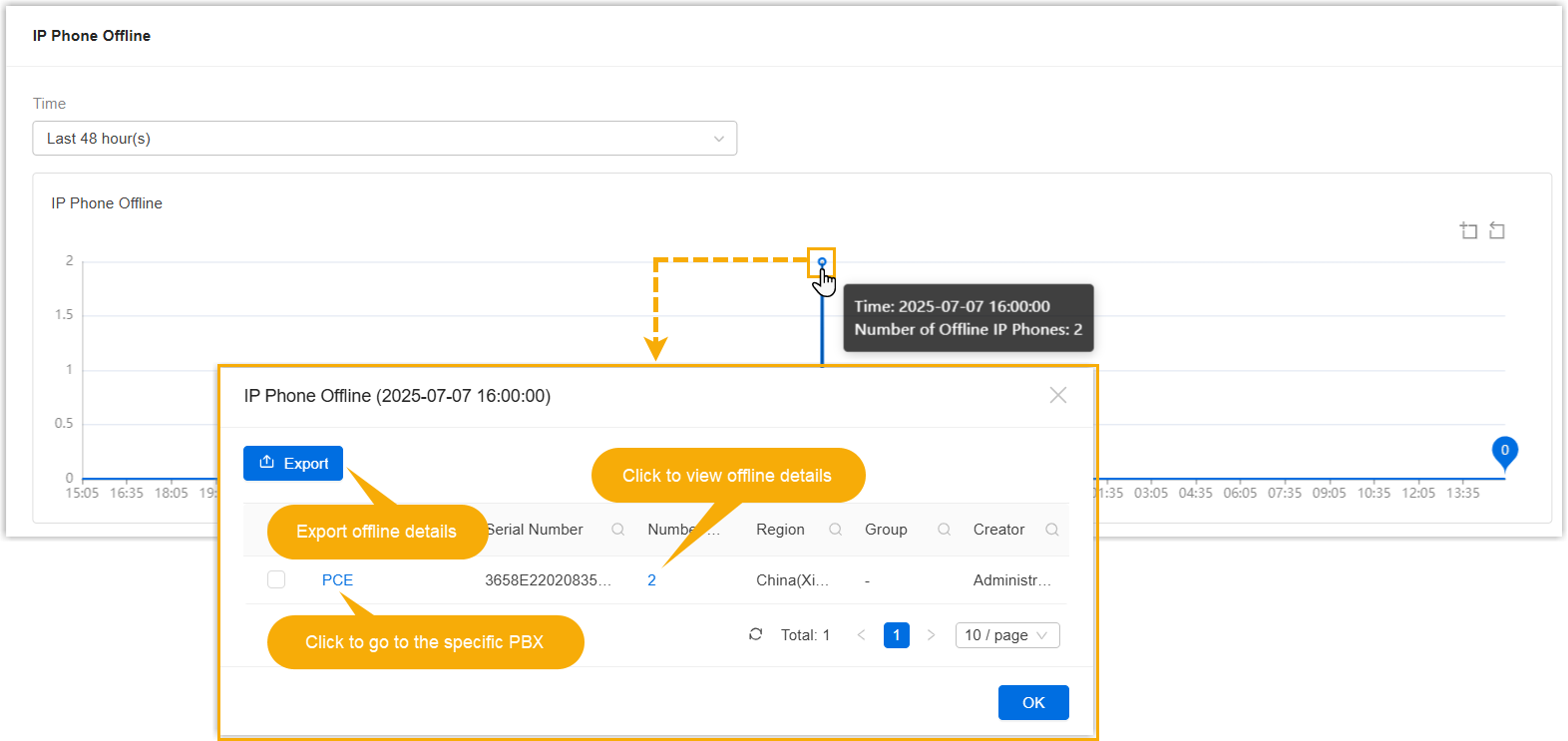
- Optimized the monitoring on Cloud PBX Resource Offline
Condition: You can click a specific data point to view the
details of offline trunks or IP phones.Note: Only supported on P-Series Cloud PBX with firmware version 84.19.0.110 or later.
Path Illustration 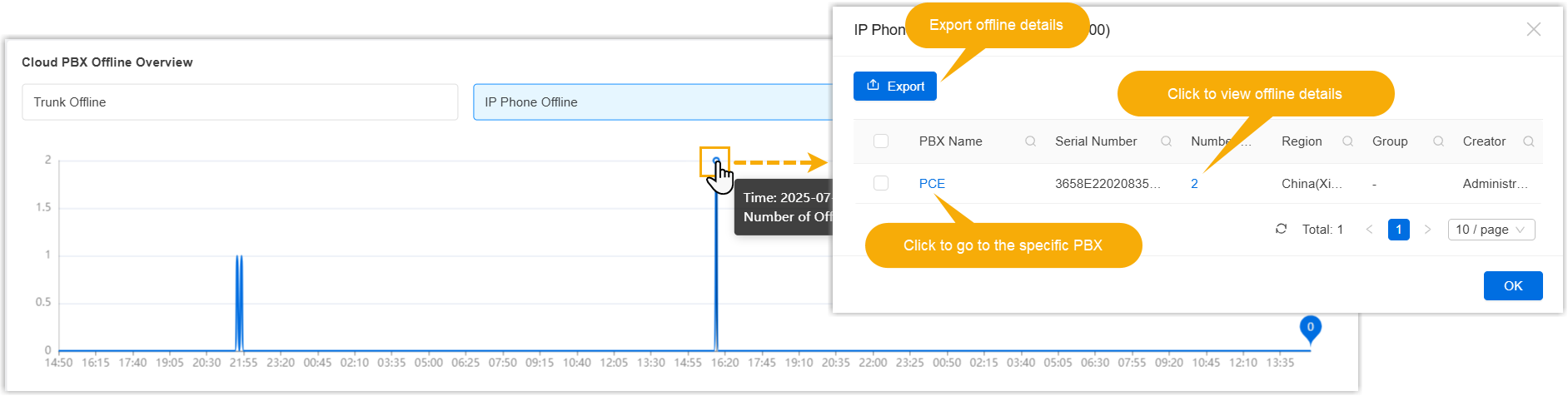
Cloud PBX > PBX >  > Monitoring Details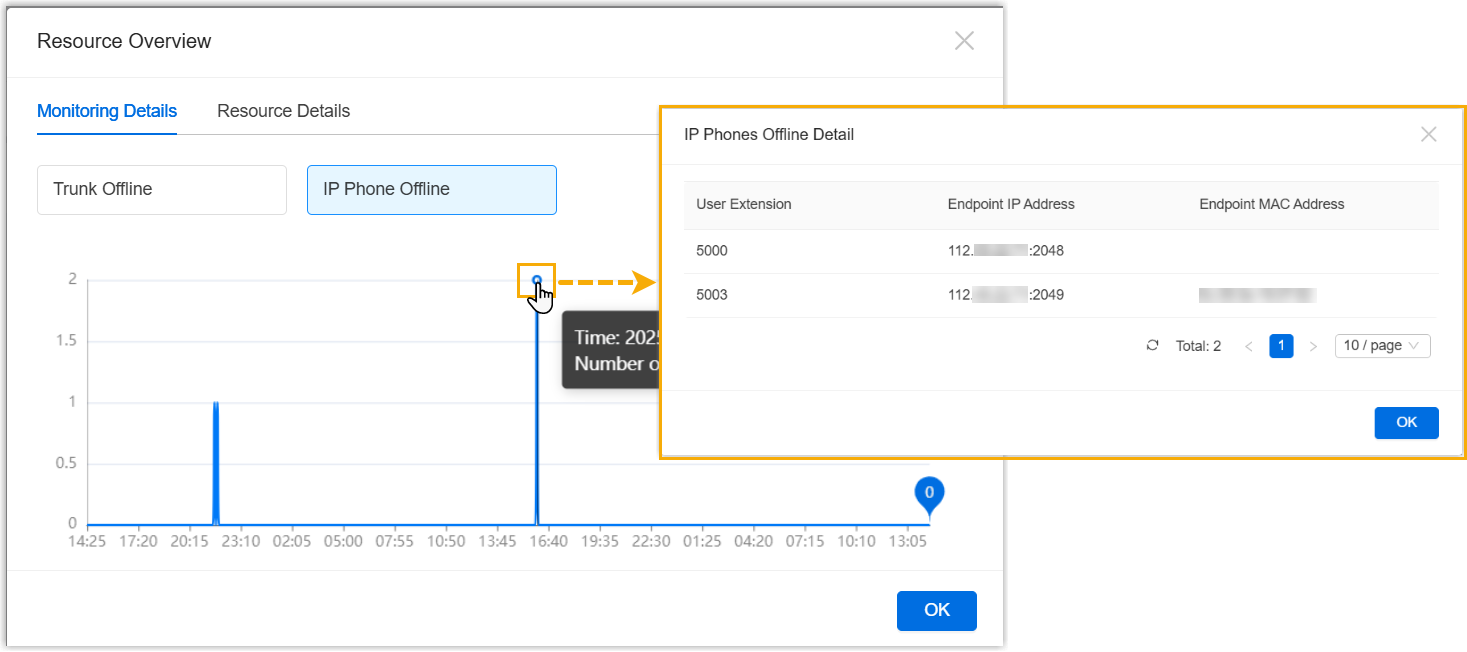
- Added support for assigning extra AI transcription minutes in
addition to those included in the PBX plan when creating a Cloud
PBX or resizing the capacity for a Cloud PBX.
- Alarm
- Added support for the following alarms:
- Preferences
- Added support for the system language of Türk (Turkish), which can be applied to the system email templates.
- User
- Added support for assigning the following resource capacities to
subordinate accounts:
- Ultimate Plan: Assign the number of extensions that the subordinate user can create for Ultimate Plan PBXs.
- AI Transcription(mins): Assign the number of AI transcription minutes that the subordinate user can assign to their PBXs.
- API
- Optimized API interfaces for the following features.
- Provisioning Template
- Added a Resource Repository tab, which provides
the following configuration items.
- Custom Template: Support to create, upload, or download custom templates for auto provisioning.
- Image File: Support to upload the image used for IP phone auto provisioning.
Note: These configuration items only takes effect on P-Series PBX systems with firmware version X.19.0.110 or later.For more information, see Create a Provisioning Template.