Yeastar Central Management 87.16.0.19
Release Date: September 15, 2025
New features
- Task
- Added a task type Switch OEM ID, which allows you
to set up a task for a P-Series Cloud Edition or a remotely
connected P-Series Software Edition to switch the OEM ID of a
standard P-Series PBX system to your own brand's OEM ID, so that the
system can display your brand information.Note: To achieve this, the following requirements should be met:
- Contact Yeastar to grant your account the permission to switch PBX's OEM ID.
- The firmware of P-Series Cloud Edition and P-Series Software Edition should be 84.20.0.74/83.20.0.74 or later.
Improvements
- Web Interface
-
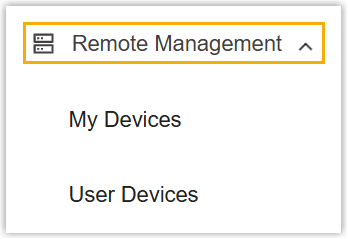
- Renamed the Device feature to
Remote Management.
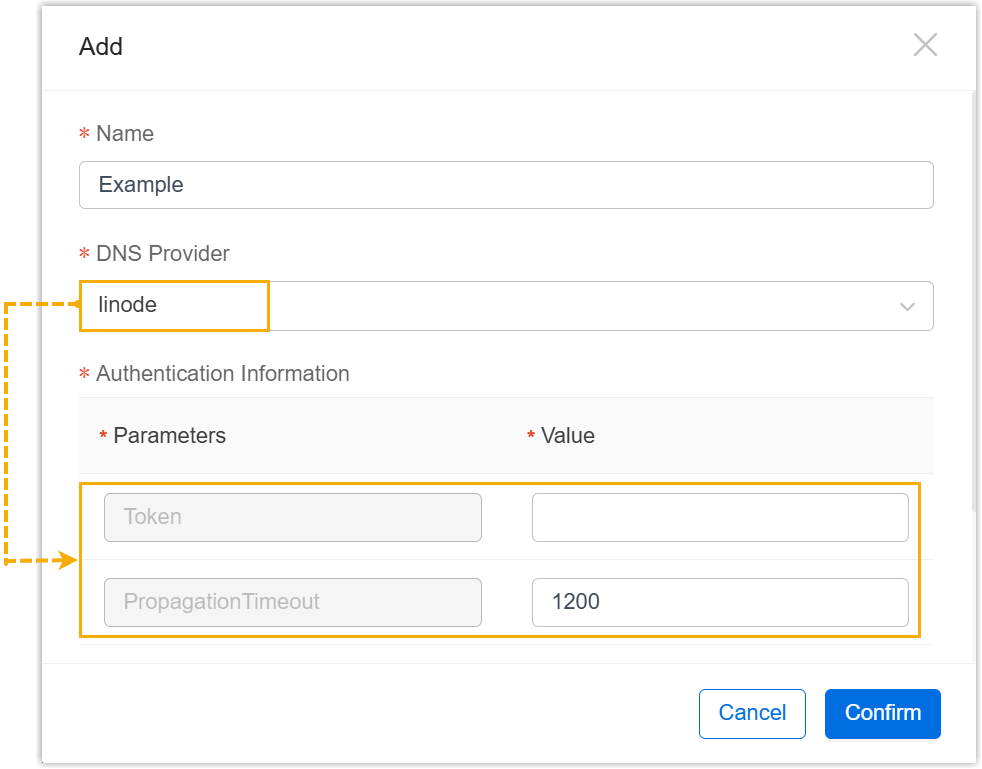
- Optimize the user experience of DNS
Provider feature: After selecting a DNS
provider, the required authentication parameters are
automatically displayed, you can directly enter the
corresponding values, eliminating the need to manually search
for and add the parameters.
- Renamed the Device feature to
Remote Management.
- Cloud PBX
-
- Added support for displaying the name and IP address of the
PBXHub Server where the Cloud PBX is created.

- Added support for selecting a desired PBXHub Server when
creating a Cloud PBX.
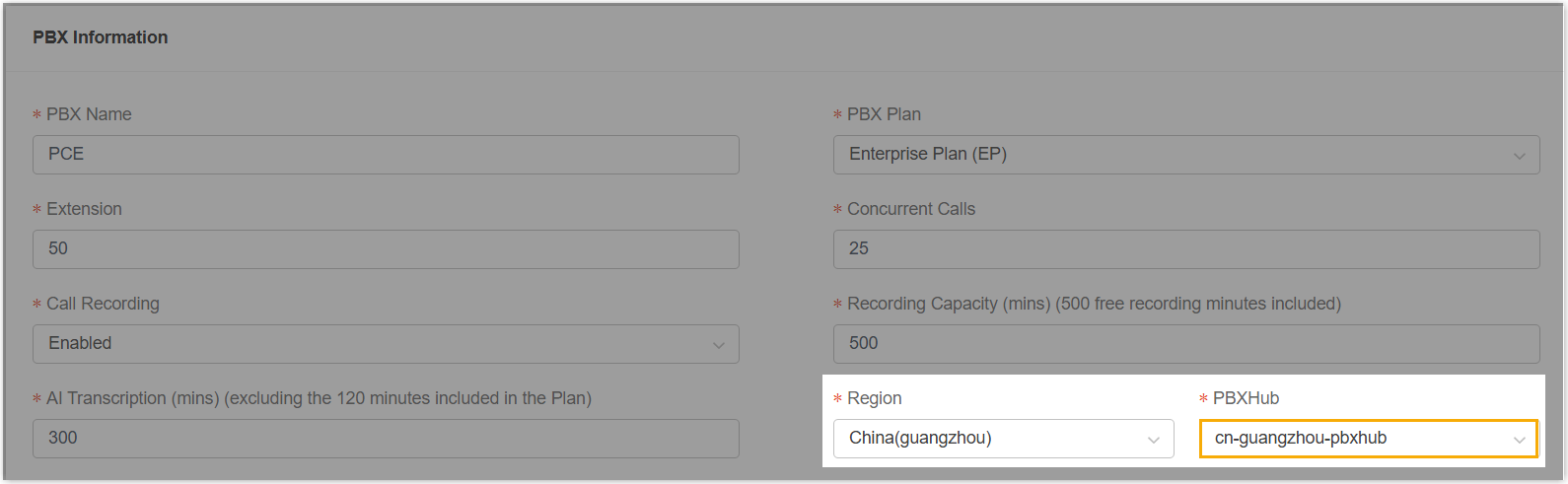
- Added support for displaying the name and IP address of the
PBXHub Server where the Cloud PBX is created.
- User
-
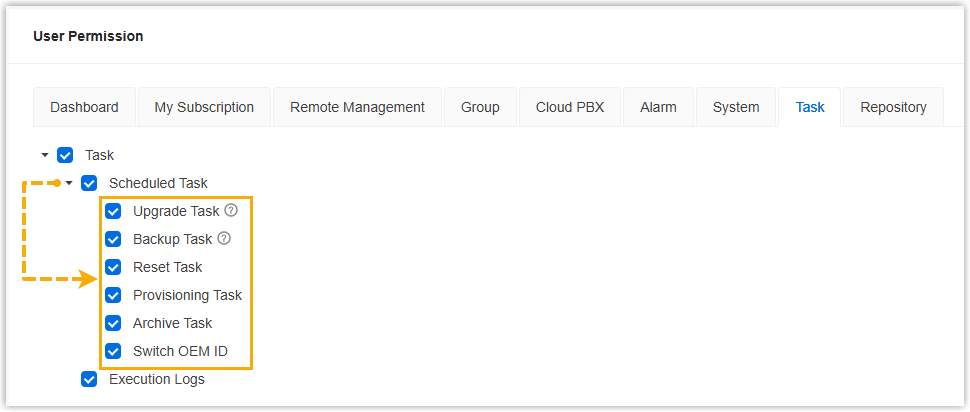
- Optimized user permission control for Task: Added support
for granular control to scheduled task permissions, allowing you
to assign access to specific types of tasks for colleagues or
subordinate accounts.
- Added support for assigning the following user permissions to
colleagues or subordinate accounts:
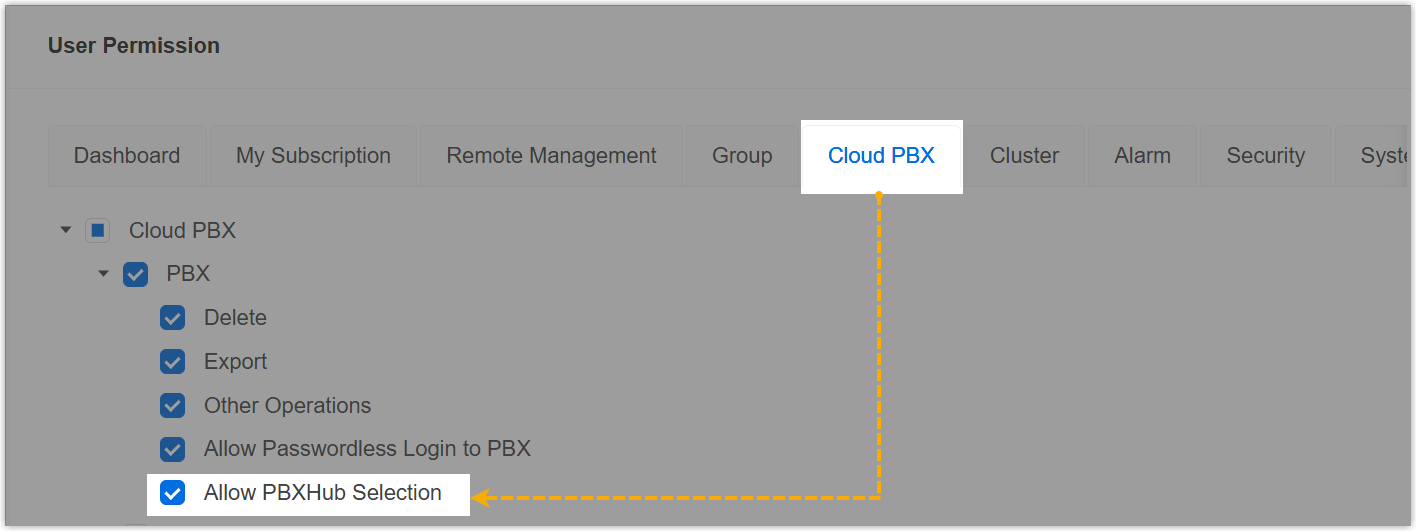
- Allow PBXHub Selection:
Allows the user to select the desired PBXhub server
when creating Cloud PBXs.
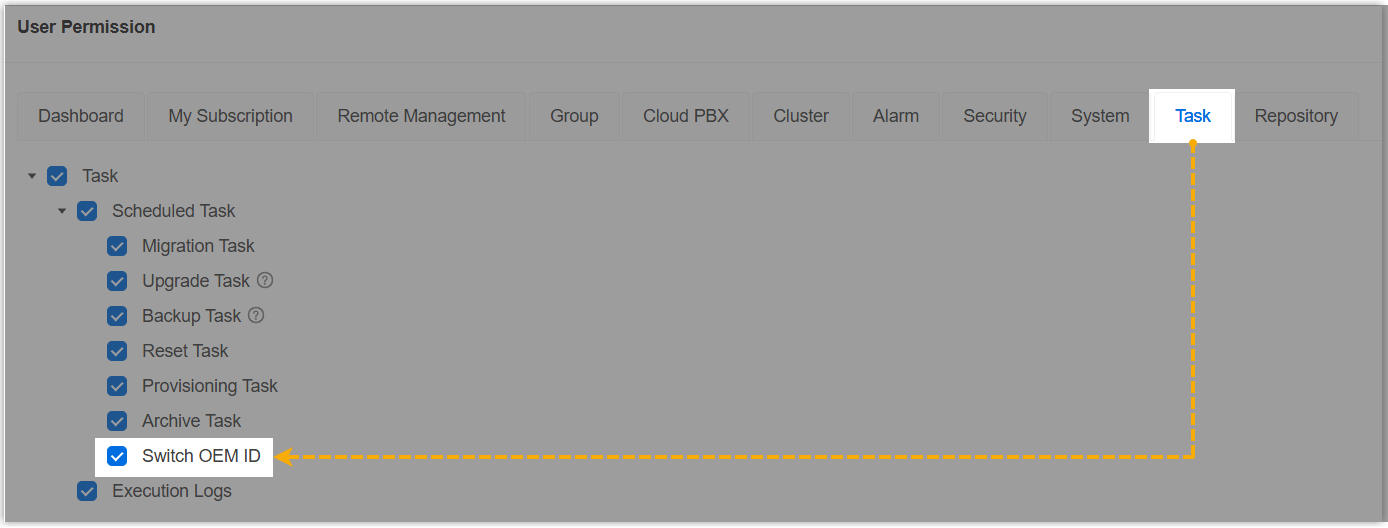
- Switch OEM ID: Allows the
user to set up a task to switch the OEM ID of
P-Series Cloud Edition or remotely connected
P-Series Software Edition.Note: This permission setting is only available when you have the permission to switch PBX's OEM ID. For more information, contact Yeastar.
- Allow PBXHub Selection:
Allows the user to select the desired PBXhub server
when creating Cloud PBXs.
- Optimized user permission control for Task: Added support
for granular control to scheduled task permissions, allowing you
to assign access to specific types of tasks for colleagues or
subordinate accounts.
- API
- Optimized the API interfaces for Cloud PBX: Added a response parameter
pbxHubClusterto the interfaces for querying the information of all or a specific Cloud PBX, which provides the IP address and name of the PBXHub Server where the PBX is created.For more information, see Query All the Cloud PBXs and Query a Specific Cloud PBX.
- Task
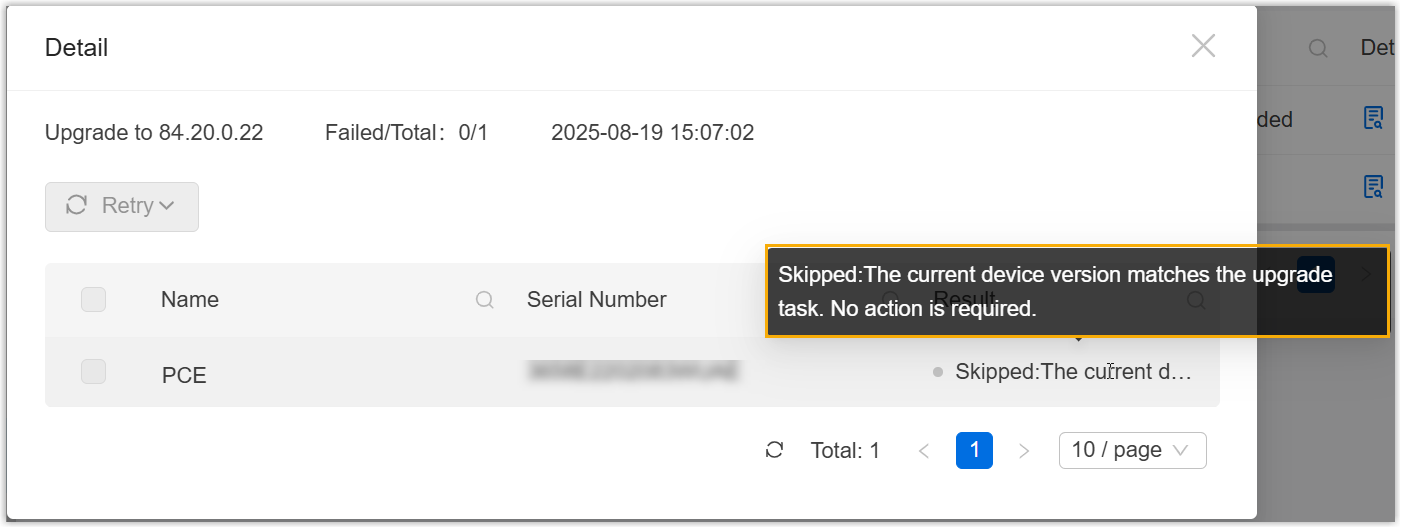
- Added a execution result Skipped for task: Objects that do not require execution will be automatically skipped.
- For example, when performing a bulk firmware upgrade task for P-Series
PBX systems, any PBX already running the target version will be skipped
prevent unnecessary execution and thus avoid affecting system
usage.
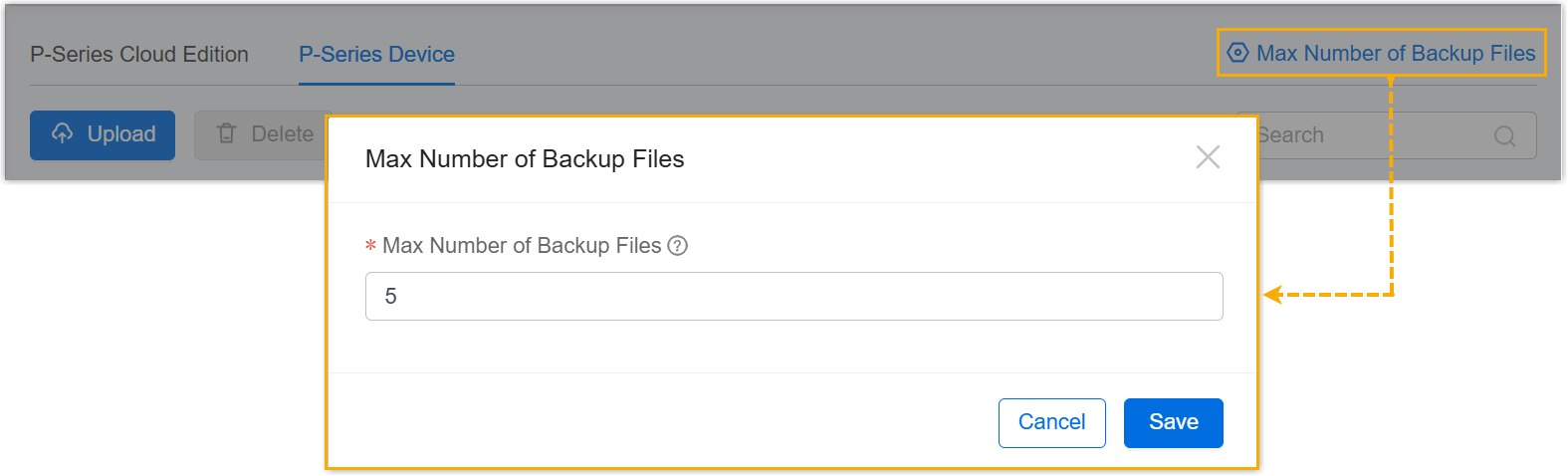
- Backup File
- Optimized the Backup File feature: Added a configuration item Max Number of Backup Files, which allows you to set the maximum number of backup files that can be retained for each P-Series Cloud Edition or remotely connected P-Series Appliance/Software Edition on Yeastar Central Management, regardless of whether the backup files are generated by tasks or uploaded manually.